Blog
How to Train a Krea 2 LoRA on a 12GB GPU
Mickael
mediapixel team
A low-VRAM Musubi Tuner workflow for Krea 2 Raw training and Krea 2 Turbo inference.
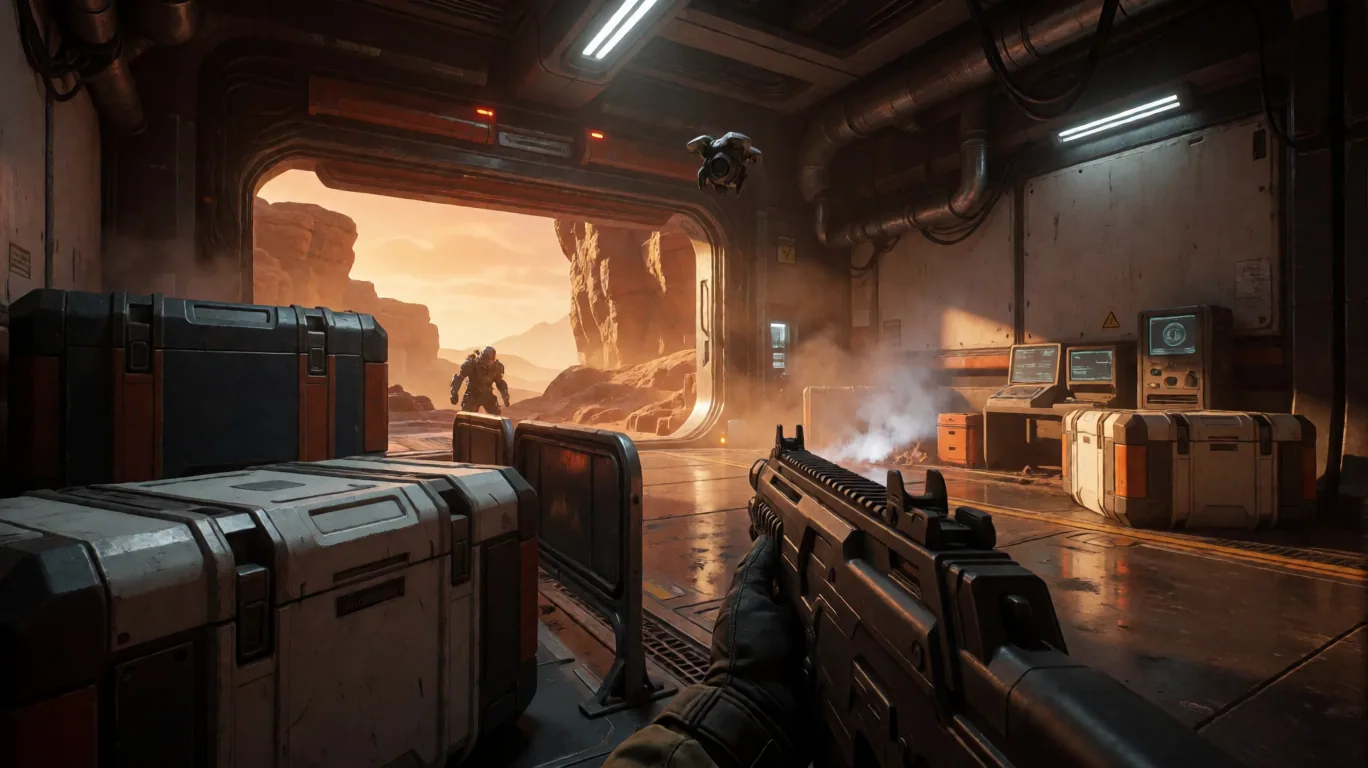
A low-VRAM Musubi Tuner workflow for Krea 2 Raw training and Krea 2 Turbo inference.
After exploring local training for Ideogram 4, it is time to tackle another major challenge: Krea 2 (Krea-2-Raw).
Krea 2 responds well to detailed textual prompts and can also interpret JSON- or BOX-like formatting as a textual prompting convention. Unlike Ideogram 4, however, it does not expose a documented native JSON schema or deterministic bounding-box control interface. Training a local LoRA on this model is also resource-heavy. With a base model weighing over 24 GB and a Qwen3-VL 4B text encoder of over 8 GB, the hardware barrier seems insurmountable at first glance for a consumer 12GB GPU like the popular RTX 3060.
With the configuration documented below, local Krea 2 LoRA training is stable and practical on a 12 GB GPU. The same optimized pipeline reached approximately 7.2 to 7.8 seconds per step.
This guide documents the step-by-step method using Musubi Tuner, the official Krea 2 Raw model, CPU block-swapping optimizations, and dataset preparation.
Workflow note: Train the LoRA on Krea 2 Raw, the malleable undistilled checkpoint intended for fine-tuning, then apply the resulting weights to Krea 2 Turbo, the fast distilled 8-step checkpoint, during inference. Musubi still labels its Krea 2 integration as experimental upstream, so future versions may rename or adjust command-line options; the configuration below has been validated on the reference system described in this guide.
The 12GB GPU VRAM Challenge
To understand why these optimizations are necessary, let’s look at the default setup requirements:
- Krea 2 Raw Base Model (
raw.safetensors): ~24.48 GB - Text Encoder (
qwen3vl_4b_bf16.safetensors): ~8.27 GB - VAE (
qwen_image_vae.safetensors): ~1.1 GB
Attempting to load these weights in native precision (BF16/FP16) on a 12GB RTX 3060 triggers an immediate Out of Memory (OOM) crash. FP8 quantization reduces the model footprint, but the stable 12 GB configuration also requires the block-swapping and strict resolution path documented below.
The Solution: Musubi Tuner Memory Optimizations
To make local training feasible and productive, we combine five major memory management techniques implemented in Musubi Tuner:
- Base Model FP8 Quantization (
--fp8_base --fp8_scaled): Drastically reduces the base model memory footprint during training passes. - CPU Block-Swapping (
--blocks_to_swap 22): Offloads 22 inactive transformer blocks (out of 28) from the GPU to the system RAM (CPU). Keeping 22 blocks offloaded keeps peak GPU VRAM around 10.5 GB, safely below the 12 GB ceiling to prevent Windows WDDM PCIe paging slowdowns. - Host-to-Device-Only Streaming (
--block_swap_h2d_only): Keeps a CPU master copy of the frozen base weights and streams blocks from host to device without copying them back. This removes the unnecessary device-to-host transfer during LoRA training and contributed to the improved throughput of the combined optimized configuration. - Double-Buffering (
--block_swap_ring_size 2): Uses two GPU ring buffers so the next block can be prefetched while the current block is being processed. This reduces transfer-related GPU idle periods. A ring size of 2 is specified explicitly for reproducibility. - Strict 512x512 Square Resolution (
enable_bucket = false): Enforces a uniform 512x512 resolution in the dataloader config. Disabling variable aspect-ratio bucketing prevents tall vertical images (like 352x736) from expanding the DiT 2D attention sequence length and doubling activation memory.
Benchmark attribution note: The benchmark validates the combined configuration; it does not isolate
--block_swap_h2d_onlyor the ring size from the other settings, so no independent percentage speedup is attributed to either option.
System RAM note: This workflow relies heavily on CPU offloading. It was tested on a machine with 64 GB of system RAM. It may still work with less, but 32 GB can become tight depending on the dataset, caching, Windows background usage, and swap settings.
Required Tools and Files
Before starting, prepare your local folder structure:
C:\krea2_models\
├─ DiffusionModels\
│  └─ raw.safetensors (24.48 GB)
├─ text_encoders\
│  └─ qwen3vl_4b_bf16.safetensors (8.27 GB)
└─ VAE\
   └─ qwen_image_vae.safetensors
C:\musubi-tuner\
Download links for official weights:
- Krea-2-Raw: huggingface.co/krea/Krea-2-Raw
- Text Encoder & VAE: huggingface.co/Comfy-Org/Qwen3-VL
License note: Krea 2 is released under the Krea 2 Community License. Before using trained LoRAs or outputs commercially, check the current license terms and make sure your use case is allowed.
Installing Musubi Tuner
To train Krea 2 locally, we use Musubi Tuner, a highly memory-efficient training UI and CLI designed by kohya-ss for advanced architectures.
Prerequisites
Before running the installation commands, make sure you have the following prerequisites installed on Windows:
- Git for Windows: Required to clone the repository and manage version control.
- Python 3.10 or 3.11: Required for running the tuner environment. Make sure to check the option to add Python to your PATH during installation.
- NVIDIA GPU Driver (Recent): Required for CUDA and PyTorch GPU acceleration.
- Microsoft Visual Studio Build Tools: (Optional but recommended) Useful if any compiled Python dependency packages need to compile C++ extensions locally.
Installation Steps on Windows:
-
Clone the repository:
Open your terminal and clone Musubi Tuner to your C drive:cd C:\ git clone https://github.com/kohya-ss/musubi-tuner.git C:\musubi-tuner cd C:\musubi-tuner -
Create and Activate a Virtual Environment:
python -m venv .venv .\.venv\Scripts\activate -
Install PyTorch and CUDA Dependencies:
Ensure you install the correct PyTorch package matching your GPU’s CUDA runtime (verified with CUDA 12.4):pip install torch torchvision --index-url https://download.pytorch.org/whl/cu124 -
Install Musubi Tuner and Common Dependencies:
Install the tuner in editable mode so it registers all network modules correctly:pip install -e . pip install ascii-magic matplotlib tensorboard prompt-toolkit
1. Preparing the Dataset and Captions
For Krea 2, I reuse the same structured JSON captioning approach that worked well in my Ideogram 4 workflow. This is an organizational convention rather than a native Krea 2 control interface: the serialized JSON is ultimately encoded as prompt text, and BOX- or bbox-like fields should not be treated as guaranteed spatial constraints. The Krea 2 Technical Report discusses the model’s exposure to varied prompt formats, including structured conventions, while native structured-prompt understanding remains an area for further development.
JSON captions are therefore not required as a universal Krea 2 rule. Natural-language captions remain valid and may be simpler for many datasets. Whichever format you choose, keep it consistent, remove irrelevant automatic tagging metadata, and explicitly include the target trigger word and the visual concept terms the LoRA needs to learn.
Expected Dataset Directory Structure:
C:\krea2_lora_training\mp_concept_krea2\
├─ krea2_images\
│  ├─ image_0001.png
│  ├─ image_0001.txt (raw JSON string, no markdown fences)
│  ├─ image_0002.png
│  └─ ...
├─ krea2_cache_512\ (automatically generated)
└─ output_krea2\
Example JSON Caption (image_0001.txt):
{"high_level_description":"A clean game-art reference image of a futuristic off-road utility buggy, mp_concept_krea2.","style_description":{"aesthetics":"production-friendly vehicle concept art, readable silhouette, game asset clarity","lighting":"soft studio lighting with clear material readability","medium":"digital vehicle concept art","art_style":"hard-surface game vehicle design with large wheels, protective roll cage, modular panels, elevated suspension, and clean forms"},"compositional_deconstruction":{"background":"A simple neutral studio background with subtle shading.","elements":[{"type":"obj","desc":"A single futuristic off-road utility buggy shown in a clean three-quarter view, with large wheels, exposed frame, protective roll cage, compact chassis, and readable game-asset proportions, mp_concept_krea2."}]}}
2. Dataset TOML Configuration (dataset_512.toml)
Create the Musubi dataloader configuration file under the name mp_concept_krea2_dataset_512.toml:
[general]
resolution = [512, 512]
caption_extension = ".txt"
batch_size = 1
enable_bucket = false
bucket_no_upscale = false

[[datasets]]
image_directory = "C:/krea2_lora_training/mp_concept_krea2/krea2_images"
cache_directory = "C:/krea2_lora_training/mp_concept_krea2/krea2_cache_512"
num_repeats = 1
3. Optimized Training Launcher (run_krea2_train.ps1)
Here is the complete PowerShell script that handles caching image latents, caching text encoder outputs, and starting the training run with Krea 2 LoRA parameters.
This script should be placed in your companion repository on GitHub.
$ErrorActionPreference = "Stop"
$env:PYTHONIOENCODING = "utf-8"

$MusubiRoot = "C:\musubi-tuner"
$DatasetConfig = "C:\krea2_lora_training\mp_concept_krea2\mp_concept_krea2_dataset_512.toml"
$OutputDir = "C:\krea2_lora_training\mp_concept_krea2\output_krea2"
$OutputName = "mp_concept_krea2_lora_512"

$RawDit = "C:\krea2_models\DiffusionModels\raw.safetensors"
$Vae = "C:\krea2_models\VAE\qwen_image_vae.safetensors"
$TextEncoder = "C:\krea2_models\text_encoders\qwen3vl_4b_bf16.safetensors"

New-Item -ItemType Directory -Force -Path $OutputDir | Out-Null

Push-Location $MusubiRoot
try {
    # 1. Cache VAE image latents (very fast)
    Write-Host "Caching image latents..." -ForegroundColor Cyan
    .\.venv\Scripts\python.exe src\musubi_tuner\krea2_cache_latents.py `
        --dataset_config $DatasetConfig `
        --vae $Vae

    # 2. Cache Text Encoder outputs (executed once at startup)
    Write-Host "Caching text encoder embeddings..." -ForegroundColor Cyan
    .\.venv\Scripts\python.exe src\musubi_tuner\krea2_cache_text_encoder_outputs.py `
        --dataset_config $DatasetConfig `
        --text_encoder $TextEncoder `
        --batch_size 1

    # 3. Launch LoRA training with memory swapping and GPU acceleration
    Write-Host "Launching network training..." -ForegroundColor Green
    .\.venv\Scripts\accelerate.exe launch --num_cpu_threads_per_process 1 --mixed_precision bf16 `
        src\musubi_tuner\krea2_train_network.py `
        --dit $RawDit `
        --fp8_base `
        --fp8_scaled `
        --vae $Vae `
        --dataset_config $DatasetConfig `
        --sdpa `
        --mixed_precision bf16 `
        --timestep_sampling krea2_shift `
        --weighting_scheme none `
        --optimizer_type adamw8bit `
        --learning_rate 1e-4 `
        --gradient_checkpointing `
        --blocks_to_swap 22 `
        --block_swap_h2d_only `
        --block_swap_ring_size 2 `
        --max_data_loader_n_workers 2 `
        --persistent_data_loader_workers `
        --network_module networks.lora_krea2 `
        --network_dim 16 `
        --network_alpha 16 `
        --max_train_steps 500 `
        --save_every_n_steps 50 `
        --save_state `
        --save_precision bf16 `
        --seed 42 `
        --output_dir $OutputDir `
        --output_name $OutputName
}
finally {
    Pop-Location
}
The launcher uses krea2_shift, which applies Krea 2’s resolution-aware timestep schedule independently to each sample. Do not combine krea2_shift with --discrete_flow_shift 2.5.
This scheduler correction improves resolution matching; it is not an acceleration setting. The primary performance gain comes from keeping FP8 quantization, setting --blocks_to_swap 22, and enforcing enable_bucket = false.
Why Rank 16 / Alpha 16?
--network_dim 16 and --network_alpha 16 are a deliberate middle ground based on practical rank comparisons. In those tests, rank 8 produced a lighter style influence, rank 16 provided a useful balance between concept strength and composability, and rank 32 was better suited to a precise object or concept intended to take priority over other stacked LoRAs.
Rank 16 alone is not what makes 12 GB training possible: FP8 quantization and block swapping are far more important to memory feasibility.
4. Validated Performance on the RTX 3060 12GB
The reference configuration is:
- FP8 scaled base weights;
- 22 swapped transformer blocks;
- host-to-device-only block streaming;
- a two-buffer block-swap ring;
- gradient checkpointing and SDPA;
- batch size 1;
- rank 16 / alpha 16;
- resolution-aware
krea2_shifttimestep sampling; - strict 512x512 resolution (
enable_bucket = false).
The successive tests on the reference RTX 3060 12GB system show how much the complete optimization path matters:
| Configuration | Stability | Average speed |
|---|---|---|
| Krea 2 Raw BF16, no block swap | CUDA OOM | ~154 s / step before crash |
| Krea 2 Raw FP8, no block swap | Unstable, CUDA crash | ~85–113 s / step |
| Krea 2 Raw FP8, validated optimized configuration | Stable | ~7.2–7.8 s / step |
The validated run maintained 100% GPU utilization and used approximately 10.5 GB of VRAM, safely below the 12 GB ceiling to prevent Windows WDDM memory thrashing.
5. Inference and Validation in ComfyUI
Once training completes, copy the generated .safetensors model to ComfyUI\models\loras.
For inference:
- Recommended base inference model:
krea2_turbo_fp8_scaled.safetensors. - Apply the LoRA on the model path with a standard LoraLoader node (Strength:
0.8to1.2). - A structured JSON/BOX prompt builder such as KJNodes can be used to preserve the same auditable text convention as the Ideogram 4 workflow and to place the trigger token consistently inside descriptions. Krea 2 still receives the serialized result as prompt text: unlike Ideogram 4, its BOX or
bboxfields are textual formatting cues, not documented deterministic spatial controls.
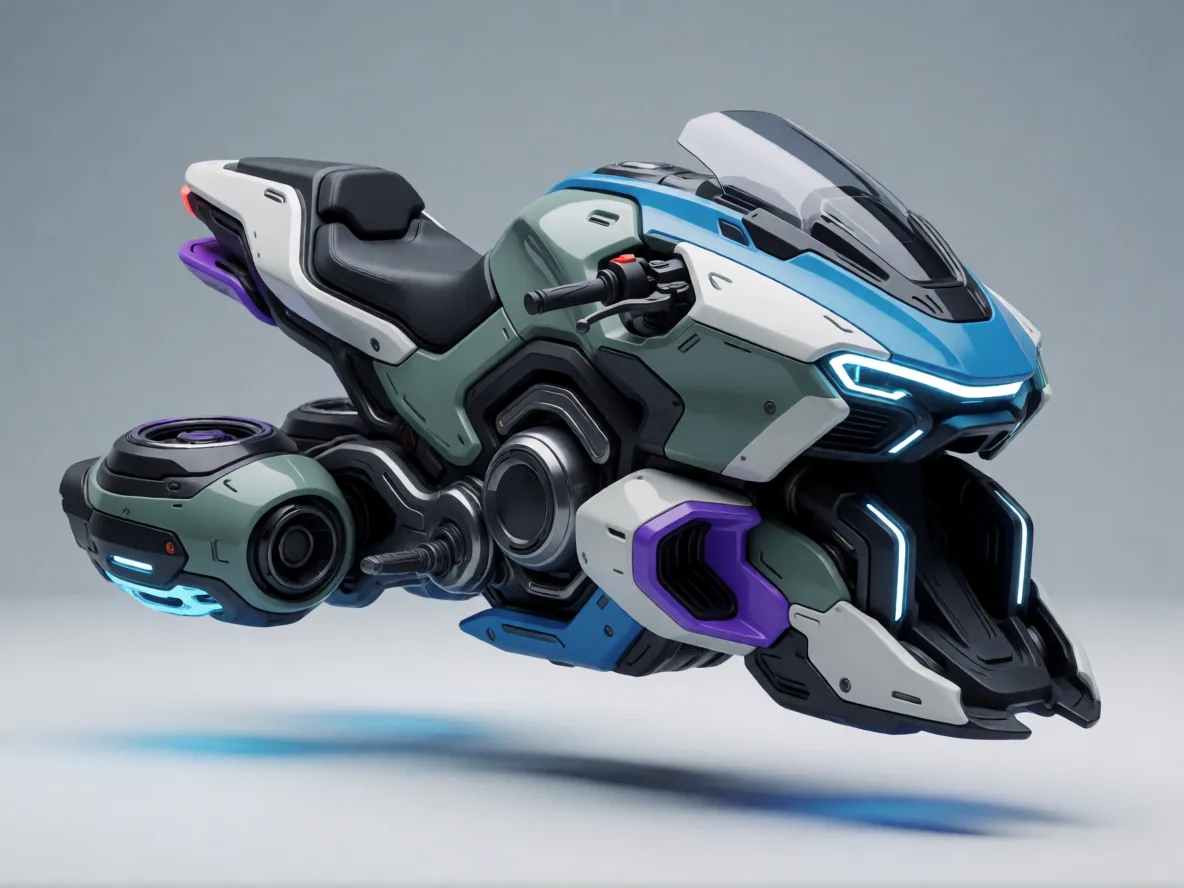
This project demonstrates that with careful memory offloading and bottleneck management under Windows, advanced visual models like Krea 2 remain accessible to local, mid-range hardware setups.
What did you think of this post?
Share your feedback in one click!
Comments (0)
Join the discussion and share your thoughts
Leave a comment
No comments yet. Be the first to share your thoughts!
Related Articles
Continue reading with these posts and tutorials
Qwen Image 2.1 vs ERNIE, Krea 2, HiDream and Z-Image on RTX 3060 12GB
Review draft of the final five-model 1024x1024 benchmark on an RTX 3060 12GB. Krea 2 Turbo finished first, ERNIE followed, and Z-Image-Turbo was the fastest retained workflow.
Sep 28, 2026

Mage-Flow Turbo vs FLUX.2 klein 4B on an RTX 3060 12GB
Which compact 4B model offers the better local workflow? Across 30 matched configurations on an RTX 3060 12GB, Mage-Flow generated images faster, while FLUX.2 klein produced cleaner results and the better overall quality/speed balance.
Jul 30, 2026

Mage-Flow vs Krea 2 Turbo on 12GB VRAM
A 60-image ComfyUI benchmark comparing generation speed, memory usage, character fidelity, photography and image quality on an RTX 3060 12GB.
Jul 28, 2026