Blog
Krea 2 Raw vs. Turbo in ComfyUI: Is Raw Worth the Wait?

Mickael
mediapixel team
A detailed timing and quality comparison benchmark of Krea 2 Turbo vs. Raw vs. Raw + Turbo LoRA on an RTX 3060 12GB under ComfyUI.
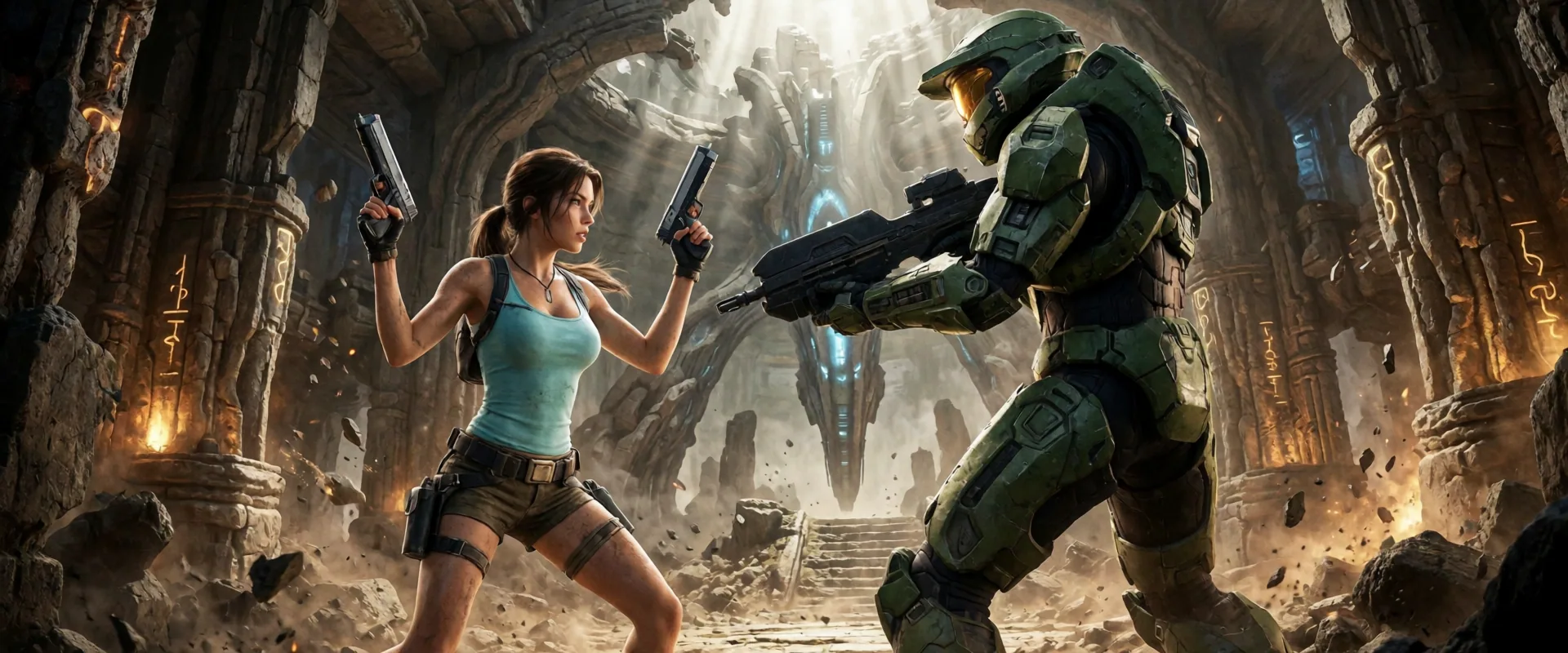
I wanted a practical answer to a simple question: if Krea 2 Turbo is already fast and polished, is there still a good reason to use Krea 2 Raw in ComfyUI?
To find out, I tested three local workflows on an RTX 3060 12GB:
- Krea 2 Turbo at 8 steps
- Krea 2 Raw at 52 steps
- Krea 2 Raw + the official Turbo LoRA at strength 0.7 over 12 steps
The goal was not only to compare image quality, but also to measure the real cost of each option once the model was loaded and ComfyUI’s cache was no longer distorting the results.
TL;DR
On my RTX 3060 12GB at 1024x576:
- Krea 2 Turbo: 39.50 seconds — still the best default for fast iteration.
- Raw + Turbo LoRA: 55.23 seconds — 39.8% slower overall, but visually close to Turbo and sometimes a little softer or more natural.
- Standalone Raw: 361.77 seconds — about 9.16x slower than Turbo, making it much harder to justify for everyday generation.
For my own work, I would use Turbo most of the time. I would keep Raw + Turbo LoRA for experiments, LoRA-based control, or situations where Raw is already loaded and I want to avoid switching checkpoints.
These are practical warm-run measurements from one system, not a formal multi-run statistical benchmark.
1. What I Wanted to Find Out
When Krea 2 launched, I was curious to compare the fast, distilled Turbo checkpoint with the more flexible Raw base checkpoint.
On paper, Raw should offer a better foundation for experimentation, training, and custom workflows, while Turbo is designed to produce polished images quickly. The interesting question was whether Raw could become a practical alternative when paired with the official Turbo LoRA.
Getting there was less straightforward than expected. My first Raw workflow was configured incorrectly, and the initial results were unusable. Once I fixed the guidance and scheduler setup, I could finally run a fair comparison.
2. Why My First Raw Workflow Failed
My first attempt did not reproduce Krea 2 Raw’s required guidance and timestep configuration.
I used the wrong scheduler, zeroed the negative conditioning instead of encoding a genuinely empty prompt, and mapped the model’s conditional and unconditional branches incorrectly. The output collapsed into severe pointillistic noise and chromatic artifacts, which was consistent with unstable or incorrectly configured guidance.
I also tested a simpler single-batch workflow using only a FluxGuidance node with sampler CFG set to 1.0. That removed the colorful noise, but the images were still poor: prompt details were weak, silhouettes became muddy, and anatomical features lost their structure.
The fix was to reproduce the two-branch Raw guidance path properly:
CFGGuiderset tocfg = 3.5- The normal positive prompt on the positive path
- A genuinely encoded empty string
""on the negative path ModelSamplingFluxto shift timesteps according to the image resolutionBasicSchedulerset toscheduler = simple
With that setup, the chromatic artifacts disappeared and Raw began producing clean, coherent images.
3. Hardware and Models
I ran the tests on a mid-range desktop system:
- GPU: NVIDIA GeForce RTX 3060 12GB, connected through PCIe 3.0 x16
- System RAM: 64 GB
- Resolution: 1024x576, 16:9
- Text encoder:
qwen3vl_4b_fp8_scaled.safetensors - VAE:
qwen_image_vae.safetensors
4. Workflows Used
These were the exact configurations used for the comparison.
Krea 2 Turbo
- Base model:
krea2_turbo_fp8_scaled.safetensors - Steps: 8
- CFG: 1.0
- Scheduler:
beta57 - Negative path:
ConditioningZeroOut
Krea 2 Raw
- Base model:
krea2_raw_fp8_scaled.safetensors - Steps: 52
- CFG: 3.5
- Scheduler:
simple - Guidance:
CFGGuider - Negative path: encoded empty prompt
""
Krea 2 Raw + Turbo LoRA
- Base model:
krea2_raw_fp8_scaled.safetensors - LoRA:
krea2_turbo_lora_rank_64_bf16.safetensors - LoRA strength: 0.7
- Steps: 12
- CFG: 1.0
- Scheduler:
beta57 - Negative path:
ConditioningZeroOut
5. Benchmark Method
I used Lara Croft and Master Chief prompts for the visual tests. Recognizable characters made it easier to spot problems in facial structure, body proportions, hair, armor plating, reflections, and material detail.
For each comparison, I kept the prompt, resolution, and seed consistent between model variants. I measured warm generations so that the initial model-loading time was not included in the results.
ComfyUI caching required extra care. Re-running an unchanged workflow can reuse previously computed node outputs instead of performing a full generation. I therefore changed the relevant inputs during timing validation to make sure the reported runs were actually executed.
The figures below should be read as controlled, practical warm-run measurements rather than averages from a large benchmark sample.
6. Corrected Timing Results
Once cached runs were excluded, the performance gap became much clearer.
| Variant | Steps | LoRA Strength | Warm Total Time | Warm Sampler Time | Peak VRAM | Relative to Turbo |
|---|---|---|---|---|---|---|
| Krea 2 Turbo | 8 | — | 39.50s | 27.22s | 11,859 MB | 1.00x |
| Krea 2 Raw + Turbo LoRA | 12 | 0.7 | 55.23s | 43.37s | 11,774 MB | 1.40x |
| Krea 2 Raw | 52 | — | 361.77s | — | — | 9.16x |
I did not capture equivalent standalone Raw sampler and peak-VRAM figures during this validation pass, so I have left those cells blank rather than estimate them.
Standalone Raw was not merely a little slower. At 361.77 seconds, it took about 9.16 times as long as native Turbo, and about 6.55 times as long as Raw + Turbo LoRA.
What the caching issue changed
My first timing pass suggested that Turbo and Raw + Turbo LoRA were almost identical at roughly 52 to 53 seconds. That result was misleading because ComfyUI had reused cached outputs from unchanged prompts, seeds, and workflow settings.
After isolating uncached runs, Raw + Turbo LoRA showed a clear cost over native Turbo:
- +39.8% total workflow time
- +59.3% sampler execution time
The sampler increase is close to what we would expect when moving from 8 to 12 steps.
Loading and switching overhead
The generation time is only part of the story when several Krea 2 variants are used in the same workspace:
- Cold startup: restarting ComfyUI and loading the model from scratch added roughly 90 to 100 seconds.
- Checkpoint switch: replacing the active checkpoint on a running server added around 20 seconds of PCIe weight paging.
- LoRA change: applying or adjusting the Turbo LoRA on an already loaded Raw checkpoint added only about 0.7 seconds.
This is the strongest practical argument for keeping the hybrid workflow available. Raw and Raw + LoRA share the same base checkpoint, so switching between them is almost immediate compared with loading Turbo as a separate checkpoint.
7. Image Quality: Turbo vs Raw vs Raw + Turbo LoRA
The images made the trade-offs easier to understand than the timing table alone.
Character and Material Test: Lara Croft
This prompt was intended to test facial structure, hair strands, clothing textures, skin rendering, and environmental detail.
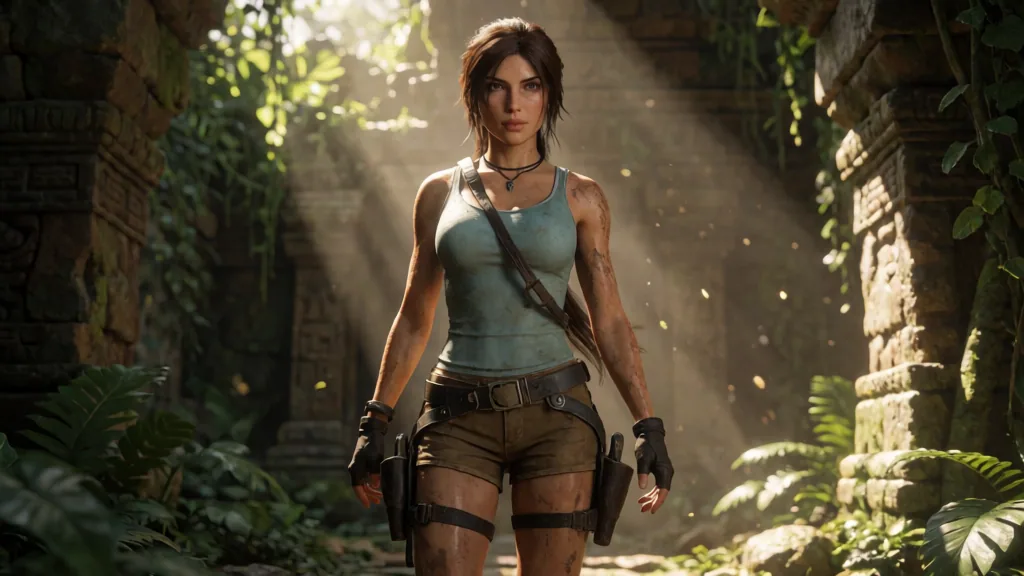
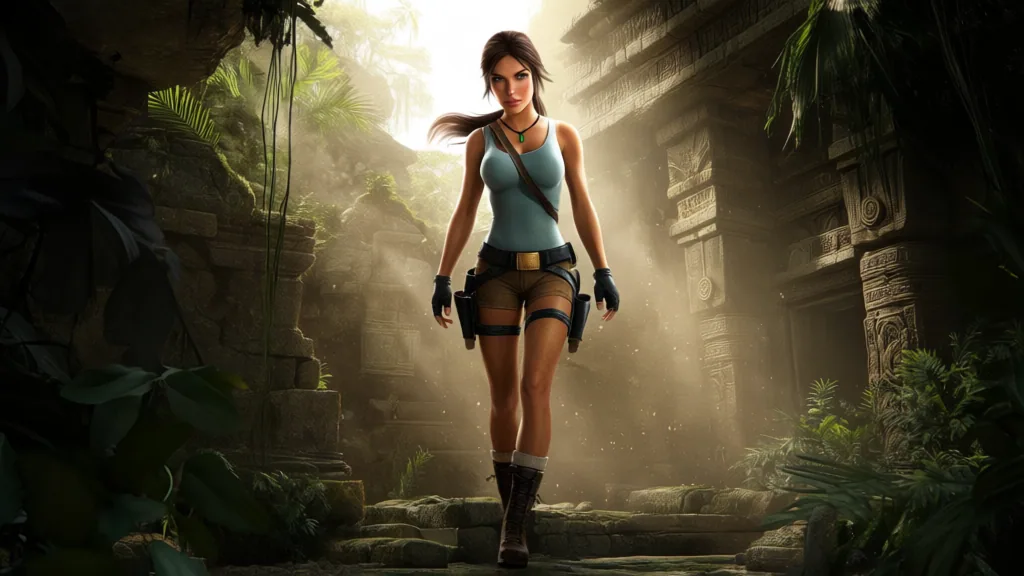
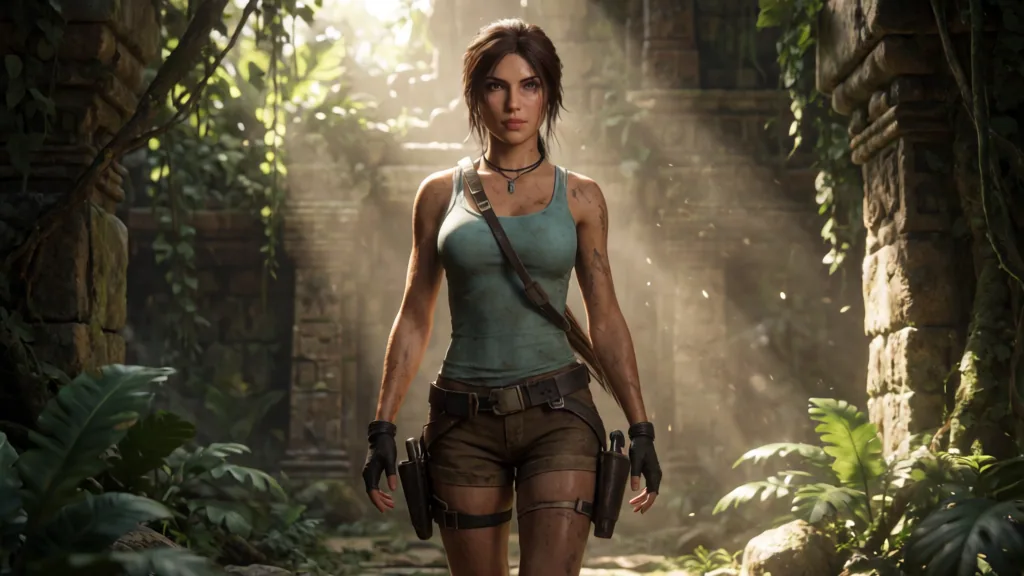
In this seed, standalone Raw chose a wider, full-body composition. The result was coherent, but the skin and clothing looked unusually smooth and plastic-like, closer to a basic 3D game render than a cinematic photograph.
Turbo produced a tighter composition with more visible skin texture, better-defined hair, and a richer jungle background.
Raw + Turbo LoRA behaved very differently from standalone Raw. At 12 steps, it recovered much of Turbo’s texture and photorealistic finish while keeping slightly softer lighting and a different composition. I would not call it universally better, but it was clearly much closer to Turbo than to the unmodified Raw result.
Close-up Face and Hair Comparison



Armor and Hard-Surface Test: Master Chief
The second prompt focused on armor plating, painted metal, scratches, visor reflections, and atmospheric battlefield effects.
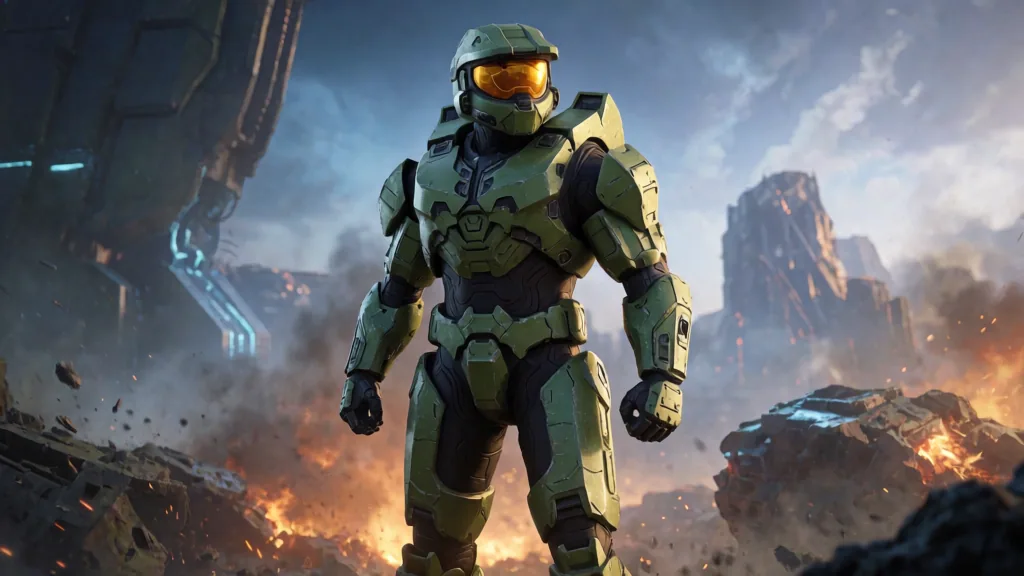
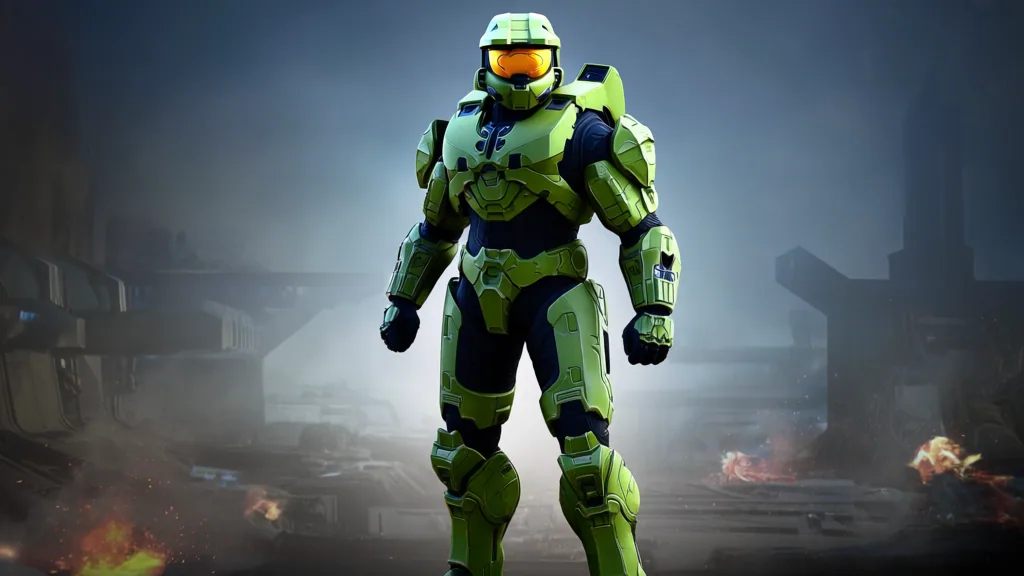
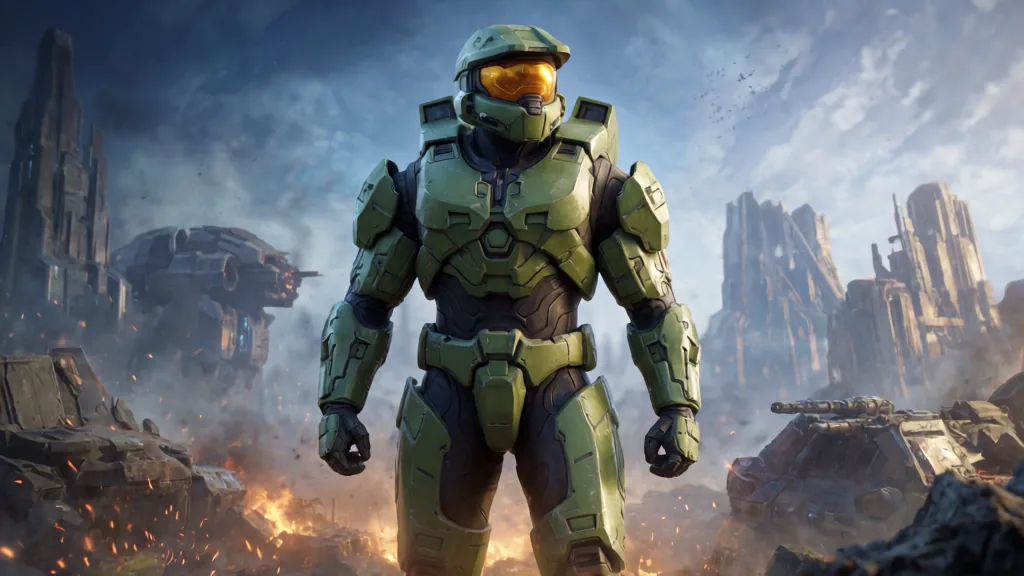
Here again, standalone Raw produced the simplest interpretation. The armor was a flat, saturated lime green, the visor was mostly a solid orange shape, and the background lighting remained fairly basic.
Turbo and Raw + Turbo LoRA both resolved much more of the design: panel seams, paint wear, reflections in the visor, sparks, smoke, and stronger environmental lighting.
The two accelerated variants were not identical, but both looked substantially more finished than standalone Raw in this particular test.
Close-up Visor and Armor Comparison


Is the Turbo LoRA Worth the Extra Time?
For me, the answer is sometimes.
Native Turbo completed the warm 8-step generation in 39.50 seconds. Raw with the official Turbo LoRA took 55.23 seconds at 12 steps, adding about 15.73 seconds.
That extra time produced results that were visually comparable to Turbo in these two tests, while still giving me a different composition and a slightly softer rendering style. It is not a free improvement, and it does not replace Turbo as the fastest option, but it is no longer something I would dismiss as an awkward compromise.
I would still choose native Turbo for rapid prompt iteration. Raw + Turbo LoRA becomes more attractive when the Raw checkpoint is already loaded, when I want to experiment with LoRA strength, or when its visual character happens to suit the image better.
8. What I Would Actually Use
Krea 2 Turbo
This remains my default when:
- I want the fastest prompt iteration.
- I need a simple and reliable workflow.
- I want polished, high-contrast results immediately.
- I am generating many variations and do not want to wait almost a minute per image.
Raw + Official Turbo LoRA
I would use this when:
- An extra 15 to 16 seconds is acceptable.
- I prefer its composition or softer lighting for a particular prompt.
- Raw is already loaded and I want to avoid a checkpoint switch.
- I want direct control over the Turbo LoRA strength.
- I am experimenting with the Raw checkpoint as part of a broader creative workflow.
Standalone Raw
For normal image generation, standalone Raw is difficult to justify on this GPU. I would mainly keep it for:
- Training or evaluating LoRAs.
- Studying base-checkpoint behavior.
- Research and controlled experiments.
- Workflows where speed and immediate visual polish are secondary concerns.
9. Workflows and Prompt Downloads
The ComfyUI workflows and prompt setups used for this article are available in the companion repository:
The model files are available from the Comfy-Org Krea-2 Hugging Face repository.
10. Verdict
The Raw workflow finally gave me a valid baseline, but it also made the practical trade-off obvious.
Standalone Raw was far slower and less polished in these two tests. Adding the official Turbo LoRA recovered much of Turbo’s rendering quality and reduced the generation time dramatically, but it still remained 39.8% slower than native Turbo in the warm benchmark.
For my own game-art workflow, I would choose Krea 2 Turbo for speed and iteration, while keeping Raw + Turbo LoRA as a useful secondary option when Raw is already loaded or when I want more control over the resulting look.
Standalone Raw still has value, but mainly as a base for training, research, and experimentation rather than as my everyday image-generation model.
What did you think of this post?
Share your feedback in one click!
Comments (0)
Join the discussion and share your thoughts
Leave a comment
No comments yet. Be the first to share your thoughts!
Related Articles
Continue reading with these posts and tutorials
Qwen Image 2.1 vs ERNIE, Krea 2, HiDream and Z-Image on RTX 3060 12GB
Review draft of the final five-model 1024x1024 benchmark on an RTX 3060 12GB. Krea 2 Turbo finished first, ERNIE followed, and Z-Image-Turbo was the fastest retained workflow.
Sep 28, 2026

Mage-Flow Turbo vs FLUX.2 klein 4B on an RTX 3060 12GB
Which compact 4B model offers the better local workflow? Across 30 matched configurations on an RTX 3060 12GB, Mage-Flow generated images faster, while FLUX.2 klein produced cleaner results and the better overall quality/speed balance.
Jul 30, 2026

Mage-Flow vs Krea 2 Turbo on 12GB VRAM
A 60-image ComfyUI benchmark comparing generation speed, memory usage, character fidelity, photography and image quality on an RTX 3060 12GB.
Jul 28, 2026