Blog
Mage-Flow vs Krea 2 Turbo on 12GB VRAM

Mickael
mediapixel team
When Microsoft released its new Mage-Flow model, the speed claims immediately caught my attention. It is a compact 4B model with a Turbo variant designed to generate an image in only four steps. For local ComfyUI work, that sounded genuinely useful.
I already use Krea 2 Turbo as one of my reference models when I want a polished result, so I wanted to test Mage-Flow’s quality for myself. Could this new Microsoft model compete with Krea 2 in the workflows I actually use, or would its extraordinary speed come with an obvious visual cost?
Rather than judge it from showcase images, I installed the ComfyUI release and built a controlled local comparison around one practical question:
Could Mage-Flow become a practical alternative to Krea 2 in my own workflows?
To find out, I generated a 60-image principal dataset on my RTX 3060 12GB, then ran separate controls for Mage-Flow Turbo INT8, Turbo BF16, the 20-step Quality model and higher Turbo step counts.
The Short Answer
Despite being a 4B diffusion model, Mage-Flow did not use dramatically less VRAM in practice: both pipelines reached roughly the 12GB limit on my RTX 3060, although Mage-Flow used less system RAM and was far faster.
- Mage-Flow Turbo was approximately 13–18× faster than Krea 2 Turbo, depending on the dataset and statistic.
- Krea 2 produced clearly stronger images in the tested human, cinematic and character-focused scenes.
- Across the three diagnostic prompts, Mage-Flow Turbo BF16 did not meaningfully improve the visual result over Turbo INT8.
- In those same controls, the 20-step RL-aligned Quality BF16 model sometimes improved coherence or detail, but not consistently enough to justify its additional runtime.
- In a separate two-prompt control, 8-step Turbo INT8 improved the hands, while 16 steps provided no clear additional benefit.
- Both principal pipelines reached approximately the same 12GB VRAM ceiling. Krea 2 used considerably more system RAM and Windows commit memory.
- Among the Mage-Flow variants tested here, Turbo INT8 ConvRot is the sensible practical choice.
- Krea 2 Turbo remains my choice when facial quality, hands, materials, canonical character fidelity and overall visual polish matter most.
This does not make Mage-Flow irrelevant, nor does it mean that Krea 2 wins every possible task. Other sources suggests that Mage-Flow may be better suited to studio imagery, color control, typography and stylized outputs than to the human and cinematic scenes emphasized in this benchmark.
Test Hardware and Pipelines
The benchmark ran locally in one ComfyUI environment:
- GPU: NVIDIA GeForce RTX 3060 12GB
- System RAM: 64GB
- Operating system: Windows
- ComfyUI: 0.28.0
- Batch size: 1
- Upscaling: none
- Post-processing: none
- LoRA or adapter: none
This was an end-to-end practical comparison. I used each model’s validated operating configuration instead of forcing both architectures into an artificially identical pipeline.
Mage-Flow Turbo
mage_flow_turbo_int8_convrot.safetensors- INT8 ConvRot
- 4 steps
- CFG 1.0
- flow shift 6.0
- Euler sampler
- simple scheduler
- Qwen3-VL 4B BF16 text encoder, CLIP type
mage - Mage-Flow VAE BF16
Krea 2 Turbo
krea2_turbo_fp8_scaled.safetensors- FP8 scaled
- 8 steps
- CFG-equivalent guidance 1.0
- Euler sampler
- exact beta57 scheduler
- alpha 0.5
- beta 0.7
- text encoder:
qwen3vl_4b_fp8_scaled.safetensors - VAE:
qwen_image_vae.safetensors
The same numeric seeds were used to make every run reproducible inside its own pipeline. They do not create identical starting noise across Mage-Flow and Krea 2 because the architectures and latent representations are different.
What Was Generated
The principal dataset contained two campaigns.
Pop-culture campaign
- 6 frozen prompts
- 3 seeds per prompt at 1024×1024
- 1 prompt-specific high-resolution output per prompt and model
- 48 scored images: 24 Mage-Flow and 24 Krea 2
- 0 failures, 0 retries, 0 restarts
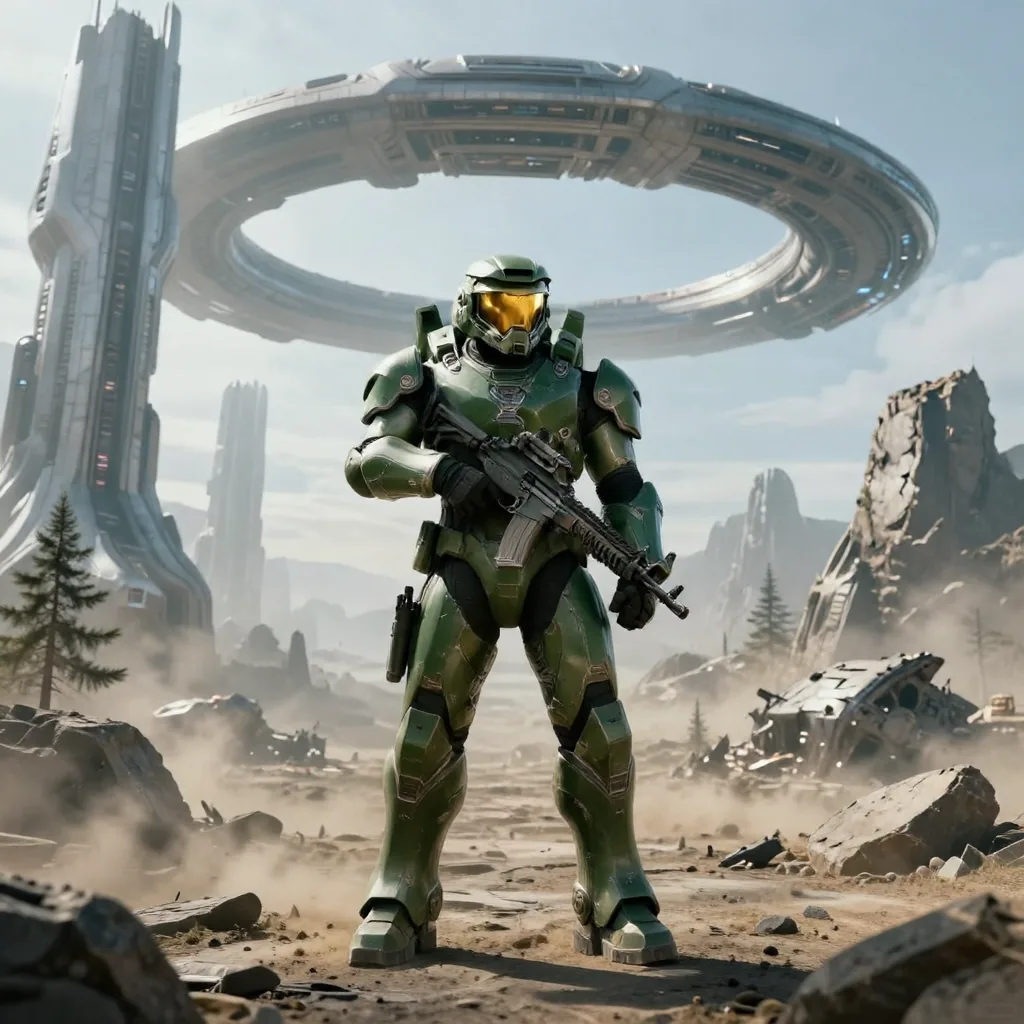
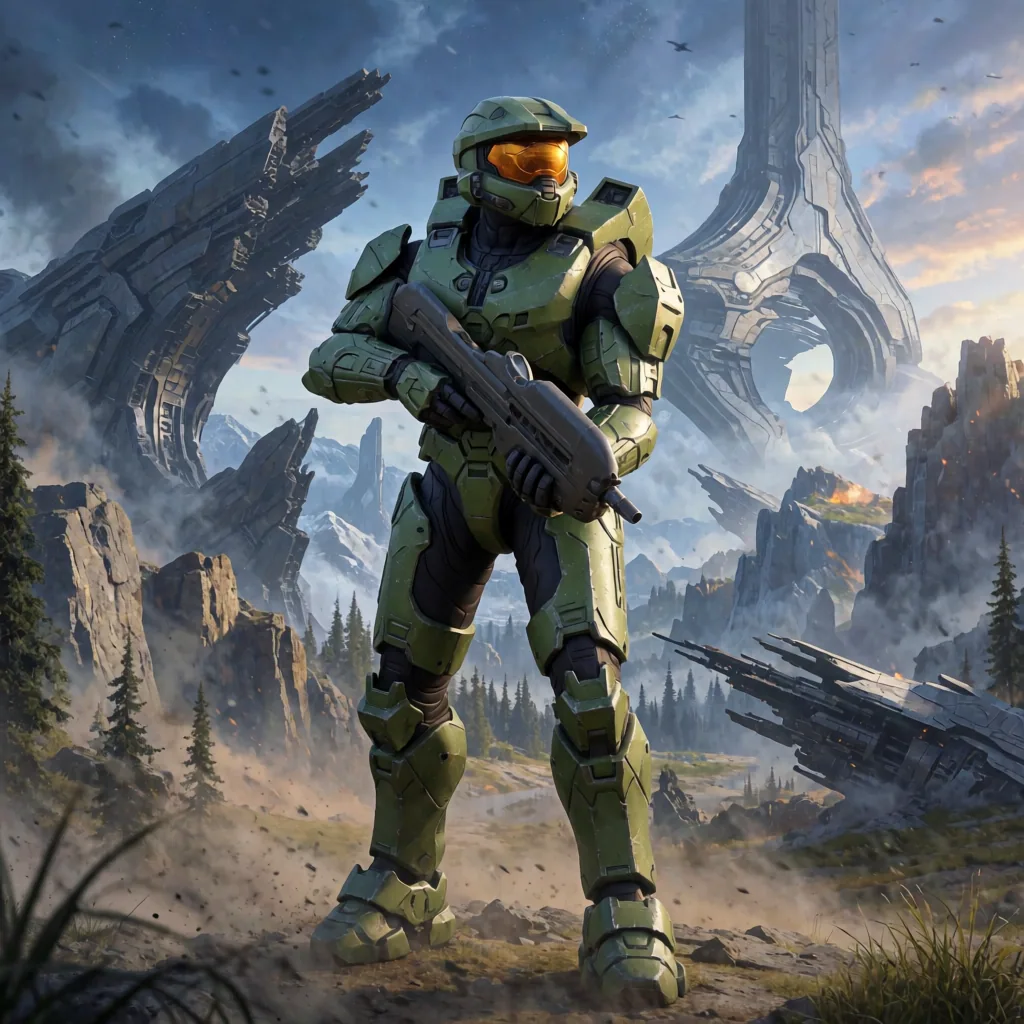
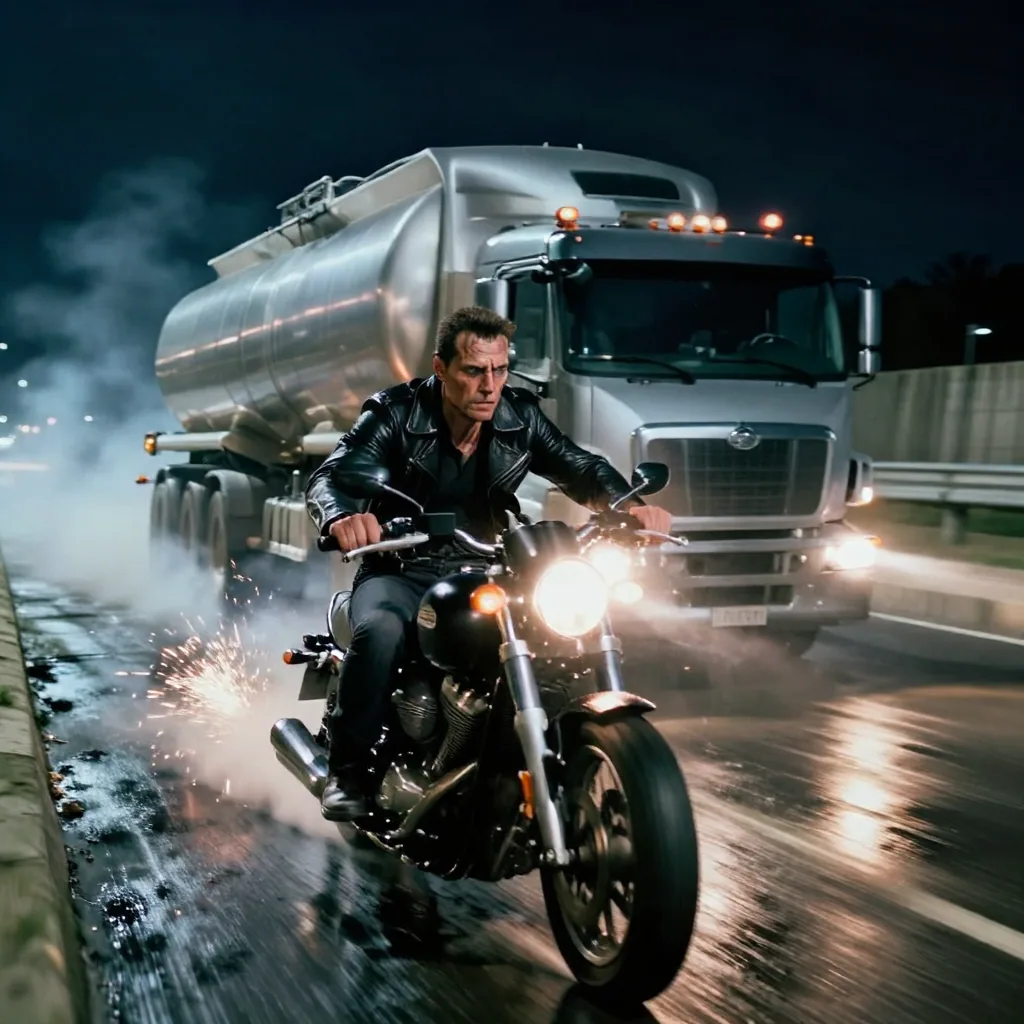
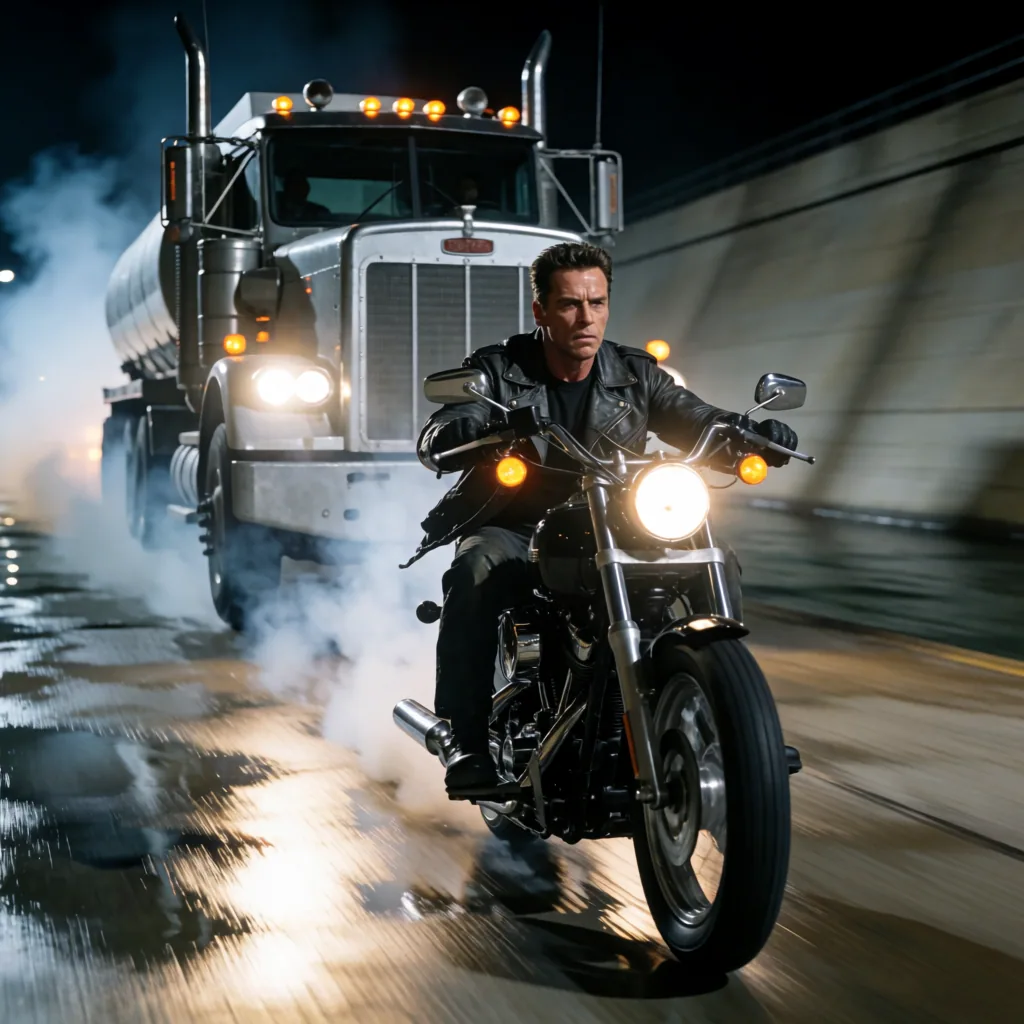
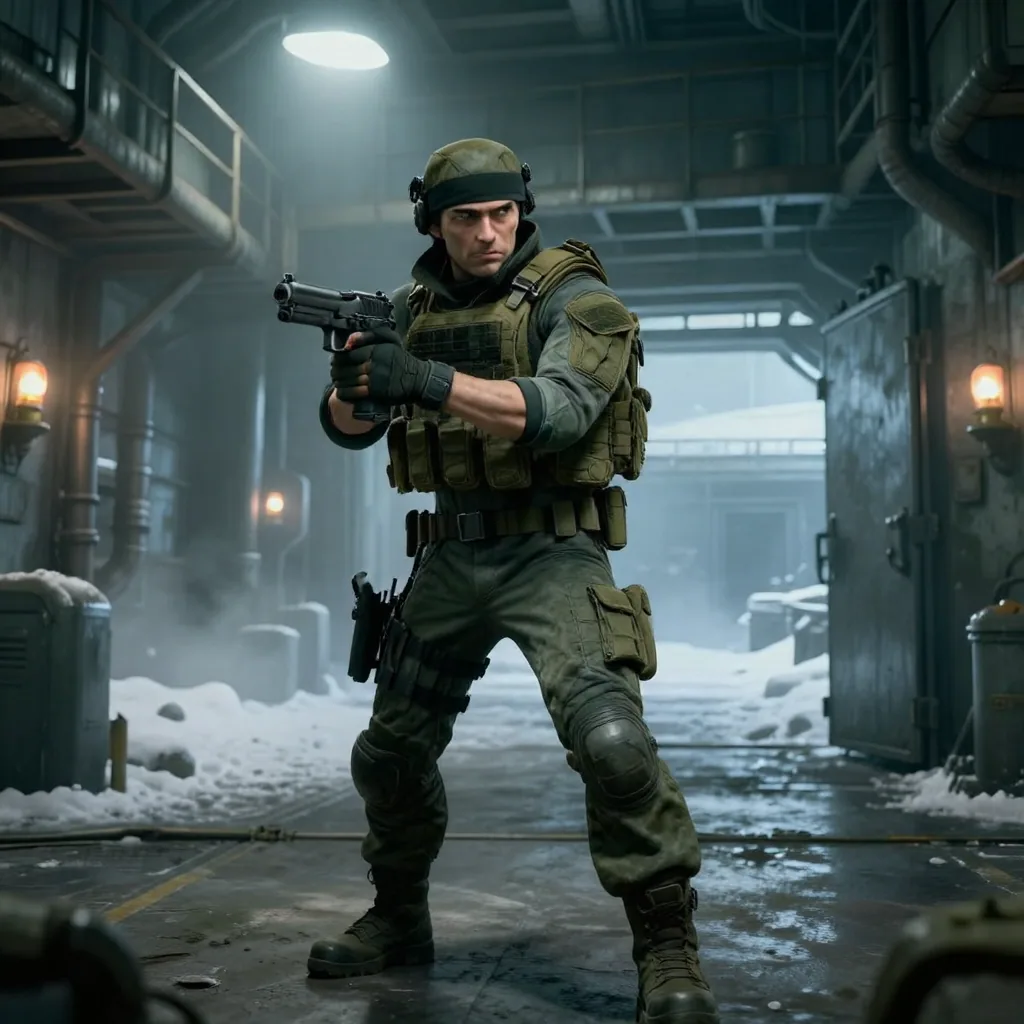
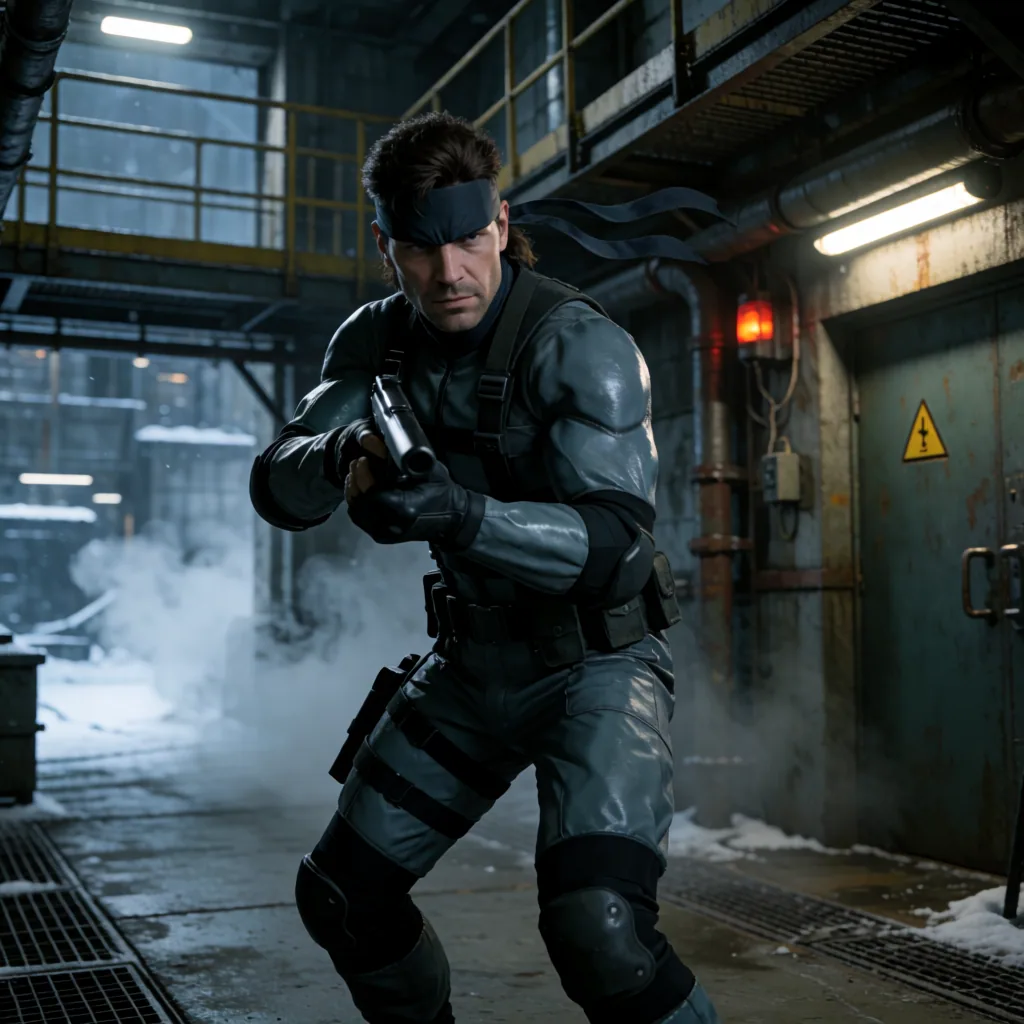
The subjects were Samus Aran, Lara Croft, Master Chief, Kratos, the Terminator and Solid Snake. Recognizable characters are useful technical targets because their established silhouettes, costumes and environments expose adherence differences quickly.
Photography campaign
- 6 ordinary contemporary prompts
- 1 seed per prompt
- 1024×1024
- 12 scored images: 6 Mage-Flow and 6 Krea 2
- 0 failures, 0 retries, 0 restarts
These scenes covered a cafe, supermarket, commuter train, laundromat, flower shop and architecture studio.
Speed: The Difference Is Enormous
Speed was Mage-Flow’s decisive advantage.
| Dataset | Model | Mean | Median | Minimum | Maximum |
|---|---|---|---|---|---|
| Pop culture, mixed resolution | Mage-Flow Turbo | 7.8 s | 7.8 s | 3.1 s | 15.5 s |
| Pop culture, mixed resolution | Krea 2 Turbo | 80.1 s | 60.5 s | 59.9 s | 168.7 s |
| Photography, 1024×1024 | Mage-Flow Turbo | 4.1 s | 3.3 s | 3.2 s | 8.4 s |
| Photography, 1024×1024 | Krea 2 Turbo | 60.4 s | 60.3 s | 60.0 s | 61.6 s |
The 80.1-second Krea mean is not a 1024×1024-only result. It includes the six prompt-specific high-resolution pop-culture outputs, which is why the maximum reaches 168.7 seconds.
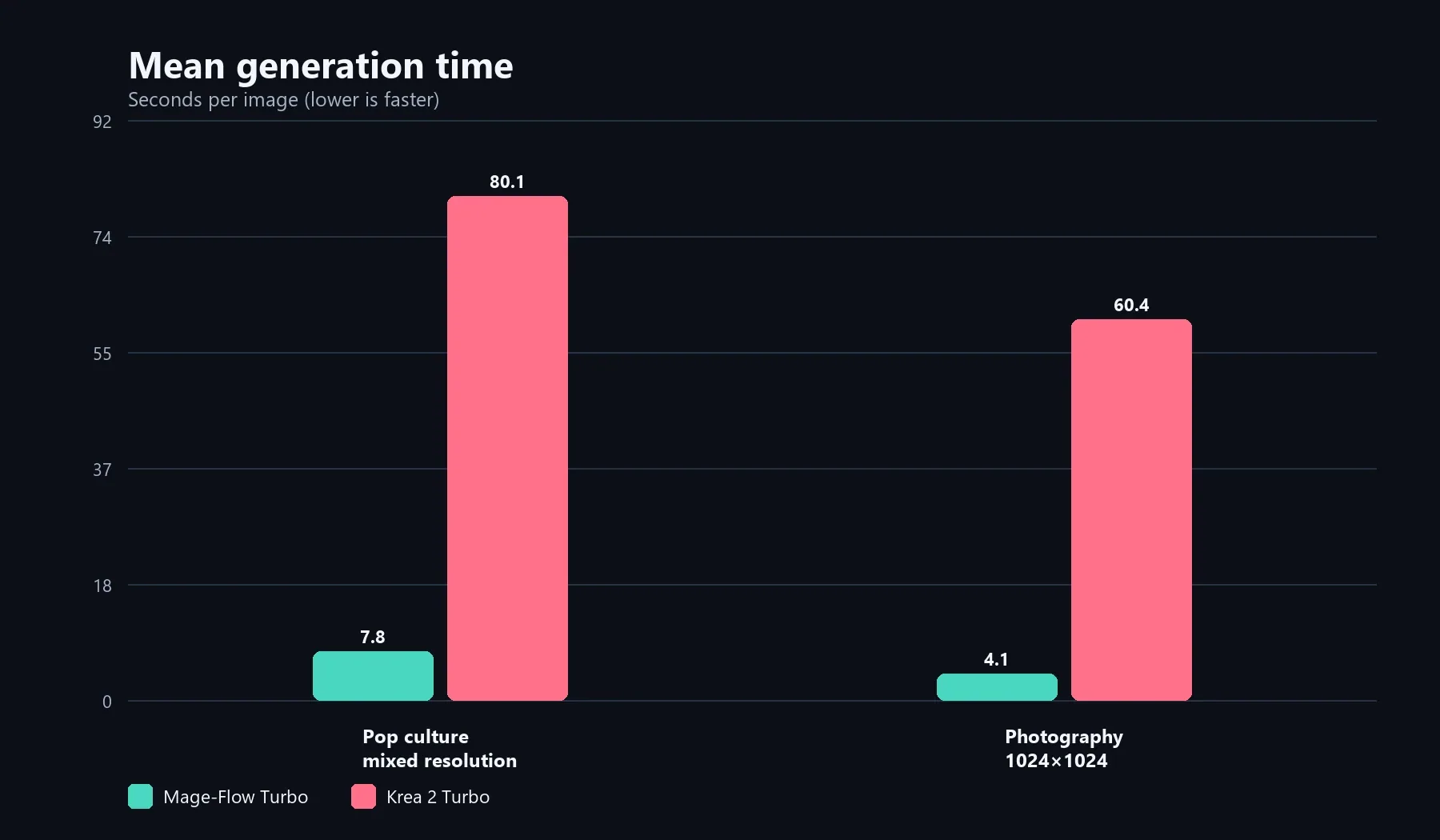
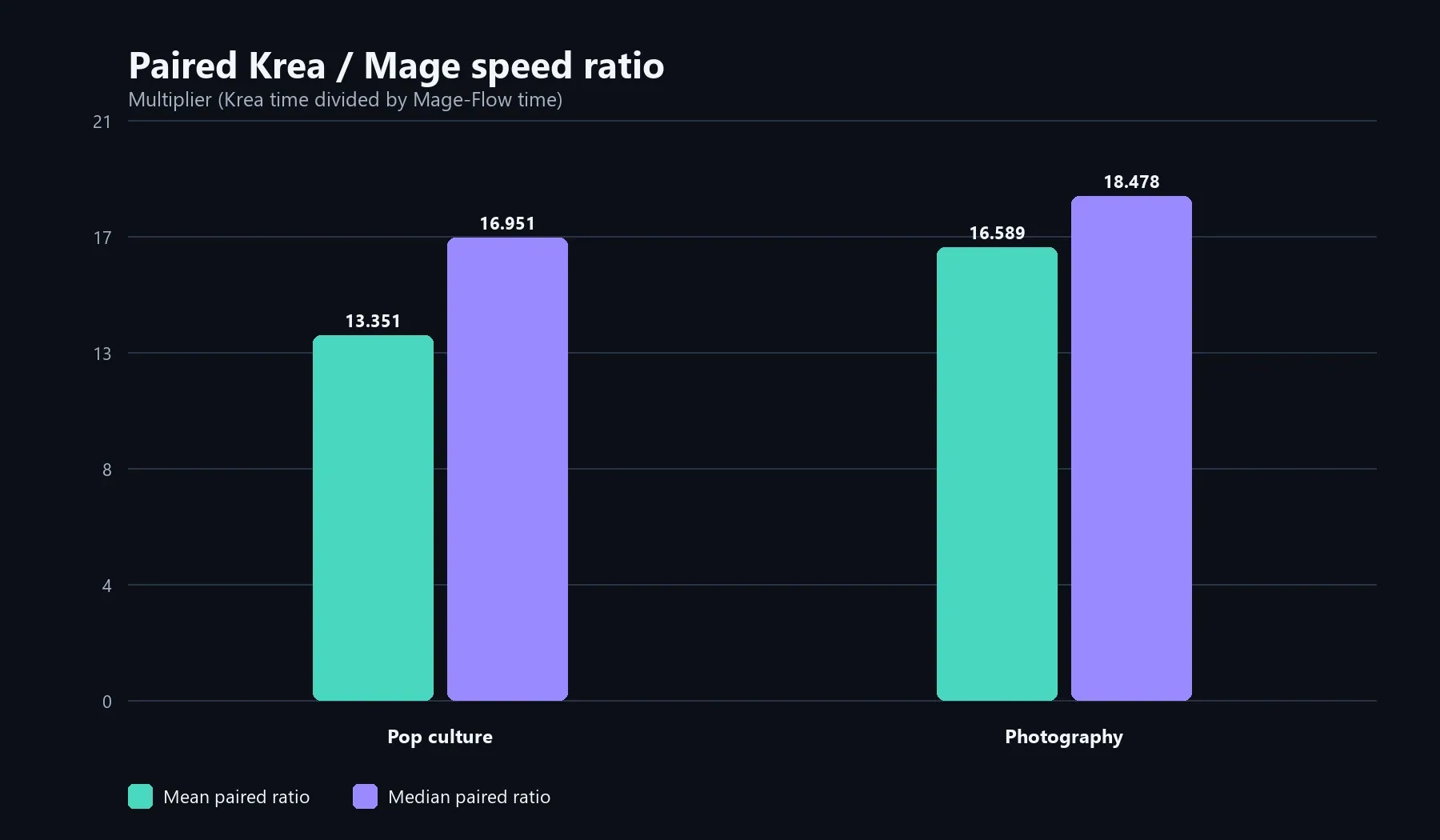
Mage-Flow generated the completed test images dramatically faster. The pop-culture group includes mixed resolutions; the photography group is 1024×1024 only.
Across the two completed datasets and their reported statistics, Mage-Flow Turbo was approximately 13 to 18 times faster than Krea 2 Turbo.
That changes how the models feel in practice. Mage-Flow makes it realistic to try many prompt variants in the time Krea 2 needs for a handful of images. The question is whether those quick outputs are close enough to the desired final quality.
VRAM and System-Memory Usage
Across the complete 60-image campaign, both pipelines filled the RTX 3060’s 12GB VRAM budget; the more meaningful difference was peak Windows commit, at 41,828 MiB for Krea 2 versus 35,961 MiB for Mage-Flow, or about 5.7 GiB more host-memory pressure.
Character Fidelity and Pop-Culture Scenes
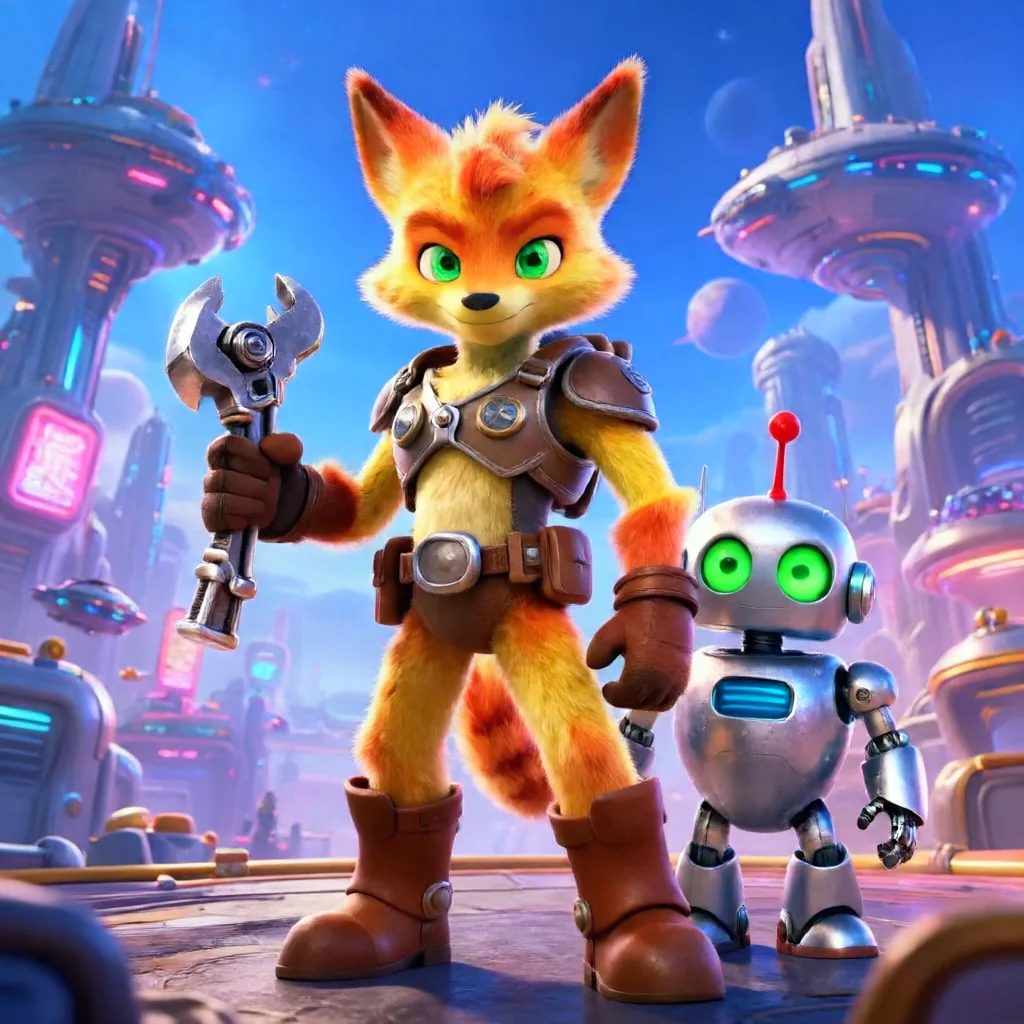
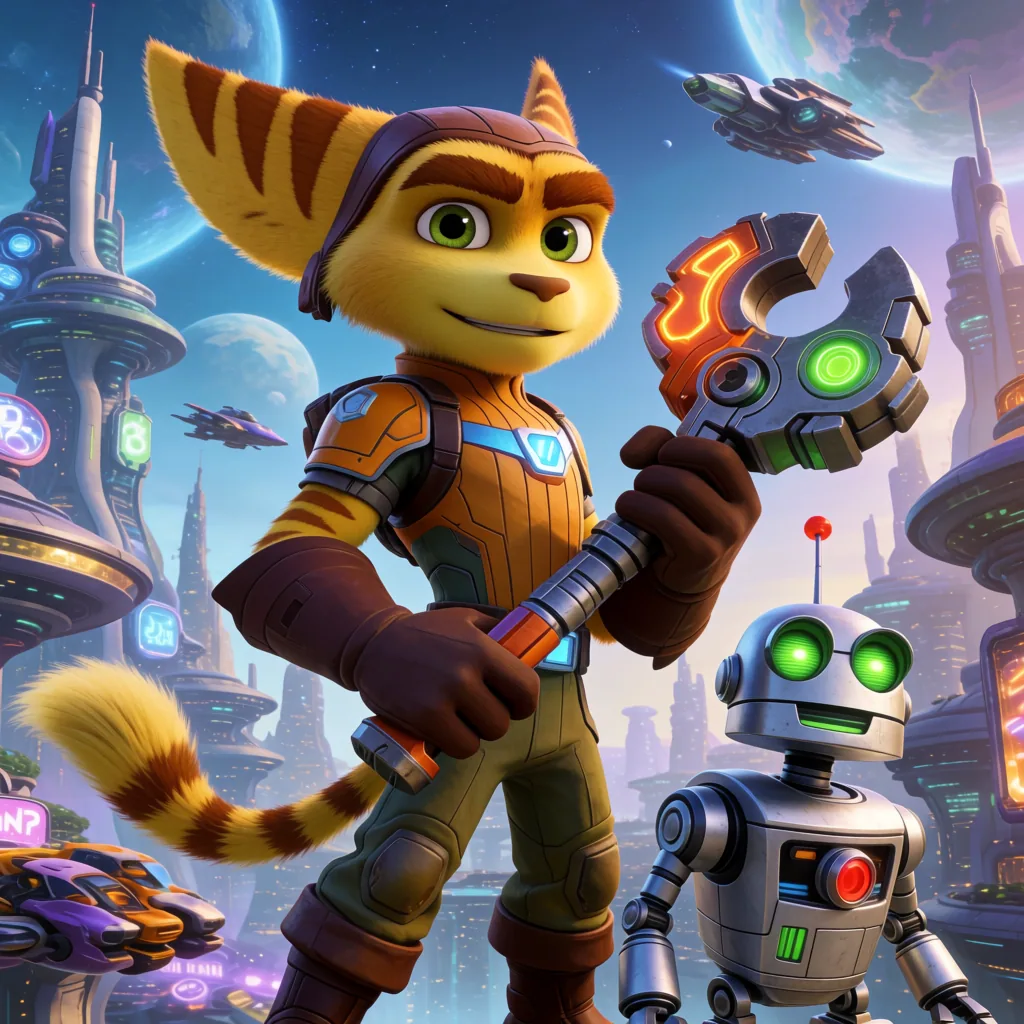
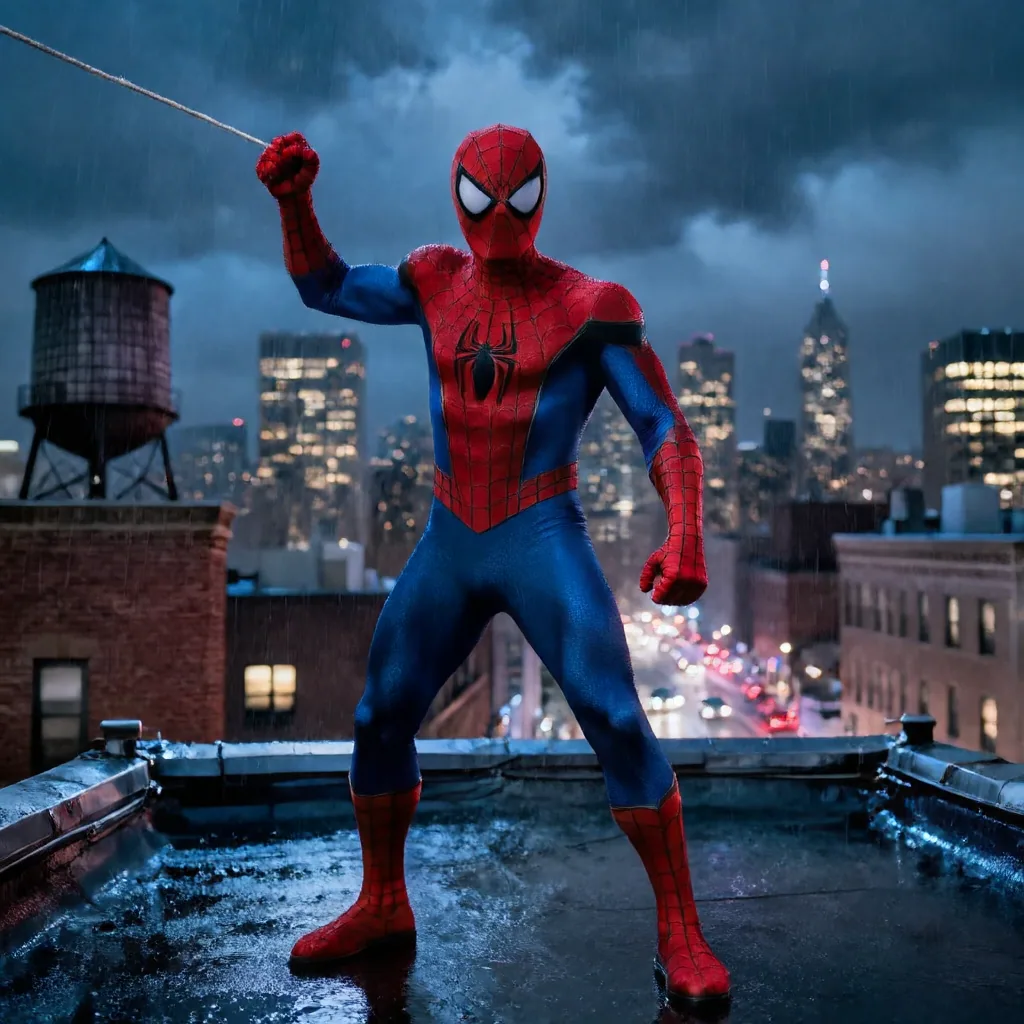
The pop-culture prompts made the quality difference easy to see because the viewer already knows what the character should look like.
The Samus control is a good example. All pipelines understood the broad science-fiction brief, but they differed in canonical armor design, arm-cannon construction, material definition and biomechanical background structure.
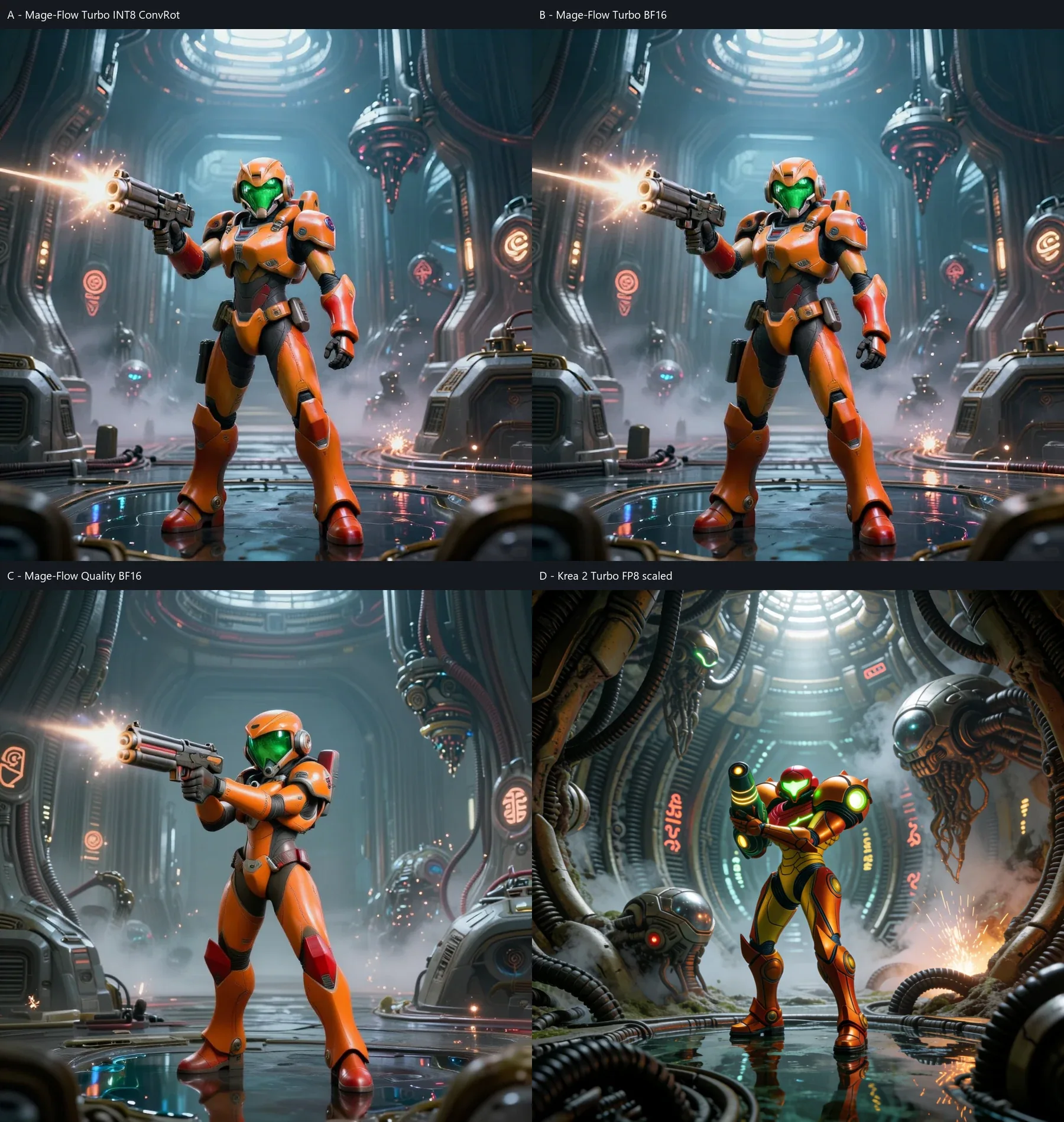
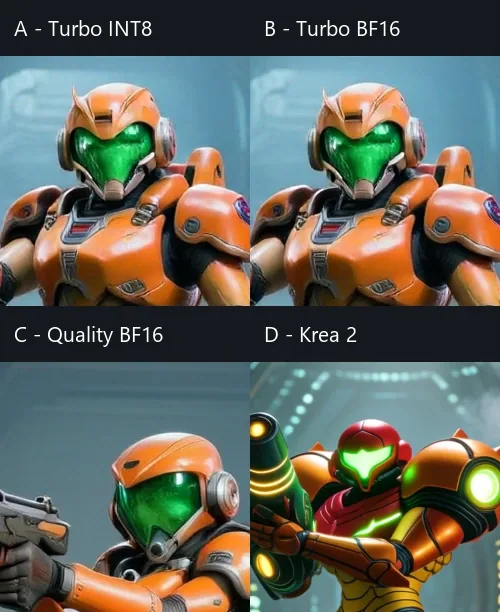
Mage-Flow completed the Samus scene much faster. In this control, Krea 2 preserved a more recognizable character design and a more deliberately structured environment.
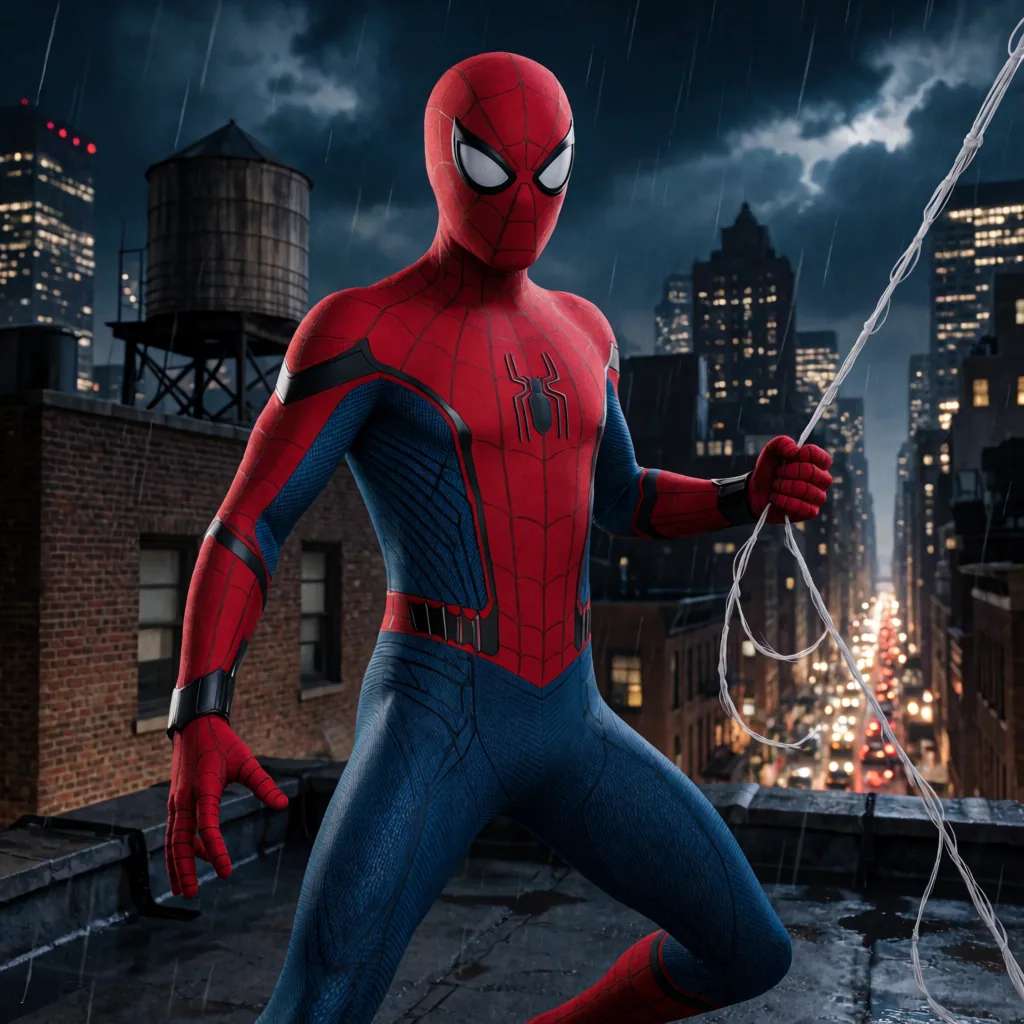
Kratos exposed a different issue. Mage-Flow produced a plausible fantasy warrior, but several costume and silhouette choices drifted away from the canonical character. Krea 2 more reliably retained the recognizable red marking, exposed torso, leather armor language and game-like weapon design in this tested seed.
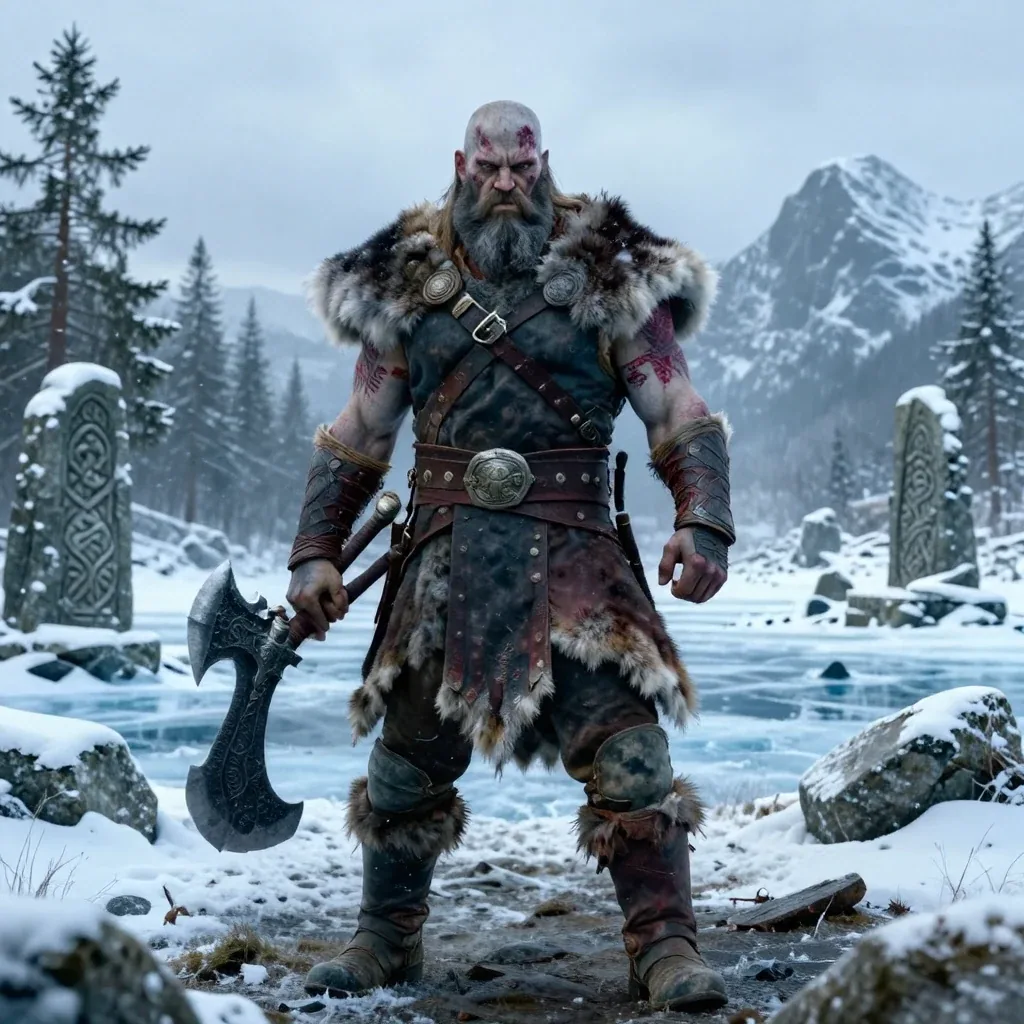
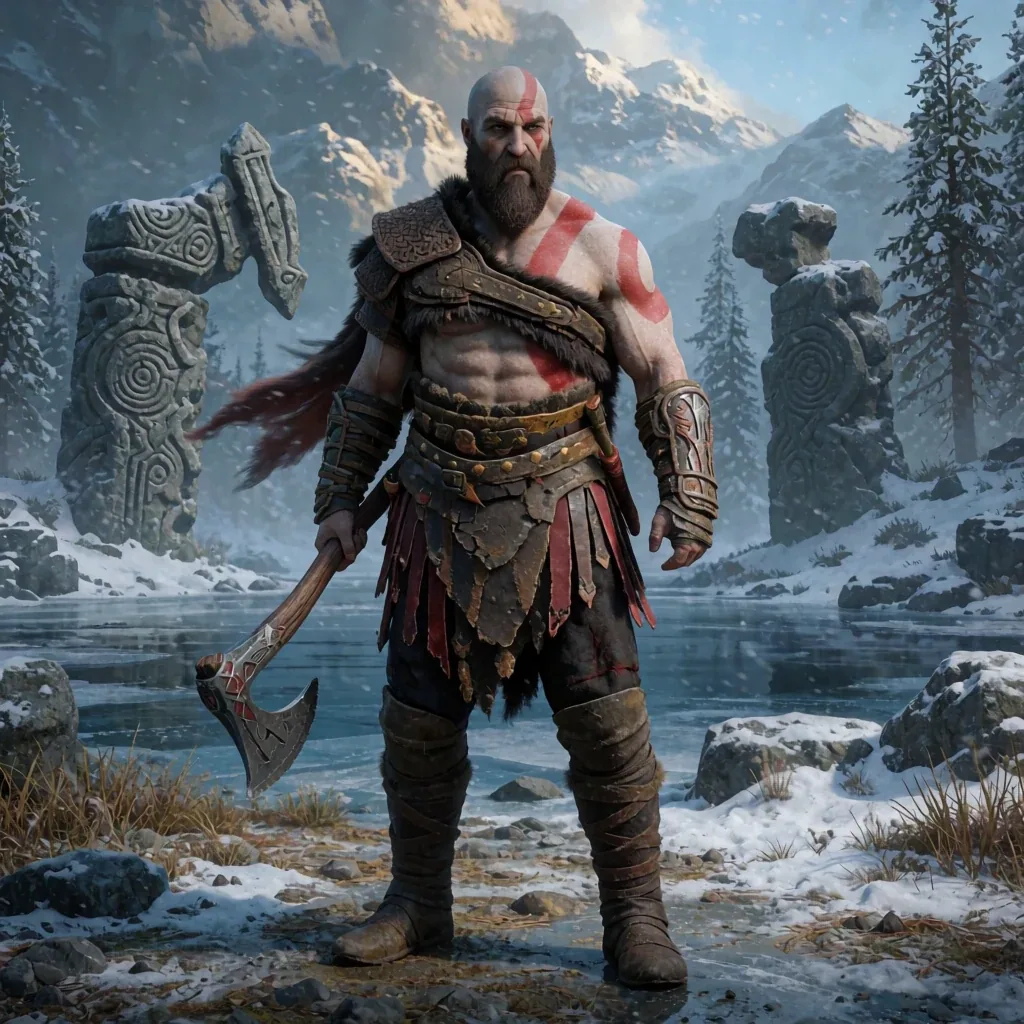
Both images satisfy the broad Norse-warrior scene. Krea 2 more clearly preserved the requested character identity and material definition in this pair.
This does not mean Mage-Flow cannot make an appealing fantasy or science-fiction image. It means that, for prompts where established costume and environmental details matter, its fast interpretation was less precise in this dataset.
Photography Confirmed It Wasn’t a Workflow Problem
I added six ordinary contemporary prompts to remove franchise knowledge from the equation, but the result did not improve: Mage-Flow remained extremely fast while its people often looked blurred or unfinished, with flat or incomplete faces, extra or misdirected fingers, soft materials and muddled background geometry. Krea 2 was much more consistently photographic.


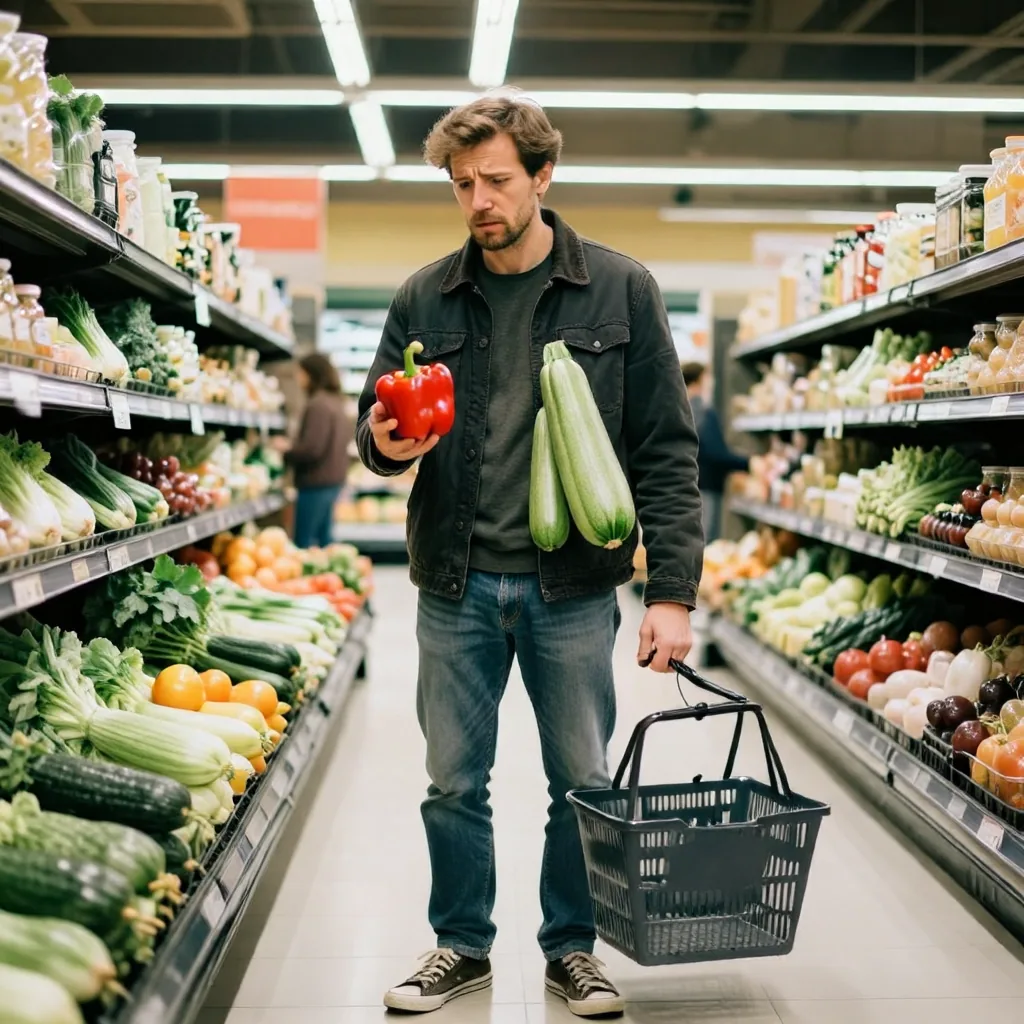
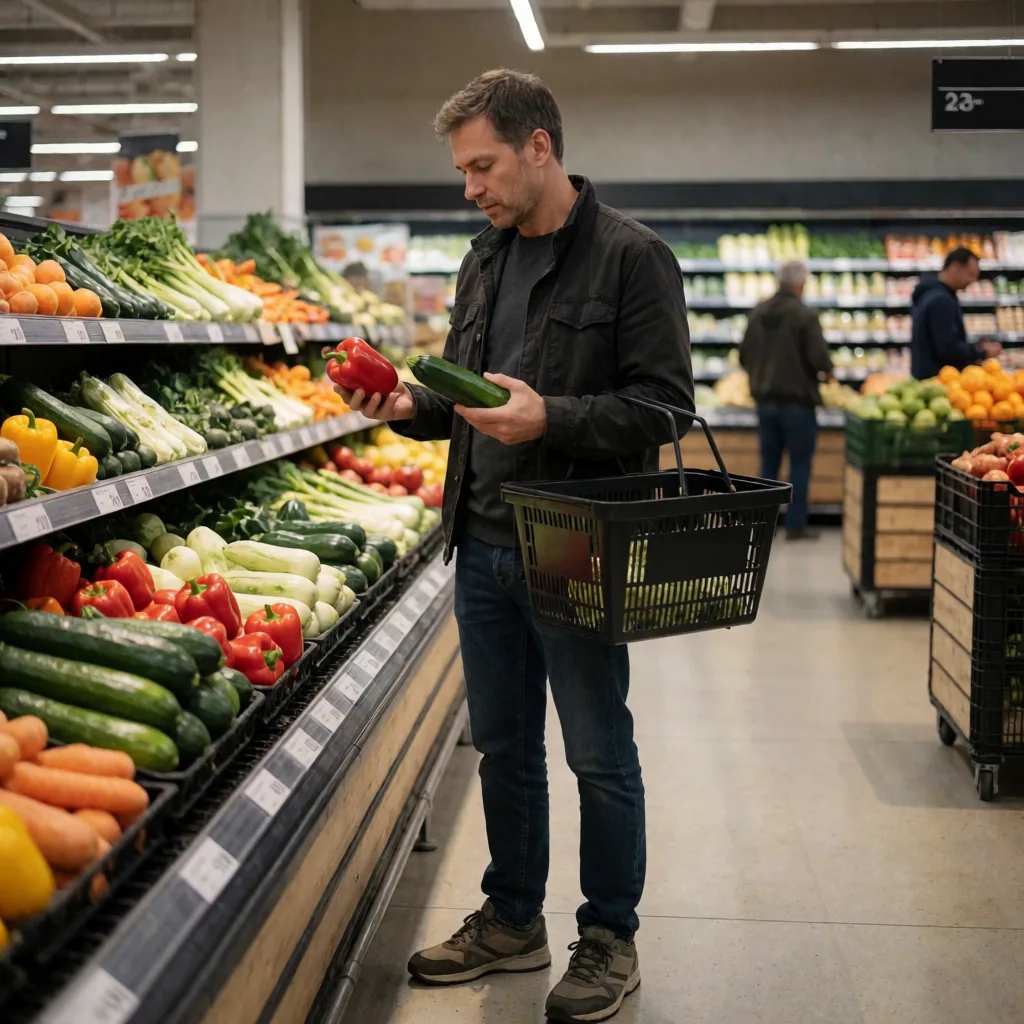
I verified the official INT8 checkpoint, Qwen encoder, Mage VAE, full decode path and native 4-step, CFG 1.0, shift 6.0 sampling setup. Reloading the VAE reproduced the same RGB pixels, and Turbo BF16 retained the same appearance. The recurring defects were therefore not caused by a wrong VAE or workflow, an incorrect shift or sampling setup, or INT8 quantization alone.
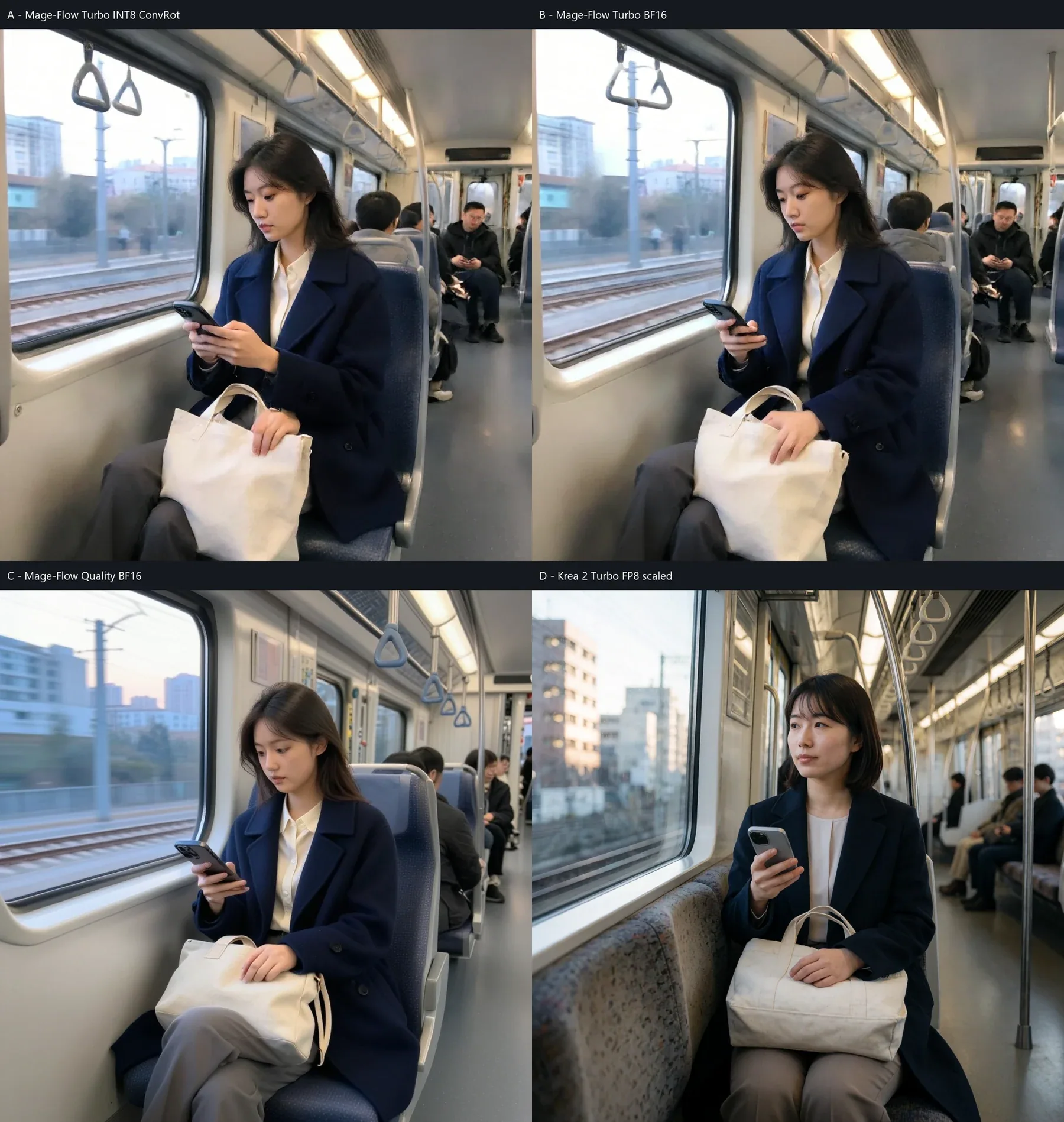
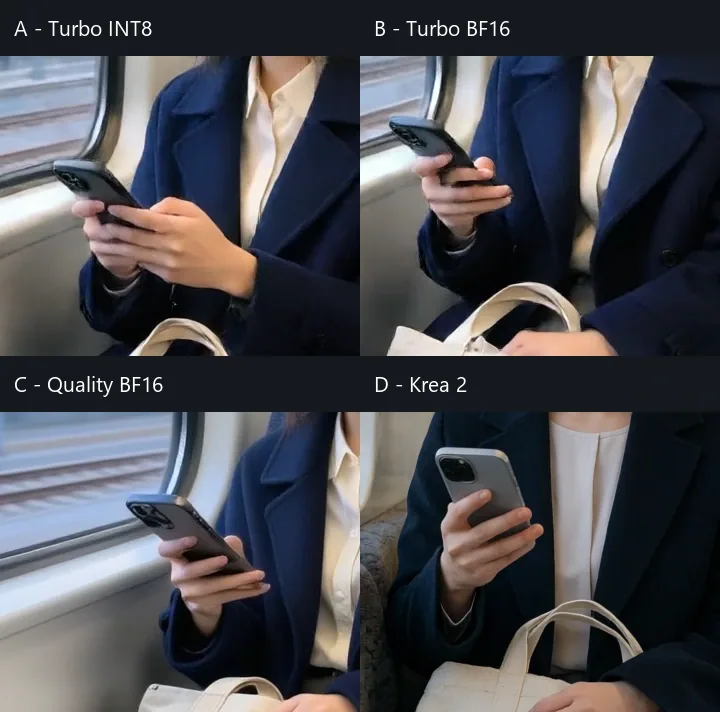
At native size, the tested Mage-Flow variants show much less reliable finger direction, hand structure and phone geometry.
After the main analysis, I doubled Turbo INT8 to 8 steps on the cafe and train prompts. I found that this corrected the hands in both controls. Doubling again to 16 steps did not produce a further improvement and sometimes reduced finger separation or changed the composition. On the warm train run, sampler time increased from 1.9 seconds at 4 steps to 3.6 seconds at 8 and 6.6 seconds at 16.
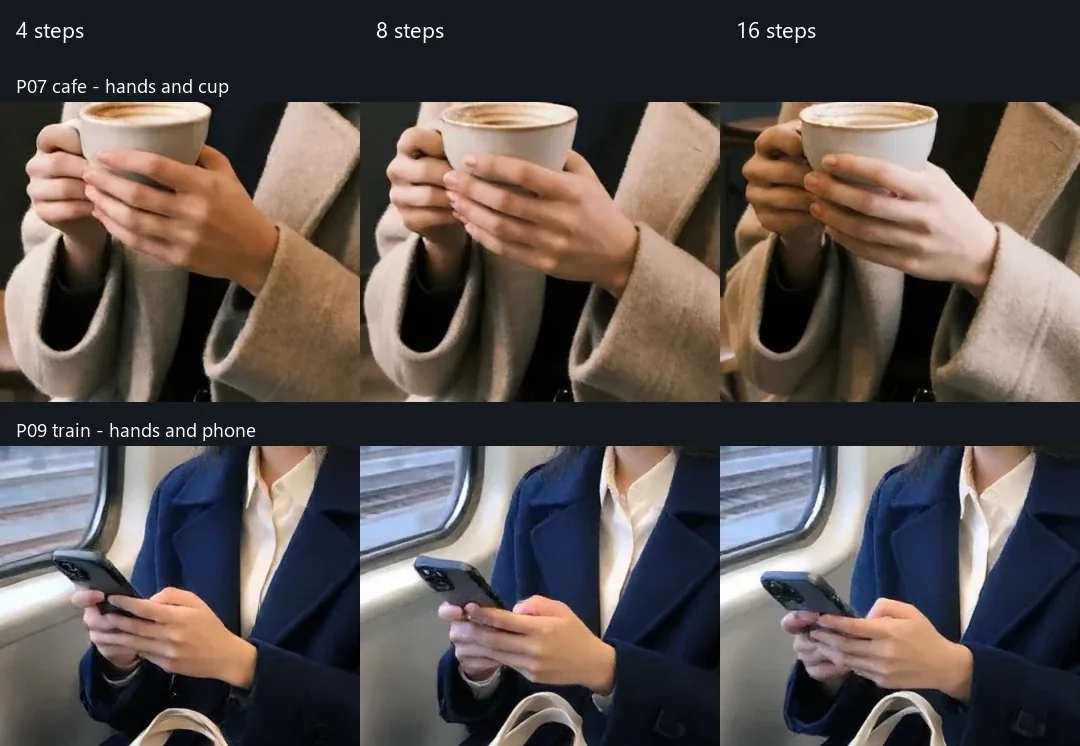
Eight or sixteen steps cost more time without much improvement.
Turbo INT8 vs Turbo BF16 vs Quality BF16
The separate 12-image control matrix used three prompts at 1024×1024:
- Turbo INT8 ConvRot: 4 steps, CFG 1.0
- Turbo BF16: 4 steps, CFG 1.0
- Quality BF16, RL-aligned non-Turbo: 20 steps, CFG 5.0
- Krea 2 Turbo FP8: the existing validated reference
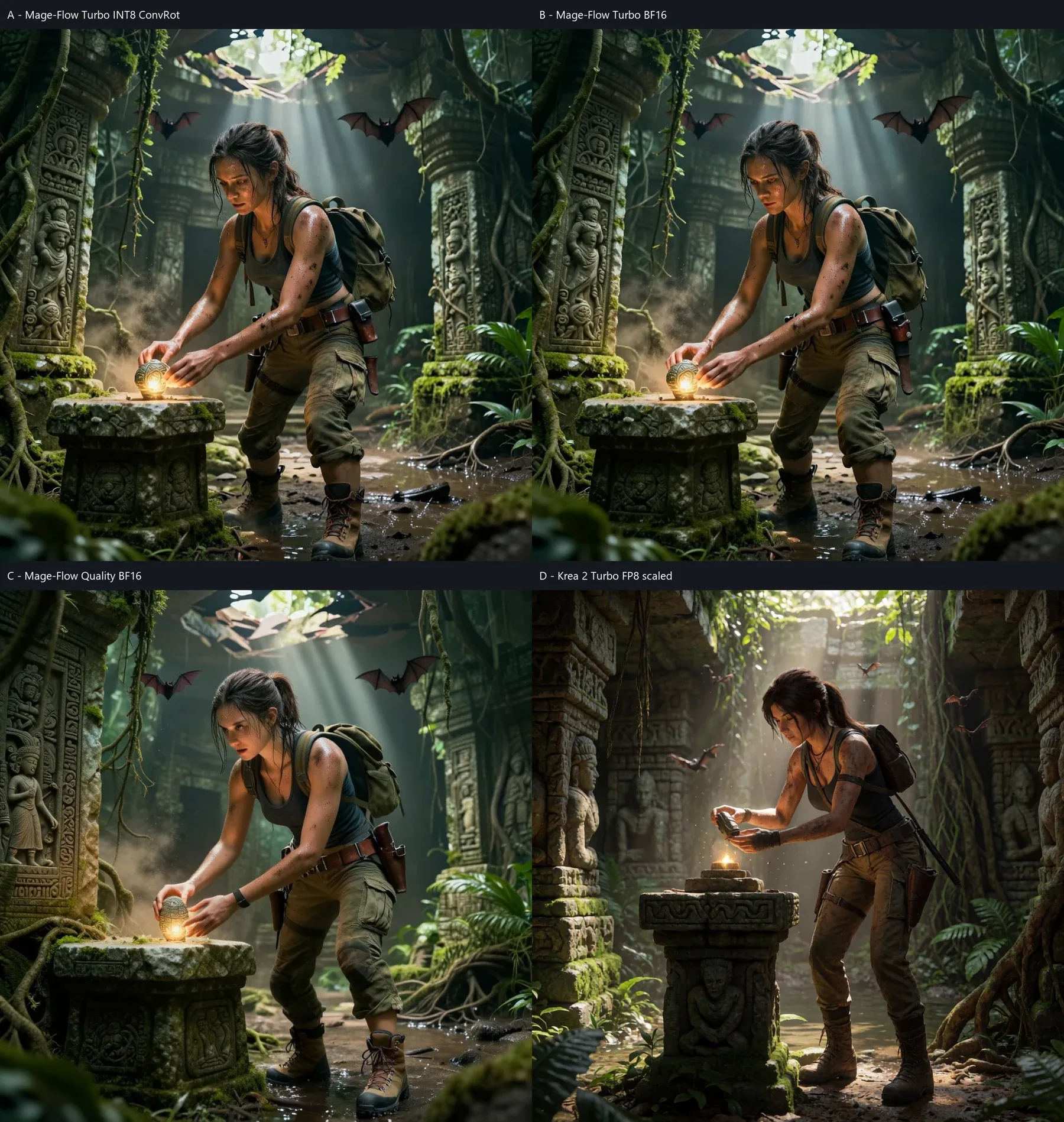
The Mage-Flow Lara outputs also have unusually short, compressed body proportions. Krea 2 preserves a more natural silhouette as well as stronger facial and material detail.
Four-way timing comparison using seven images.
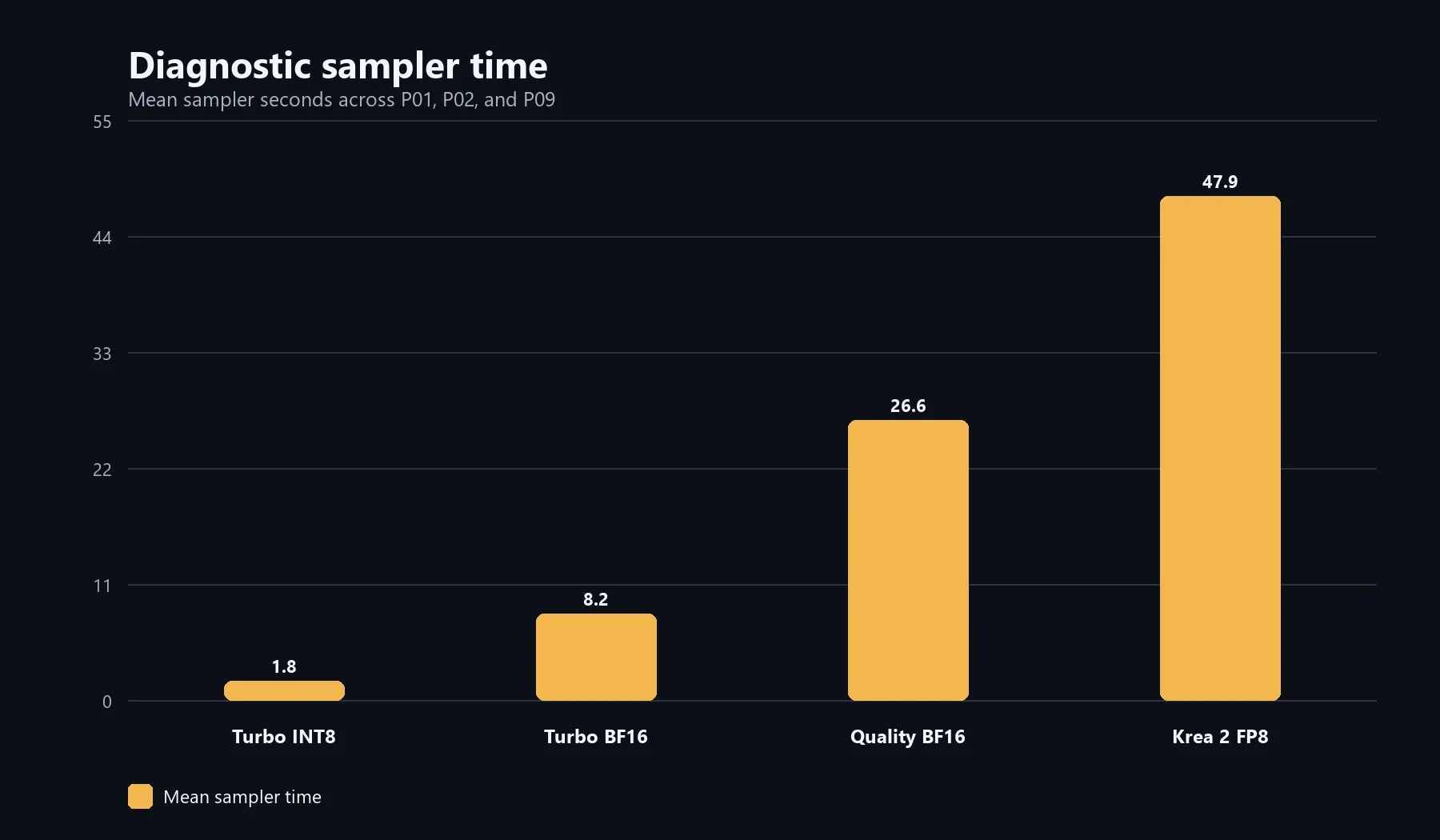
Mean sampler time across the three diagnostic prompts: 1.8 seconds for Turbo INT8, 8.2 seconds for Turbo BF16, 26.6 seconds for Quality BF16 and 47.9 seconds for Krea 2.
Turbo INT8 and Turbo BF16 were visually extremely similar. BF16 did not provide a meaningful improvement in faces, hands, anatomy, microdetail, materials, geometry or photorealism.
The 20-step Quality model sometimes produced a cleaner or more coherent detail, but the gains were limited and inconsistent. It retained the broader Mage-Flow signature: softer rendering, lower microcontrast, simplified textures, weaker hands, less precise faces and less detailed environments.
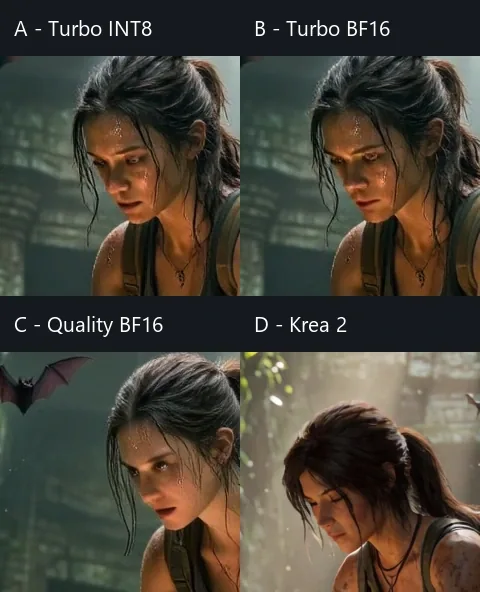
Among the tested Mage-Flow variants, Turbo INT8 is the rational choice. It is dramatically faster and much smaller than Turbo BF16, while the visual result is nearly identical. Quality BF16 costs much more sampler time without closing the gap enough to replace it. The native 4-step setting remains the speed-first default, while 8 steps may be useful for a hand-critical final image; the evidence for that option is limited to two prompts.
Which Model Should You Use?
Choose Mage-Flow Turbo INT8 when:
- speed is the primary concern;
- you need to explore many prompts or variants quickly;
- a softer, less detailed result is acceptable;
- the task aligns with studio, color, typography or stylized imagery, which performed better in the external ImageBench evaluation;
- host-memory pressure matters;
Mage-Flow is especially compelling as an idea generator. Producing ten rough directions quickly can be more useful than waiting for one polished image when the prompt itself is still changing.
Choose Krea 2 Turbo FP8 when:
- maximum visual quality matters more than waiting time;
- humans, faces and hands are important;
- canonical character design matters;
- detailed materials and cinematic environments matter;
- you can accept approximately a minute or more per image on this class of hardware;
- higher system-RAM and commit usage are acceptable.
For a selected final image, Krea 2 was the more dependable pipeline in these tests. For rapid exploration, Mage-Flow changed the pace of work dramatically.


Final Verdict
Mage-Flow Turbo INT8 ConvRot is my recommended Mage-Flow configuration among the variants tested.
Turbo BF16 was substantially slower without a meaningful visual improvement. The 20-step Quality model was slower again and improved too little, too inconsistently, to justify replacing Turbo INT8.
Krea 2 Turbo FP8 scaled remains the better choice when the output itself is the priority: convincing faces, hands, character identity, material definition, detailed environments and overall polish.
Mage-Flow Turbo remains the better choice when waiting is the problem. It can turn prompt exploration into a near-interactive loop, and its weaknesses may matter less for studio, graphic, text or stylized tasks.
The two models solve different priorities. Mage-Flow wins when I need more ideas now. Krea 2 wins when I need the strongest final image from this tested workflow.
Workflows and Prompt Downloads
The ComfyUI workflows and prompt setups used for this article are available in the companion repository:
What did you think of this post?
Share your feedback in one click!
Comments (0)
Join the discussion and share your thoughts
Leave a comment
No comments yet. Be the first to share your thoughts!
Related Articles
Continue reading with these posts and tutorials
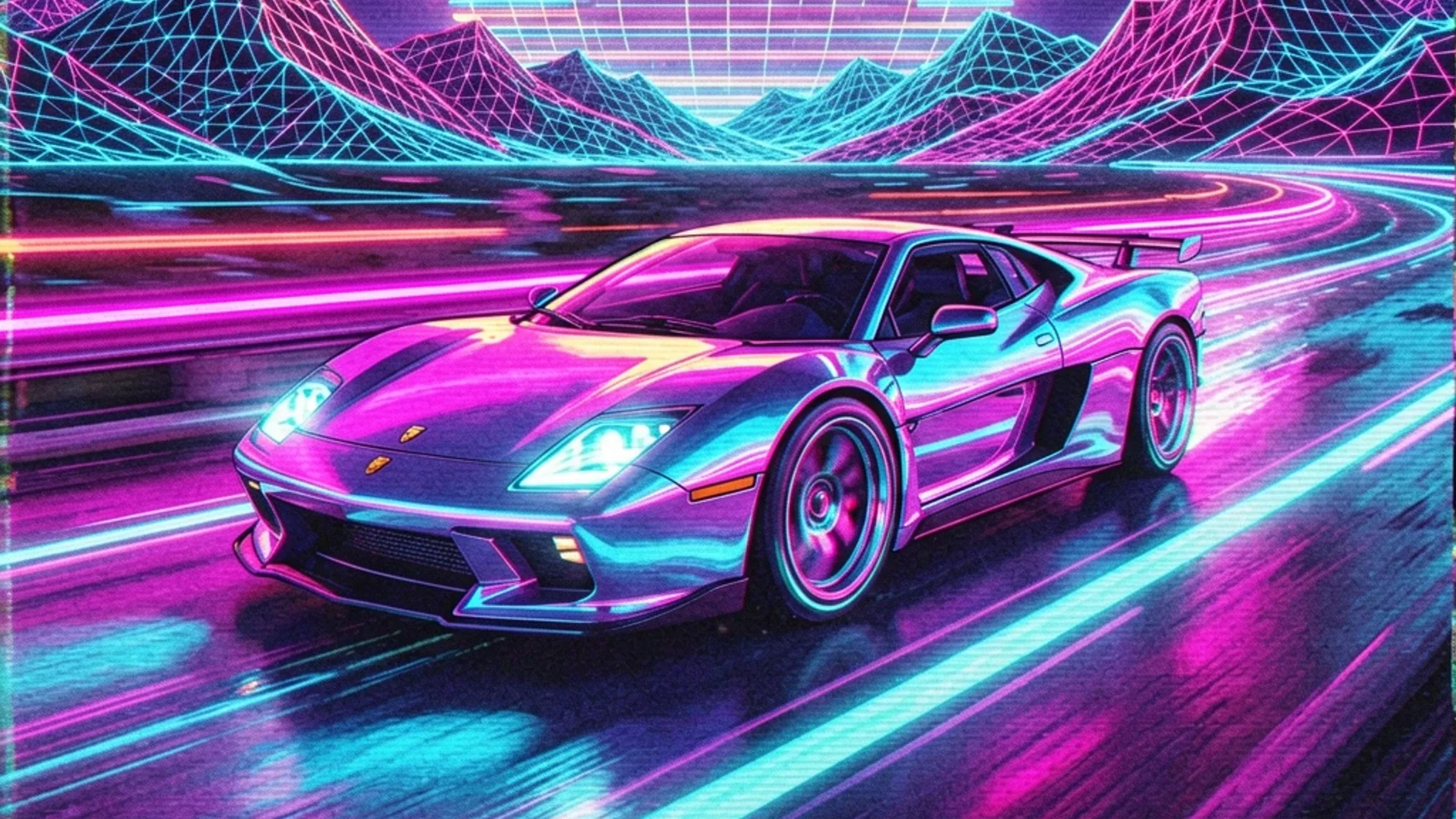
Qwen Image 2.1 vs ERNIE, Krea 2, HiDream and Z-Image on RTX 3060 12GB
Review draft of the final five-model 1024x1024 benchmark on an RTX 3060 12GB. Krea 2 Turbo finished first, ERNIE followed, and Z-Image-Turbo was the fastest retained workflow.
Sep 28, 2026

Mage-Flow Turbo vs FLUX.2 klein 4B on an RTX 3060 12GB
Which compact 4B model offers the better local workflow? Across 30 matched configurations on an RTX 3060 12GB, Mage-Flow generated images faster, while FLUX.2 klein produced cleaner results and the better overall quality/speed balance.
Jul 30, 2026
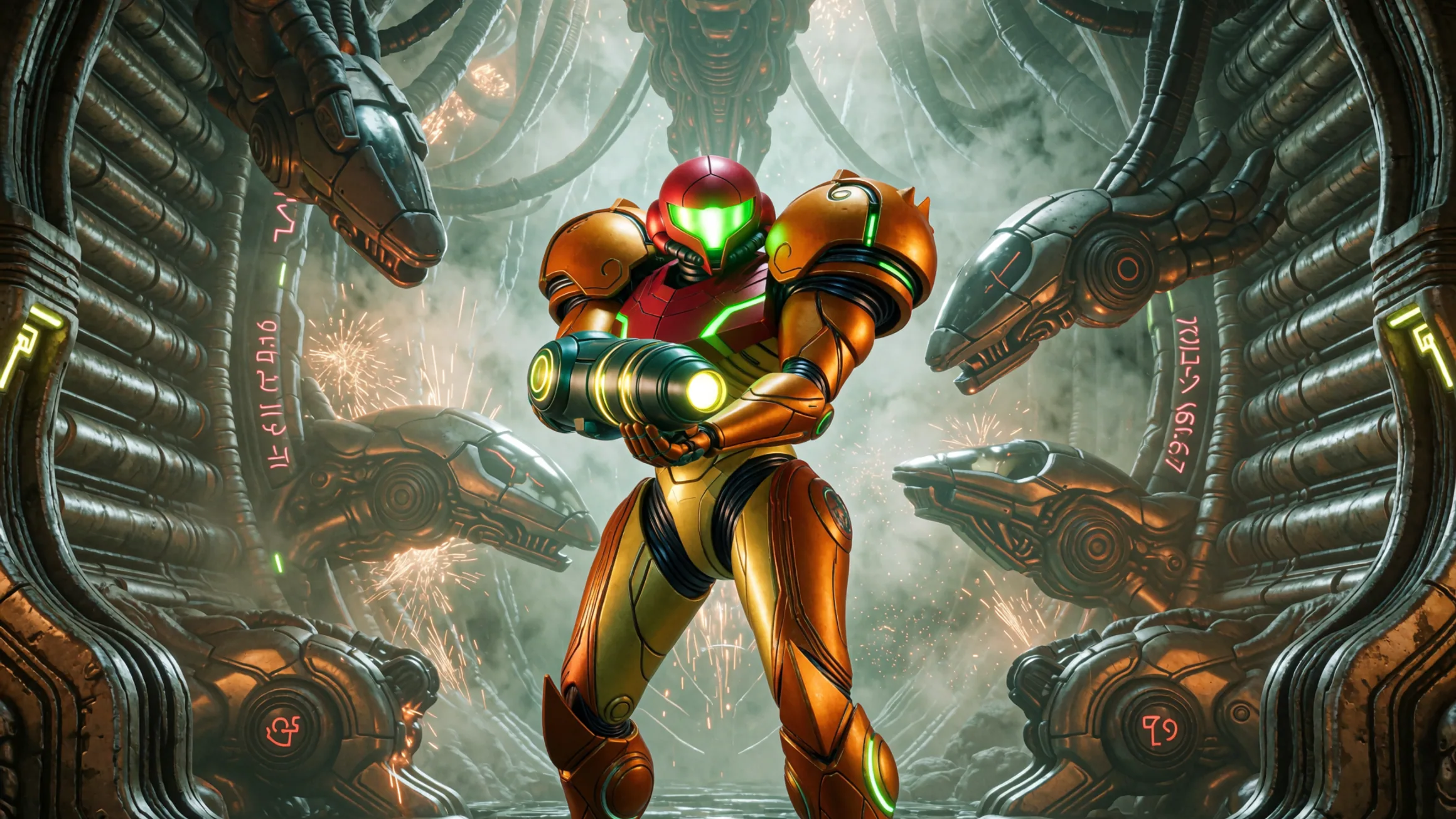
Krea 2 Turbo Resolution Test: 1MP vs 4MP on 12GB VRAM
A technical resolution benchmark of Krea 2 Turbo scaling from 1MP to 4MP with 12GB VRAM
Jul 15, 2026