Blog
Qwen Image 2.1 vs ERNIE, Krea 2, HiDream and Z-Image on RTX 3060 12GB
Mickael
mediapixel team
Qwen-Image-2.1 was a good excuse to revisit the current local image-generation landscape on a GPU that is still far more common than a 24GB workstation card: the RTX 3060 12GB.
The question was not simply whether Qwen-Image-2.1 could run locally. It could. The more useful question was whether it was actually a better practical choice than the other recent models that also fit into a 12GB workflow ? and whether its newer 2048?2048 and accelerated Pruna paths changed that answer.
I tested it against ERNIE-Image-Turbo, Krea 2 Turbo, HiDream-O1-Image and Z-Image-Turbo using 11 standardized prompts, then added my usual five-prompt stress test built around characters, hands, object relationships and ordinary photography.
Two other model families were also evaluated before being left out of the final comparison. Ideogram 4 was difficult to compare fairly because of its safety filtering and model-specific prompting requirements, while Stable Diffusion 3.5 Large and Large Turbo were successfully re-tested with improved workflows but still offered a less competitive quality/performance balance on this RTX 3060.
Why These Five Models?
These models are not identical in size or architecture, and that is precisely why I wanted to compare them. I was not trying to match parameter counts. I wanted to compare current image-generation approaches that can realistically compete for the same local workflow on a 12GB GPU.
The parameter counts below refer to the image-generation backbone or visual-generation component reported by each developer. They should not be read as directly comparable measures of total pipeline size.
Qwen-Image-2.1
7B visual component
32-layer single-stream DiT · External Viggle Turbo LoRA
A generation-and-editing system tested here with an optimized 16-step CFG4 workflow and an external Turbo LoRA for practical local inference.
Krea 2 Turbo
12B
Single-stream DiT · Qwen3-VL conditioning · 8-step Turbo
The fastest retained workflow and the highest-scoring model in this benchmark, aimed at creative exploration, aesthetic range and polished visual output.
ERNIE-Image-Turbo
8B DiT
Single-stream DiT · Separate 3B Ministral encoder · 8-step Turbo
A fast general-purpose workflow with strong instruction following, structured layouts and the highest Prompt & Composition mean.
Z-Image-Turbo
6B
Single-stream DiT · Original INT8 ConvRot · 9-step CFG1
An efficiency-focused workflow with strong speed and clean results on simpler prompts, but less consistency on complex scenes and typography.
HiDream-O1-Image
8B
Pixel-Level Unified Transformer · 1024x1024 H0 workflow
A unified pixel-and-text architecture designed for generation, editing and personalization, with strong stylized potential and weaker local detail in this test.
This is therefore a practical comparison of five different approaches to the same question: what gives me the most useful local image-generation workflow on an RTX 3060 12GB?
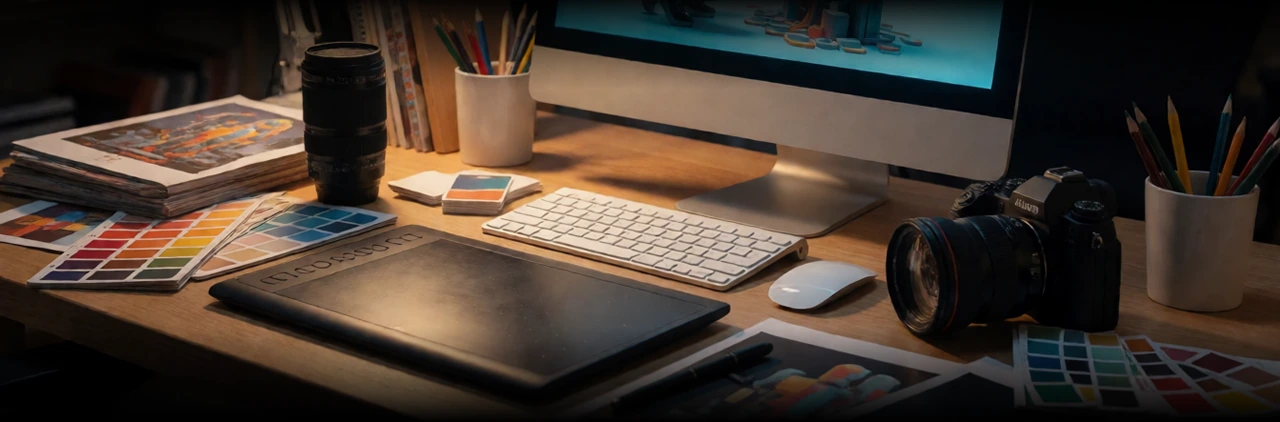
Opening illustration - generated with Krea 2 Turbo.
The Short Answer
-
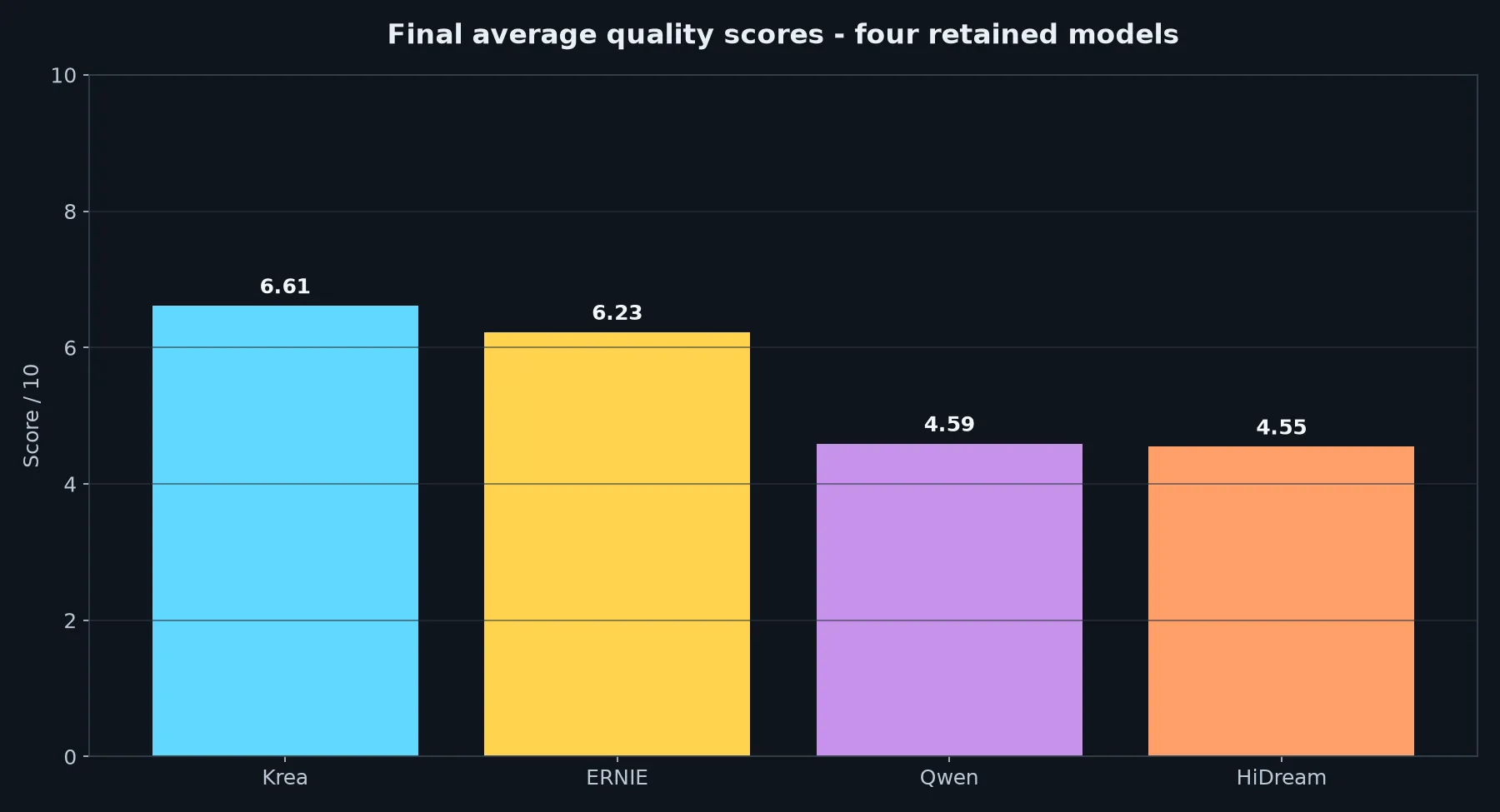
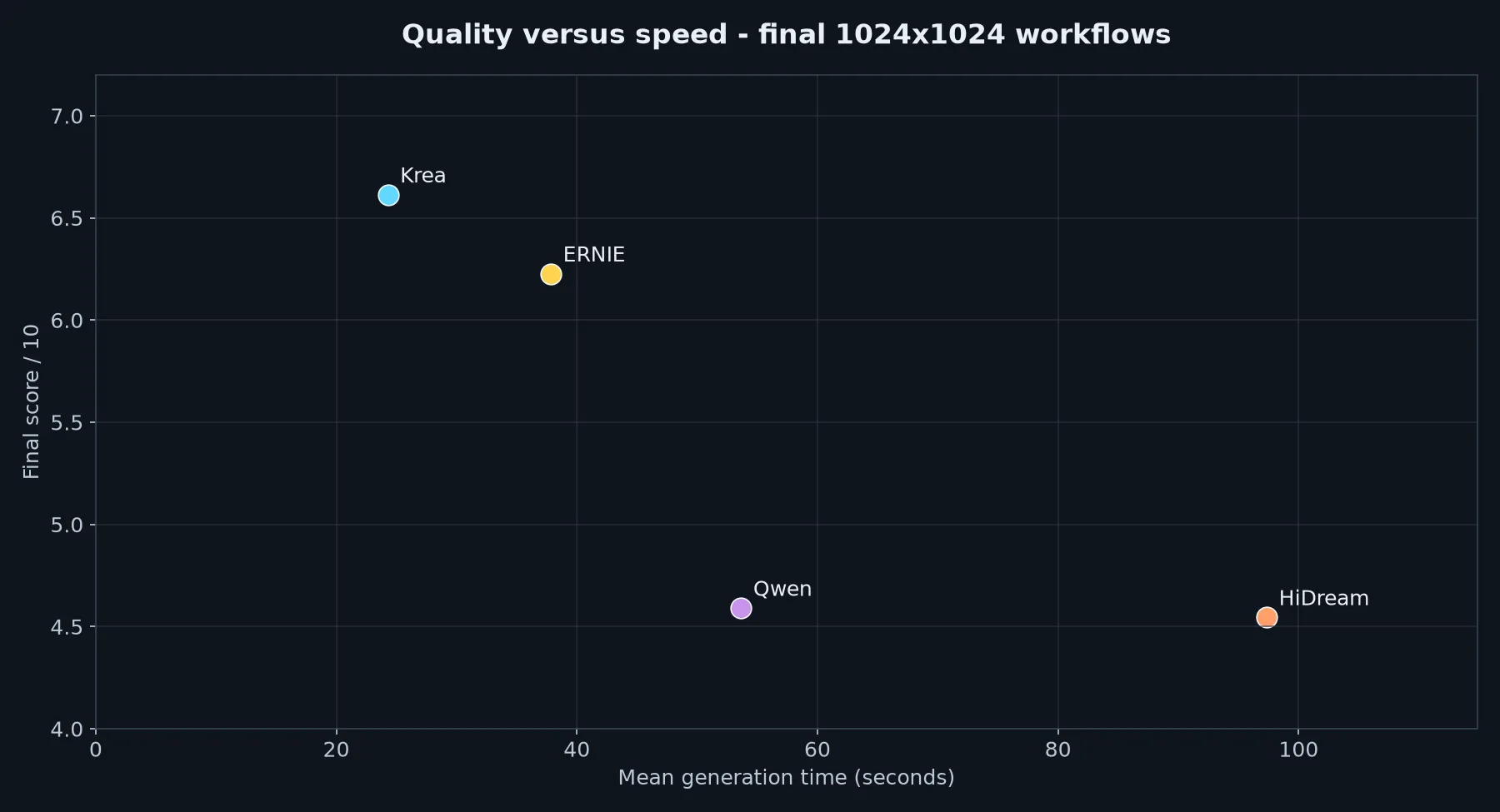
Krea 2 Turbo leads the benchmark at 6.61/10. It combines the strongest overall visual results with very good speed, averaging 24.3 seconds per image. Its Community License is the main practical caveat.
-
ERNIE-Image-Turbo scores 6.23/10. It is one of the most consistent models in the comparison, with strong prompt adherence and composition, although aggressive local contrast can make creases and small details look too dark or overprocessed.
-
Z-Image-Turbo scores 4.84/10 and is the fastest model in the retained benchmark at 21.6 seconds per image. It is a strong option for rapid iteration, although it is less reliable on complex scenes, typography and fine structural detail.
-
Qwen-Image-2.1 scores 4.59/10, narrowly ahead of HiDream. Its optimized 16-step workflow with the external Viggle Turbo LoRA averages 53.7 seconds and performs particularly well on the pixel-art HUD test. Its Research License is an important consideration for commercial use.
-
HiDream-O1-Image scores 4.55/10. It can produce attractive stylized results, but realistic skin, microtexture and fine local structure remain its main weaknesses in this benchmark.
Why Stable Diffusion 3.5 Is Not in the Final Table
Stable Diffusion 3.5 Large runs successfully on the RTX 3060 12GB, but its stronger FP8 configurations are relatively slow at around 96-100 seconds per image.
Large Turbo Q8 is much faster and fits comfortably within the 12GB VRAM budget. Its images are generally clean and sharp, but they tend to have a more synthetic or illustration-like appearance than the stronger models in this comparison. Difficult human poses also exposed less reliable anatomy.
Different sampling approaches, including Euler, DPM++, beta scheduling and Skip Layer Guidance, did not materially change that overall character.
For this benchmark, neither SD3.5 Large nor Large Turbo offered a competitive enough balance of image quality and generation speed to join the five models in the final comparison.
Test Hardware and Methodology
The benchmark ran locally in one ComfyUI environment:
- GPU: NVIDIA GeForce RTX 3060 12GB
- CPU: AMD Ryzen 5 5500
- System RAM: 64GB
- Operating system: Windows
- Batch size: 1
- Resolution: 1024x1024 for all five ranked workflows
- Seed: 42 for every standardized prompt
- Post-processing: none
Scores are based on full-resolution image review covering prompt adherence, composition and image quality. The review considers whether requested elements and relationships are present, how well the scene is framed and organized, and the quality of rendering, anatomy, textures, materials, geometry, typography, artifacts and overall visual polish. These aspects are combined into a single image score, and each model’s final score is the average across all 11 standardized prompts.
Speed: Krea Leads the Five Retained Workflows
Krea was the highest-scoring model, while Z-Image-Turbo was the fastest retained workflow at 21.6 seconds. ERNIE remained reasonably quick, Qwen’s optimized 16-step workflow averaged 53.7 seconds, and HiDream H0 1024 was the slowest retained workflow.
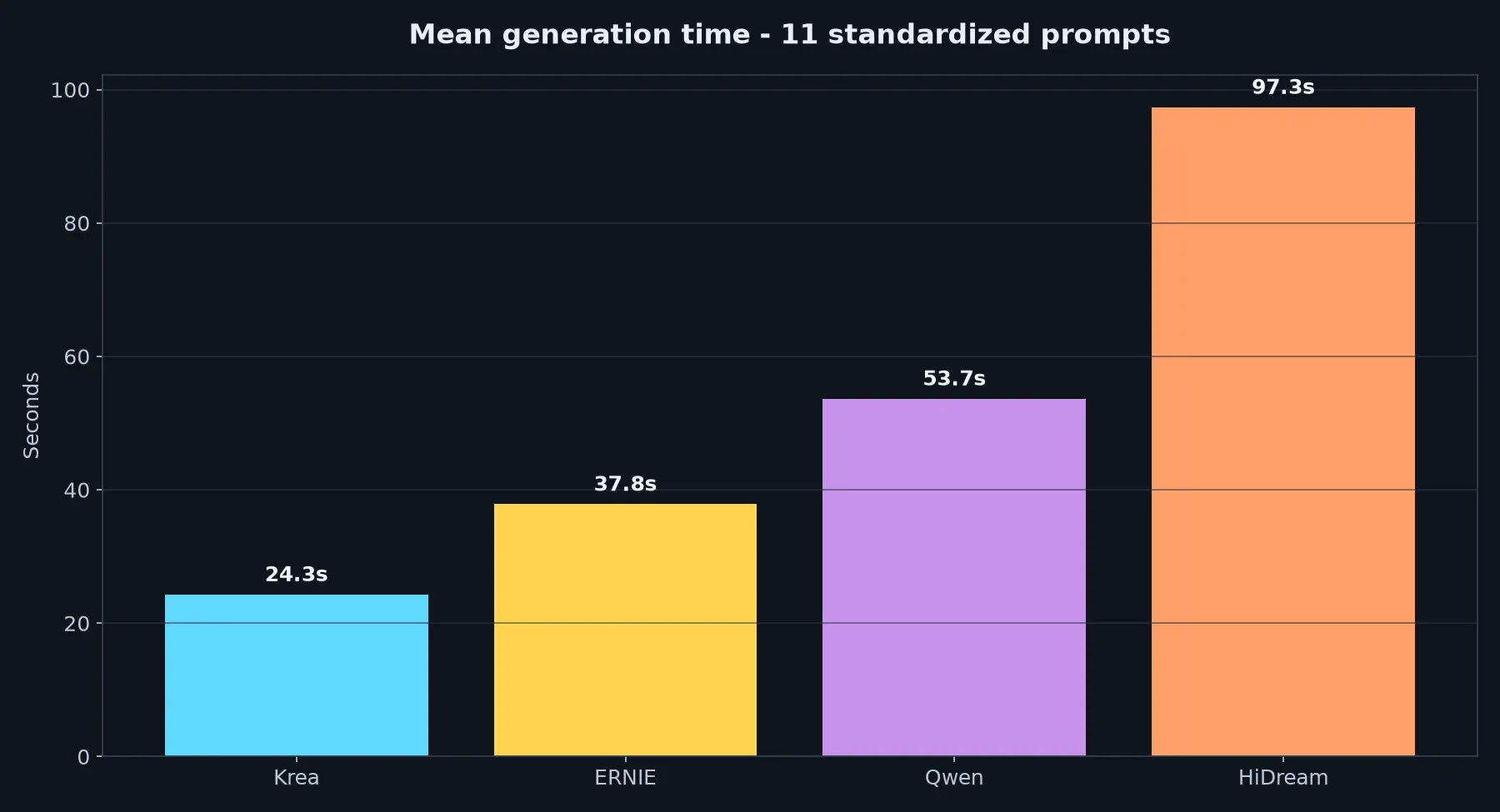
| Model | Mean generation time | Resolution |
|---|---|---|
| Krea 2 Turbo | 24.3 s | 1024x1024 |
| ERNIE-Image-Turbo | 37.8 s | 1024x1024 |
| Z-Image-Turbo | 21.6 s | 1024x1024 |
| Qwen-Image-2.1 + Viggle Turbo LoRA | 53.7 s | 1024x1024 |
| HiDream-O1-Image | 97.3 s | 1024x1024 |
VRAM: HiDream Uses Less Memory in the Final Five Workflows
The final workflows do not all sit at the same memory level. Z-Image-Turbo used the most peak VRAM on average, while HiDream H0 1024 used materially less than the other four. Krea, Qwen and ERNIE made heavier use of the RTX 3060’s available memory.
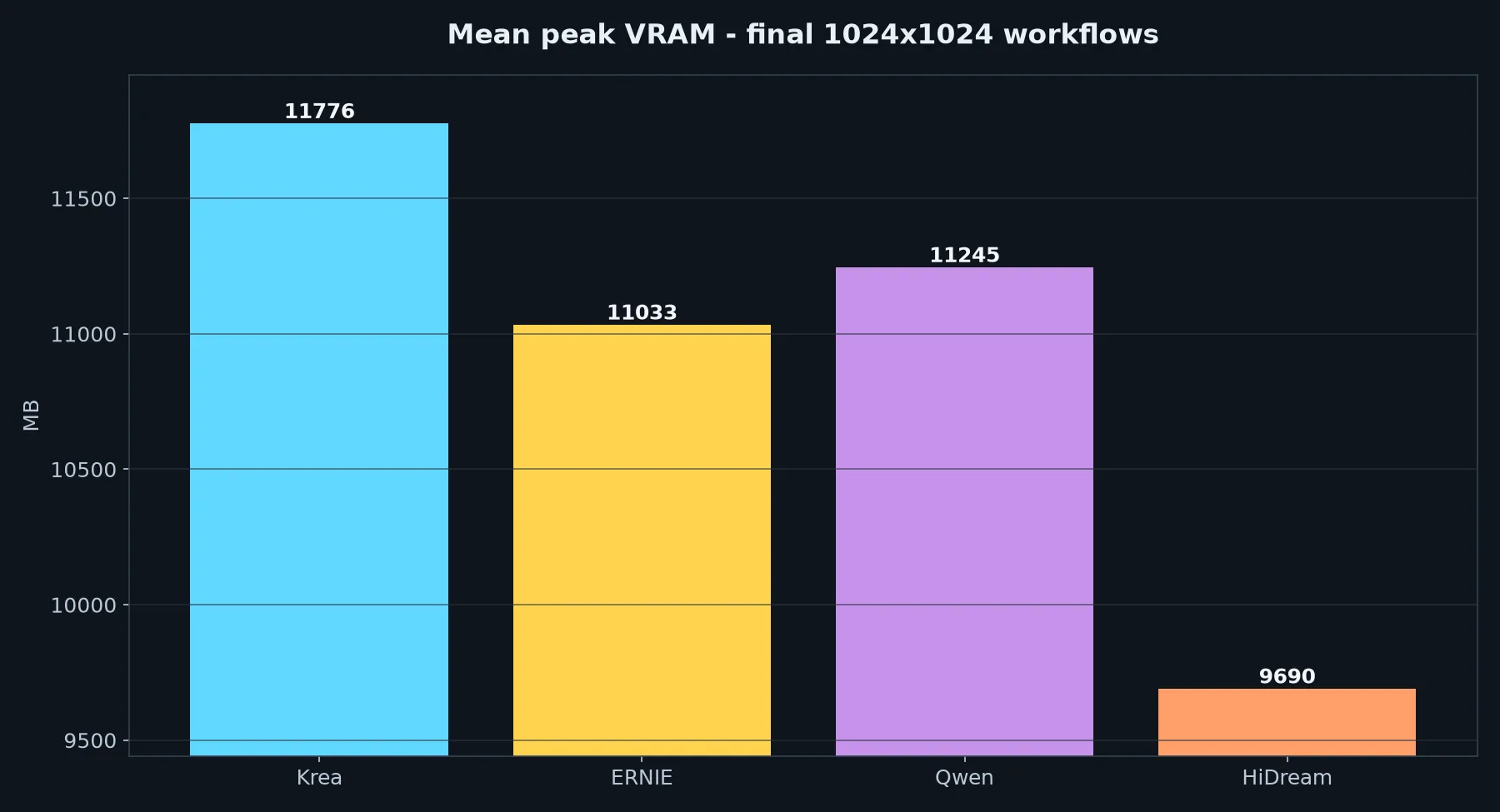
| Model | Mean peak VRAM |
|---|---|
| Krea 2 Turbo | 11775.8 MB |
| ERNIE-Image-Turbo | 11032.7 MB |
| Z-Image-Turbo | 11945.7 MB |
| Qwen-Image-2.1 + Viggle Turbo LoRA | 11244.5 MB |
| HiDream-O1-Image | 9689.6 MB |
Standardized Image Tests: Where the Differences Show Up
The 11 standardized prompts below make the differences between the five models much easier to see, from simple compositions to more demanding scenes, typography and structured prompts.
Portrait
Prompt used:
Cinematic close-up portrait of an elderly weathered sailor with deep wrinkles, silver beard, wearing a worn yellow raincoat, dramatic ocean spray in the background, golden hour rim lighting, highly detailed skin texture, 85mm lens, photorealistic.
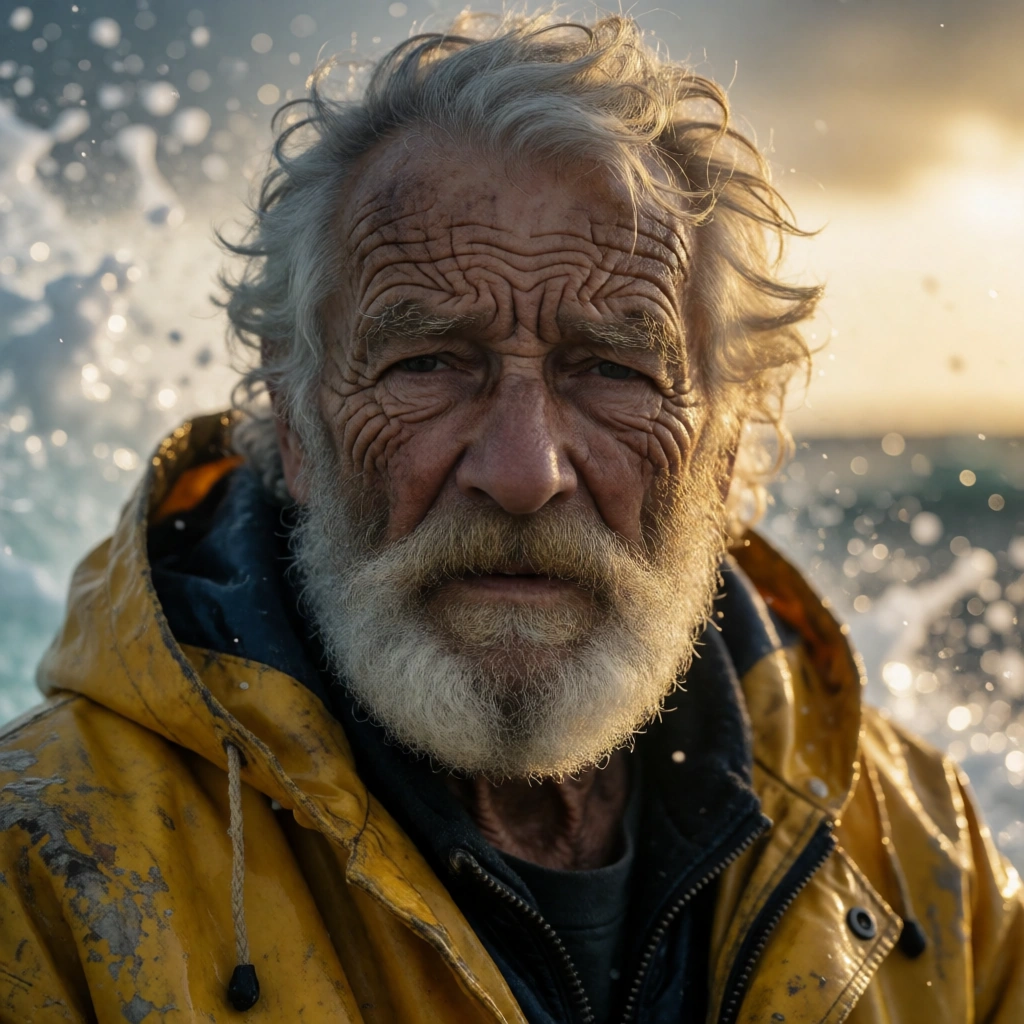
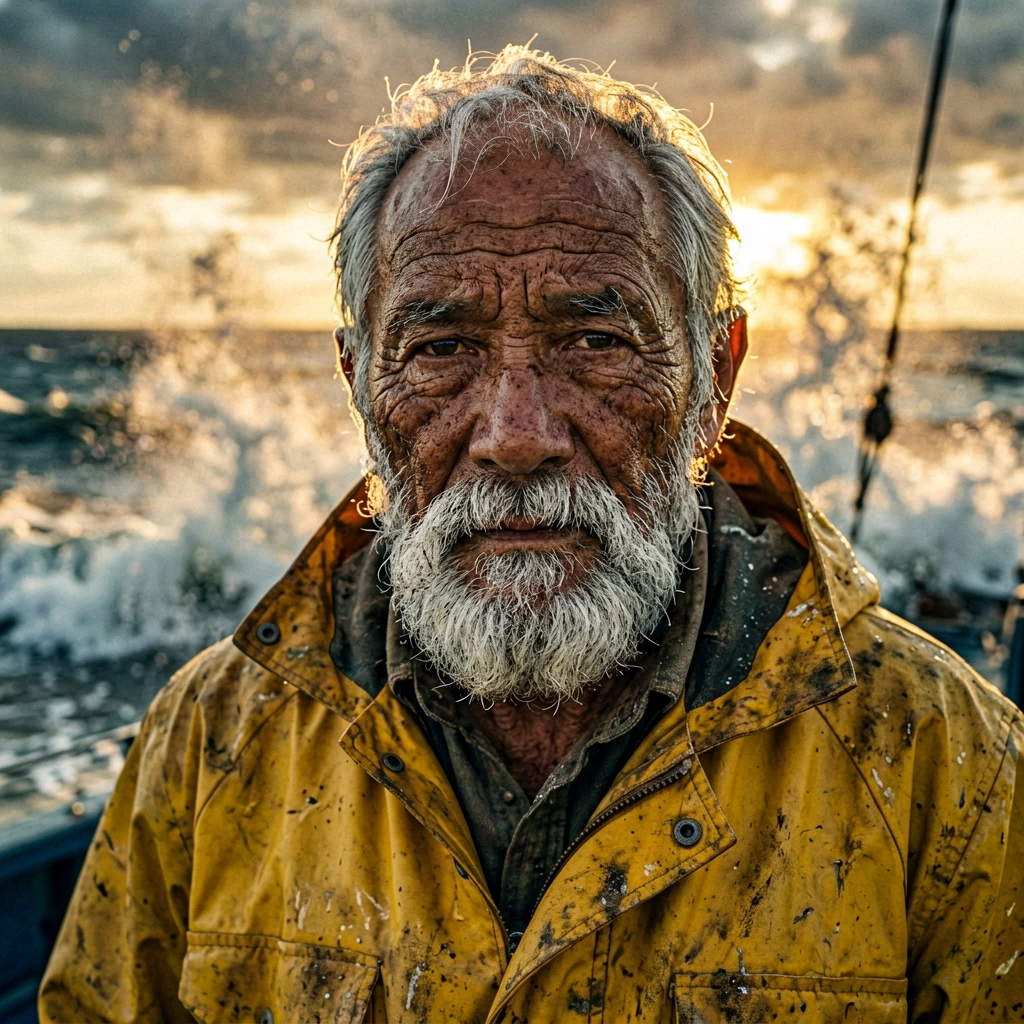
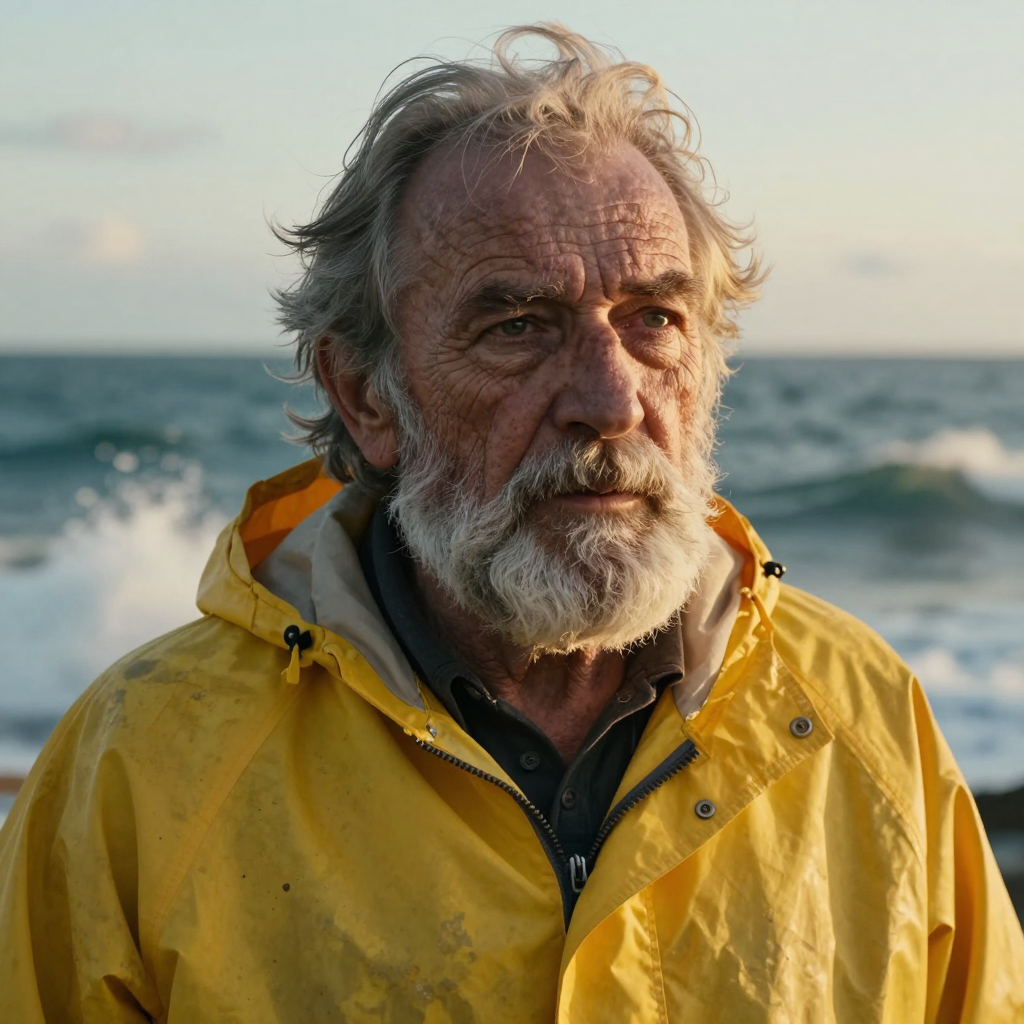
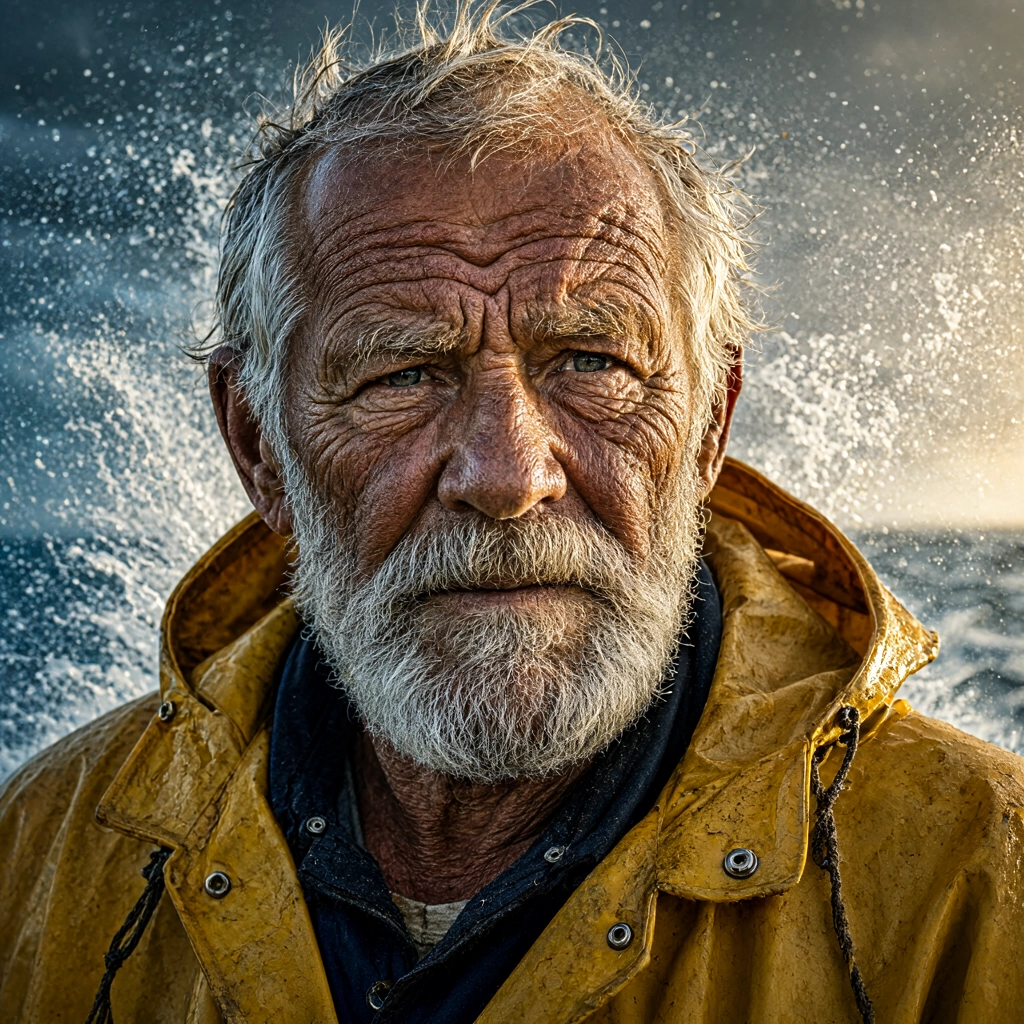
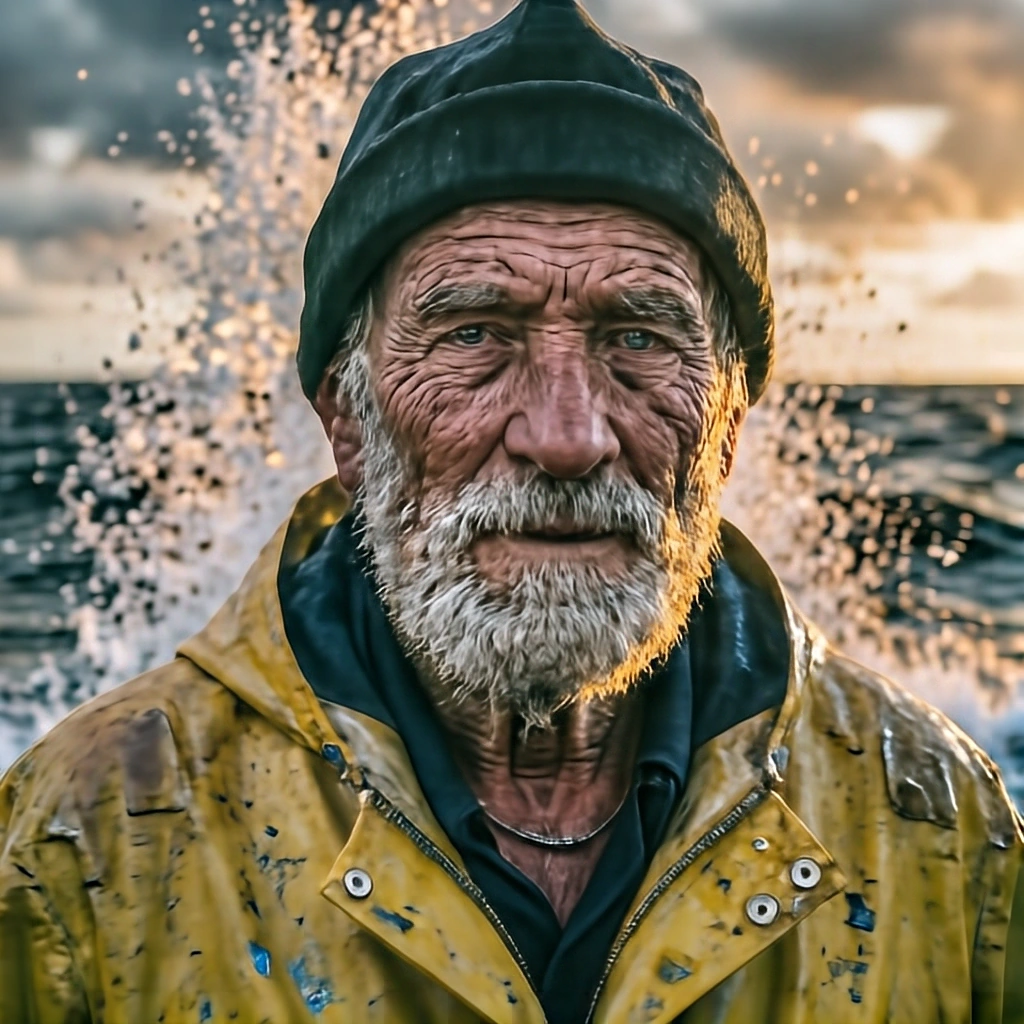
Krea 2 Turbo produced the strongest portrait overall. Facial structure is particularly convincing, with well-defined features, strong beard detail and a natural balance between sharpness and photographic texture. It also preserves the requested mood more effectively than the other models.
ERNIE-Image-Turbo remains one of the strongest portrait results in the set. Facial structure, beard detail and clothing are convincing, although the image tends to look slightly oversharpened. Heavy local contrast can make skin texture, beard detail and fabric creases appear darker or harsher than they should.
Z-Image-Turbo also produced a convincing portrait, but it missed part of the requested atmosphere. The ocean spray in the background is much less dramatic than requested, and the lighting feels closer to daylight than a clear golden-hour scene. The portrait itself works well, but the mood and lighting follow the prompt less closely than Krea 2 Turbo or ERNIE-Image-Turbo.
HiDream-O1-Image is less convincing at full resolution because of its skin rendering. The face mixes photographic detail with smeared, waxy or oil-paint-like texture, especially around pores, wrinkles and transitions between light and shadow. The cap badge, buttons and zipper also lose coherence, but the skin texture is the first element that makes the image feel artificial.
Photorealistic Scene
Prompt used:
A modern minimalist coffee shop in Tokyo on a rainy afternoon, wooden counter, barista pouring latte art with intricate foam patterns, large glass window with raindrops reflecting neon streetlights, soft ambient lighting, ultra-realistic.
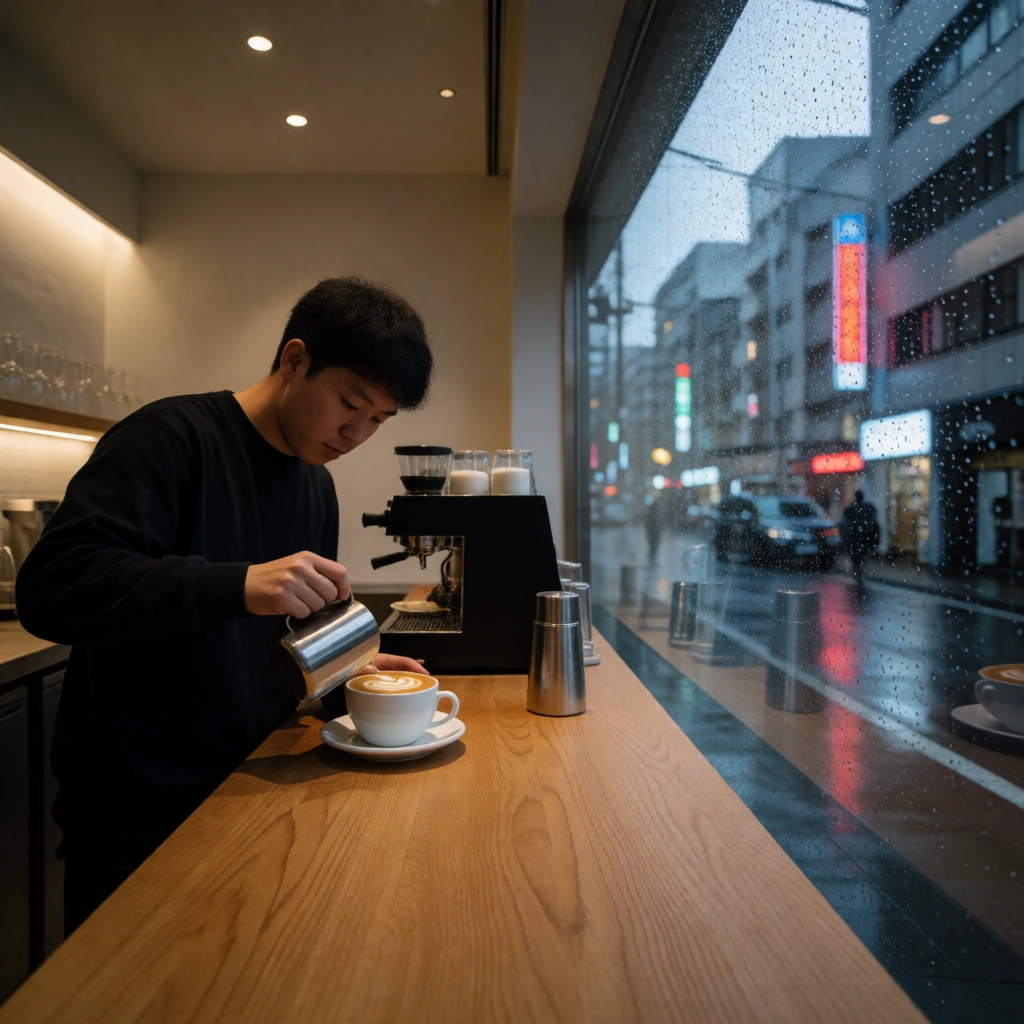
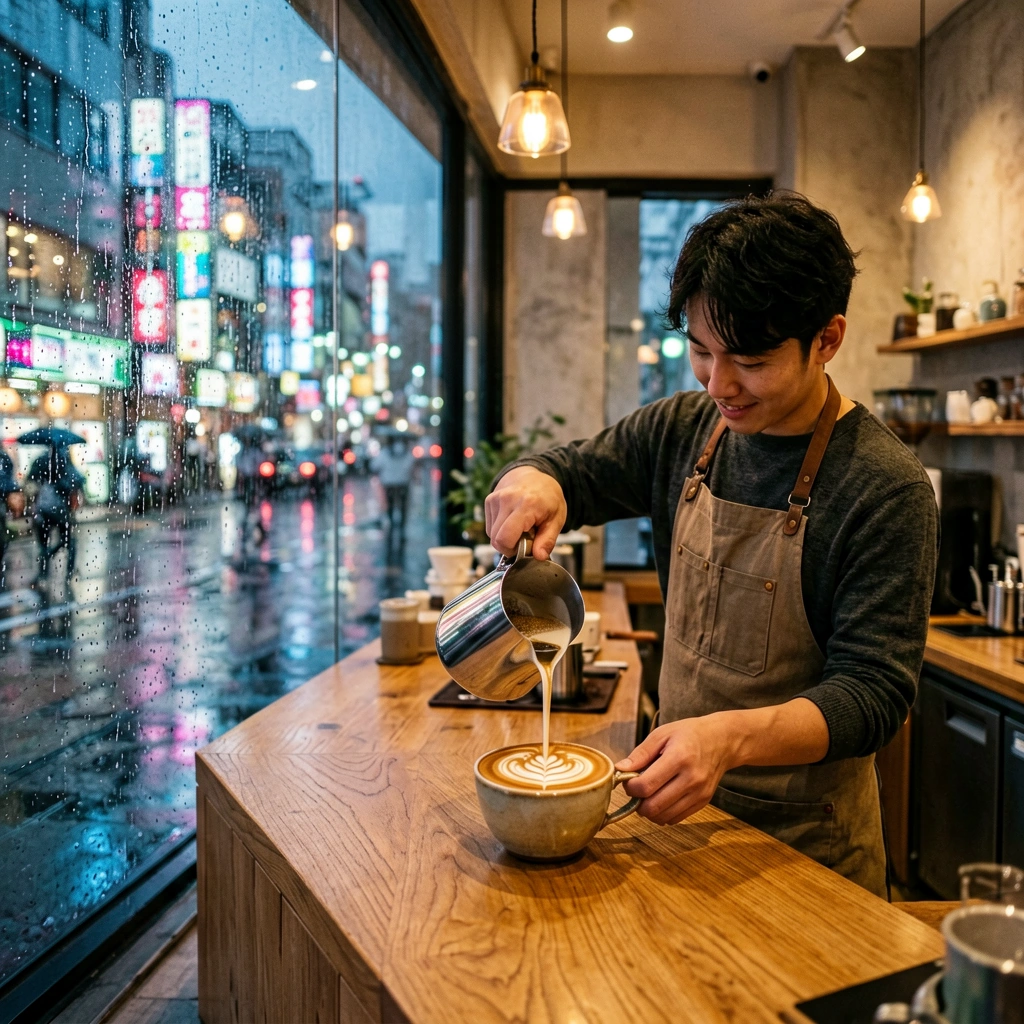
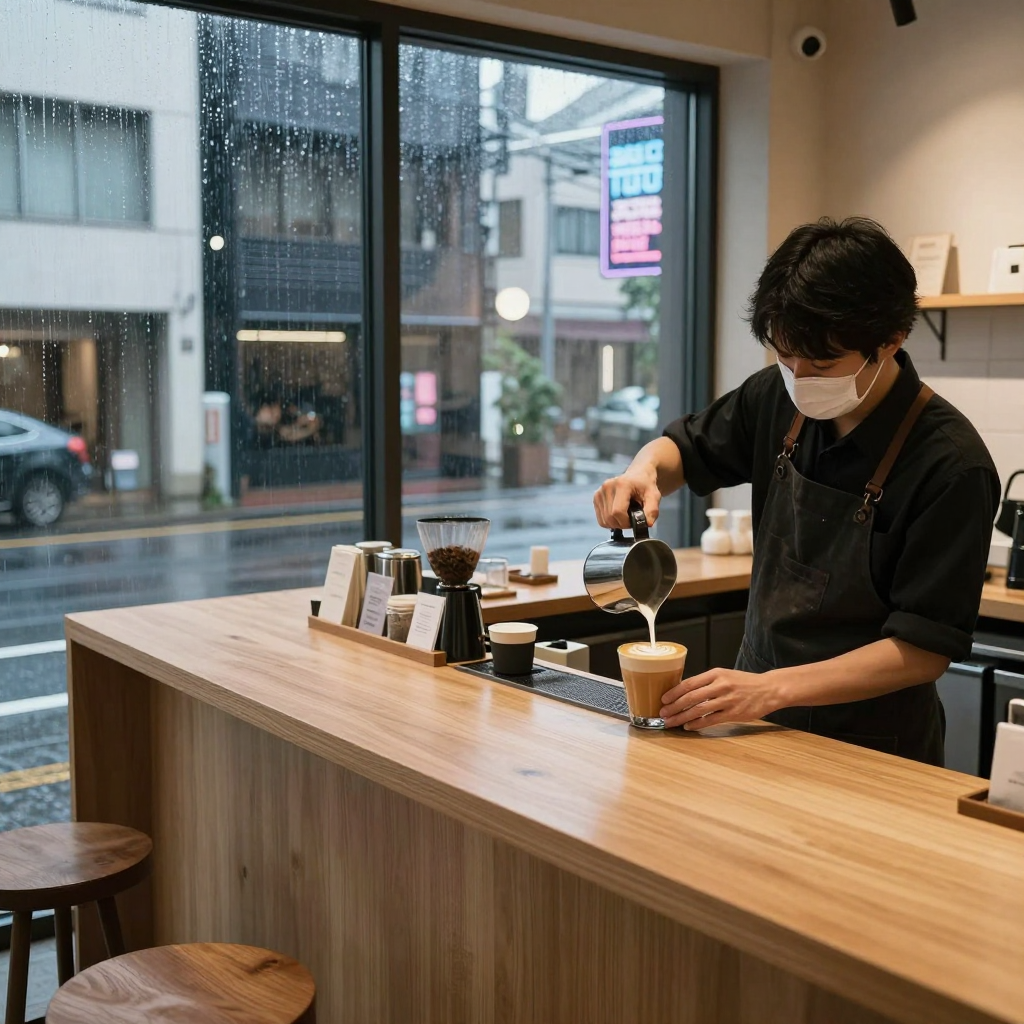
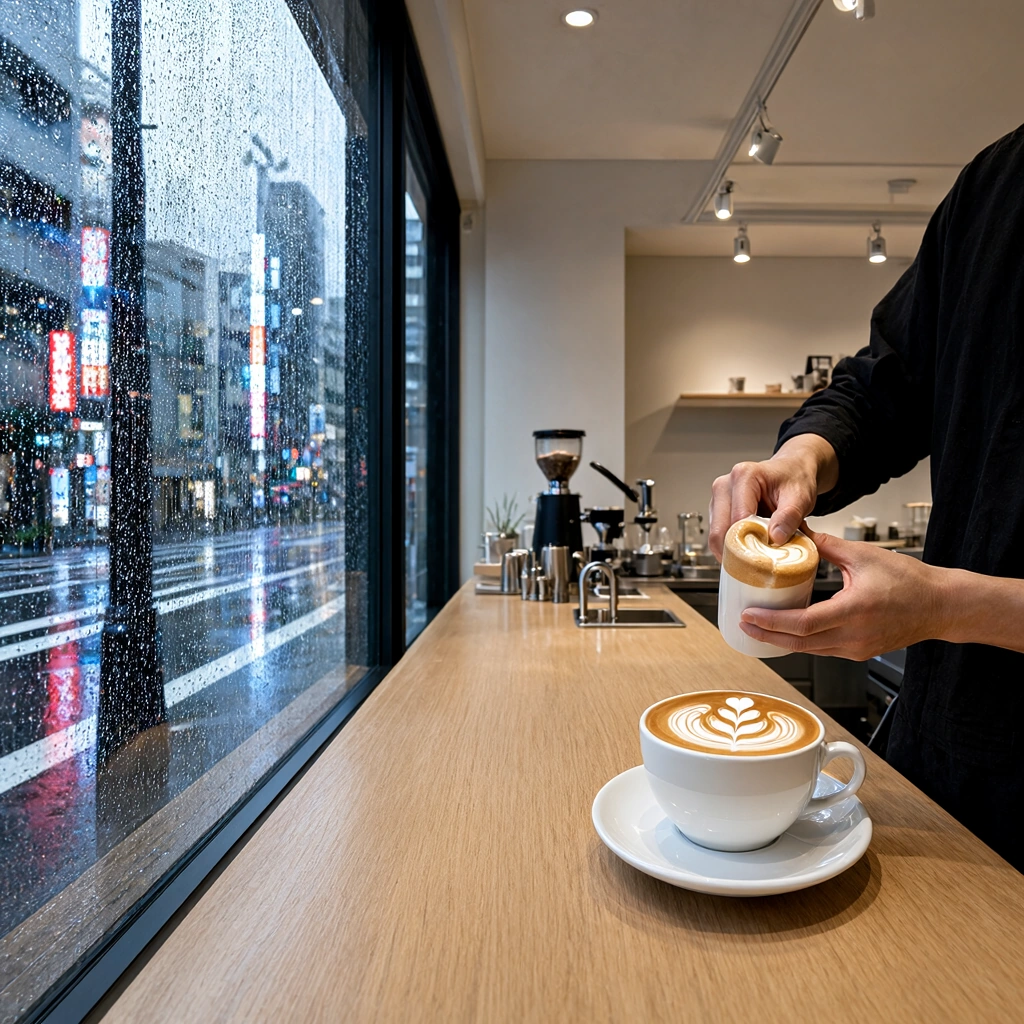
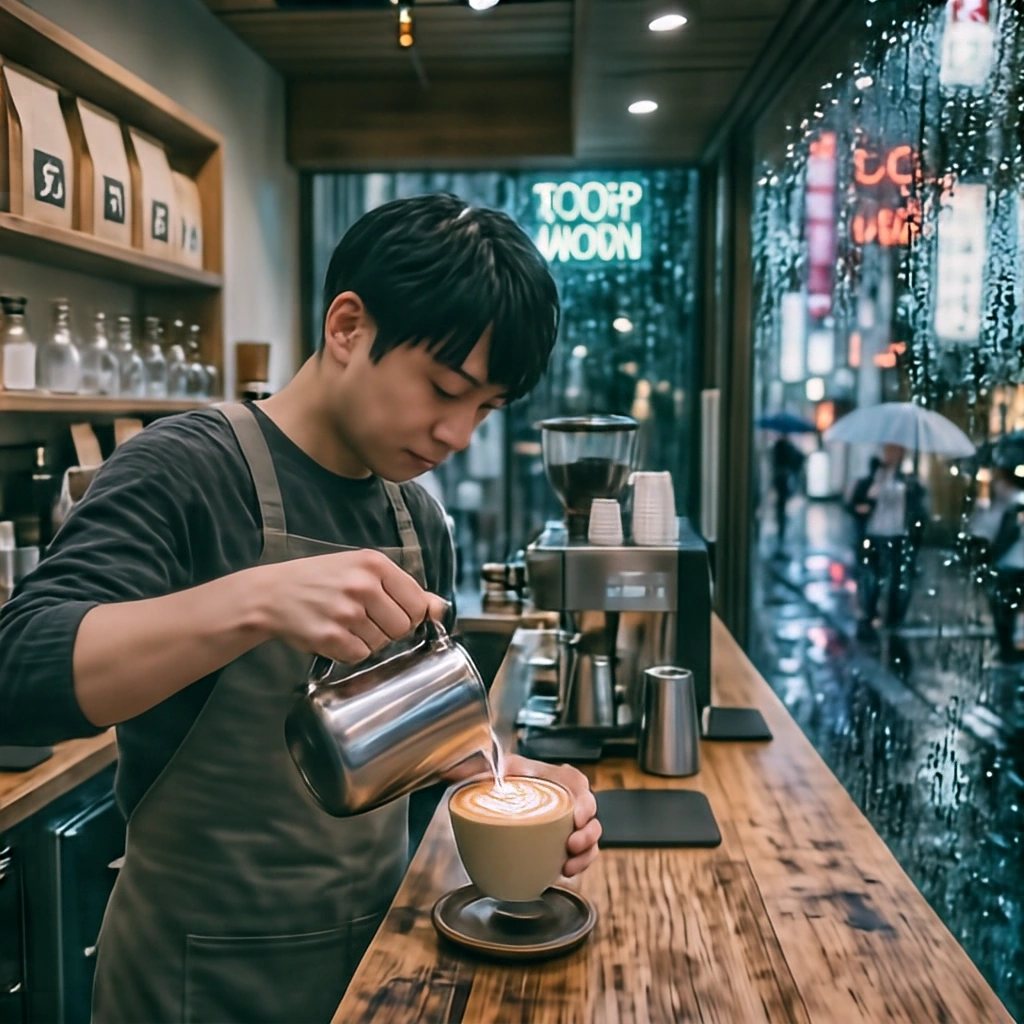
ERNIE-Image-Turbo produced the most convincing photorealistic scene, keeping the requested lighting, environment and relationships between objects coherent across the image. Krea 2 Turbo came close, while the remaining models showed more noticeable structural inconsistencies or lost some of the scene’s internal logic.
Product Photography
Prompt used:
Studio commercial photograph of a luxury matte black mechanical chronograph watch with rose gold dials, resting on a wet dark slate stone, sharp macro focus, dramatic side lighting, crisp reflections, magazine advertisement quality.
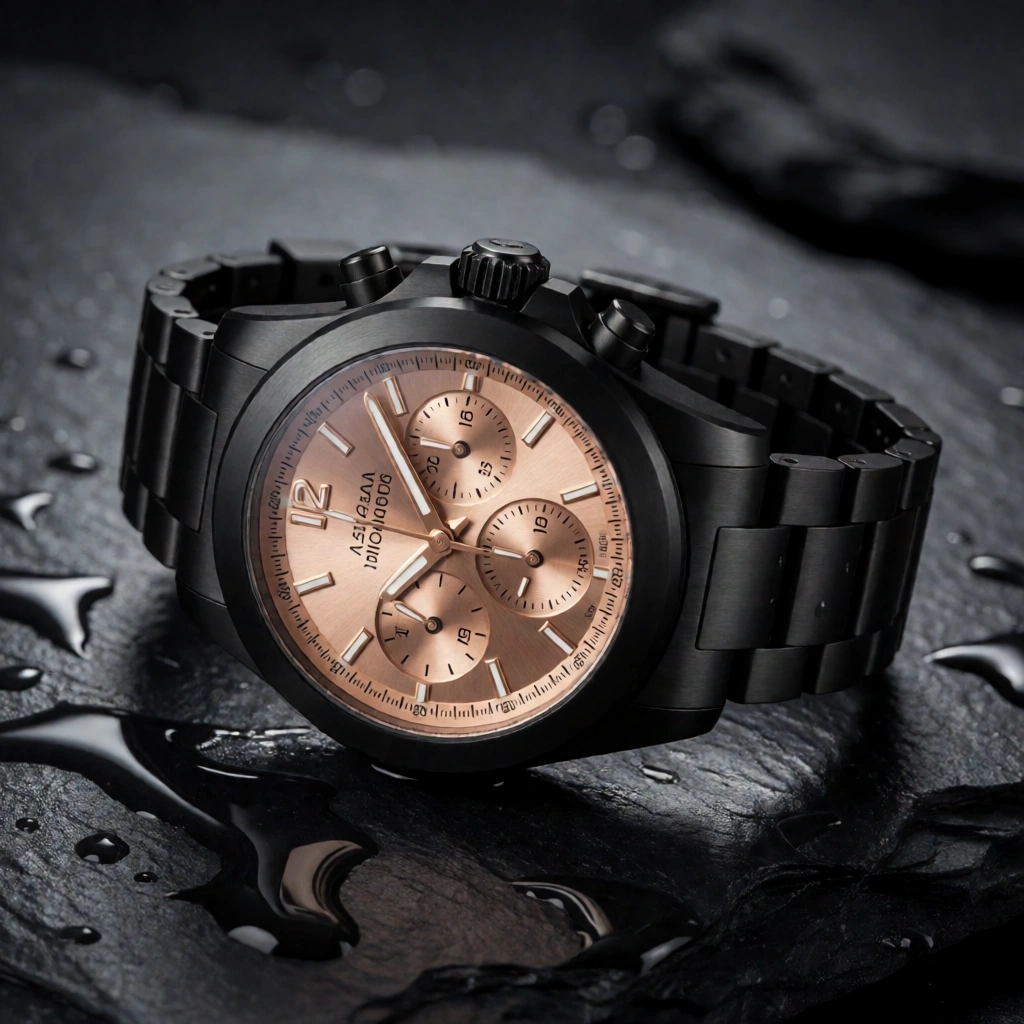
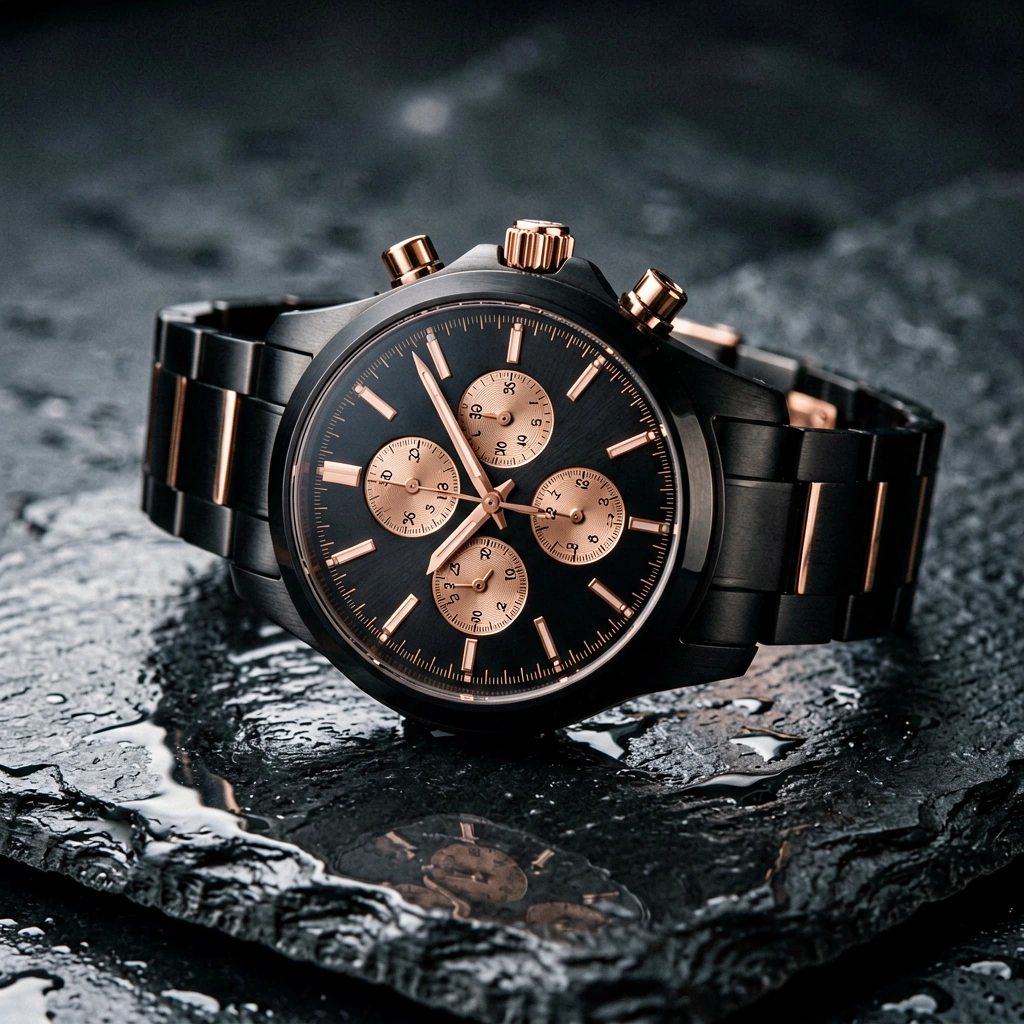
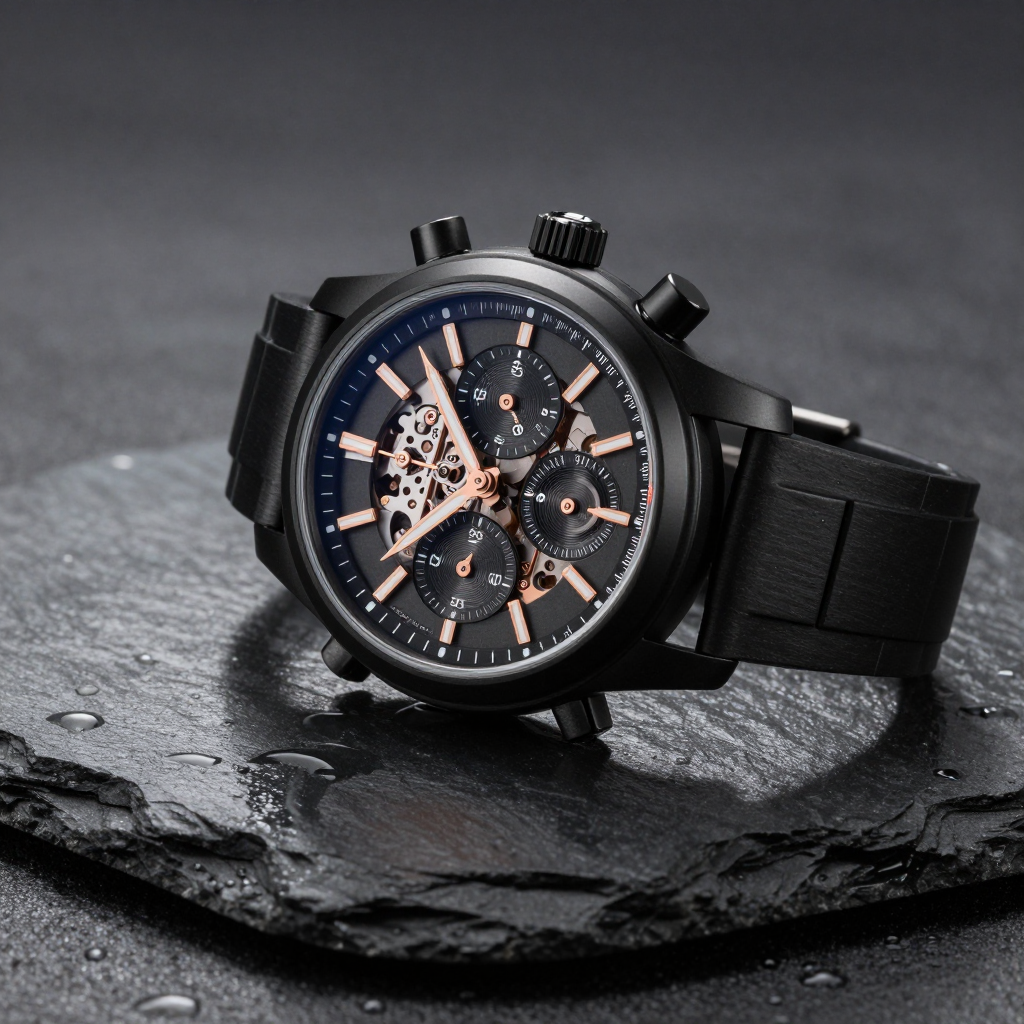
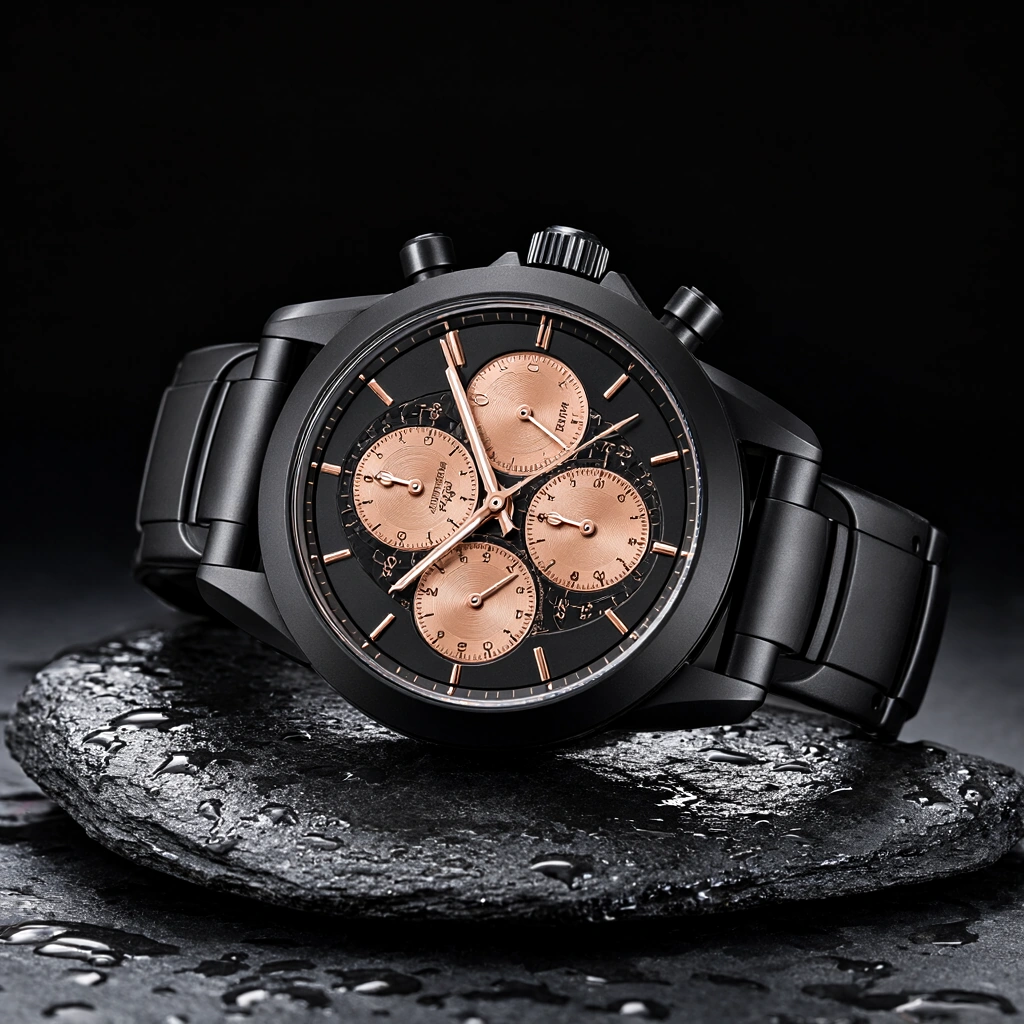
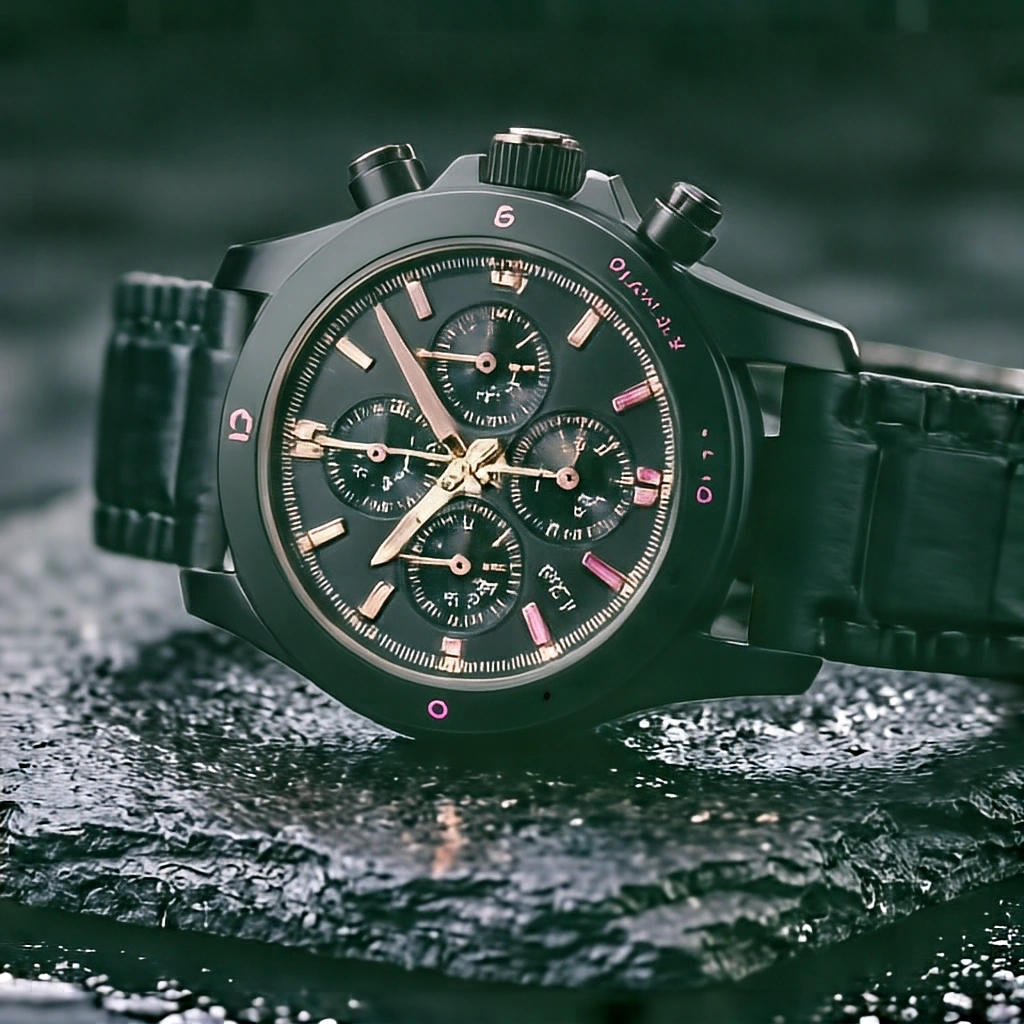
A watch is a useful product-photography test because it has to work both as a luxury image and as a believable mechanical object.
Krea 2 Turbo and ERNIE-Image-Turbo produced the strongest results here, but in slightly different ways. Krea delivered a very polished commercial image, while ERNIE felt a little more refined as a magazine-style product shot and handled the requested composition particularly well. Both still show small imperfections when the watch is examined closely, which is why neither clearly pulls ahead overall.
Z-Image-Turbo produced a reasonably clean watch, although the composition feels a little sparse compared with the two strongest images.
Qwen-Image-2.1 has an appealing composition, but weaker small-detail rendering reduces the sense of polish, particularly around the finer parts of the watch.
HiDream-O1-Image has a convincing advertising composition, but the strong green cast works against it. The dial, markings, sub-dials and other small mechanical details also lose coherence under close inspection.
Complex Illustration
Prompt used:
Elaborate intricate fantasy illustration of a floating island city powered by glowing cyan crystal spires, airships with brass propellers docked at stone bridges, lush hanging gardens and waterfalls falling into the clouds, vibrant anime fantasy concept art.
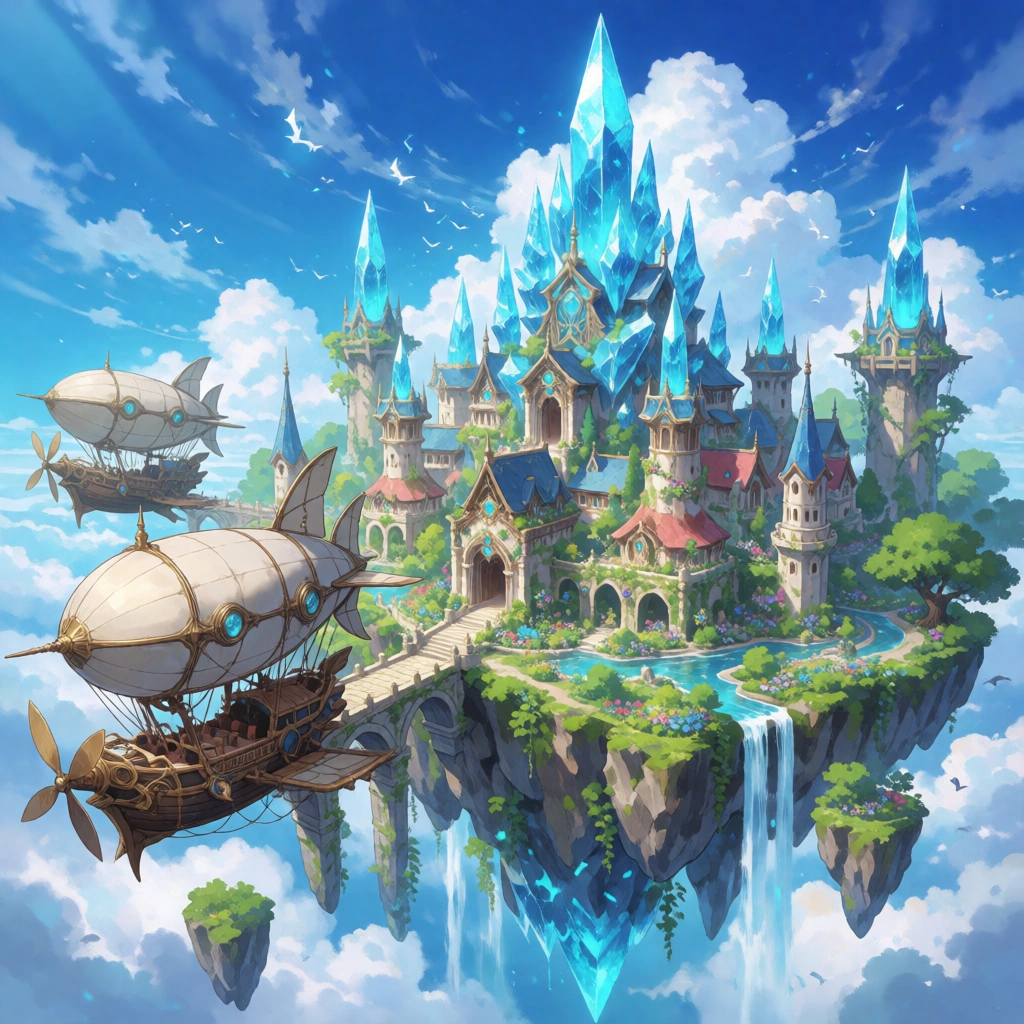
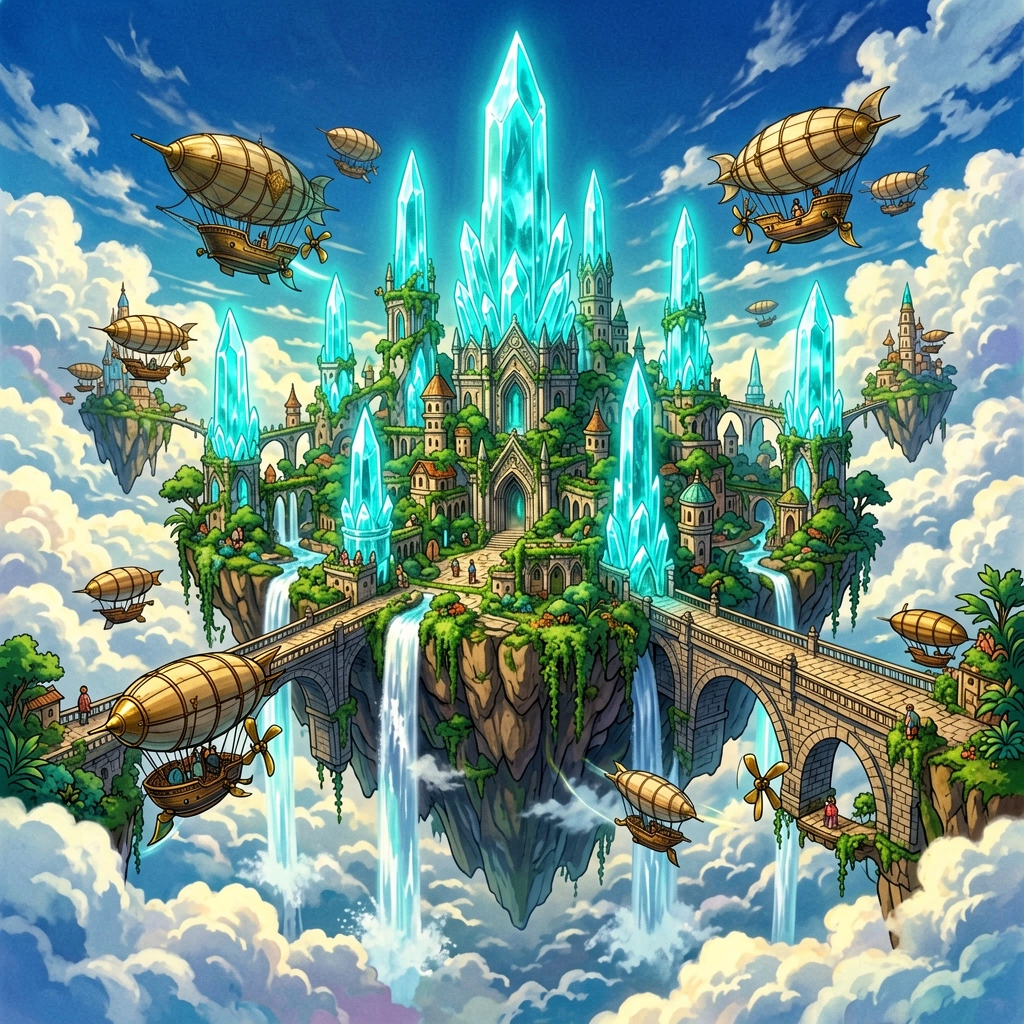
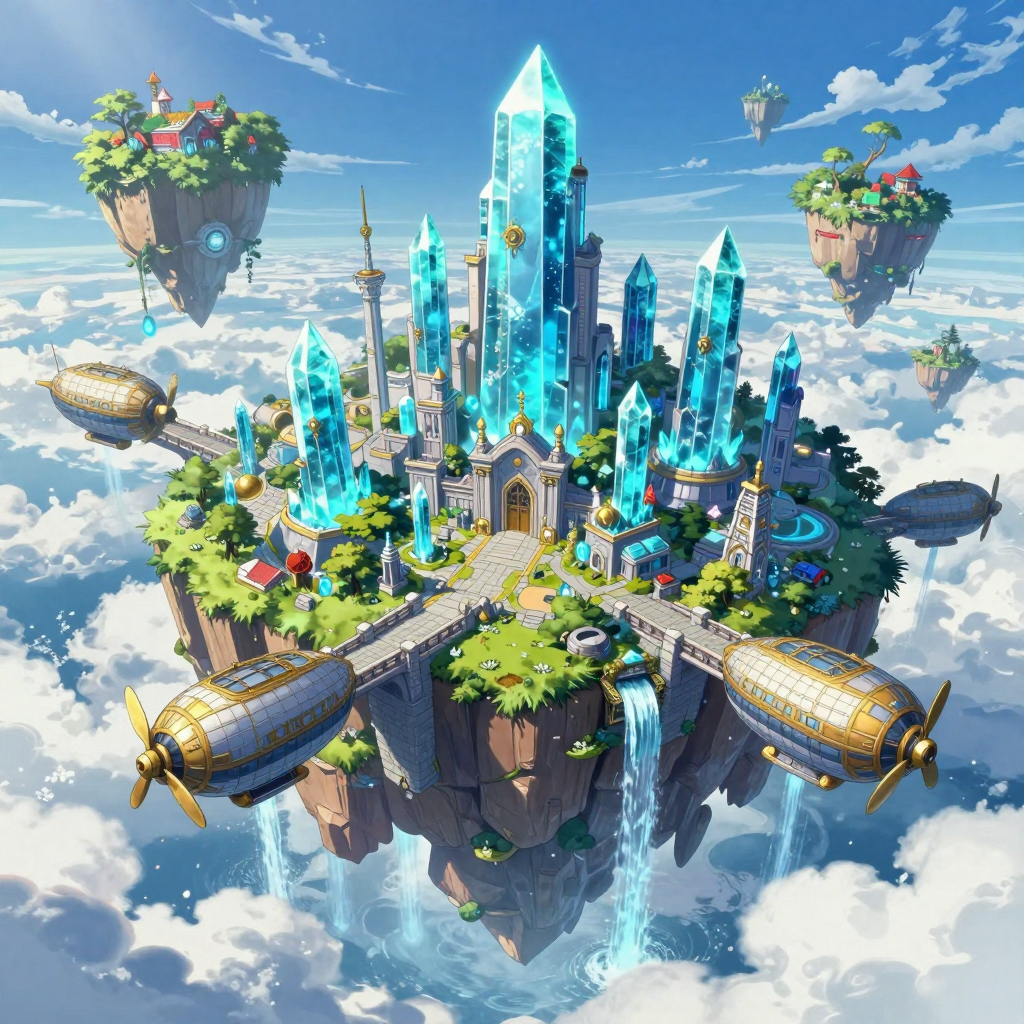
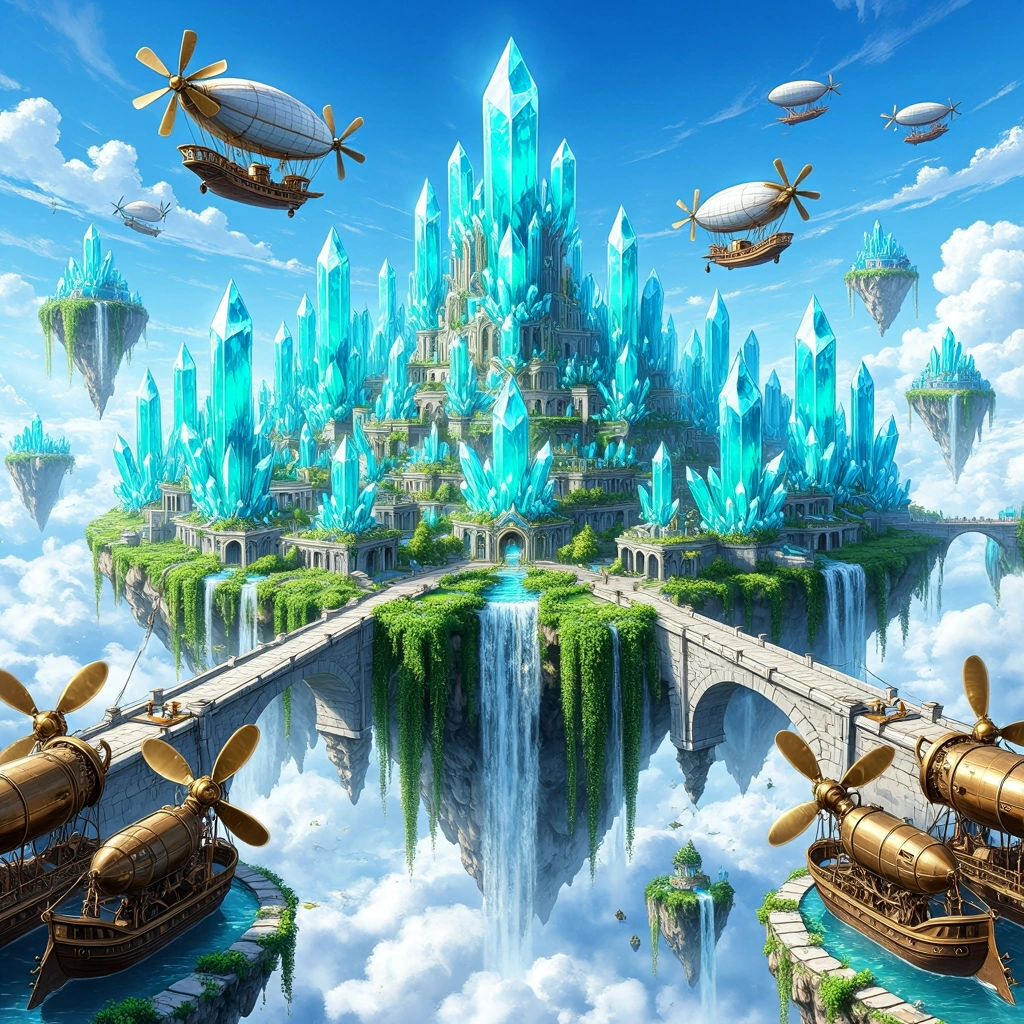
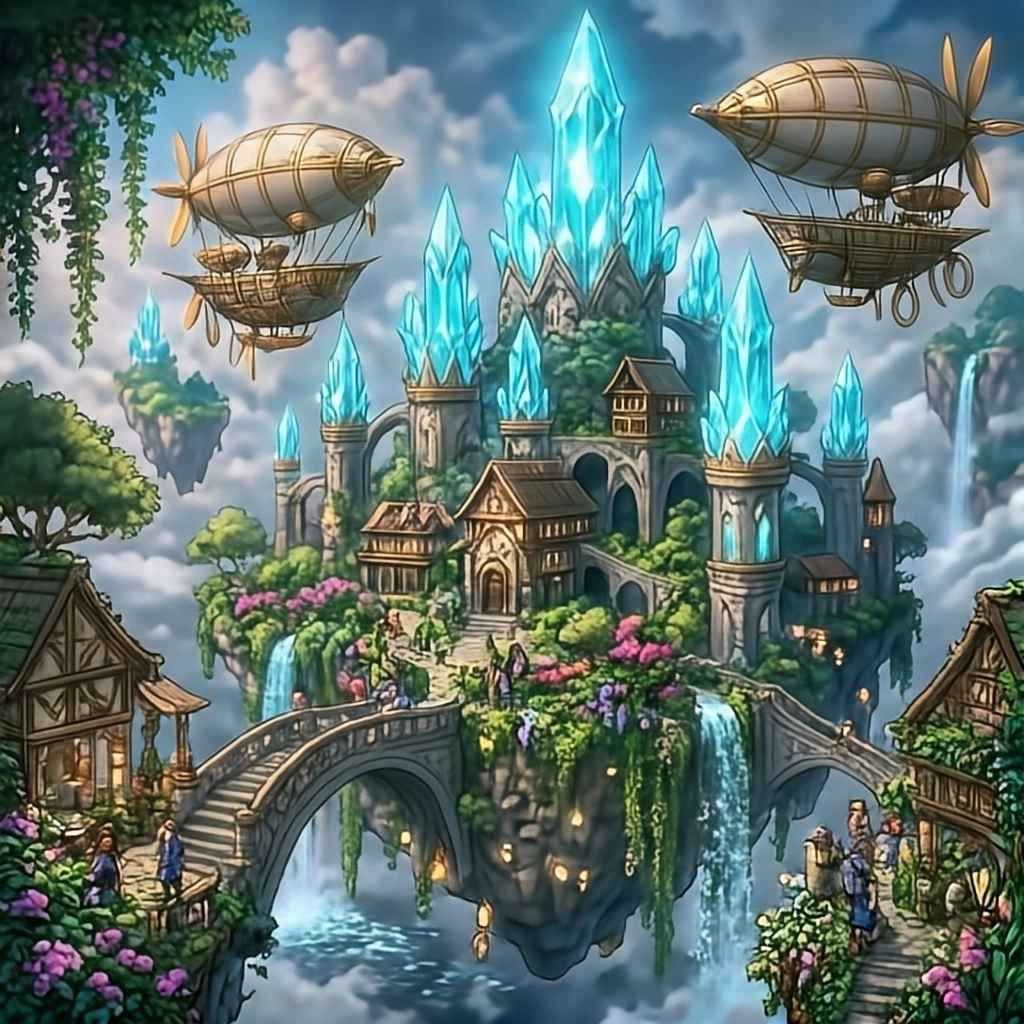
Krea 2 Turbo produced the strongest result in this test. The floating city, crystal spires, airships, gardens and waterfalls fit together convincingly, giving the scene the sense of a single designed environment rather than a collection of disconnected fantasy elements. It also captures the vibrant anime-fantasy look requested by the prompt particularly well.
ERNIE-Image-Turbo follows closely, with a similarly rich and coherent scene. It handles scale well and packs in a large amount of detail without losing the overall composition.
HiDream-O1-Image still produces an attractive fantasy image, but the result is noticeably more subdued. The colors and lighting are less vibrant, which gives it less of the energetic concept-art feel seen in Krea and ERNIE.
Qwen-Image-2.1 remains competitive, although its scene feels less unified and convincing than the two strongest results.
Z-Image-Turbo has more difficulty with the complexity of the prompt and produces a weaker overall interpretation.
Typography
Prompt used:
A rustic wooden bakery storefront with a hand-painted wooden sign that clearly reads 'LE PETIT FOUR' in elegant serif gold lettering, fresh golden croissants displayed behind a clean glass window, morning sun.
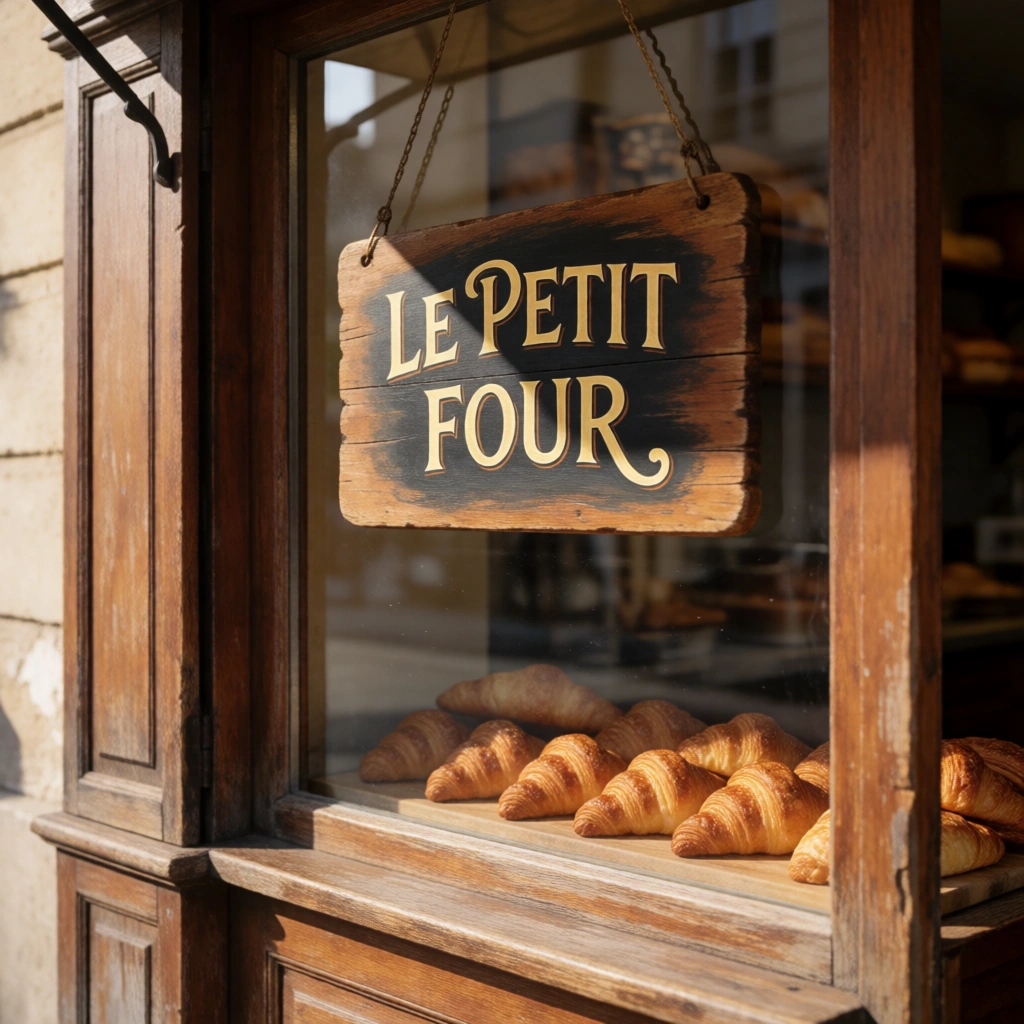
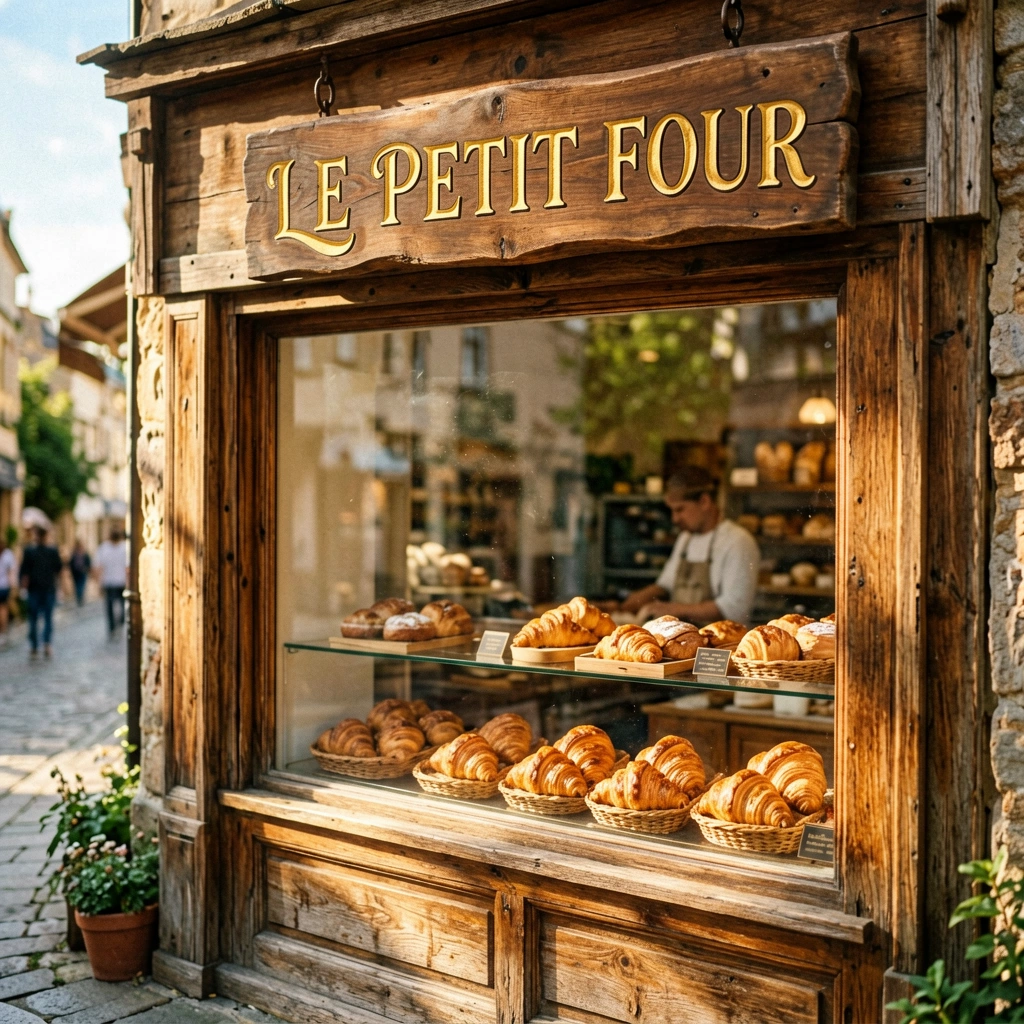
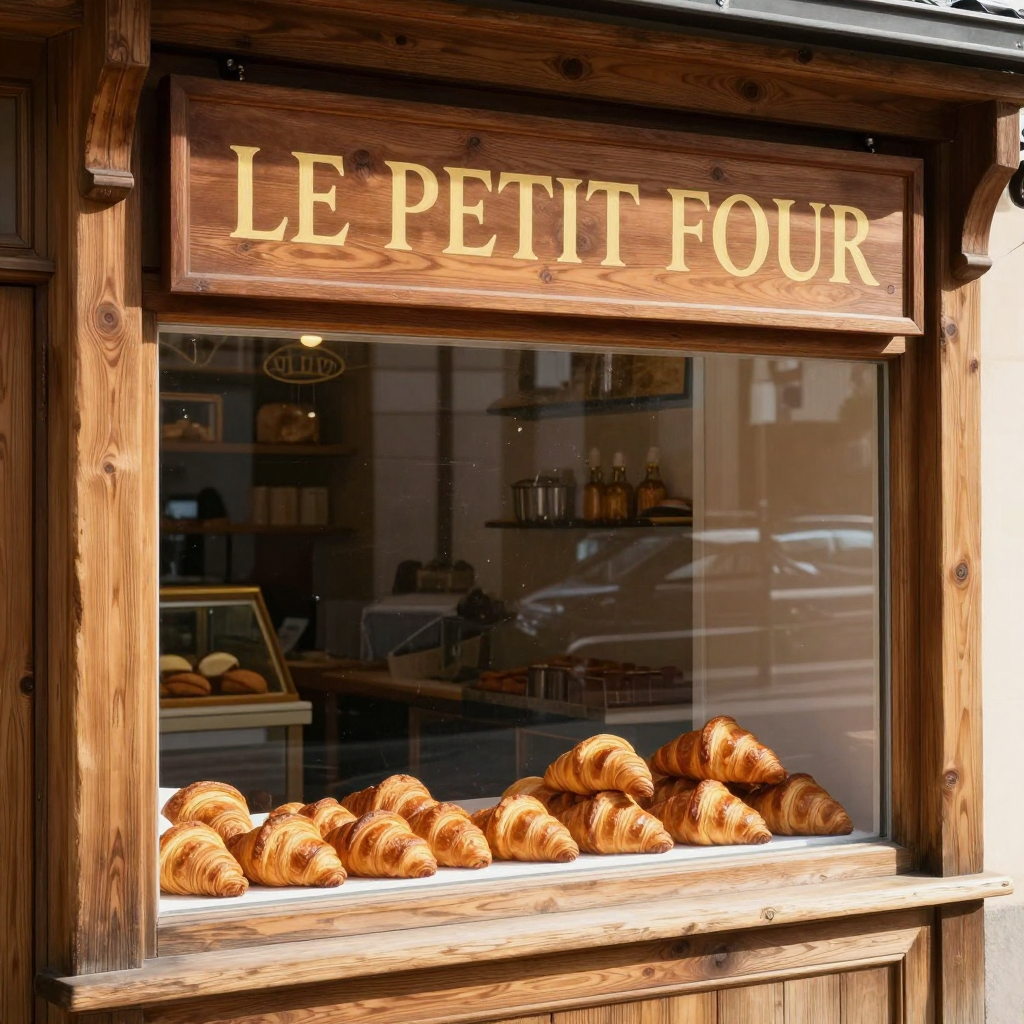
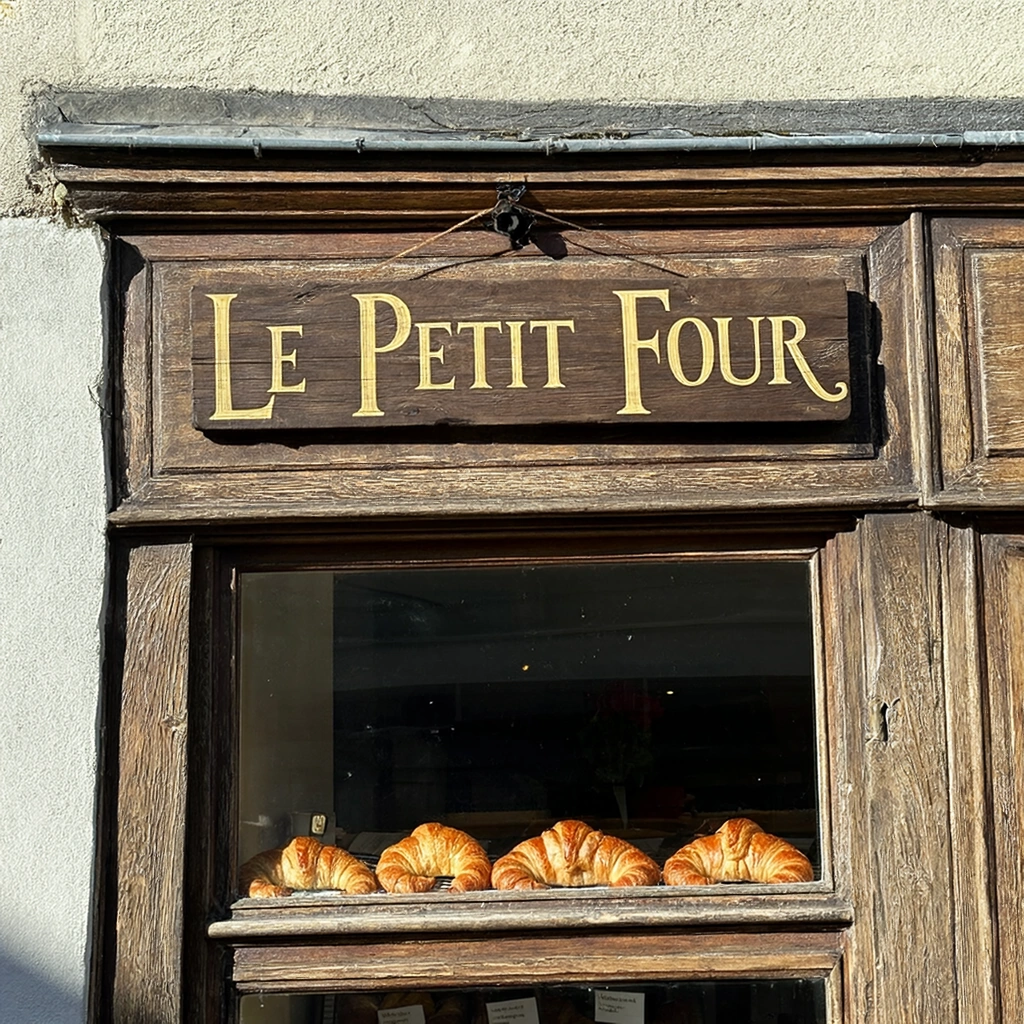
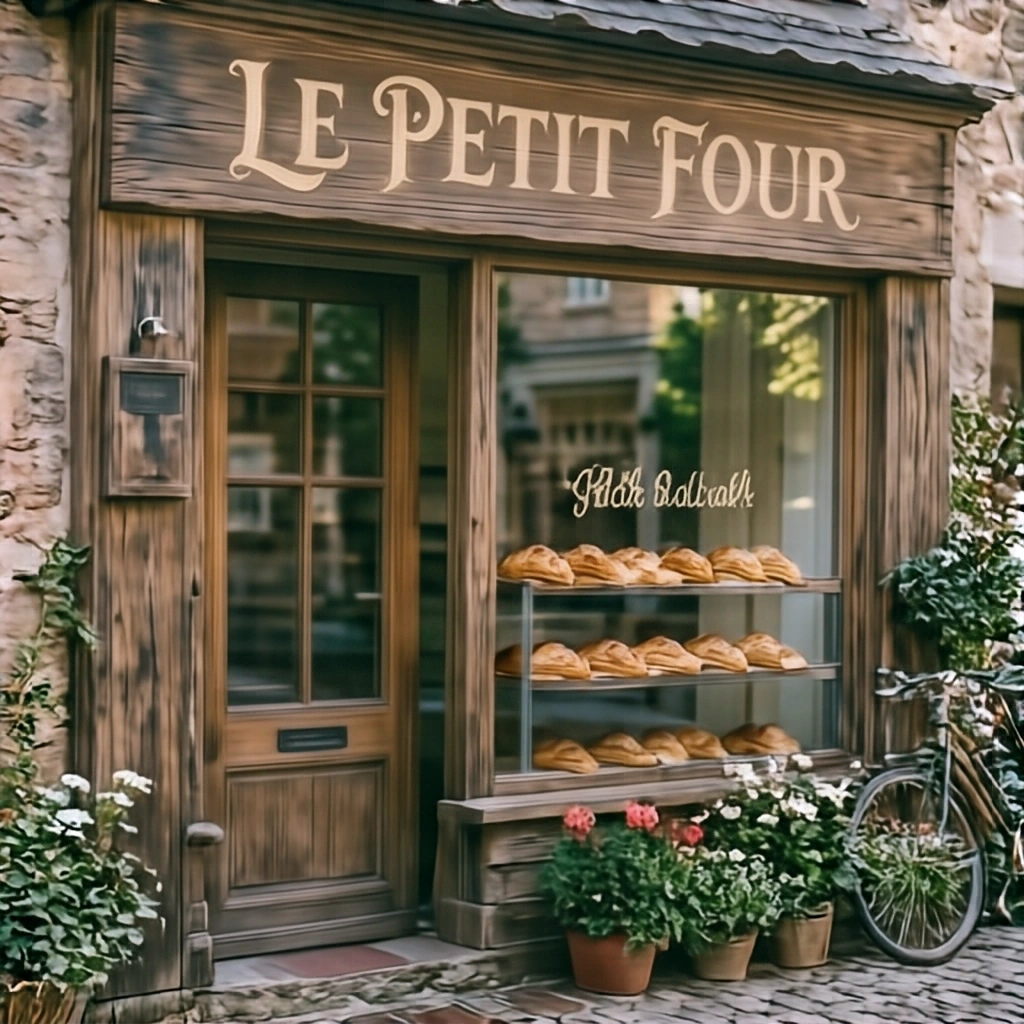
Krea 2 Turbo produced the most convincing result for this prompt. The “LE PETIT FOUR” lettering is correct, the serif treatment feels naturally integrated into the wooden sign, and the overall image stays close to the requested bakery storefront.
ERNIE-Image-Turbo also renders the main text correctly and remains visually strong, but it introduces a street scene and people that were not requested. The result feels more like a composed advertisement, while Krea reads more naturally as a photograph of the storefront described in the prompt.
This test also shows why correct spelling alone is not enough for in-scene typography: the lettering has to belong naturally to the object, material and composition.
Long Prompt
Prompt used:
In an ancient subterranean cathedral carved entirely out of translucent emerald rock, a lone armored knight in polished silver plate kneels before a massive circular stained glass mosaic. Beams of ethereal white moonlight pierce through a cavernous fissure above, illuminating motes of dust dancing in the damp air. Carved stone gargoyles line the vaulted ceilings, and creeping bioluminescent moss clings to the arches. Extremely intricate high fantasy oil painting with rich textures and masterful chiaroscuro.
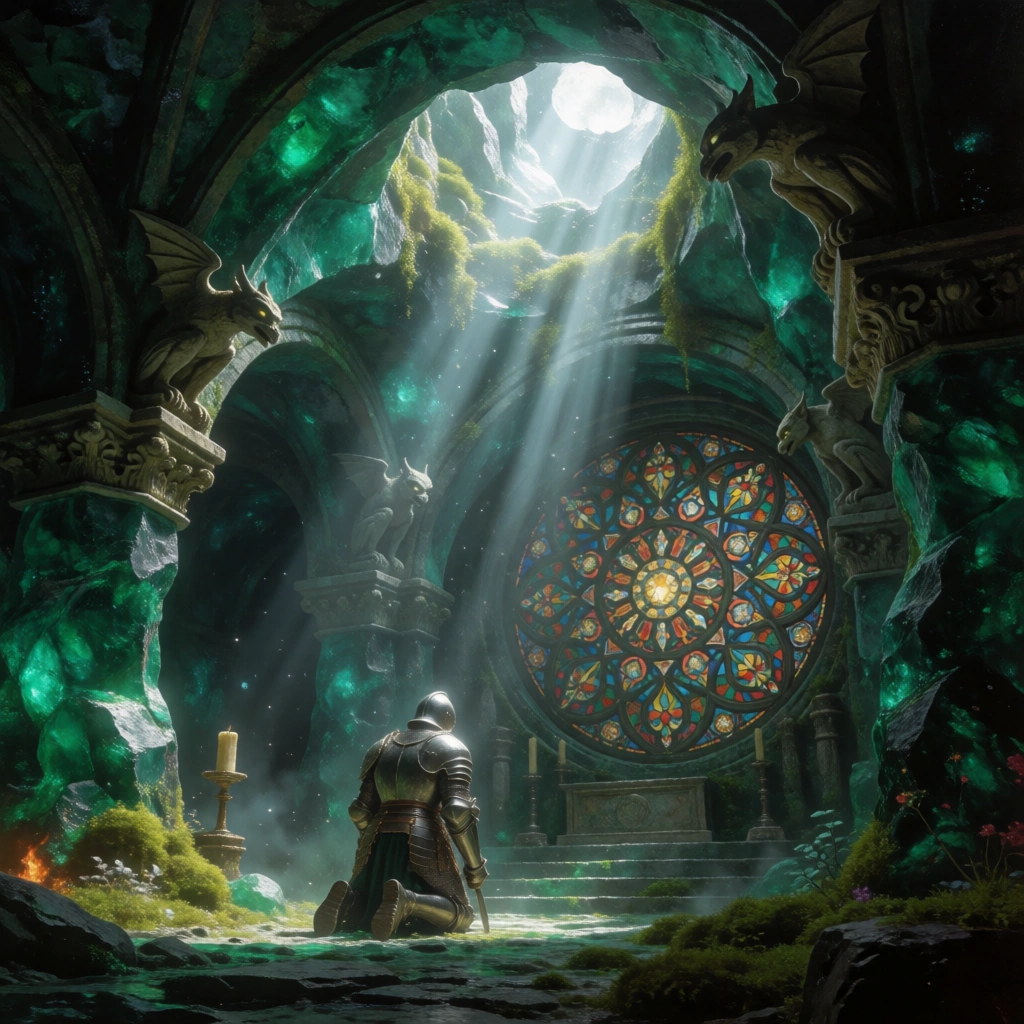
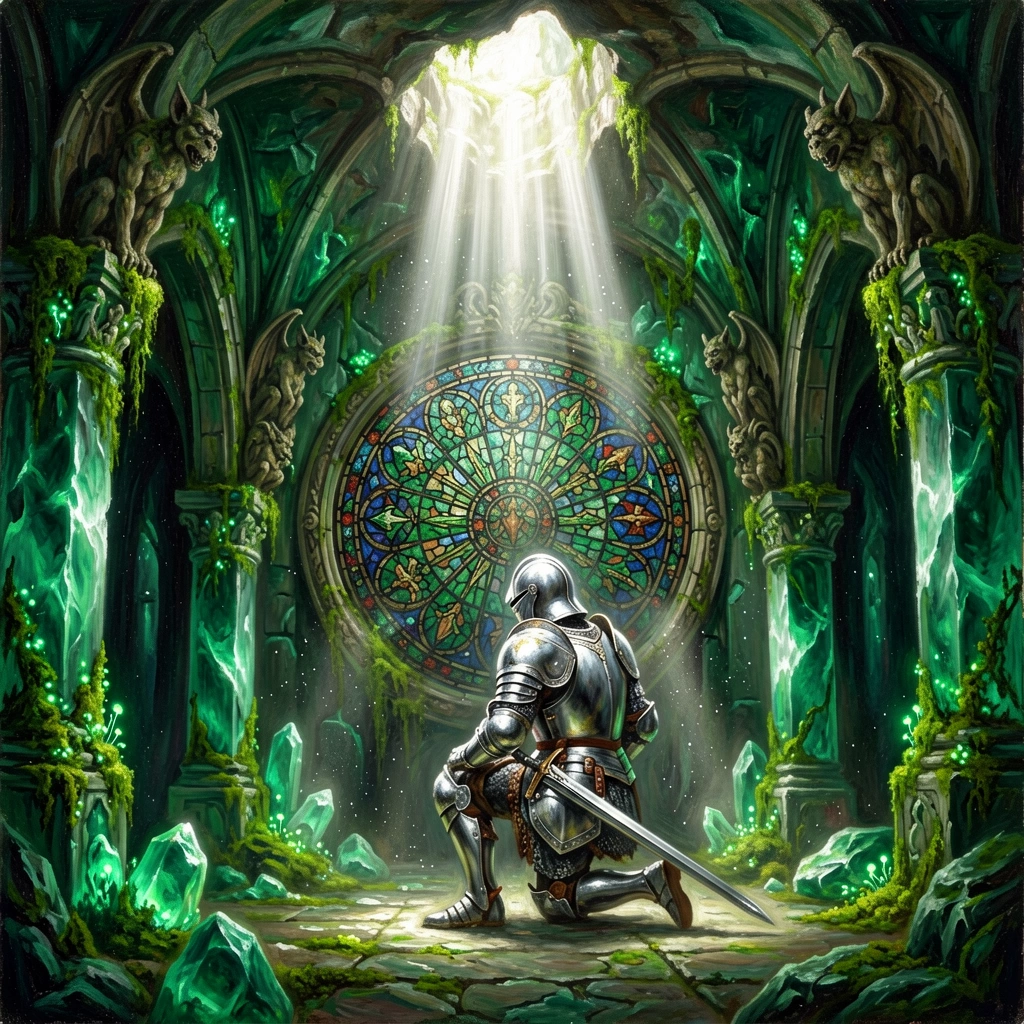
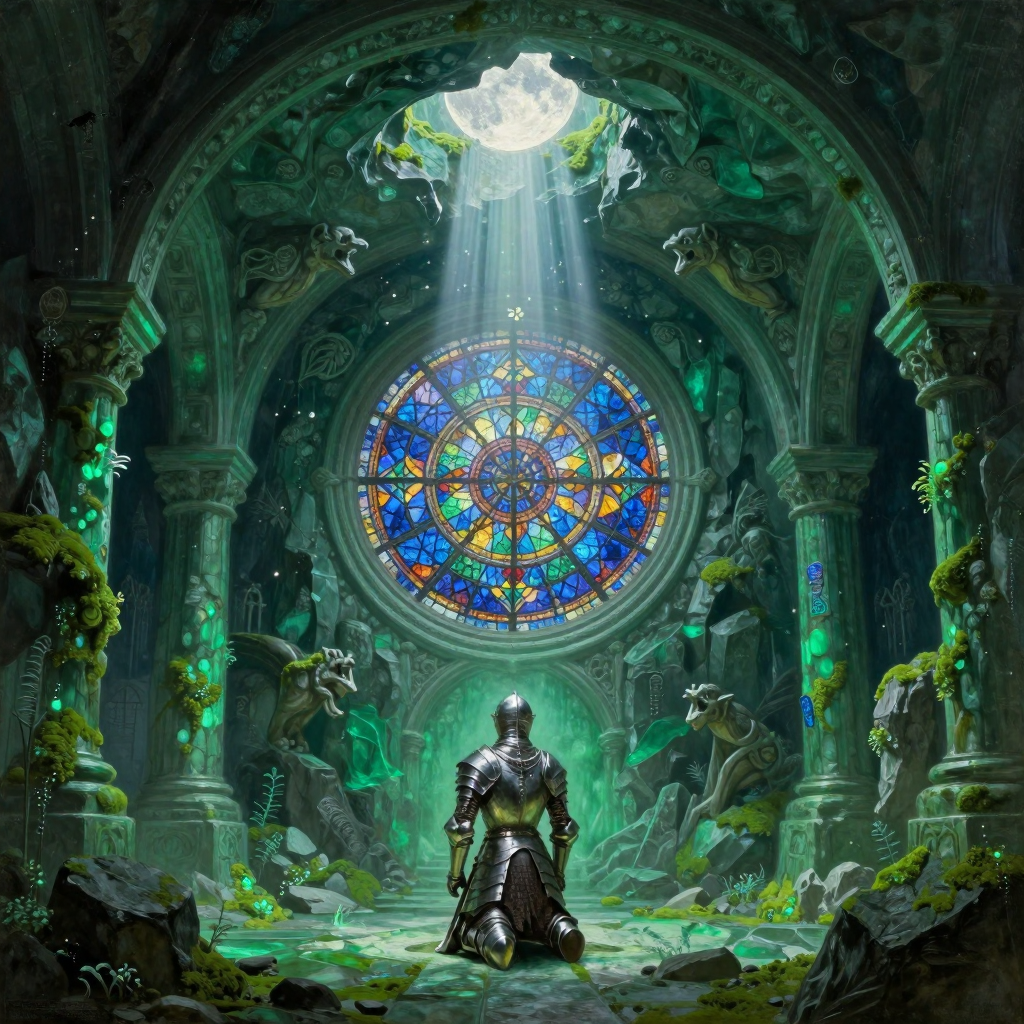
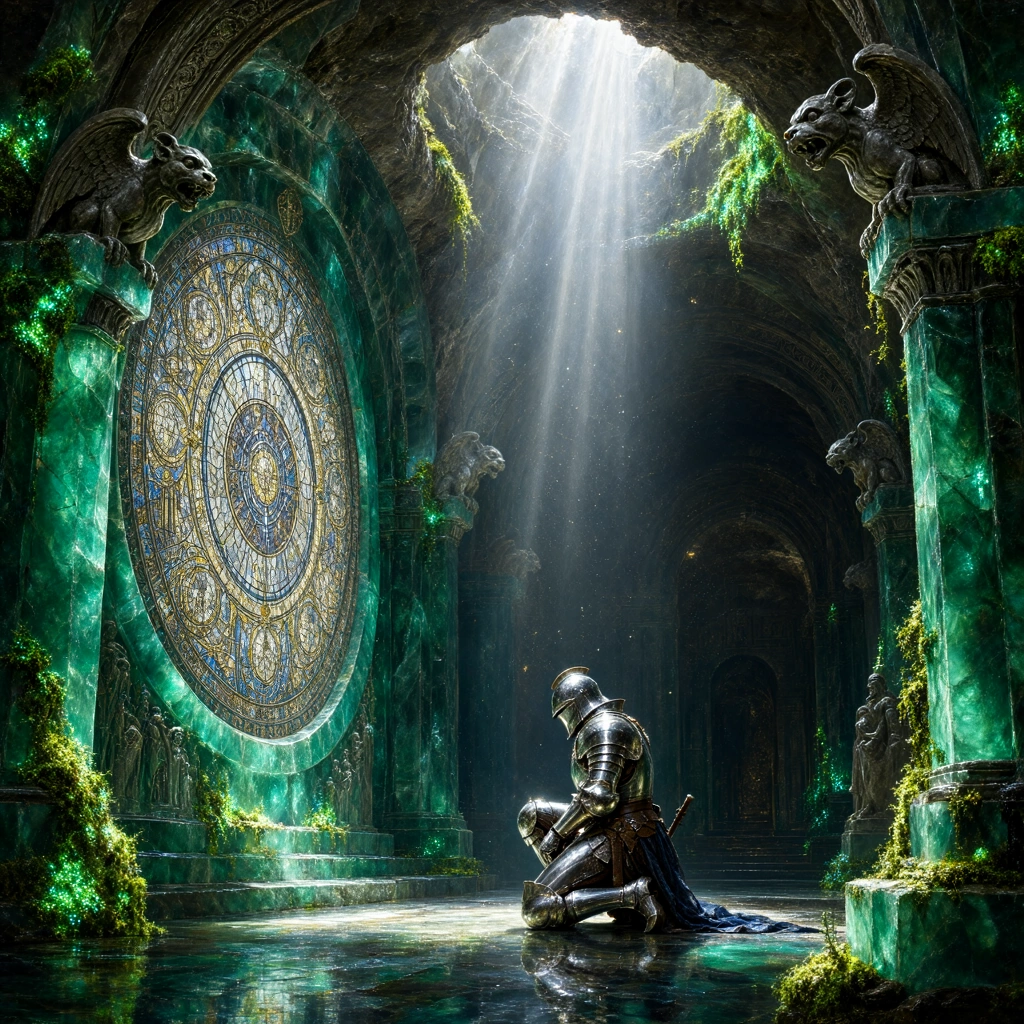
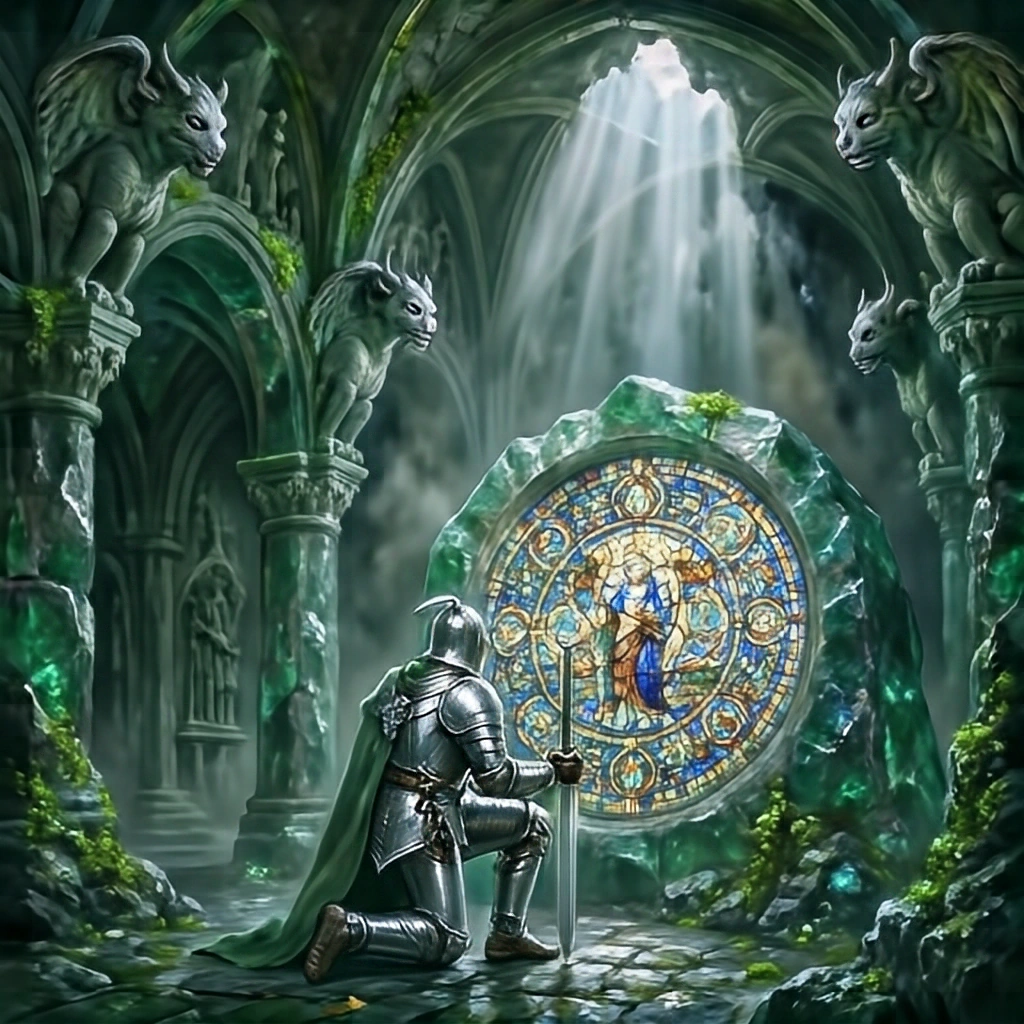
Krea 2 Turbo handled the long list of constraints most consistently. It preserved the overall composition while keeping more of the requested elements and relationships intact as the prompt became more demanding.
The other models captured many parts of the brief, but they tended to lose either detail, structure or overall coherence as more constraints had to be satisfied at the same time. This made the long prompt a useful test of how well each model could balance prompt adherence with a readable final image.
Short Prompt
Prompt used:
A red apple on a clean white plate.
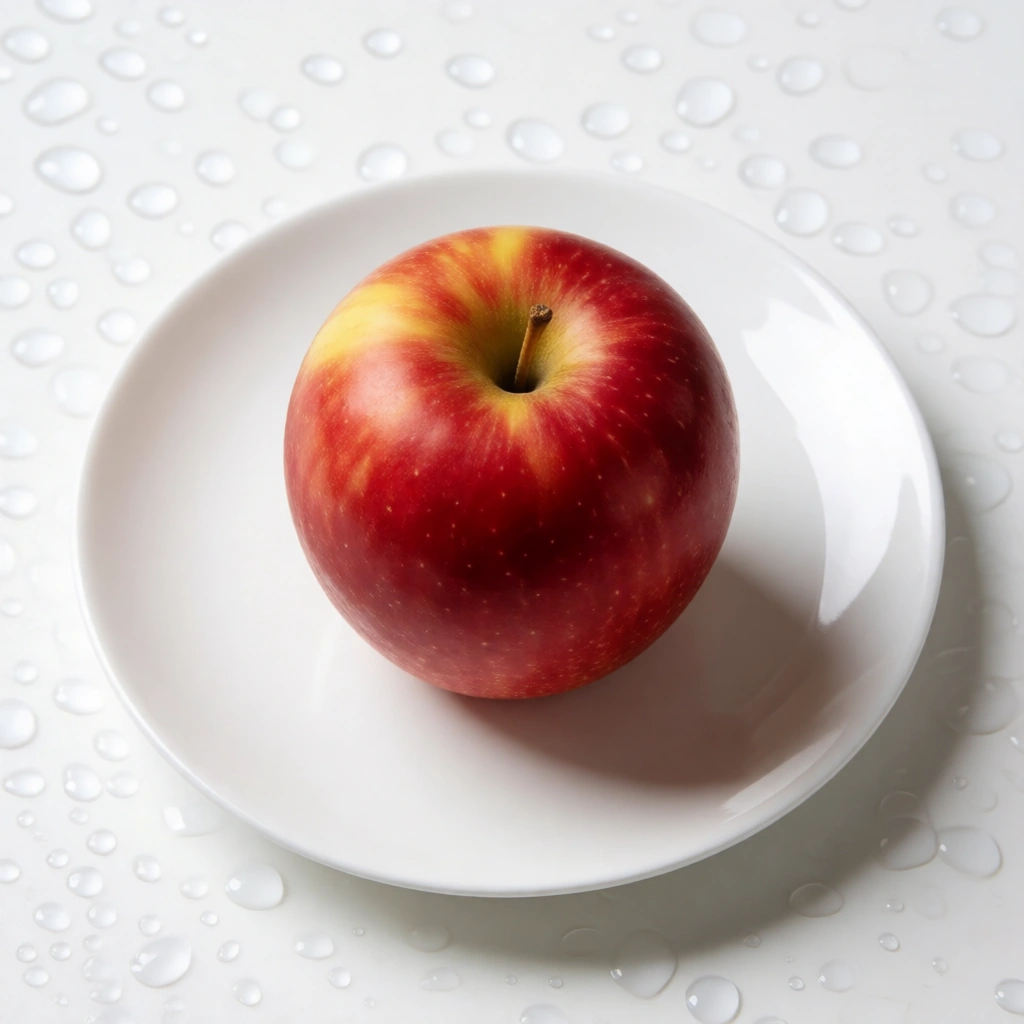
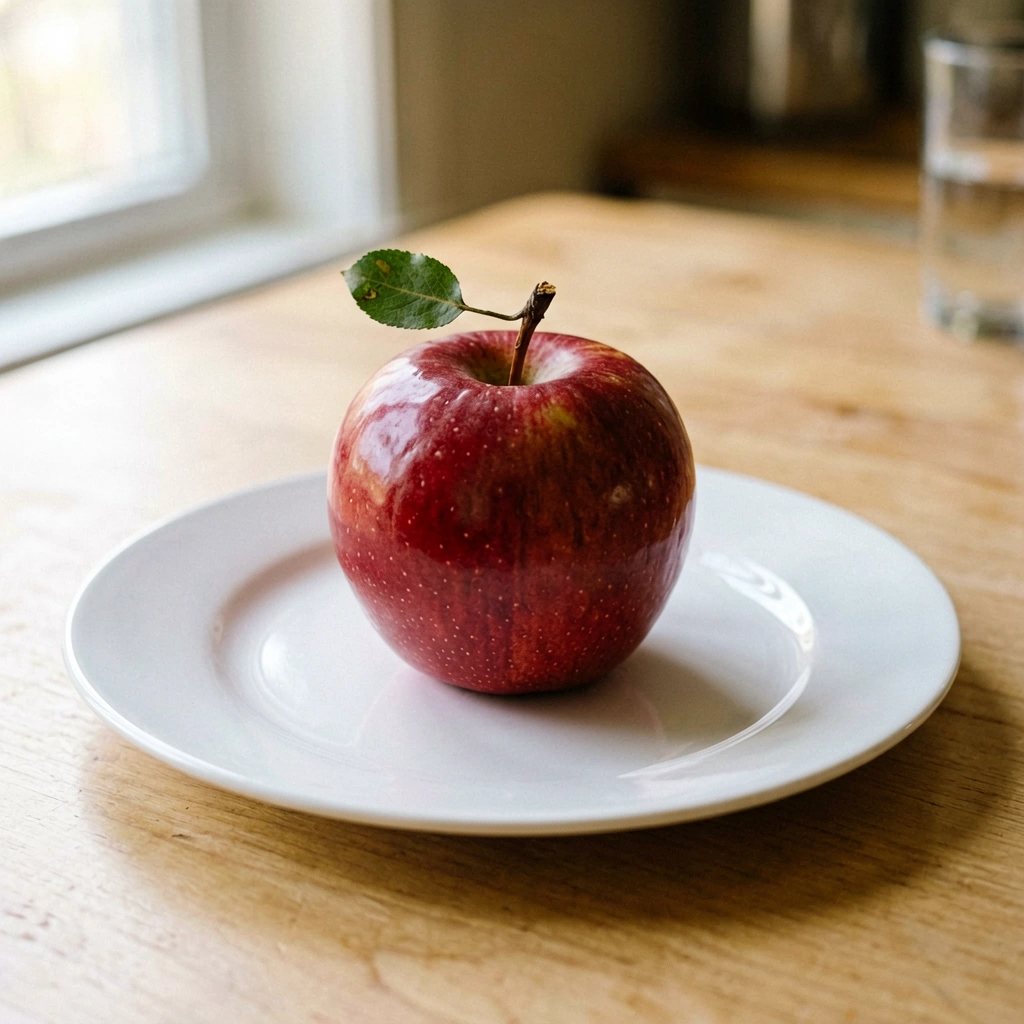
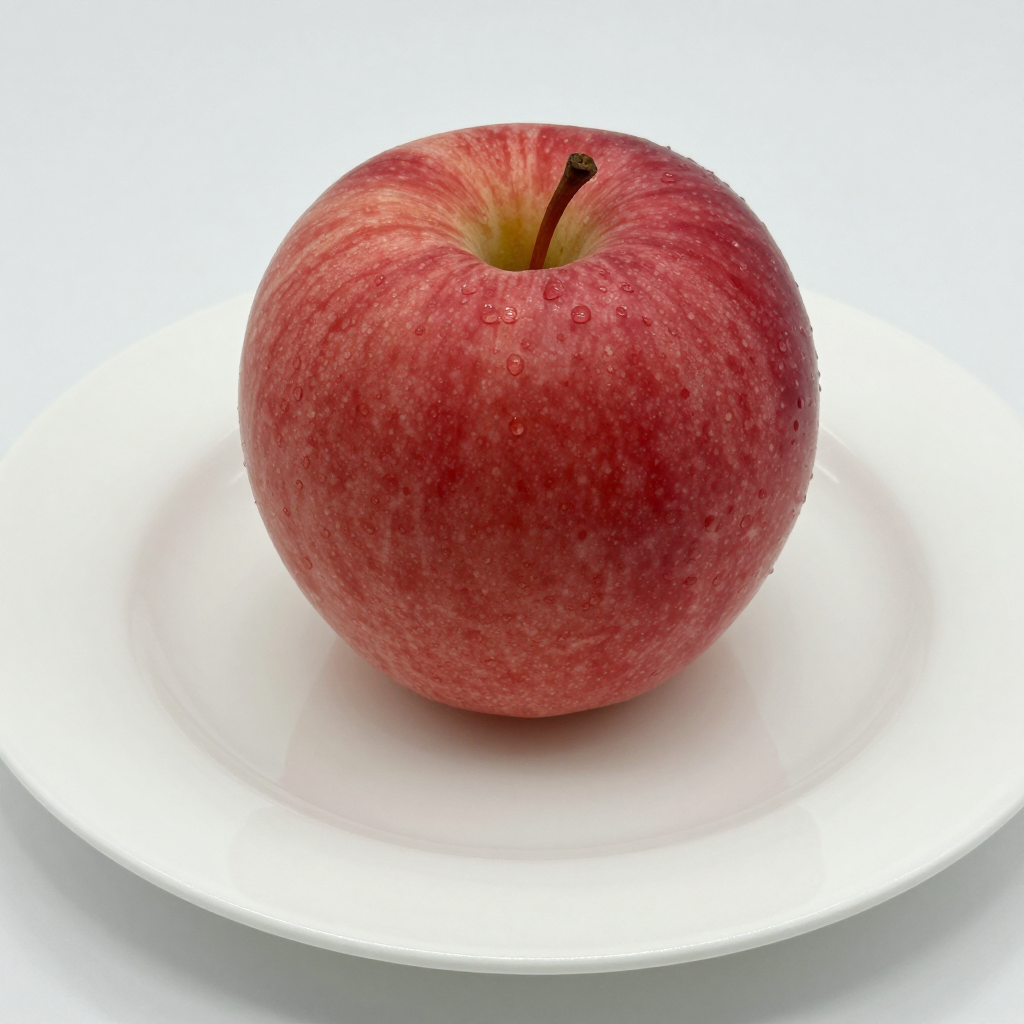
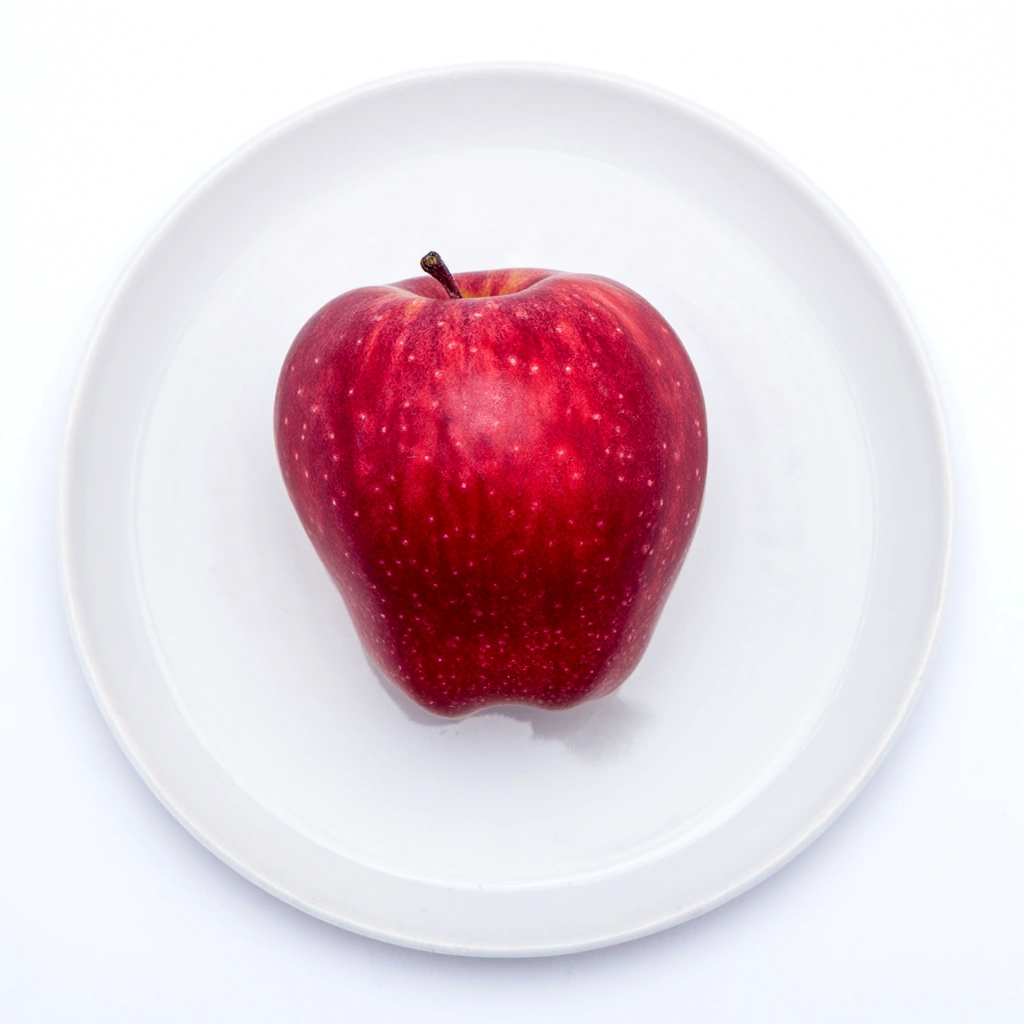
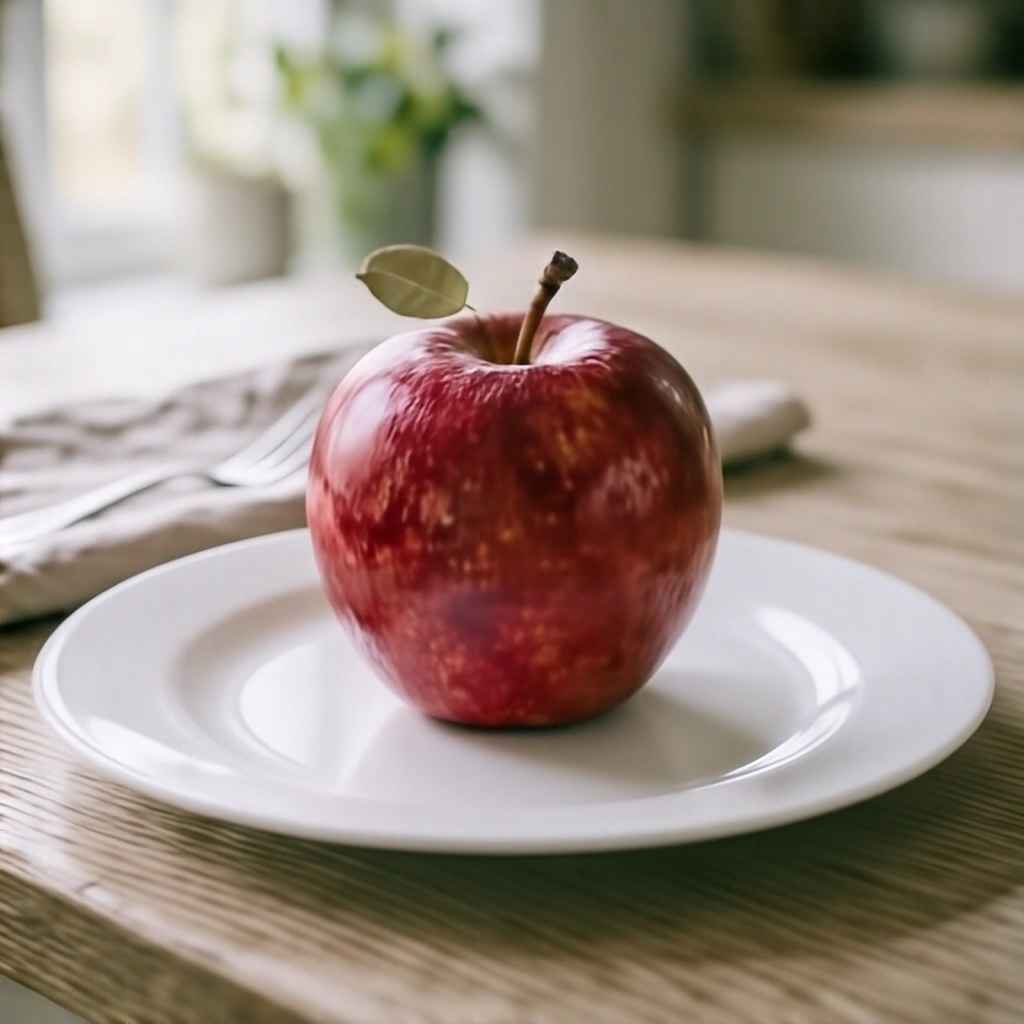
Z-Image-Turbo produced the strongest result from the short prompt. It made effective use of the limited guidance, keeping the image focused, coherent and visually polished without introducing distracting or unnecessary elements.
The other models produced plausible interpretations as well, but Z-Image-Turbo made the most convincing use of the sparse prompt.
Composition
Prompt used:
A wide angle cinematic shot showing extreme depth of field: in the sharp foreground on the right, a chess board with a fallen black king; in the midground center, two blurred silhouettes shaking hands; in the far background through a window, a thunderstorm over a metropolis at night.
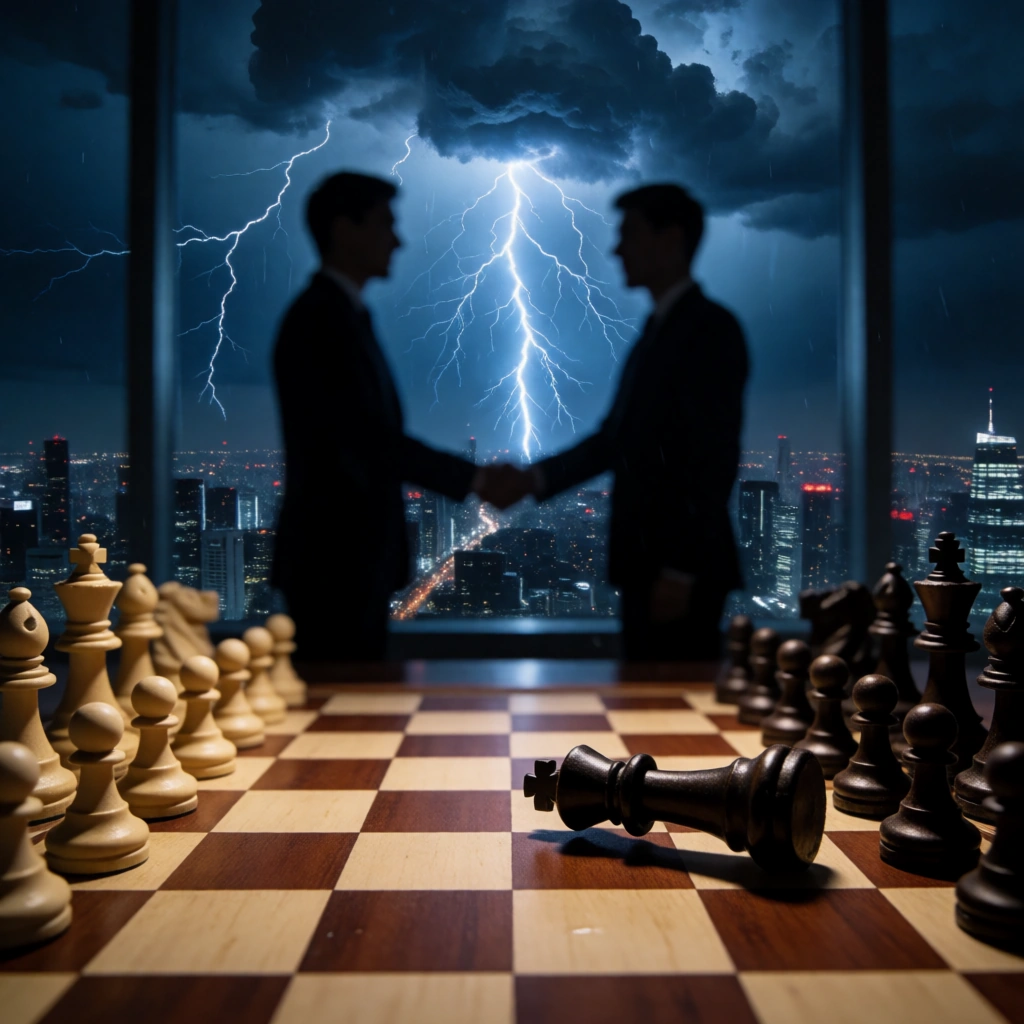
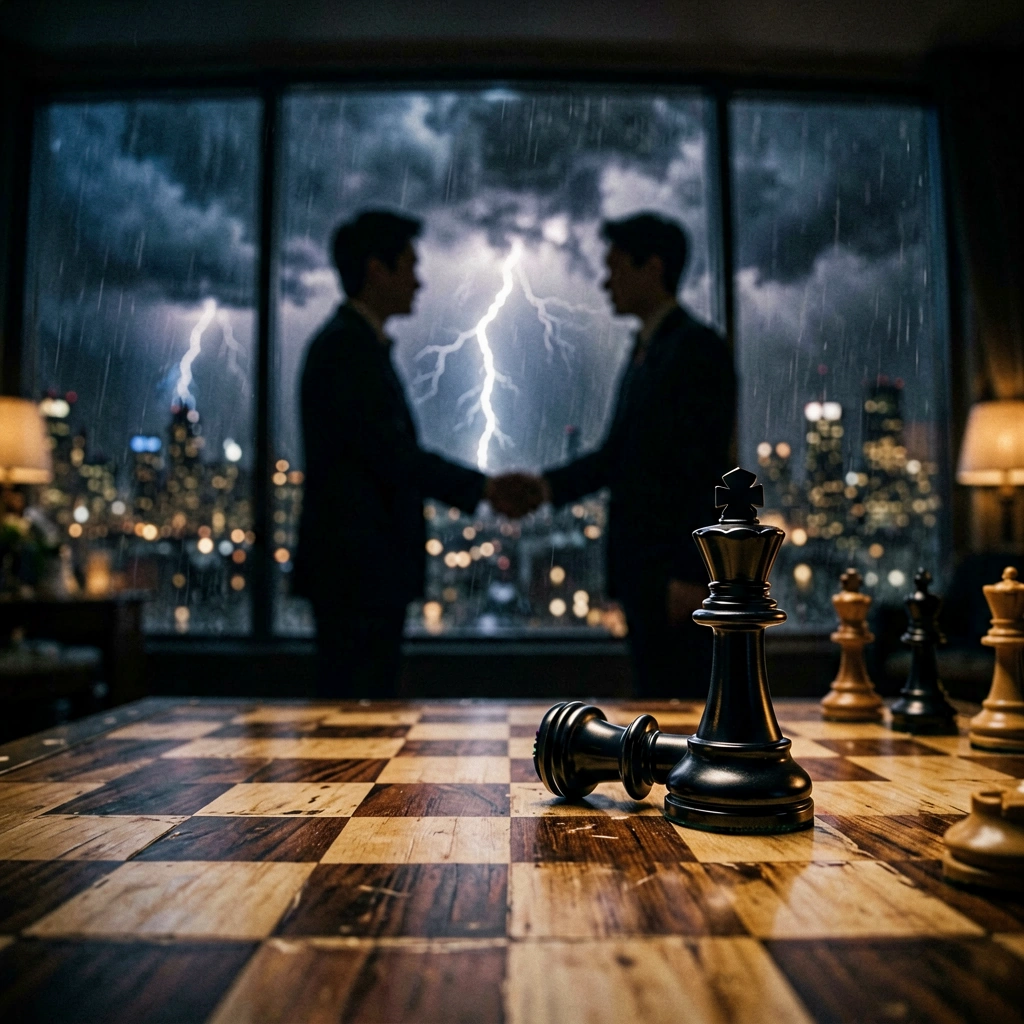
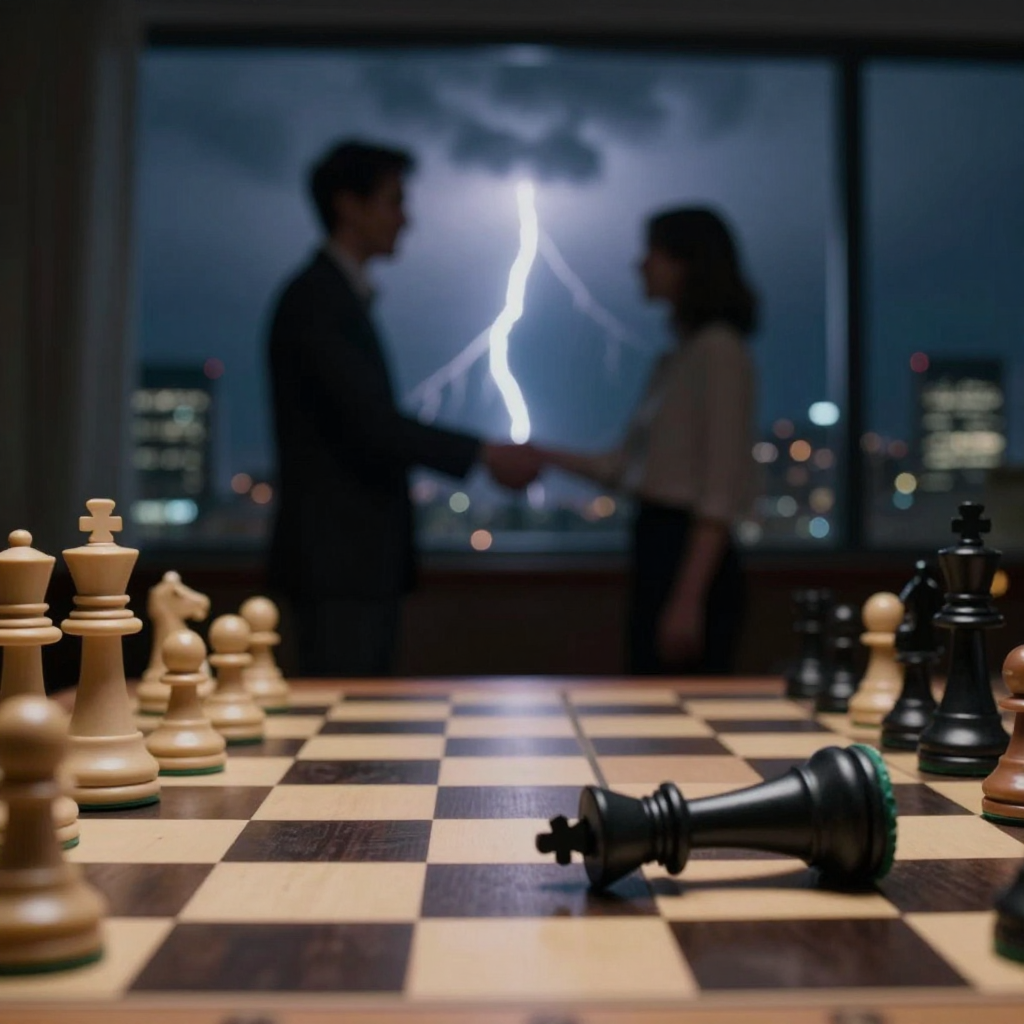
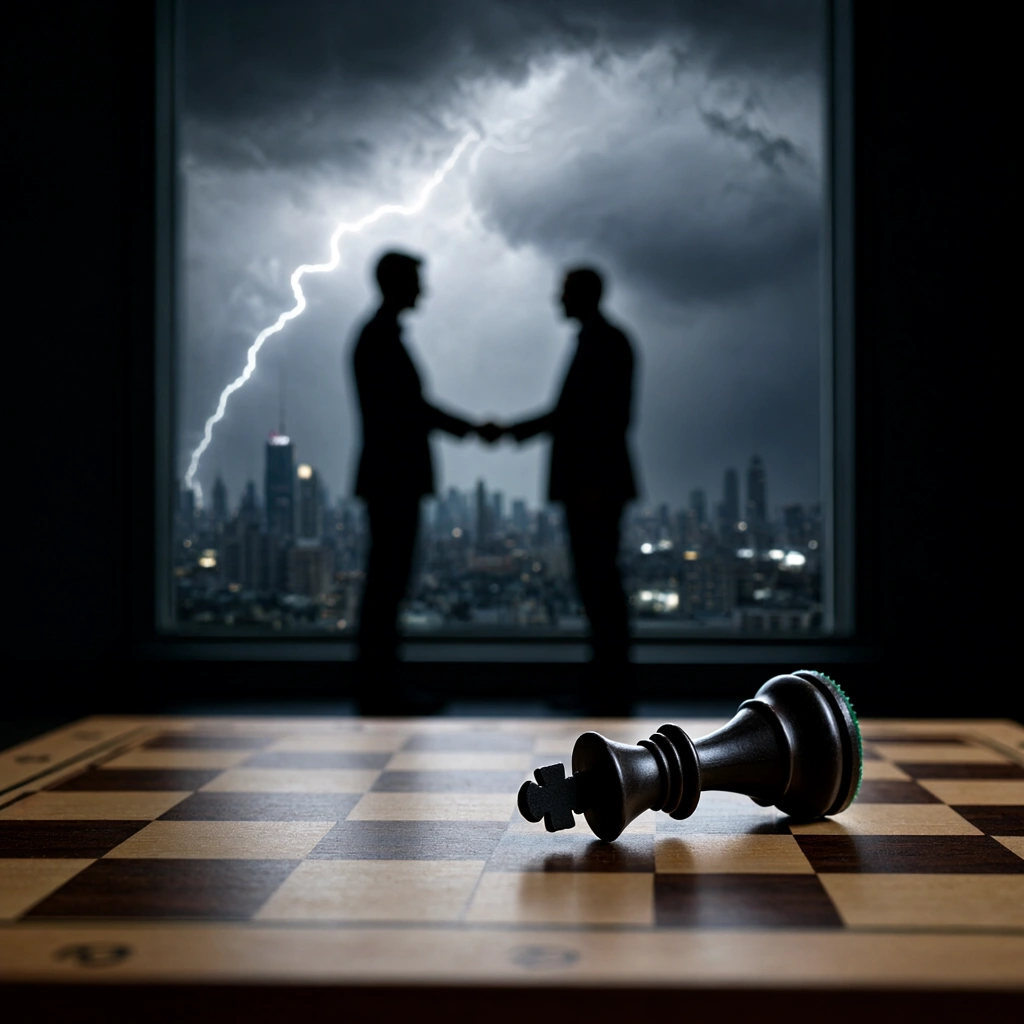
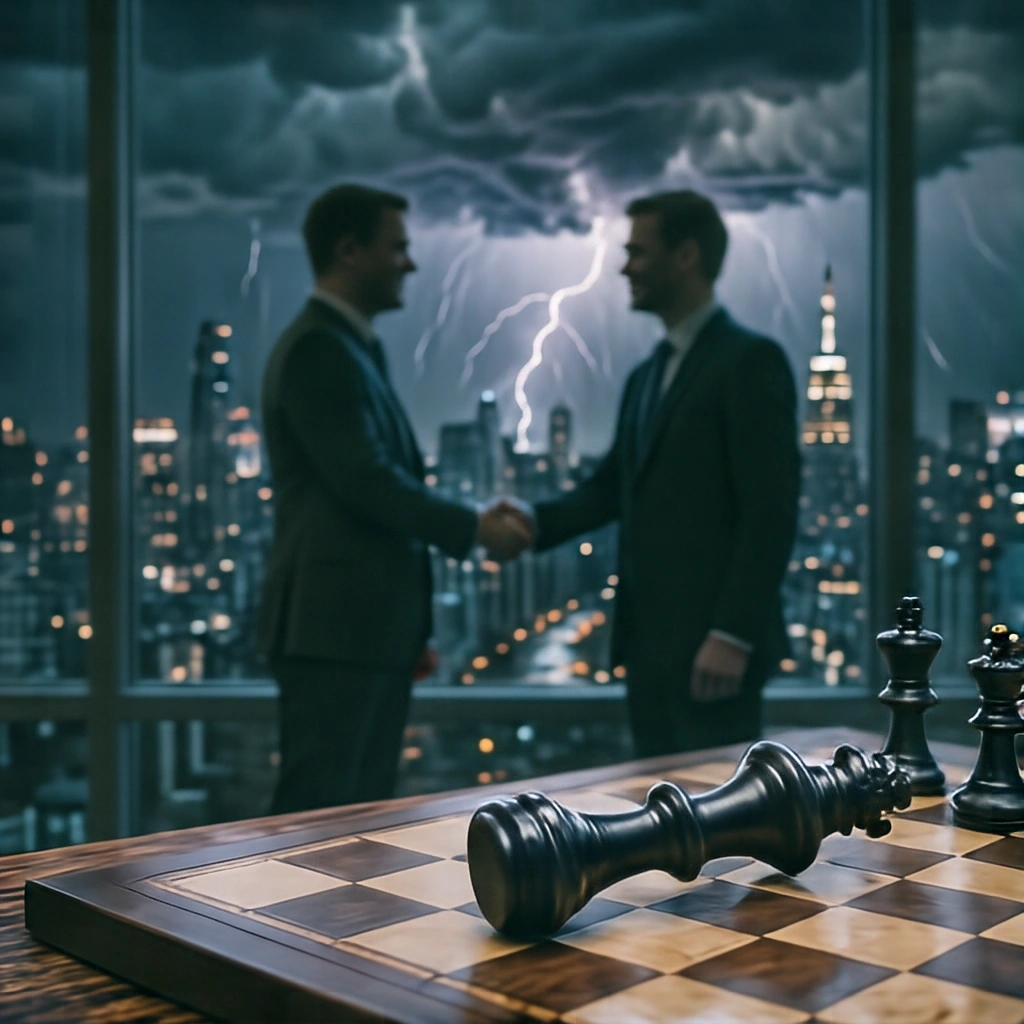
Krea 2 Turbo handled the overall composition most convincingly, with the clearest balance between foreground, midground and background elements.
This test is a good reminder that including the requested objects is only part of the challenge: they also need to be arranged in a way that makes the scene easy to read.
Style
Prompt used:
A vintage 1980s retro-futuristic synthwave sports car speeding along a neon highway, wireframe mountains on the horizon, giant glowing wireframe sun, vibrant magenta and cyan color palette, VHS grain and scanline texture.
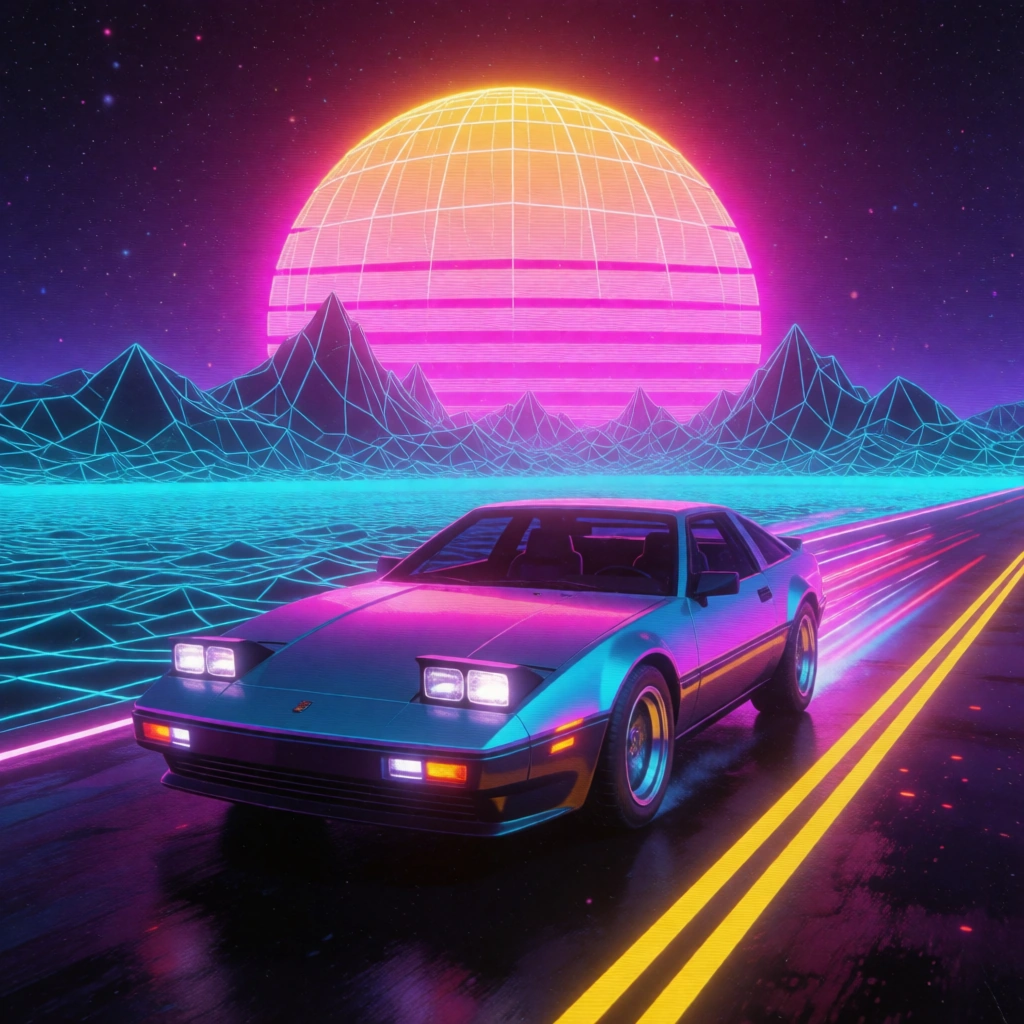
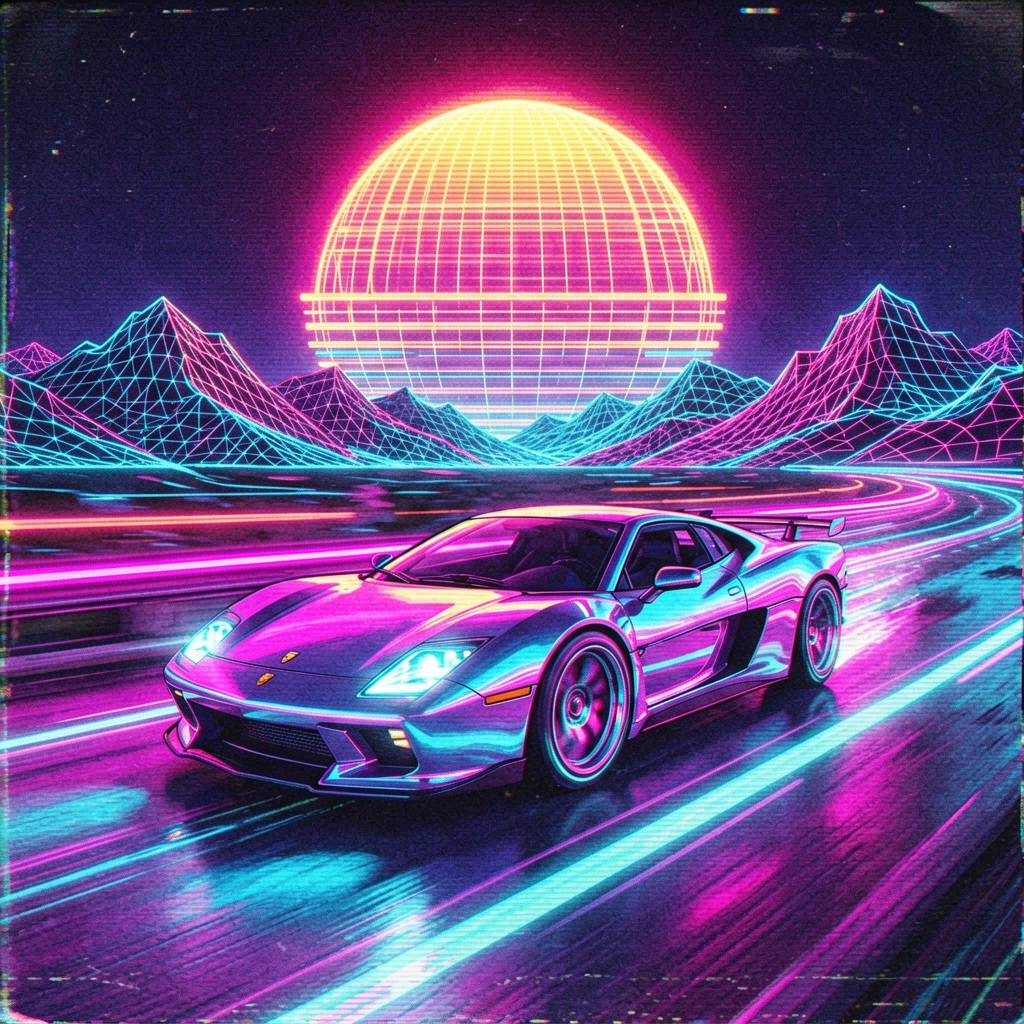
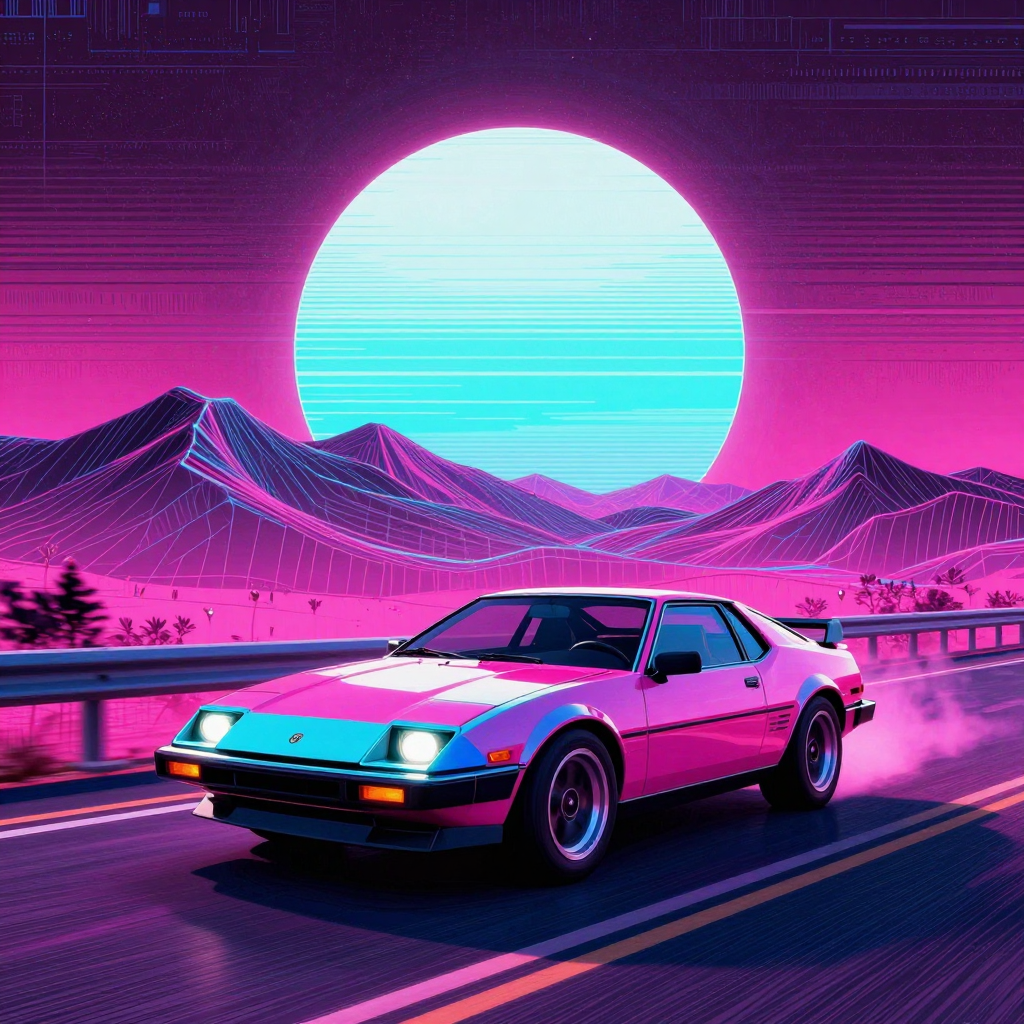
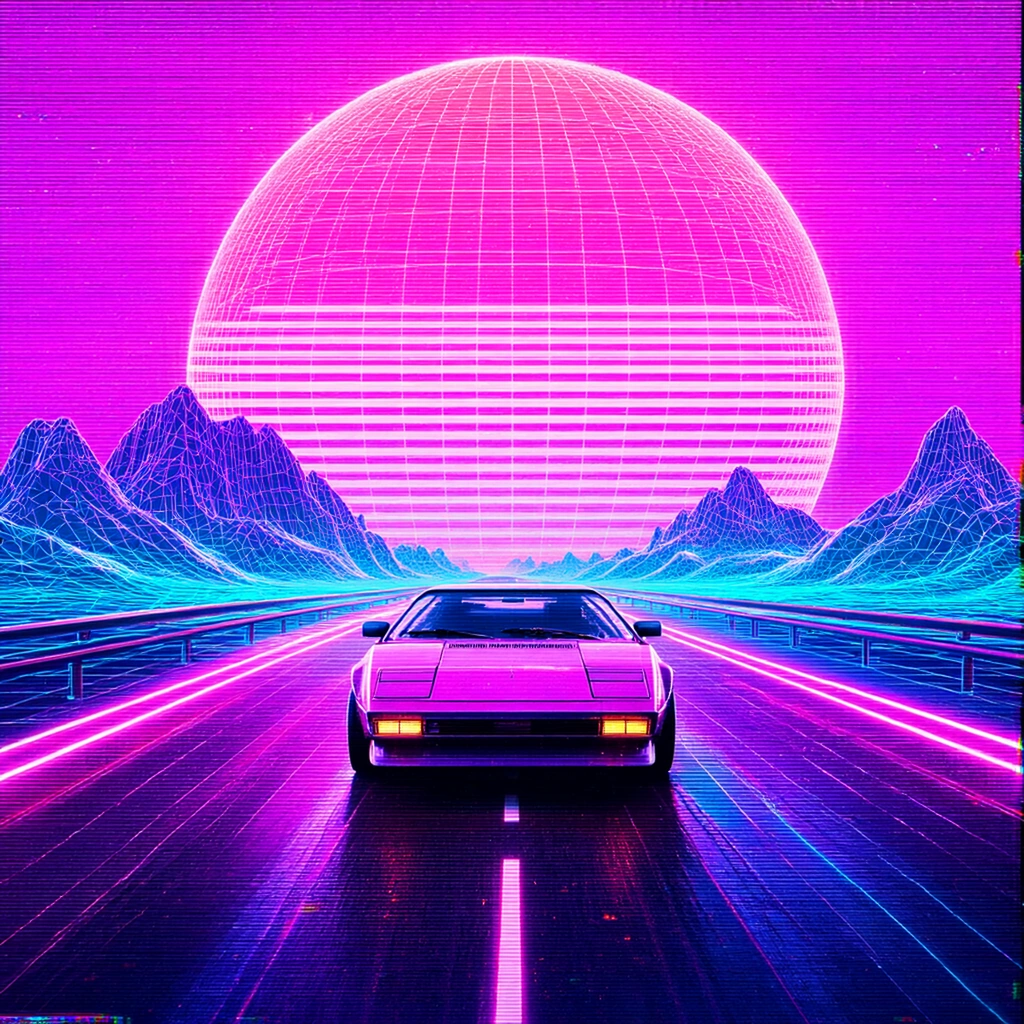
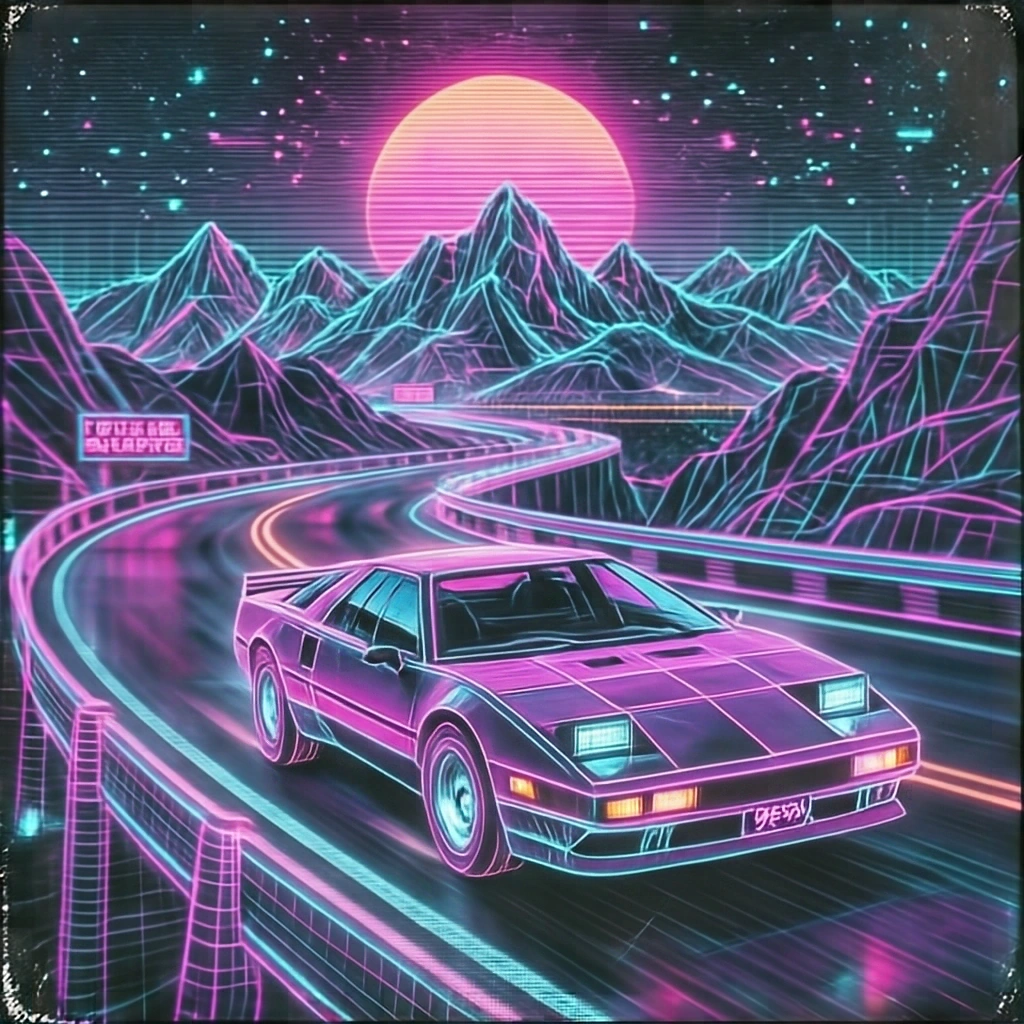
Krea 2 Turbo, ERNIE-Image-Turbo and HiDream-O1-Image were closely matched in this test, but for different reasons. Krea delivered the most polished result, ERNIE followed the requested visual language particularly well, and HiDream produced an appealing stylized interpretation despite being less consistent on finer details.
This prompt was useful for showing that style adherence is not only about matching a color palette or genre, but also about keeping the whole image visually coherent.
Structured JSON
Prompt used:
{
  "subject": "Steampunk robotic owl",
  "pose": "Perched on a brass telescope with wings slightly spread",
  "details": {
    "materials": "Brass gears, polished copper feathers, glowing amber glass lenses for eyes",
    "accessories": "Tiny leather flight cap with miniature goggles"
  },
  "environment": {
    "location": "Victorian inventor's attic workshop",
    "background_elements": [
      "Dusty celestial star maps",
      "Drafting tables with blueprints",
      "Glass alembics with blue liquid"
    ]
  },
  "lighting": {
    "key_light": "Warm candlelight from desk lantern",
    "accent_light": "Cool blue moonlight filtering through arched attic window"
  },
  "text": "CHRONOS 1888 engraved on the brass telescope barrel",
  "camera": "50mm prime lens, f/2.8, shallow depth of field focusing on the owl's mechanical eye"
}
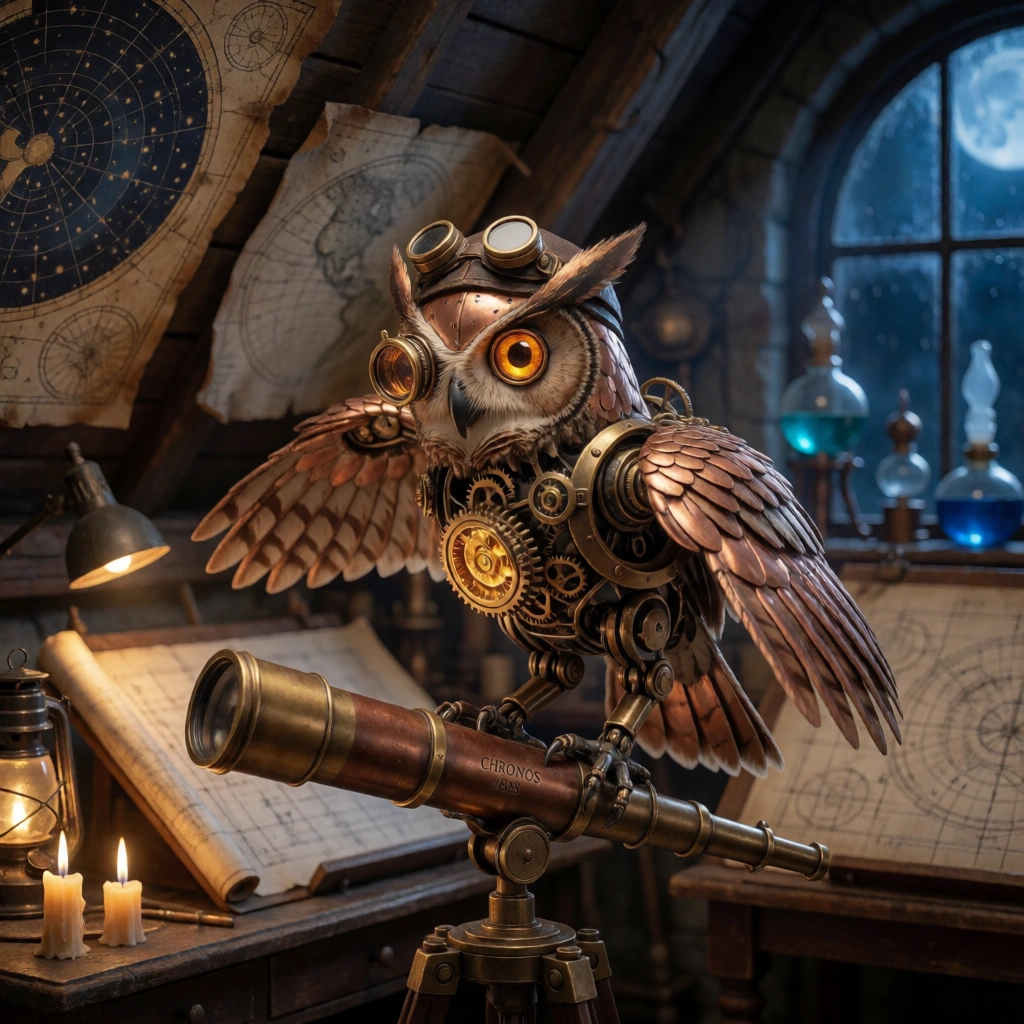
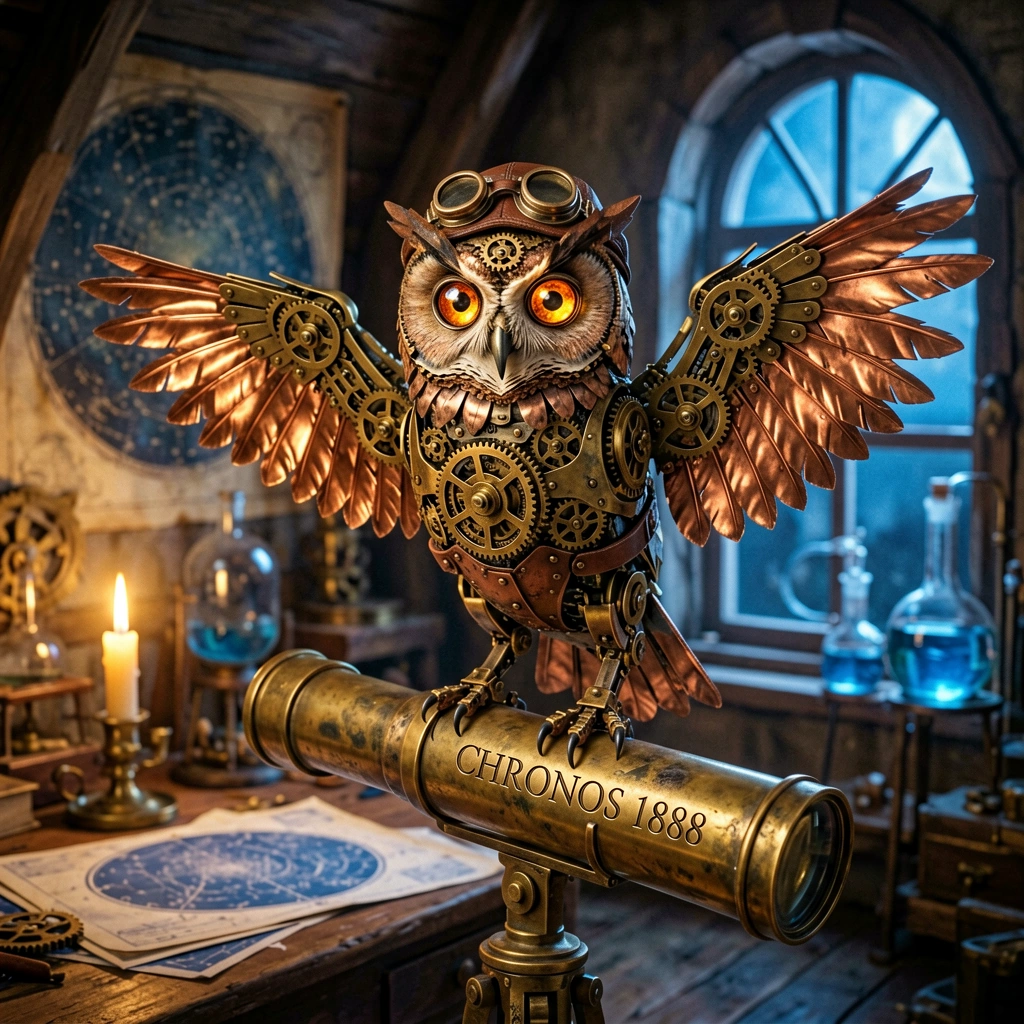
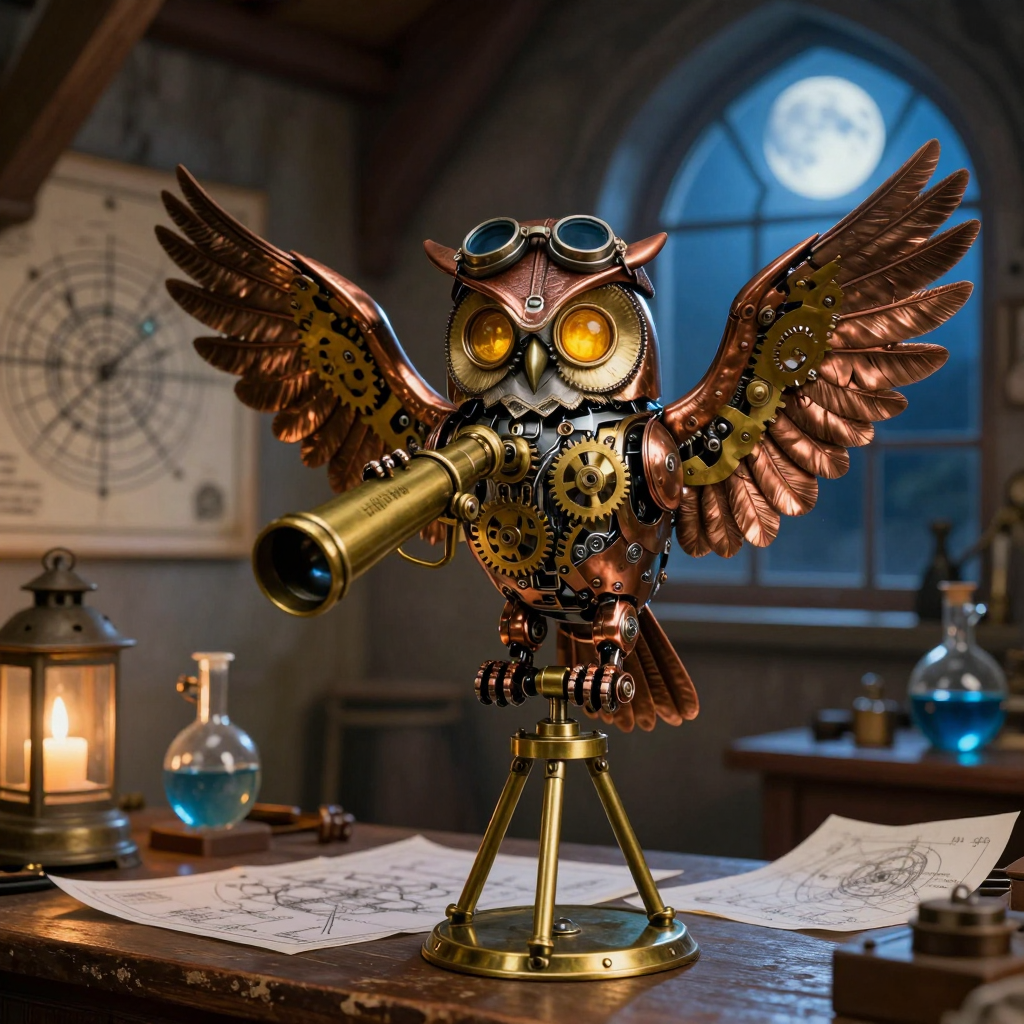
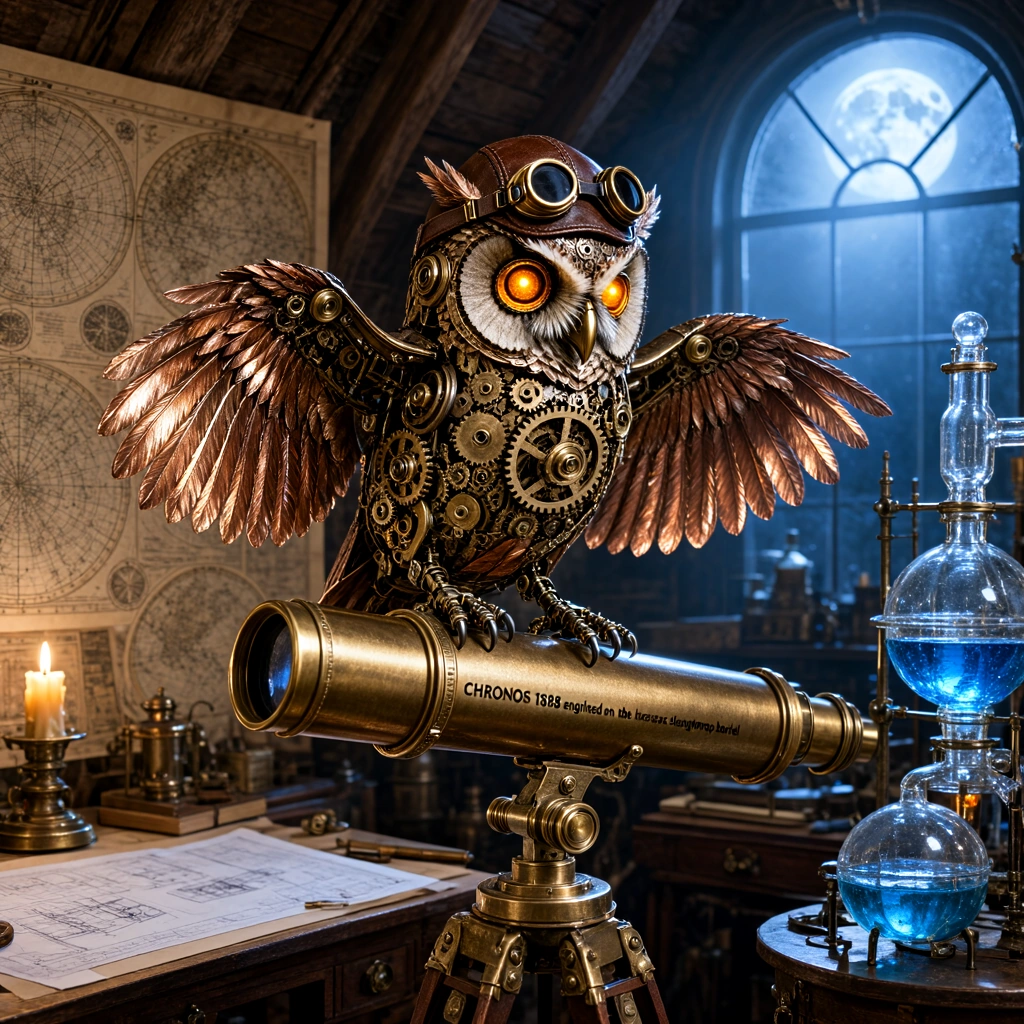
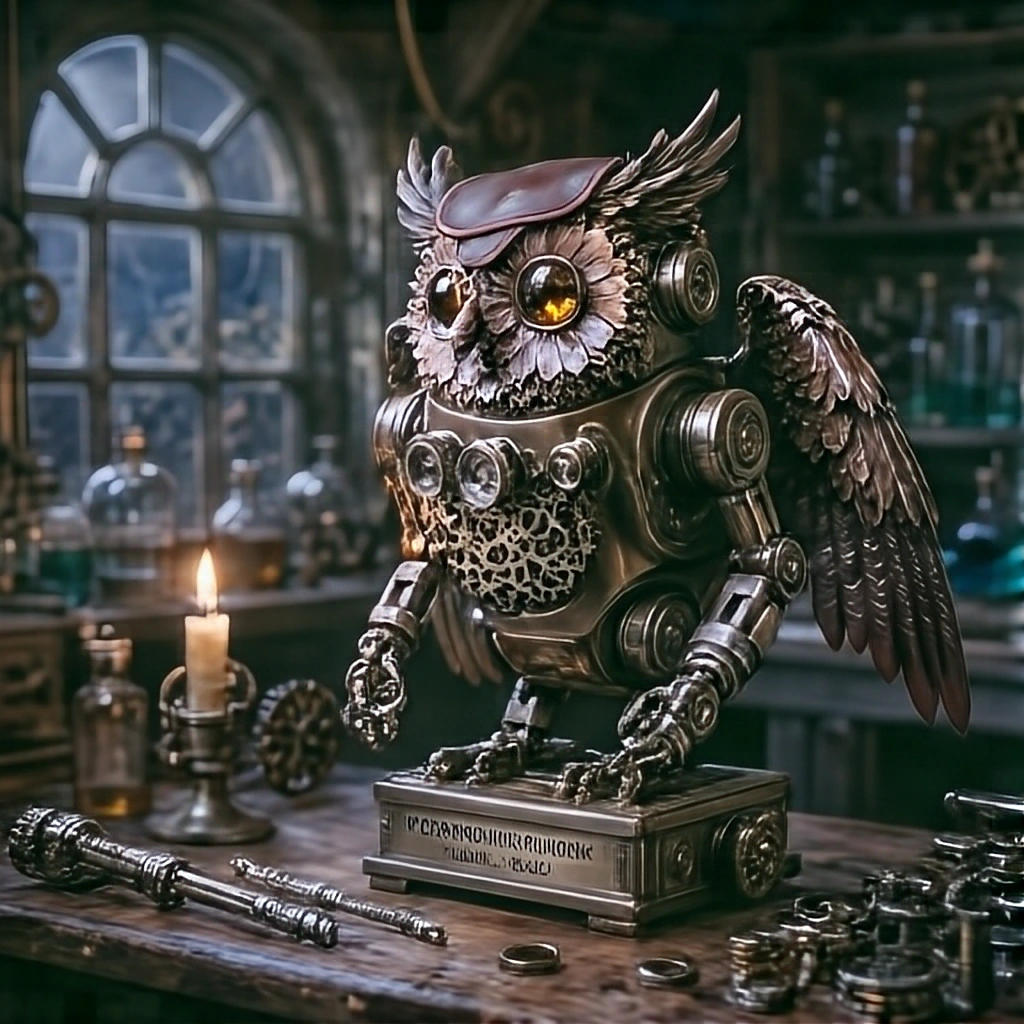
ERNIE-Image-Turbo handled the structured JSON prompt most convincingly. It preserved more of the explicit scene constraints and kept the requested elements easier to identify within the final composition.
The other models followed parts of the structure, but were more likely to simplify relationships, omit details or soften some of the constraints into a looser interpretation.
Pixel-art HUD
Prompt used:
A crisp 16-bit pixel art scene from a classic fantasy exploration game: a cheerful red-haired traveler in a blue jacket stands in a moonlit enchanted jungle beside a glowing crystal shrine, limited 32-color palette, hard-edged square pixels, no anti-aliasing, no blur, clean regular pixel clusters, carefully readable character silhouette. Include a classic game HUD overlay: top-left blue LIFE bar labeled LIFE 084/100, top-right cyan ENERGY bar labeled ENERGY 62/100, bottom-left 3 pixel-art heart icons with 2 filled, bottom-right mini-map and score 012450. The HUD must be aligned to a strict pixel grid and remain sharp and legible.
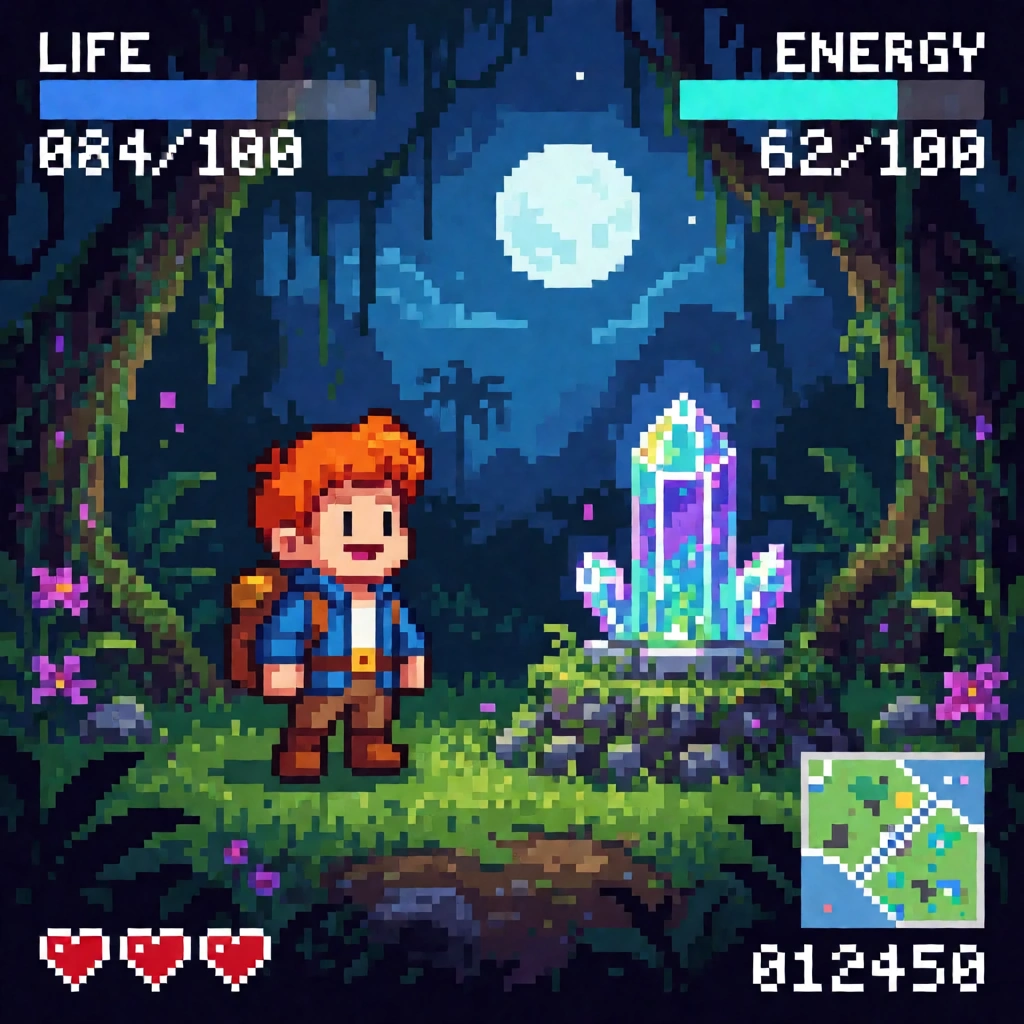
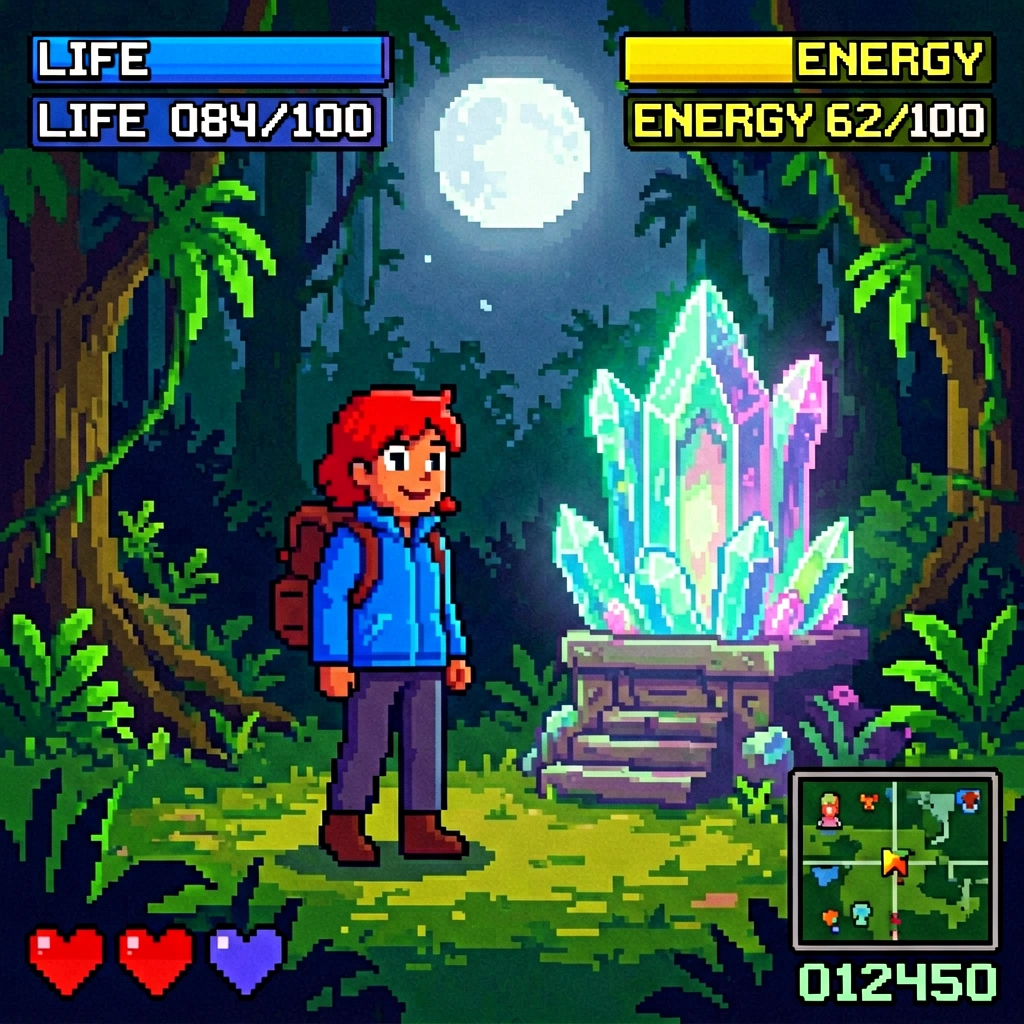
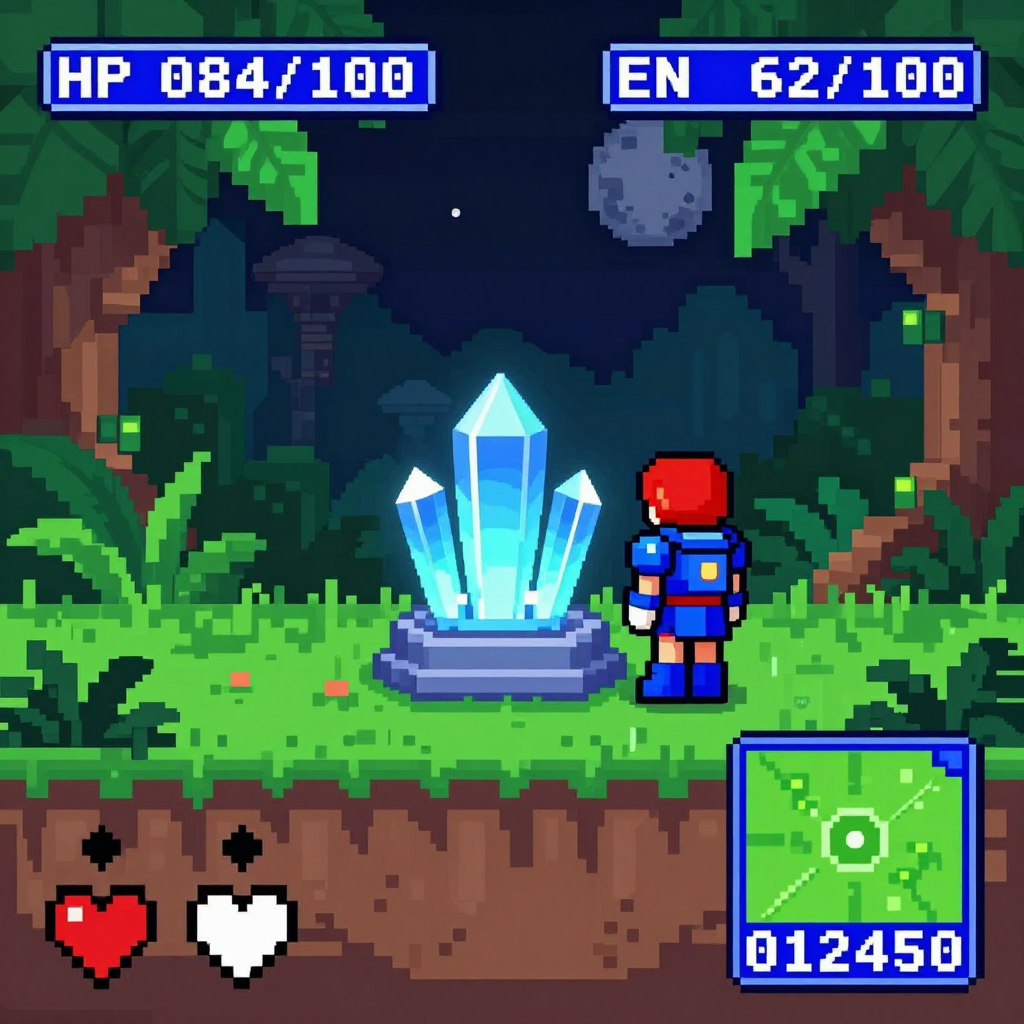
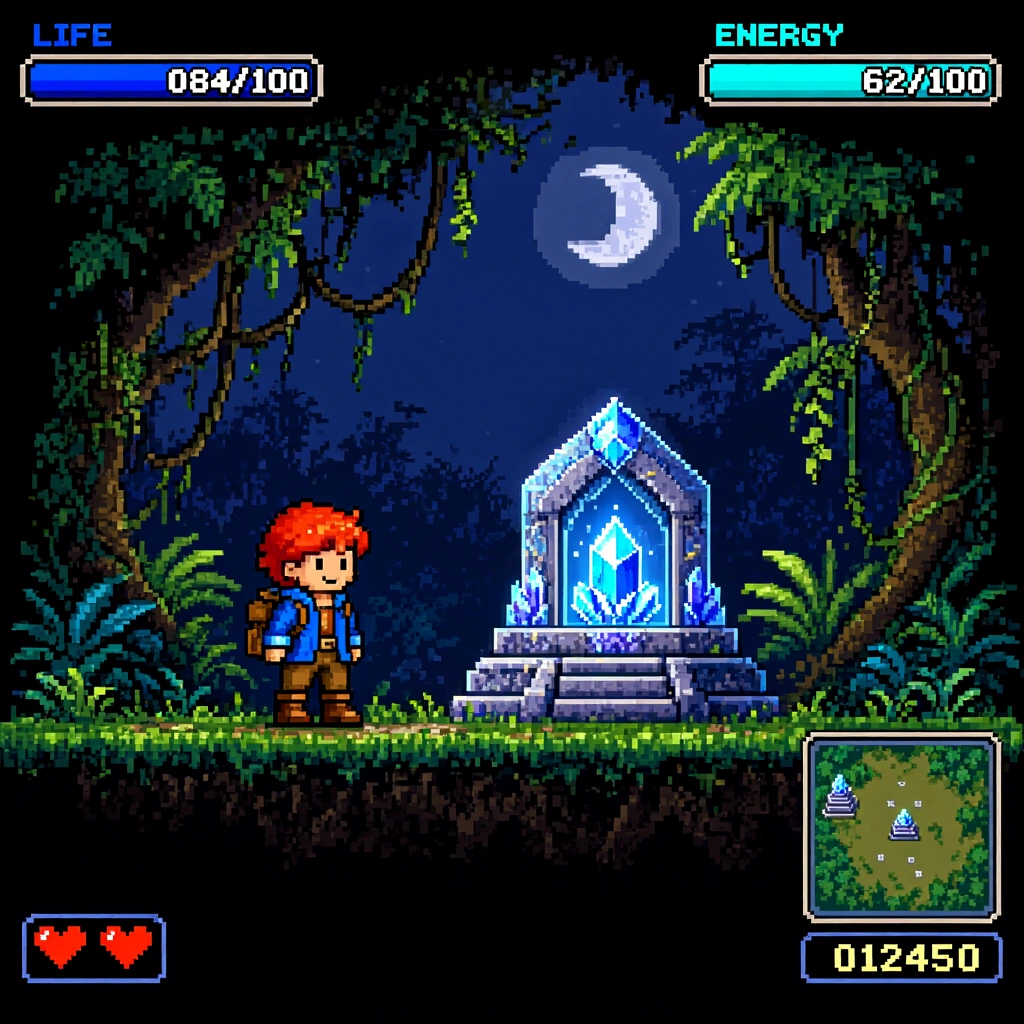
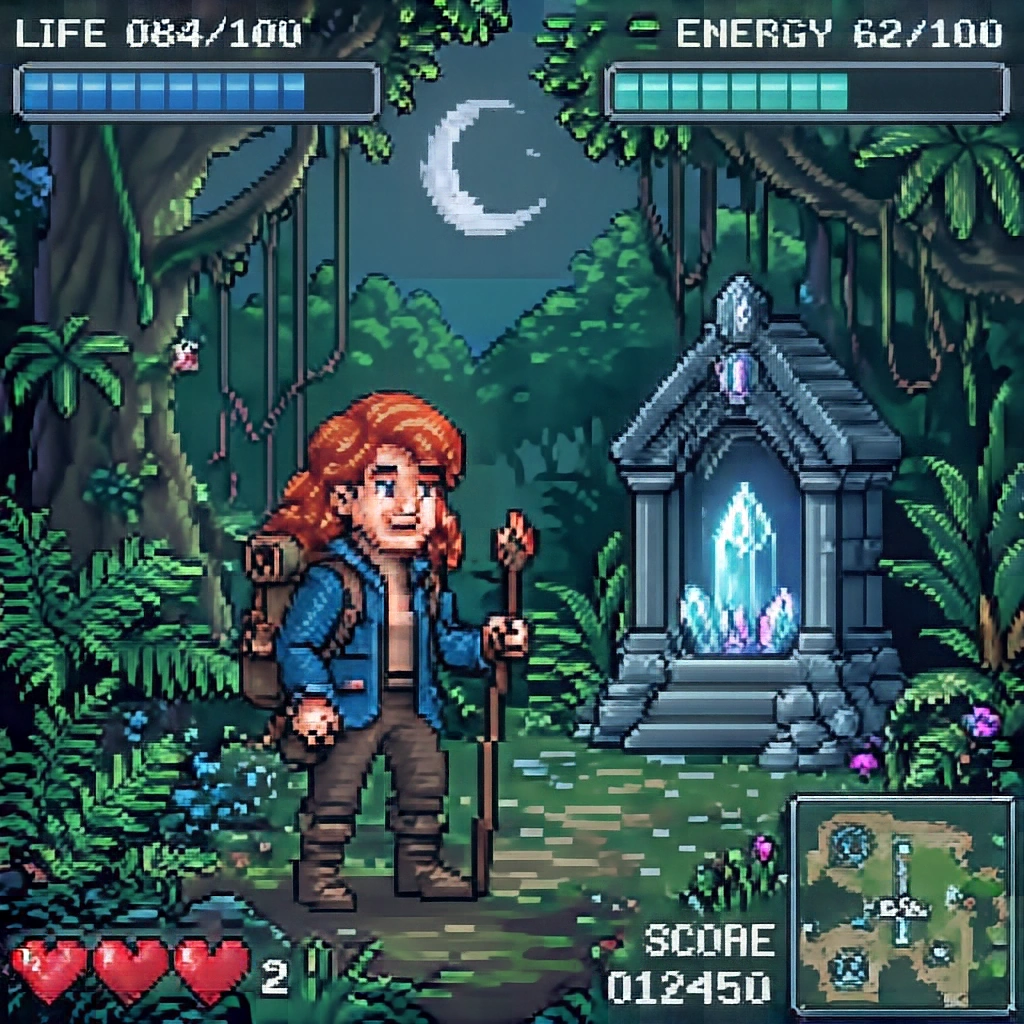
Krea 2 Turbo produced the strongest overall result in this test, with Qwen-Image-2.1 close behind. Both handled the HUD-like composition well and captured the intended retro-game aesthetic more convincingly than the other models.
Even so, several outputs still look more like pixel-art-inspired illustrations than true pixel art. Smooth or painterly forms, inconsistent pixel clusters and imperfect HUD text remain visible despite the prompt explicitly asking for hard-edged square pixels and a strict pixel grid.
That can work well for a retro-styled illustration, but it is not the same as production-ready pixel art.
Real-World Stress Tests: Characters, Hands and Scene Logic
The standardized benchmark gives a broad view of how the models compare. These five additional stress tests focus on more difficult situations where small mistakes quickly become obvious: recognizable characters, hands, anatomy, object relationships and scene logic.
They are not included in the final score. Instead, they show how each model behaves when the prompt becomes harder to interpret cleanly.
The five stress-test prompts cover:
- Samus Aran
- Lara Croft
- Kratos
- a supermarket vegetable comparison
- a commuter-train phone/tote interaction
Samus Aran
Prompt used:
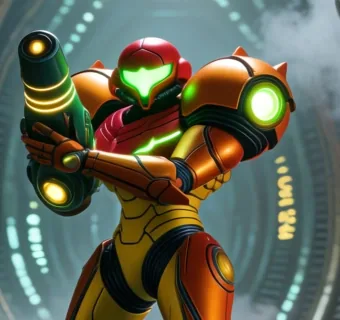
Samus Aran standing alone inside a vast biomechanical alien chamber inspired by the iconic environments of the Metroid series. She is the single clearly defined main character, fully visible in her detailed orange and red Power Suit, aiming a charged arm cannon toward an unseen threat. Her green visor reflects the luminous machinery around her. Ribbed metallic walls, organic cables, suspended mechanical structures, alien symbols, mist, sparks and pools of reflective liquid surround her without obscuring her silhouette. Grounded live-action science-fiction realism, realistic armor proportions, intricate hard-surface materials, detailed panel seams, believable reflections, dramatic atmospheric lighting, strong environmental depth, highly detailed iconic sci-fi game mood.
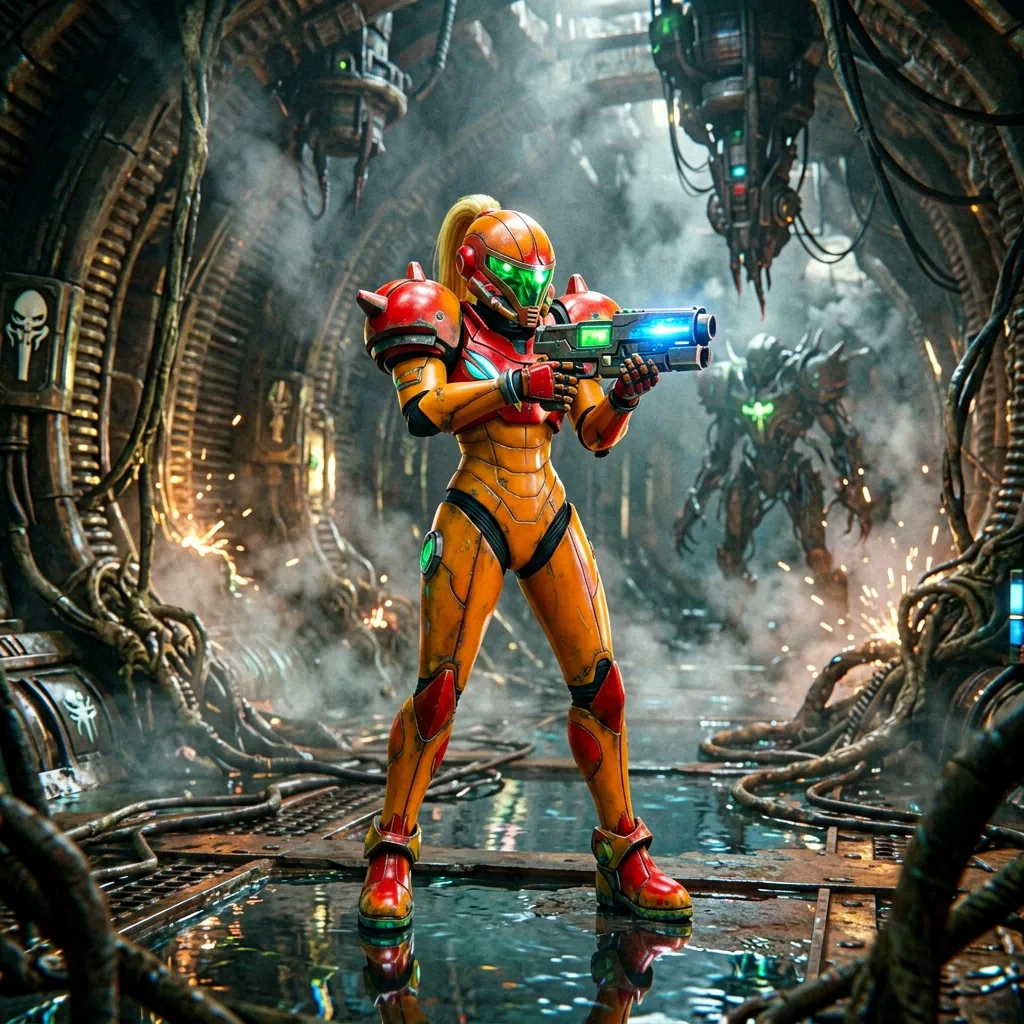
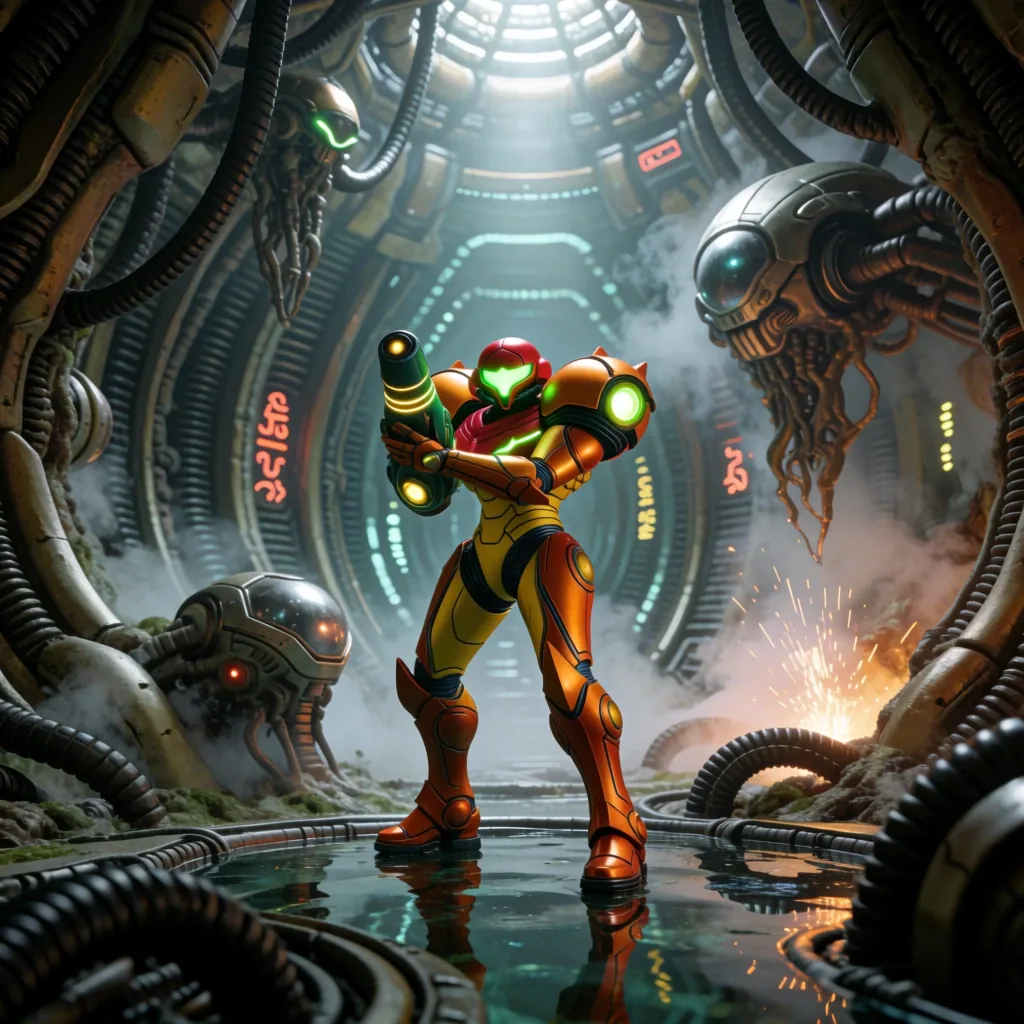
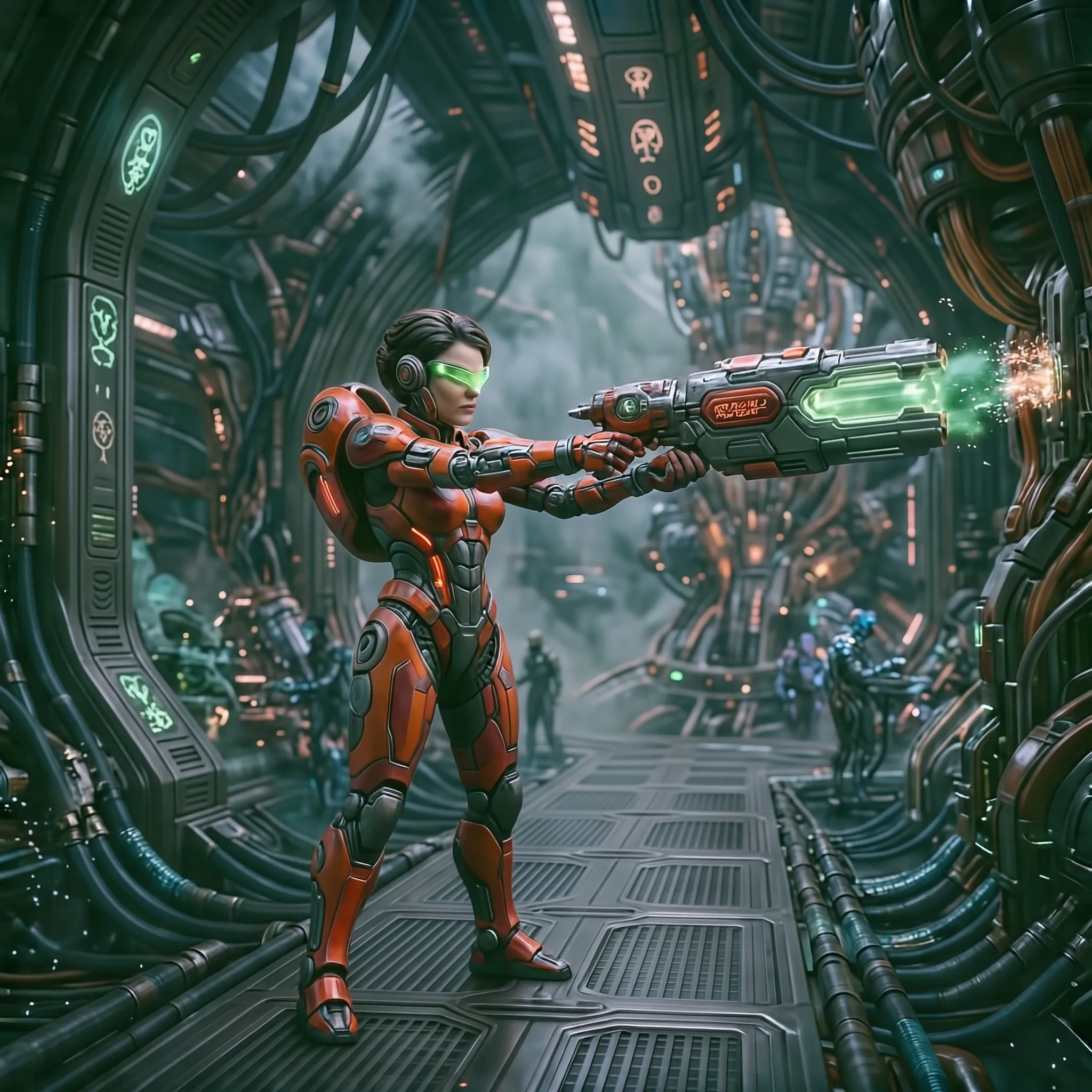
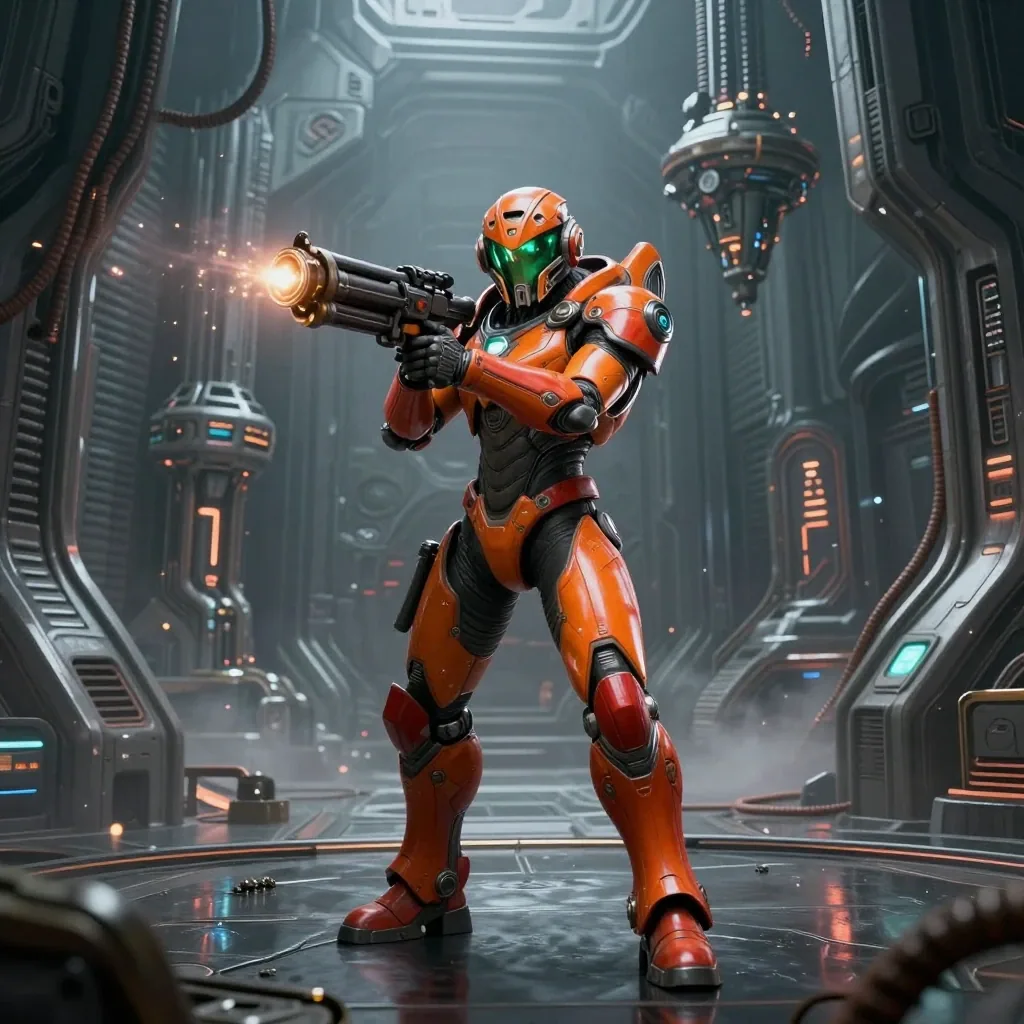
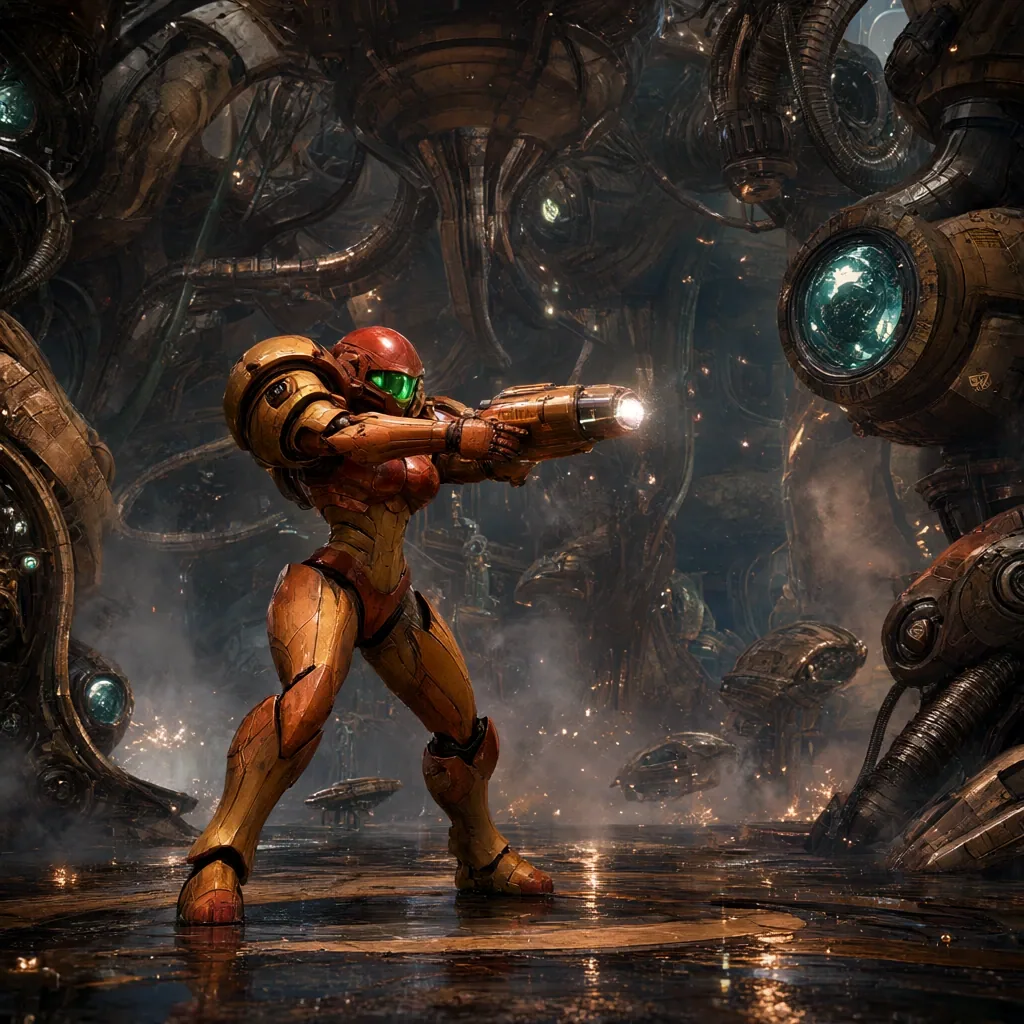
This test made the difference between visual polish and character fidelity particularly clear.
ERNIE-Image-Turbo produced one of the most polished images, with rich environment detail and convincing material rendering. Its tendency toward heavy local contrast is visible again, however, making some of the armor creases look dirtier than intended. It also drifted from parts of the requested action and character design.
Krea 2 Turbo captured Samus most convincingly. The armor silhouette, shoulder proportions, visor and arm cannon are immediately recognizable and stay closer to the character’s established design rather than drifting toward a generic orange sci-fi soldier.
Z-Image-Turbo produced a clean result but interpreted the character more generically. Qwen-Image-2.1 had an interesting composition, although its softer, more illustrated rendering reduced the hard-surface feel of the armor. HiDream-O1-Image was less distinctive overall, with weaker precision in the smaller mechanical and armor details.
Lara Croft
Prompt used:
Lara Croft exploring a forgotten jungle temple chamber inspired by the iconic adventure environments of Tomb Raider. She is the single main character, shown in a full-body three-quarter view, carefully lifting a small glowing ancient artifact from a stone pedestal with both hands. She wears a practical weathered expedition outfit with a dark tank top, cargo trousers, climbing boots, leather holsters and a small backpack. Her hair and skin are damp from the humid jungle, with subtle dirt and scratches from the expedition. Carved stone reliefs, hanging vines, roots, moss, shallow water, drifting dust, bats and shafts of sunlight entering through a collapsed ceiling create a rich cinematic scene. Grounded live-action adventure photography, realistic anatomy, detailed face and hands, natural fabric and skin texture, cinematic lighting.
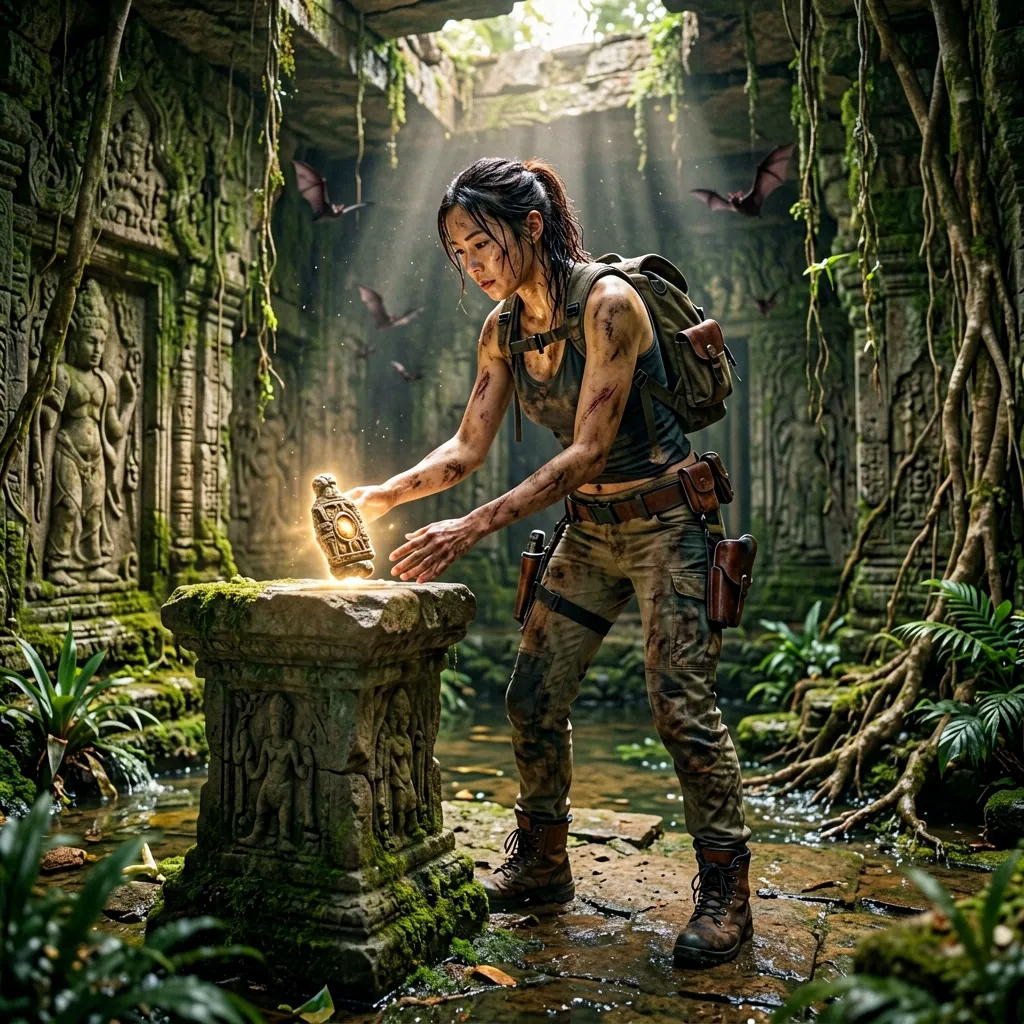
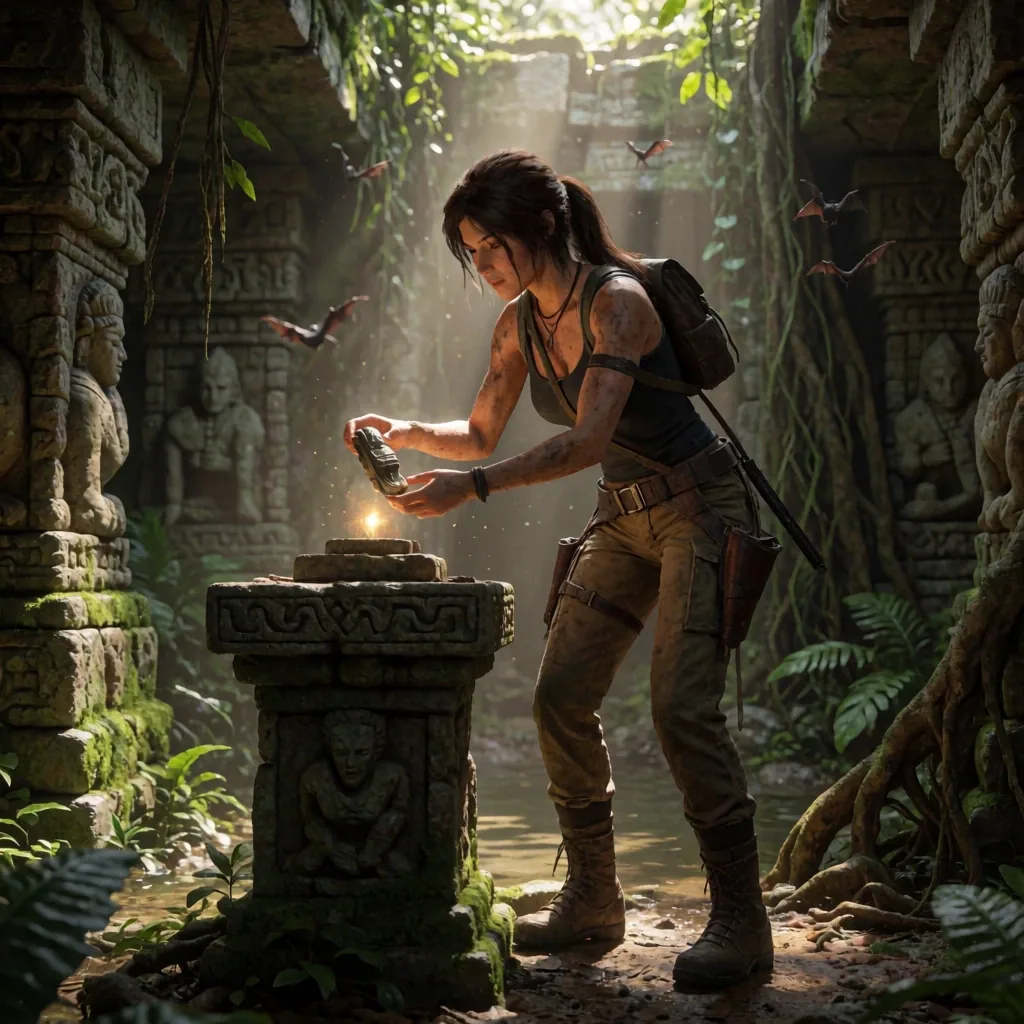
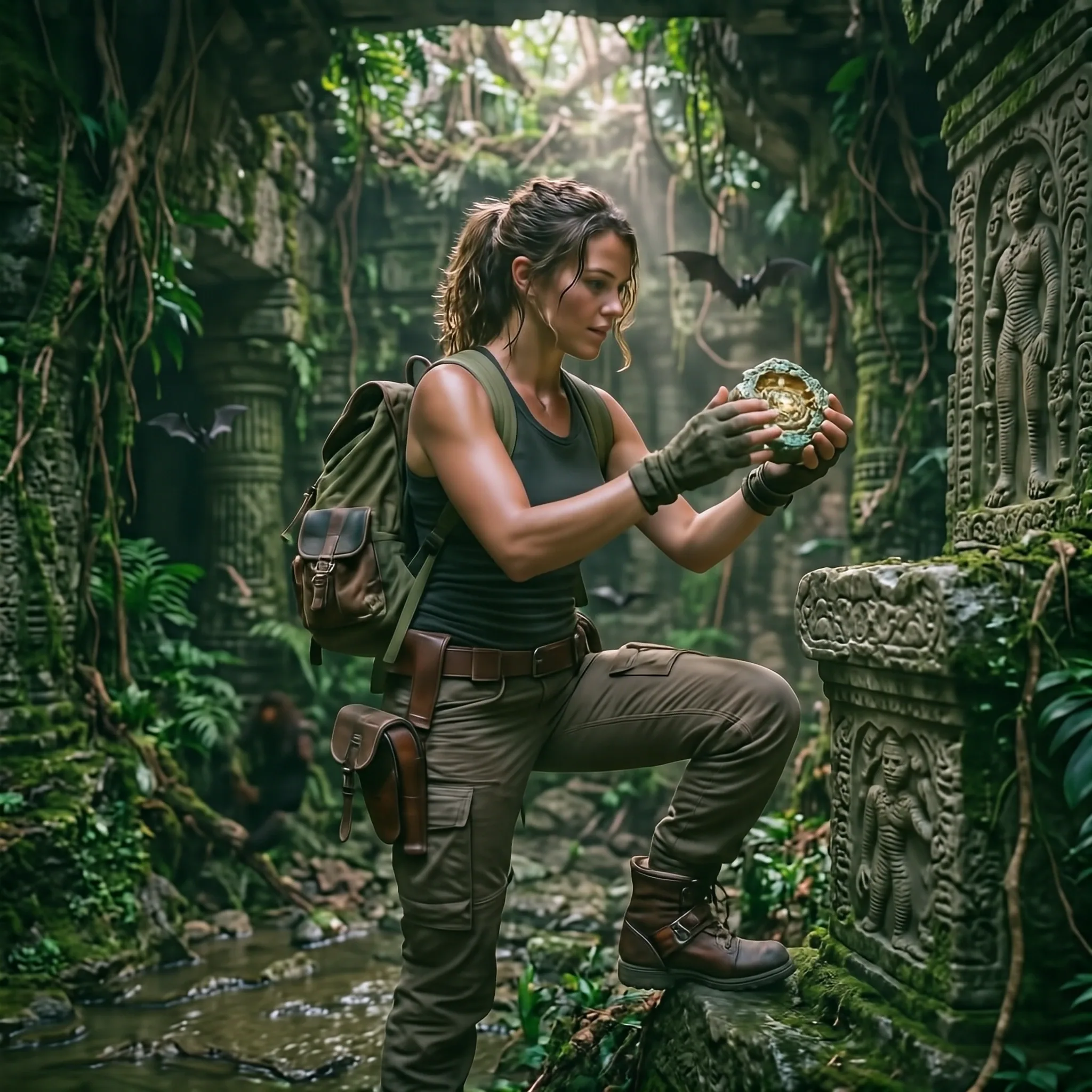
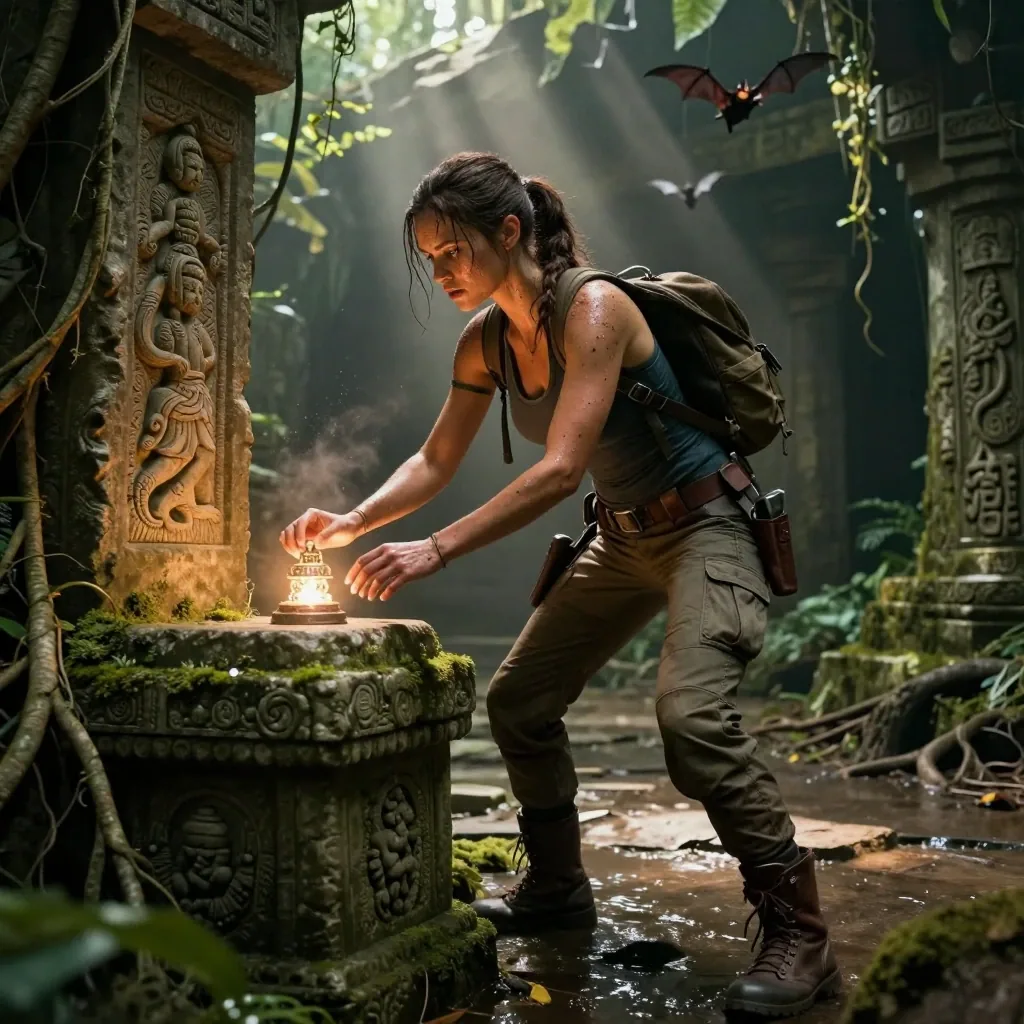
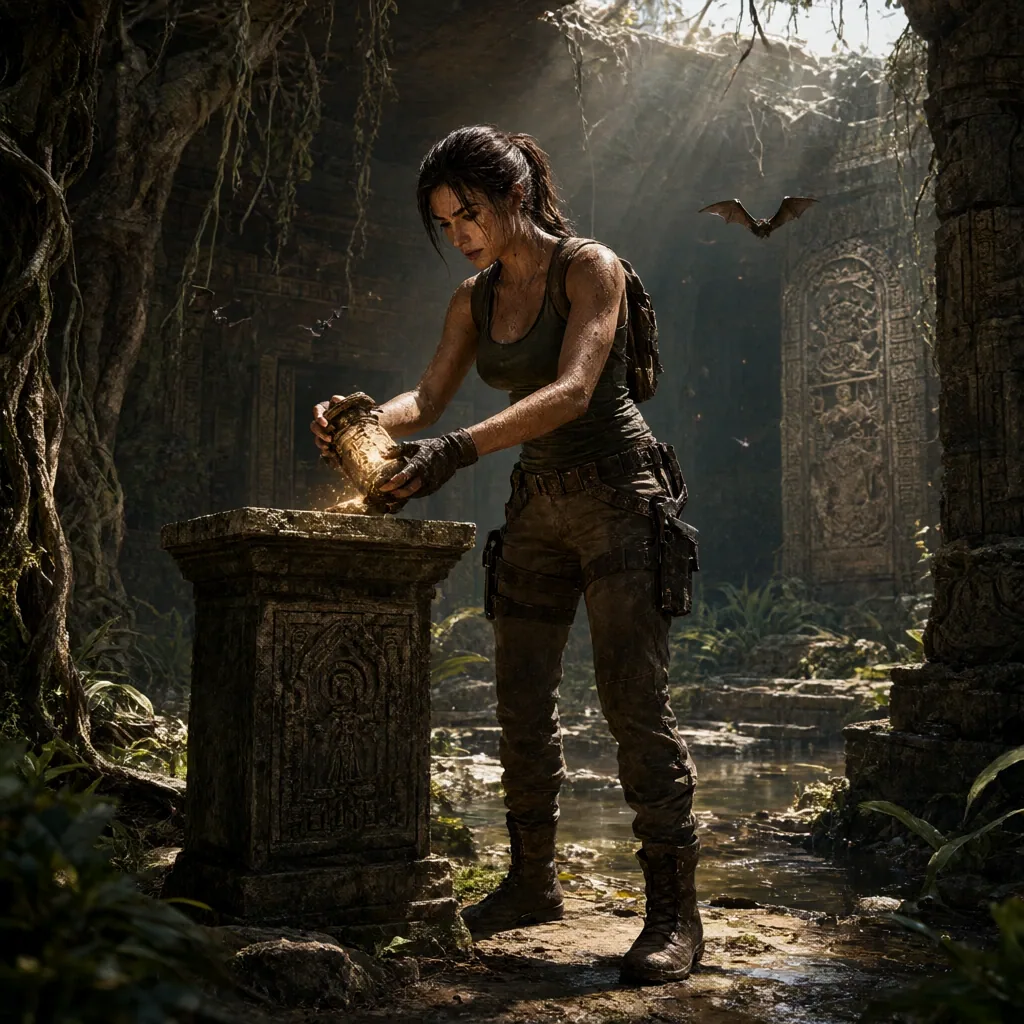
Krea 2 Turbo produced the strongest Lara Croft image in this set.
It looks more like a high-end game render than a live-action photograph, but the character is immediately recognizable. The lighting is controlled, the environment stays coherent without becoming cluttered, and the two-handed interaction with the artifact remains close to the requested scene.
ERNIE-Image-Turbo is detailed and visually complete, but the character resemblance is weaker. Its tendency toward heavy local contrast also appears again, with some deep creases taking on a slightly dirty look.
HiDream-O1-Image is less convincing overall. Strong rim lighting and satin-like highlights give the character and materials a more synthetic appearance.
Qwen-Image-2.1 creates an interesting composition and a recognizable Lara, but strong contrast, moire-like texture and the placement of the pedestal make the local scene logic less convincing.
Z-Image-Turbo produces a generally solid result, although close inspection reveals small structural mistakes, including an extra finger and inconsistencies in the background statuary.
Kratos
Prompt used:
Kratos standing alone in a rugged Norse wilderness inspired by the iconic world of God of War. He is the single main subject, shown in a dramatic three-quarter full-body pose with the Leviathan Axe in one hand. His pale scarred skin, red tattoo, thick beard and muscular physique are clearly visible. He wears layered leather and fur armor, bracers, belts and weathered boots. Behind him, a frozen lake, broken carved stone ruins, snow-covered pine trees and distant mountains create a harsh mythic environment. Cold wind moves the fur and loose cloth elements. Grounded live-action mythic realism, strong anatomy, skin detail, beard texture, weathered materials, cinematic cold lighting and a powerful godlike presence.
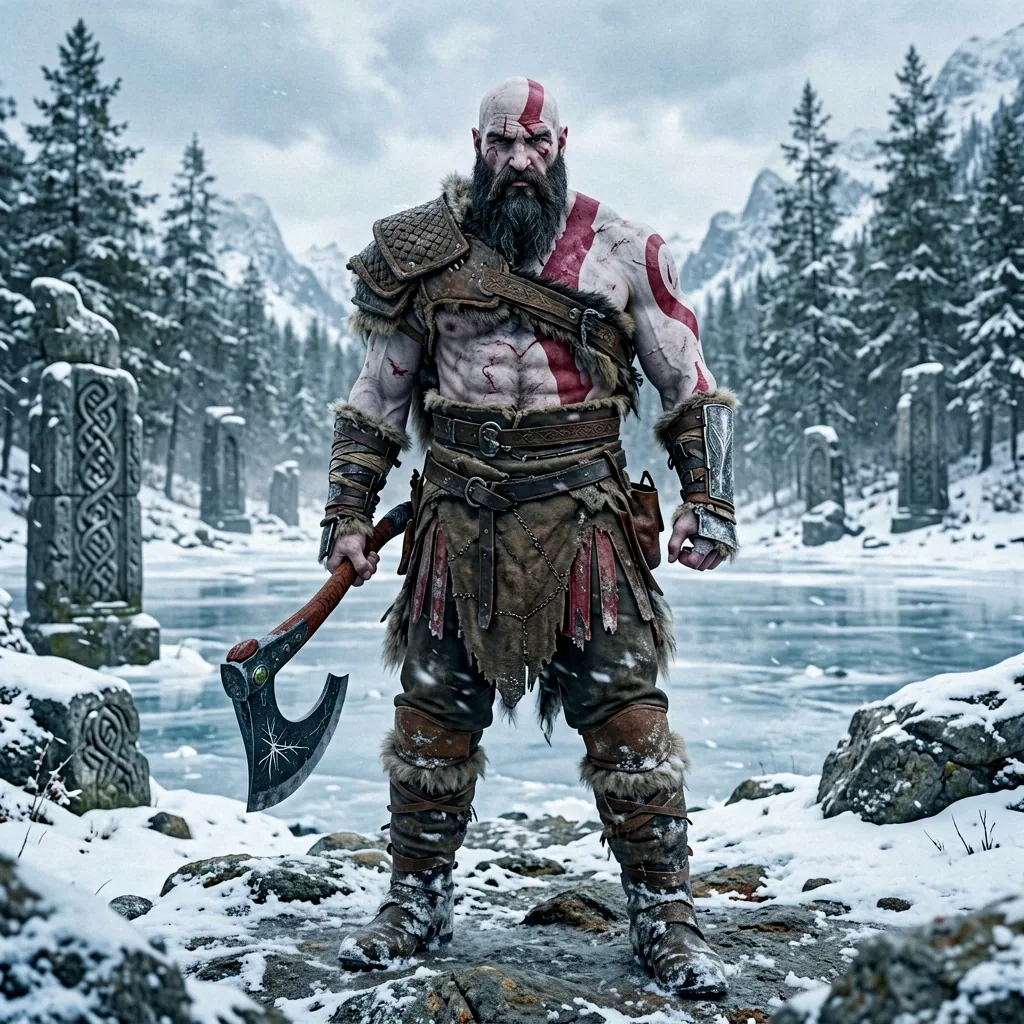
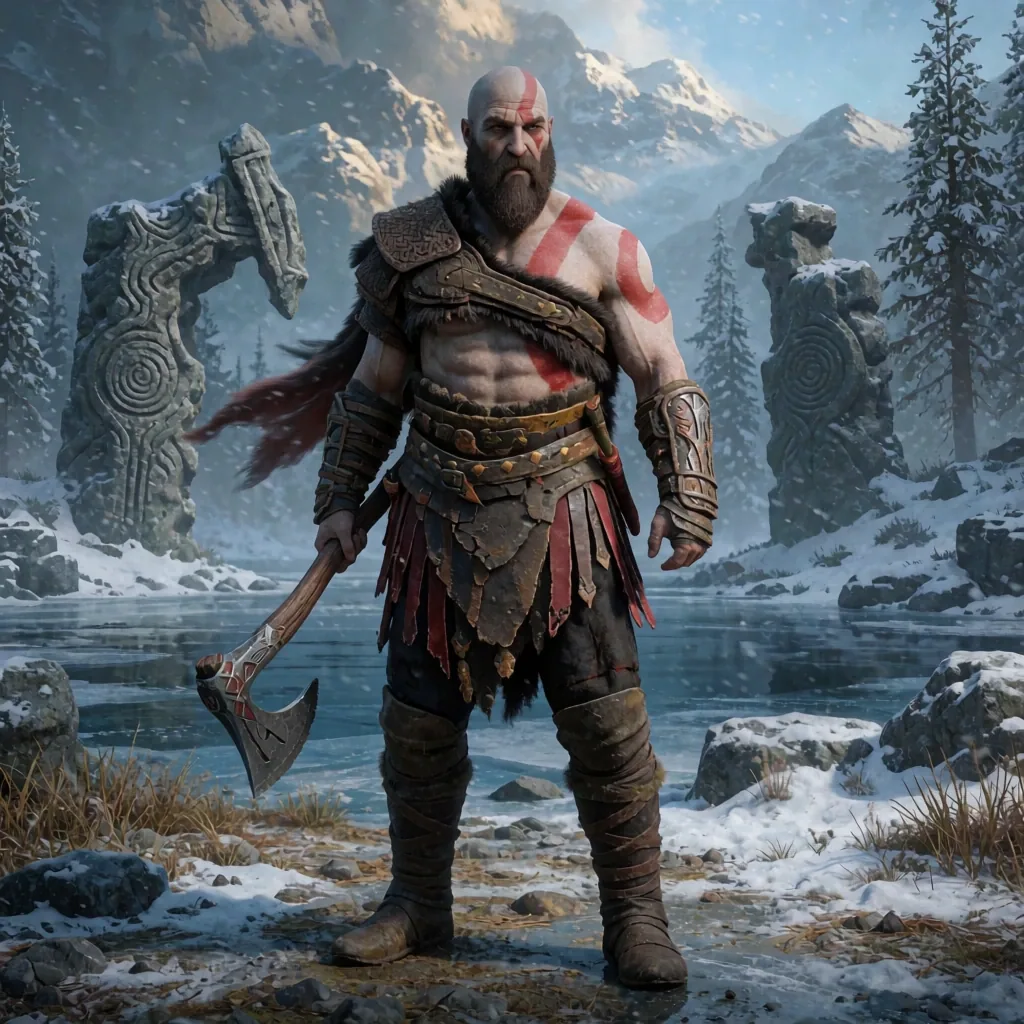
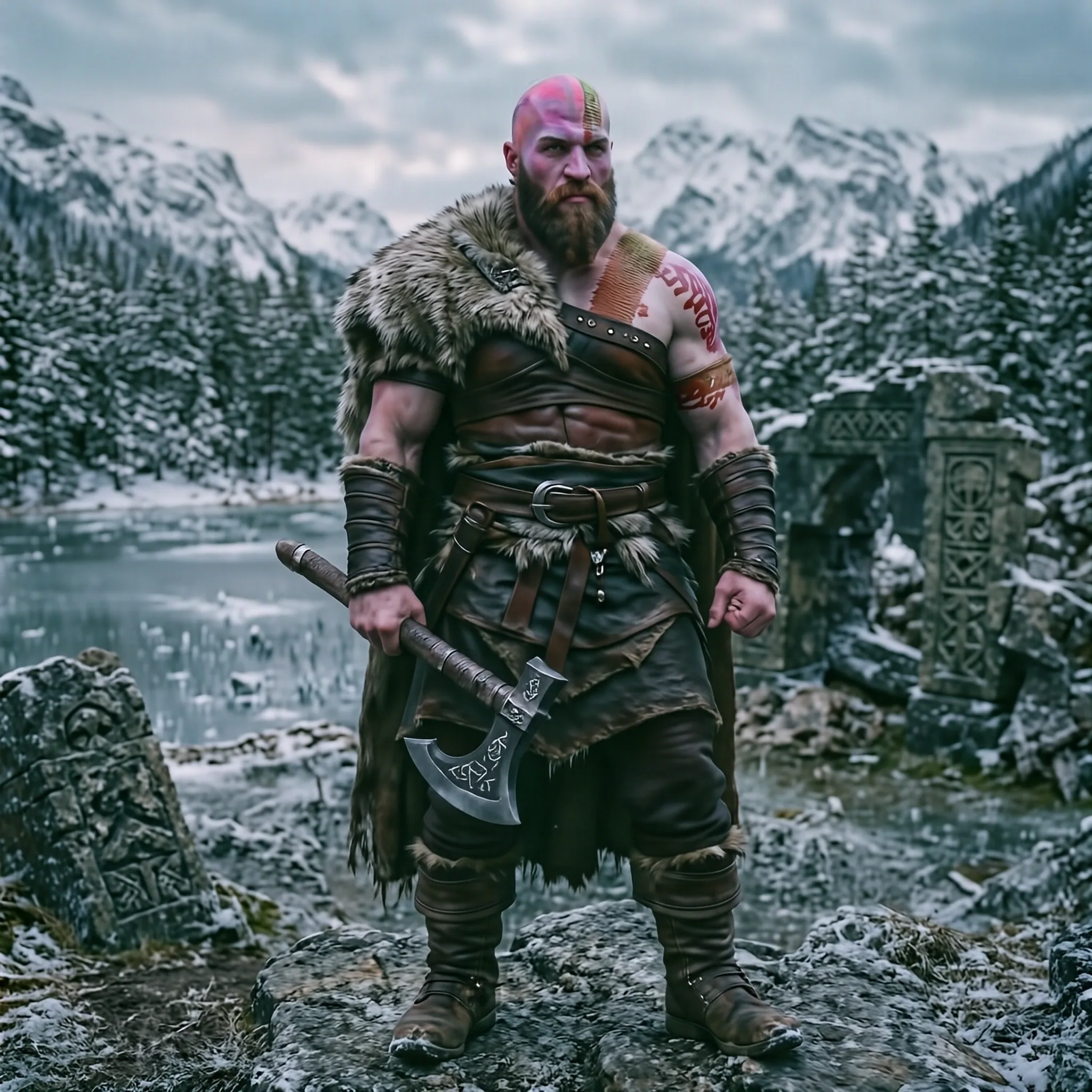
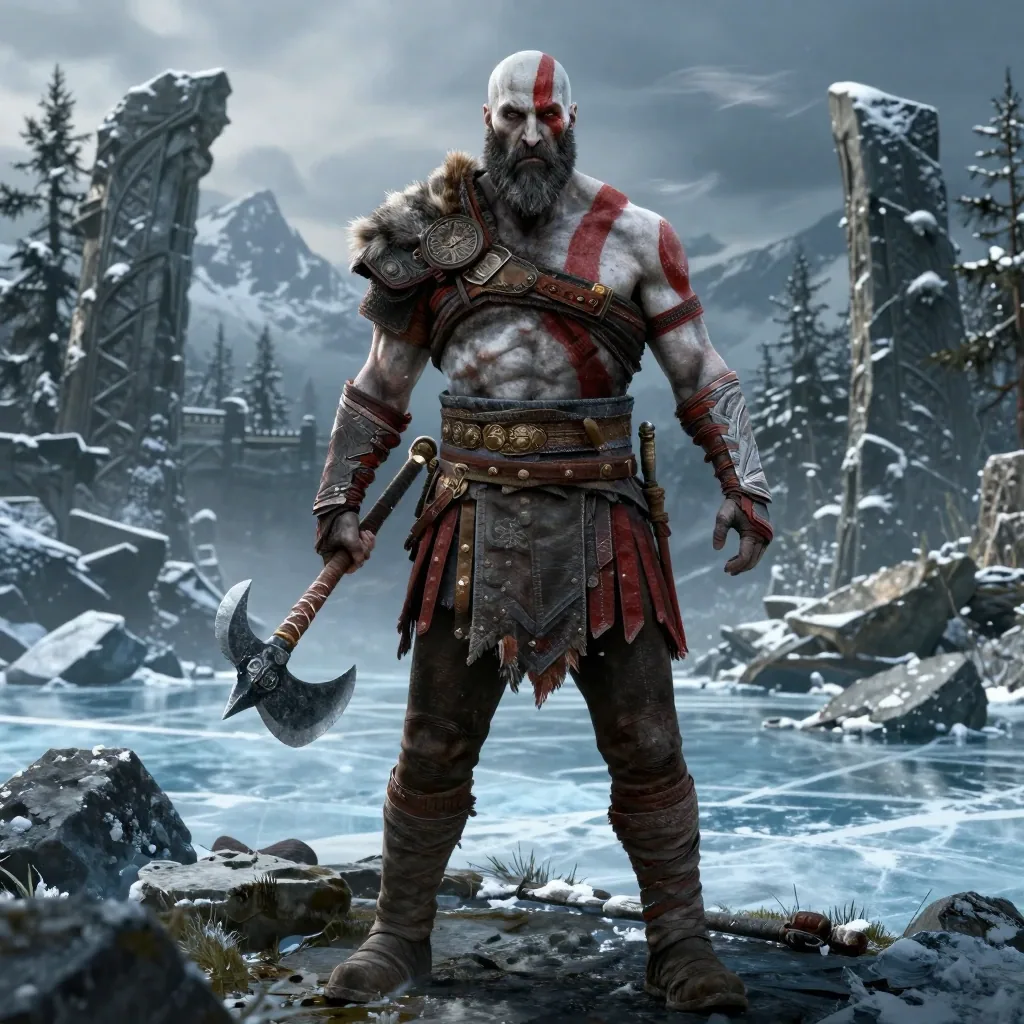
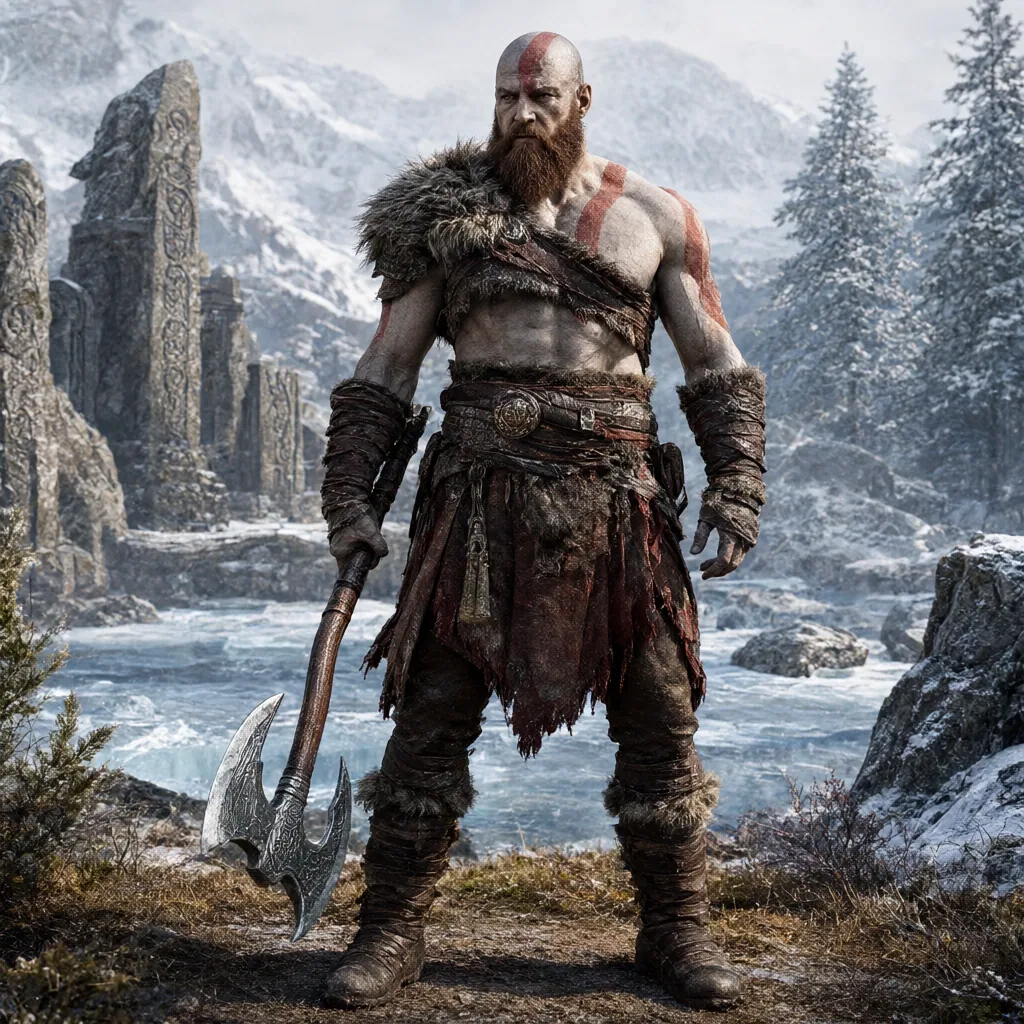
Krea 2 Turbo again produced the most convincing character interpretation. Kratos is immediately recognizable, and the environment fits the requested God of War-inspired setting without distracting from the character.
ERNIE-Image-Turbo delivers the strongest sense of photographic realism, although its usual heavy local contrast is still visible in some of the finer surface detail. Z-Image-Turbo is also surprisingly solid here, especially considering how quickly it generates.
Qwen-Image-2.1 creates a dramatic and detailed image, but it replaces the requested Leviathan Axe with a large double-bladed fantasy weapon. HiDream-O1-Image captures the general tone of the scene but drifts toward a more generic northern warrior.
This is one of the areas where Krea repeatedly stands out: it tends to preserve a recognizable game character as a specific character, rather than reducing them to a set of broad visual traits.
Supermarket: Exact Object Relationships Are Hard
Prompt used:
An ordinary man standing in the produce aisle of a modern supermarket, hesitating between two vegetables while shopping for dinner. He is the main subject, shown from the knees upward, holding a red bell pepper in his left hand and a green zucchini in his right hand while comparing them carefully. He wears a dark casual jacket, jeans and practical sneakers, with a handheld shopping basket resting beside him. Fresh produce shelves, price labels, stacked vegetables, soft overhead supermarket lights and a few distant shoppers create a believable grocery-store scene. Grounded live-action photography, realistic proportions, natural skin and fabric texture, clear object readability, balanced composition and an authentic everyday atmosphere.
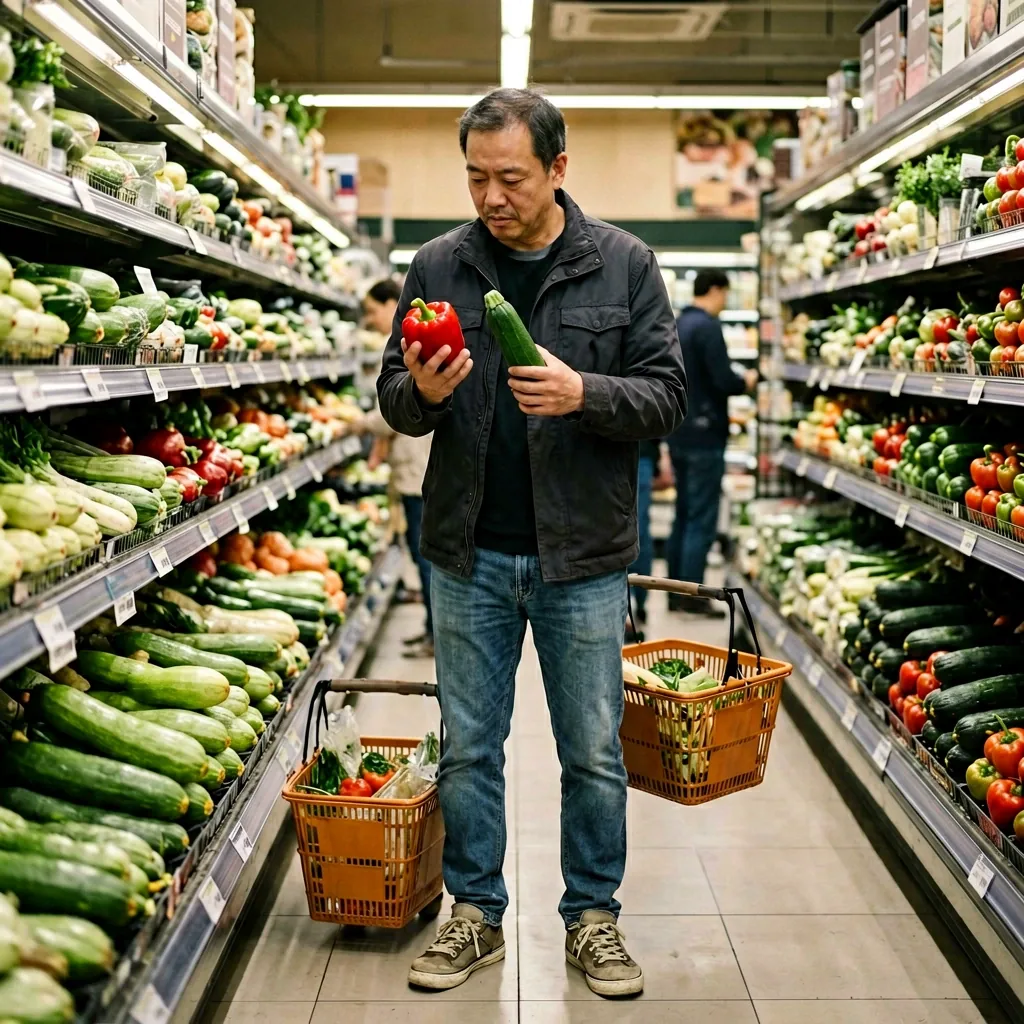
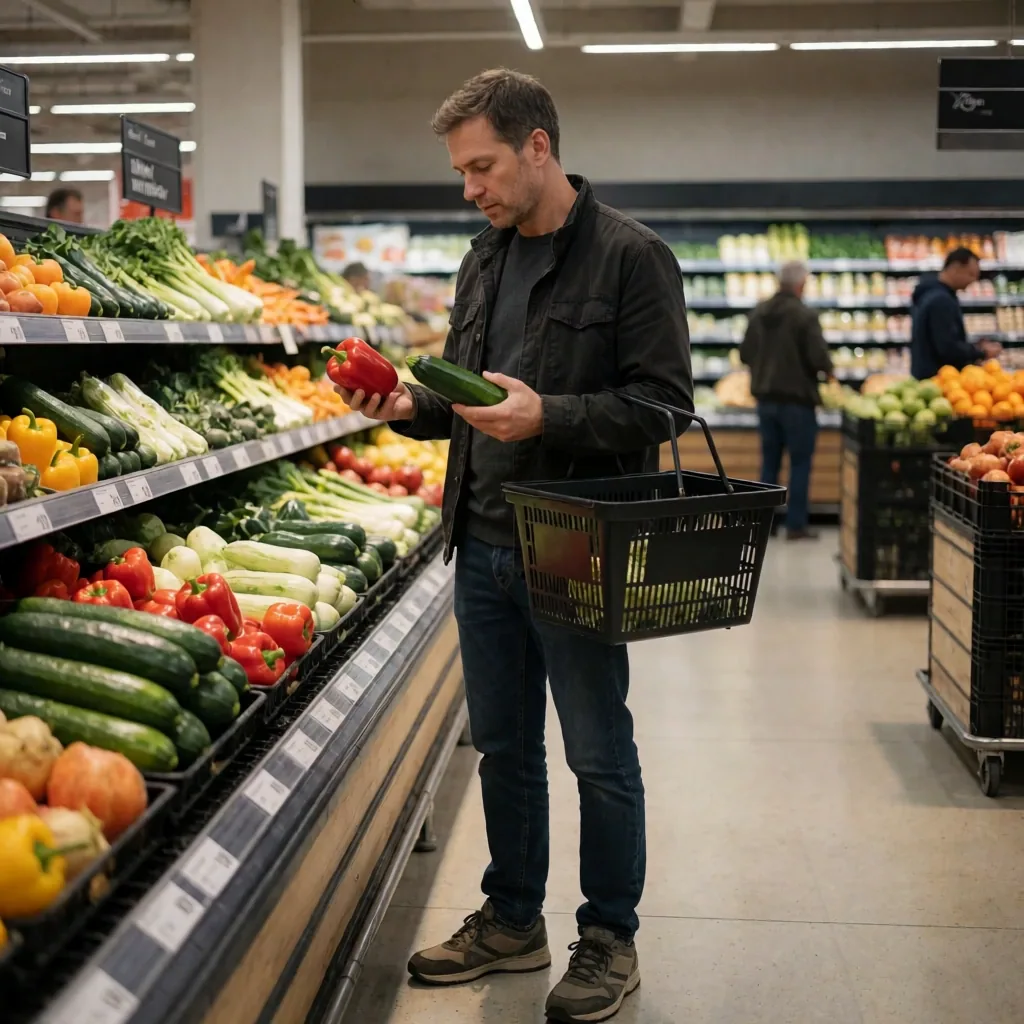
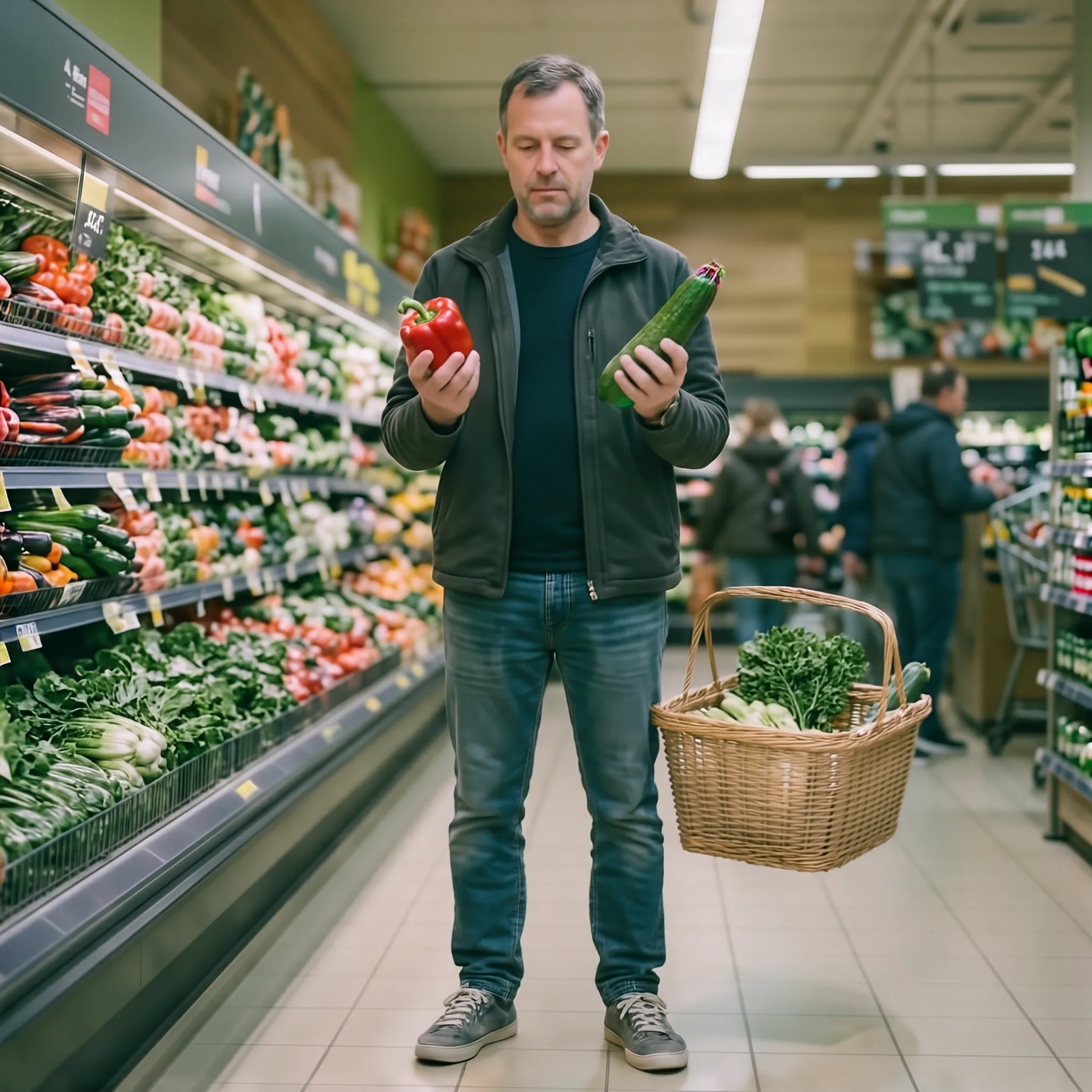
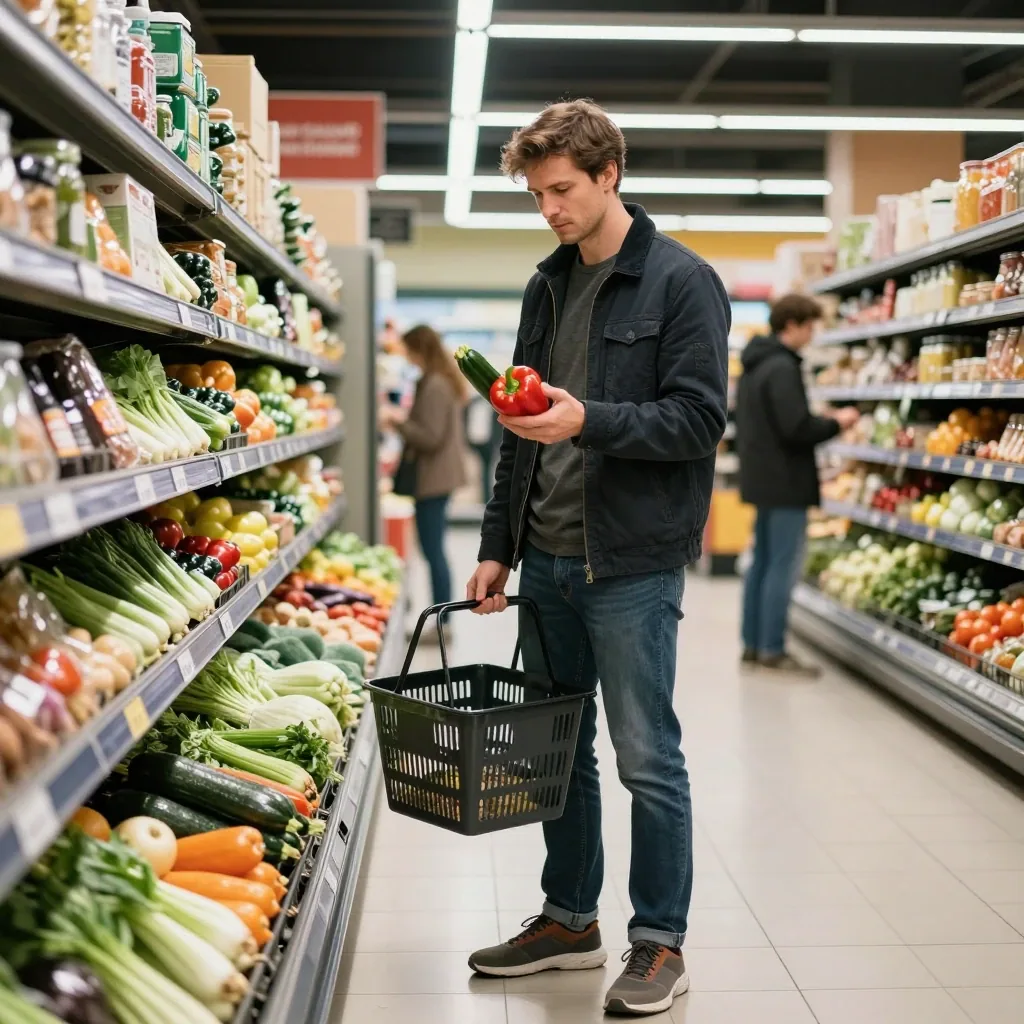
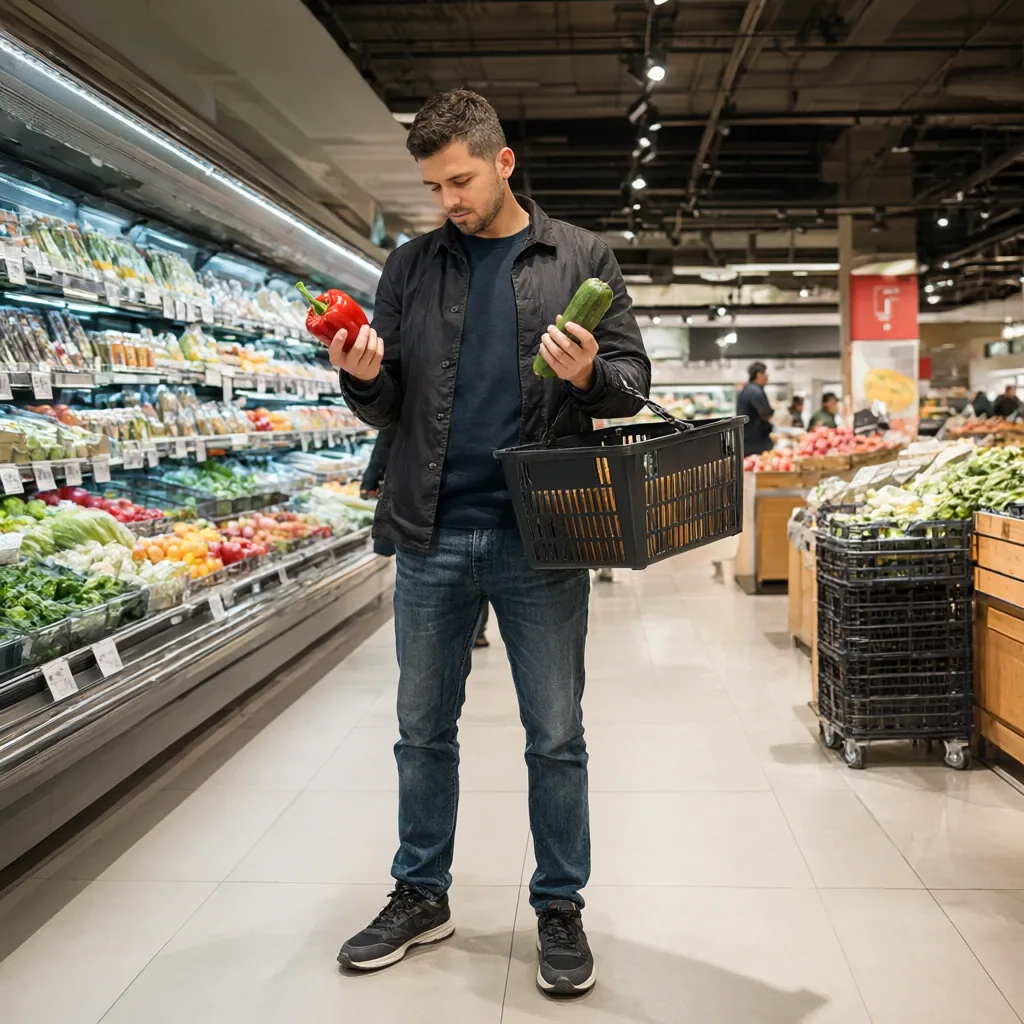
The supermarket prompt looks simple until the model has to place a red bell pepper in one hand, a green zucchini in the other, a basket beside the subject and a believable grocery environment around him.
Krea 2 Turbo produced the most natural overall result.
ERNIE-Image-Turbo looked rich and photographic, but the basket placement was less convincing. HiDream-O1-Image broadly followed the scene, although the basket appears to float and the colors are more washed out. Z-Image-Turbo produced a strong-looking photograph but grouped the vegetables incorrectly. Qwen-Image-2.1 was visually clean, yet the exact left/right relationships between the objects remained unreliable.
Ordinary scenes like this are useful because small mistakes in object placement and interaction are much harder to hide.
Commuter Train: Local Geometry Gives Qwen Away
Prompt used:
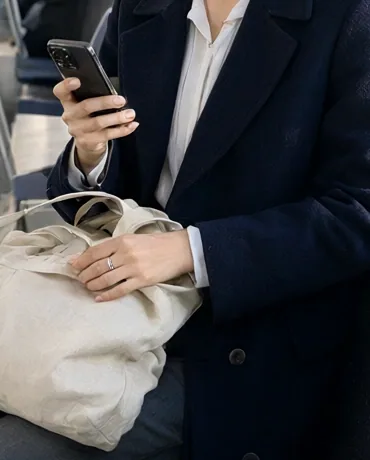
A young professional woman riding alone on a modern commuter train in the late afternoon. She is the clear main subject, seated beside the window and framed from the thighs upward, holding a smartphone in one hand while the other rests naturally on a canvas tote bag on her lap. She wears a navy coat, a light blouse and simple workwear trousers. Outside the window, a soft blur of city buildings and tracks suggests motion. In the background, a few other passengers sit farther down the carriage, and metal poles, overhead handles, seat textures and cool daylight reflections define the interior. Grounded live-action urban realism, natural posture, believable facial features, clean modern design, subtle reflections, soft ambient light and a calm daily commute mood.
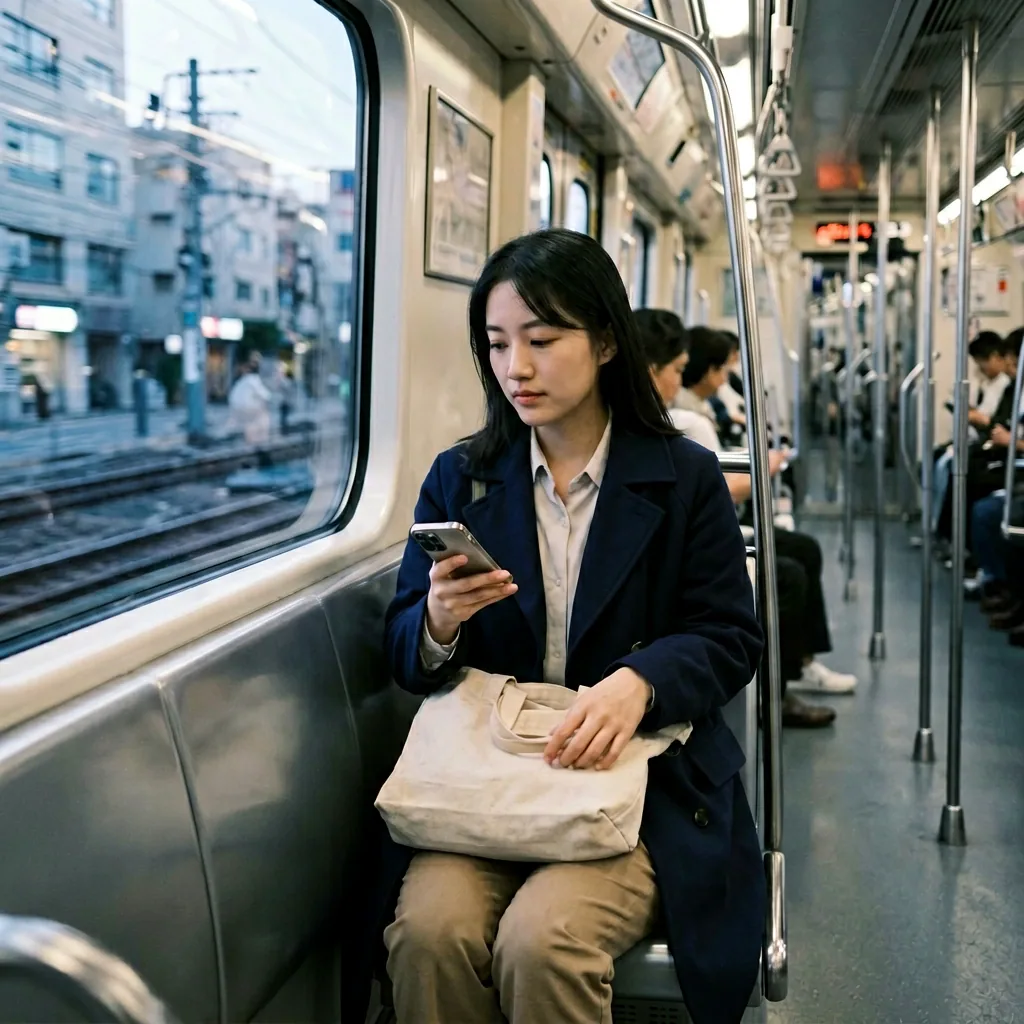
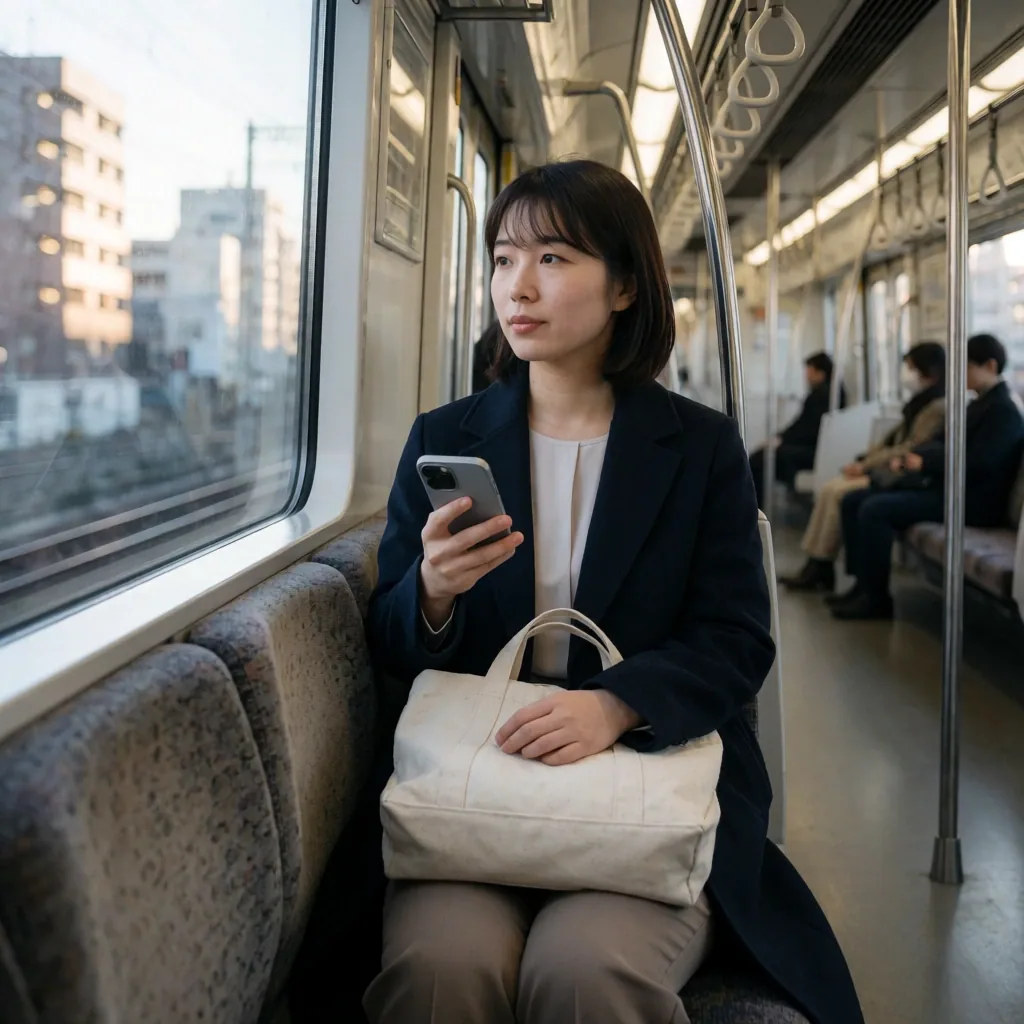
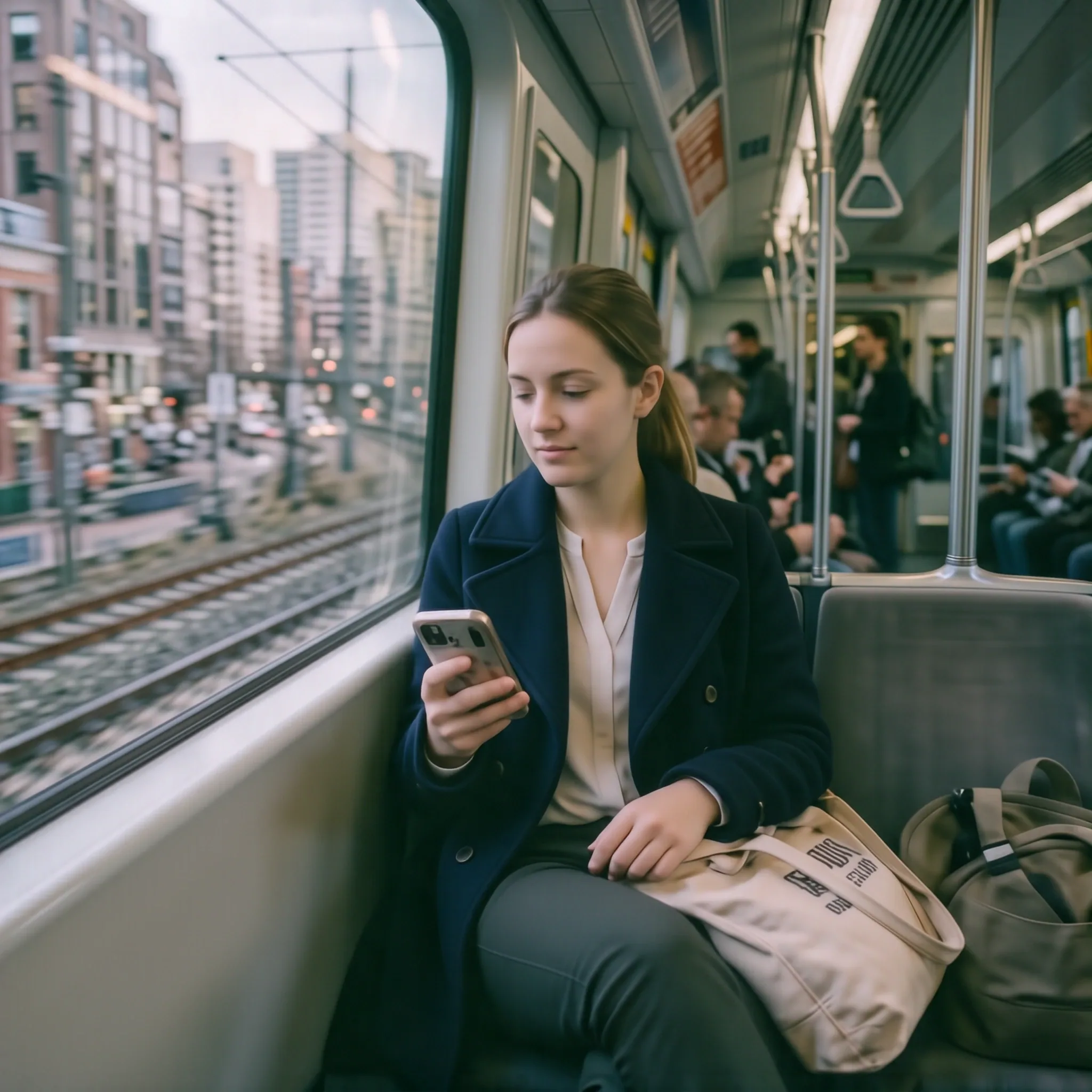
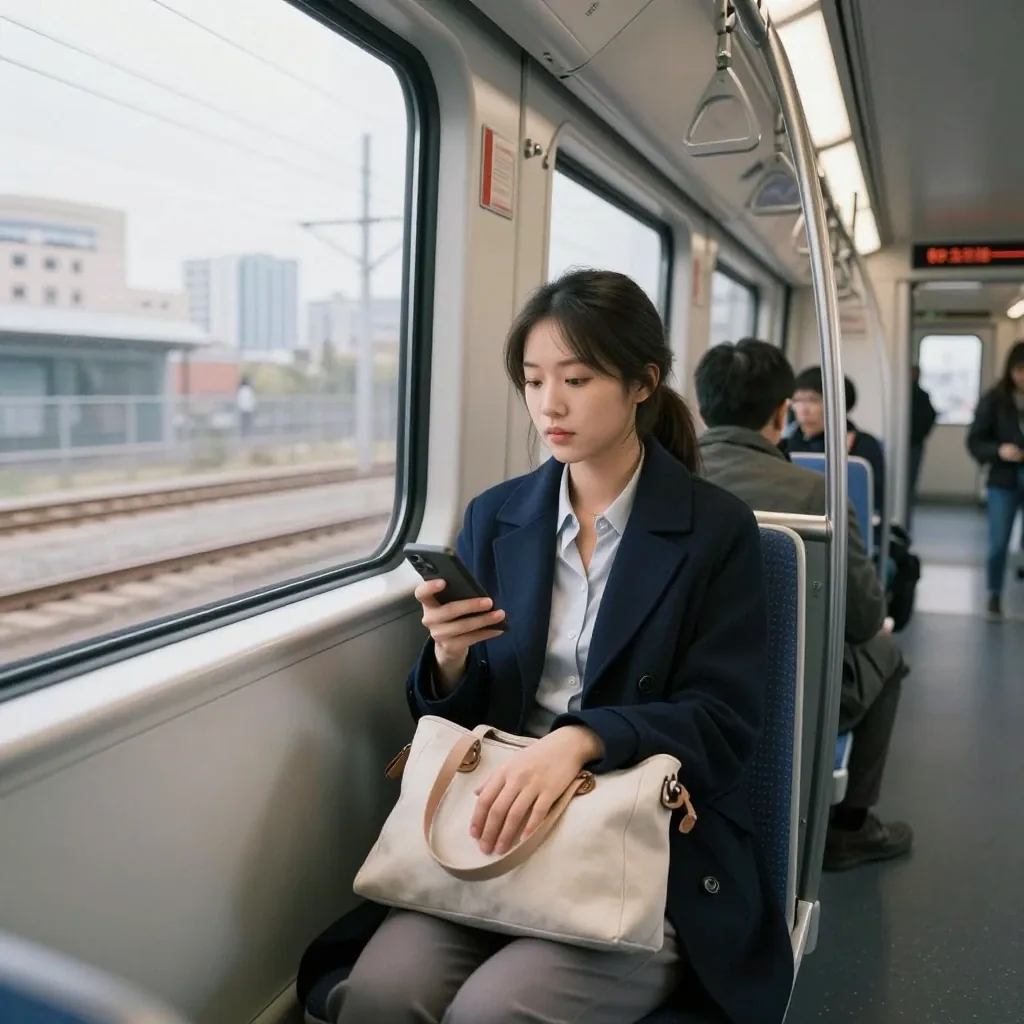
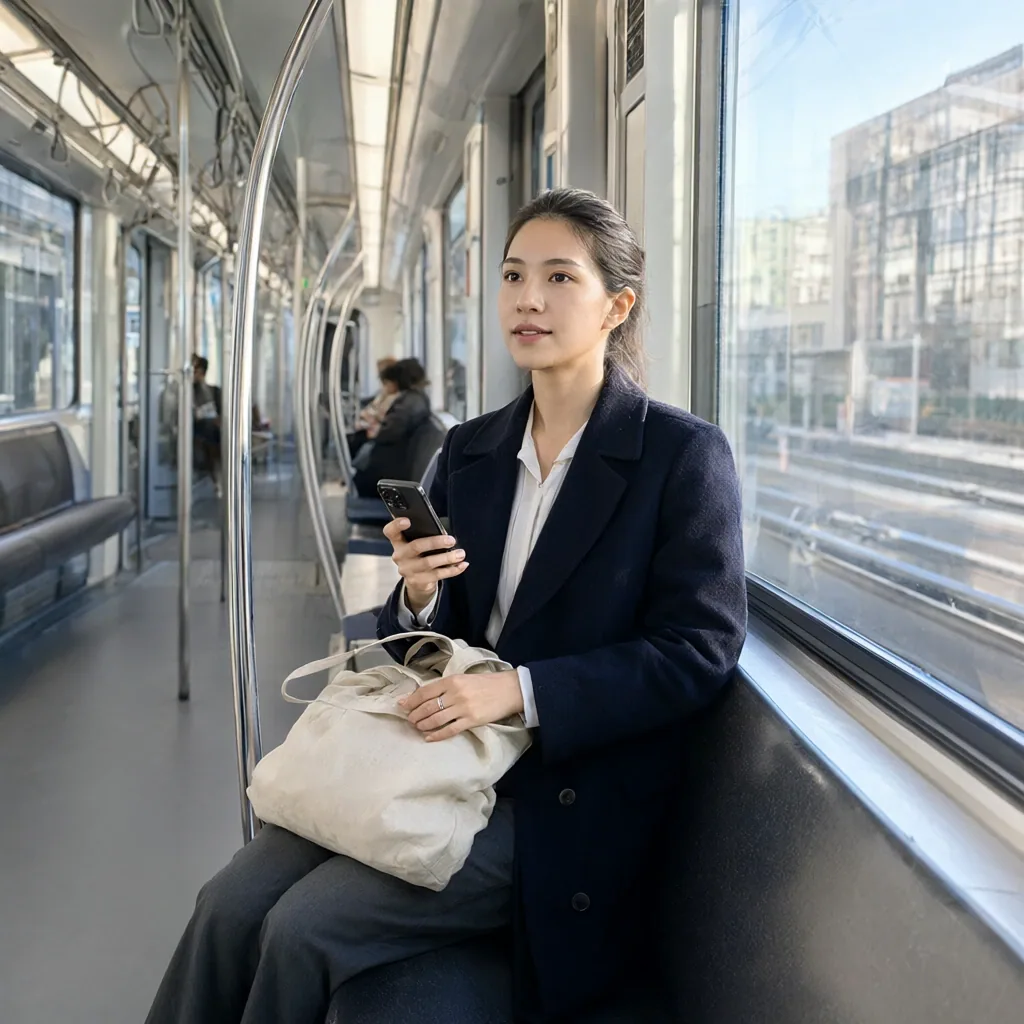
Krea 2 Turbo produced the strongest overall train image, although even its result contains a subtle spatial inconsistency: the main subject appears to be seated in the wrong orientation relative to the seat backs on the left side of the carriage.
ERNIE-Image-Turbo handled the hand-and-bag interaction well, but its heavy contrast made the image look harsher than necessary.
Z-Image-Turbo produced a solid, coherent result overall, with relatively few distracting defects.
Qwen-Image-2.1 is convincing at first glance, but some of the local geometry breaks down under closer inspection. The suspended hand straps are a good example, with lines crossing and connecting in physically implausible ways. This reflects a broader pattern in Qwen’s results here: the overall scene often reads well immediately, while smaller structural details become less convincing on closer inspection.
Qwen-Image-2.1 Deep Dive: 1024 vs 2048 and Faster Workflows
Qwen-Image-2.1 is particularly sensitive to workflow choices, so it is worth looking beyond the single configuration used in the main comparison.
The final benchmark uses the optimized 1024x1024 workflow with 16 steps and the external Viggle Turbo LoRA, averaging 53.7 seconds per image on the RTX 3060 12GB.
Resolution and acceleration also change Qwen’s behavior substantially. To see how far those trade-offs go, I used the same product-watch, Lara Croft and commuter-train prompts and seeds with a 40-step base workflow at 1024x1024 and 2048x2048, then compared them with the Pruna 8-step LoRA.
| Qwen variant | Resolution | Steps | Mean time - 3 prompts | Mean VRAM |
|---|---|---|---|---|
| Base | 1024x1024 | 40 | 62.91 s | 11,918.7 MB |
| Base | 2048x2048 | 40 | 395.36 s | 11,849.0 MB |
| Pruna | 1024x1024 | 8 | 17.25 s | 11,773.0 MB |
The numbers make the trade-off obvious: 2048x2048 is extremely expensive on this GPU, while Pruna dramatically reduces generation time. The more interesting question is what happens to the images.
Product watch
Prompt used:
Studio commercial photograph of a luxury matte black mechanical chronograph watch with rose gold dials, resting on a wet dark slate stone, sharp macro focus, dramatic side lighting, crisp reflections, magazine advertisement quality.
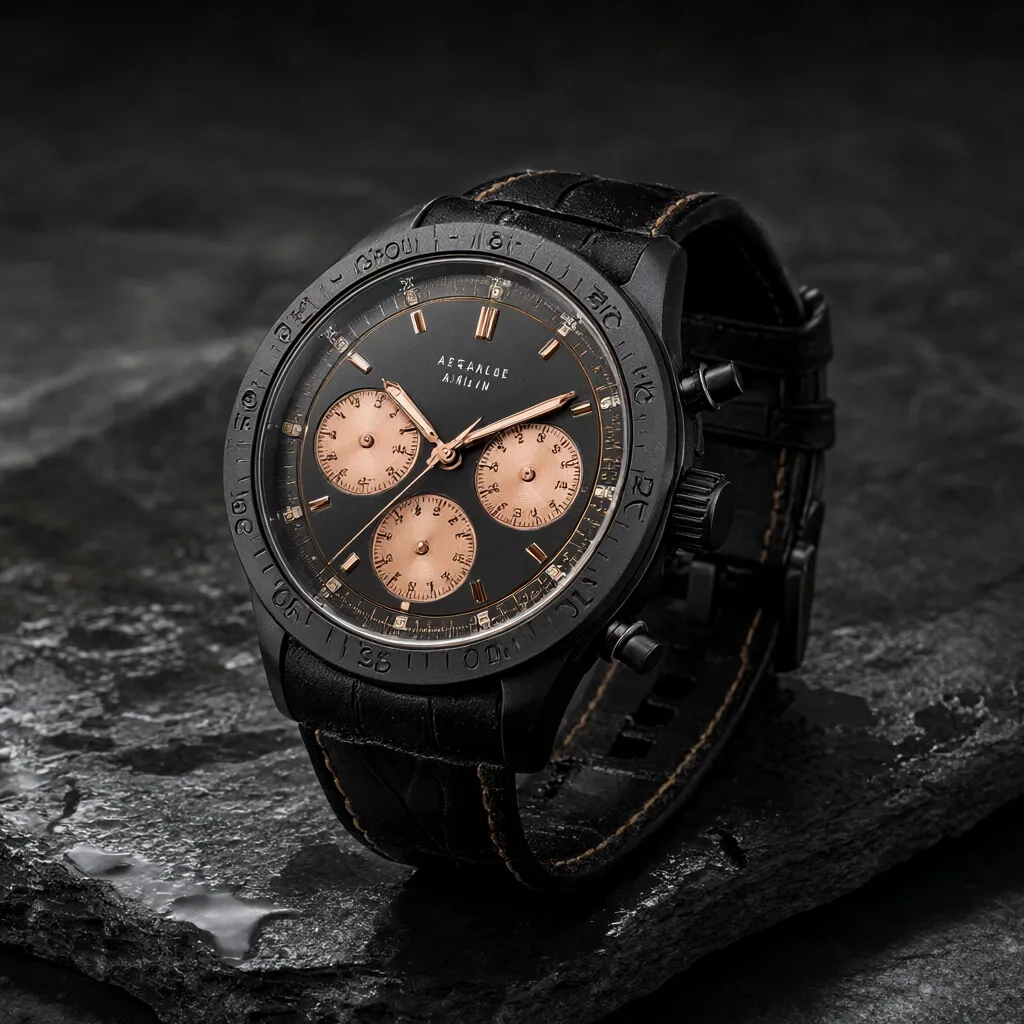
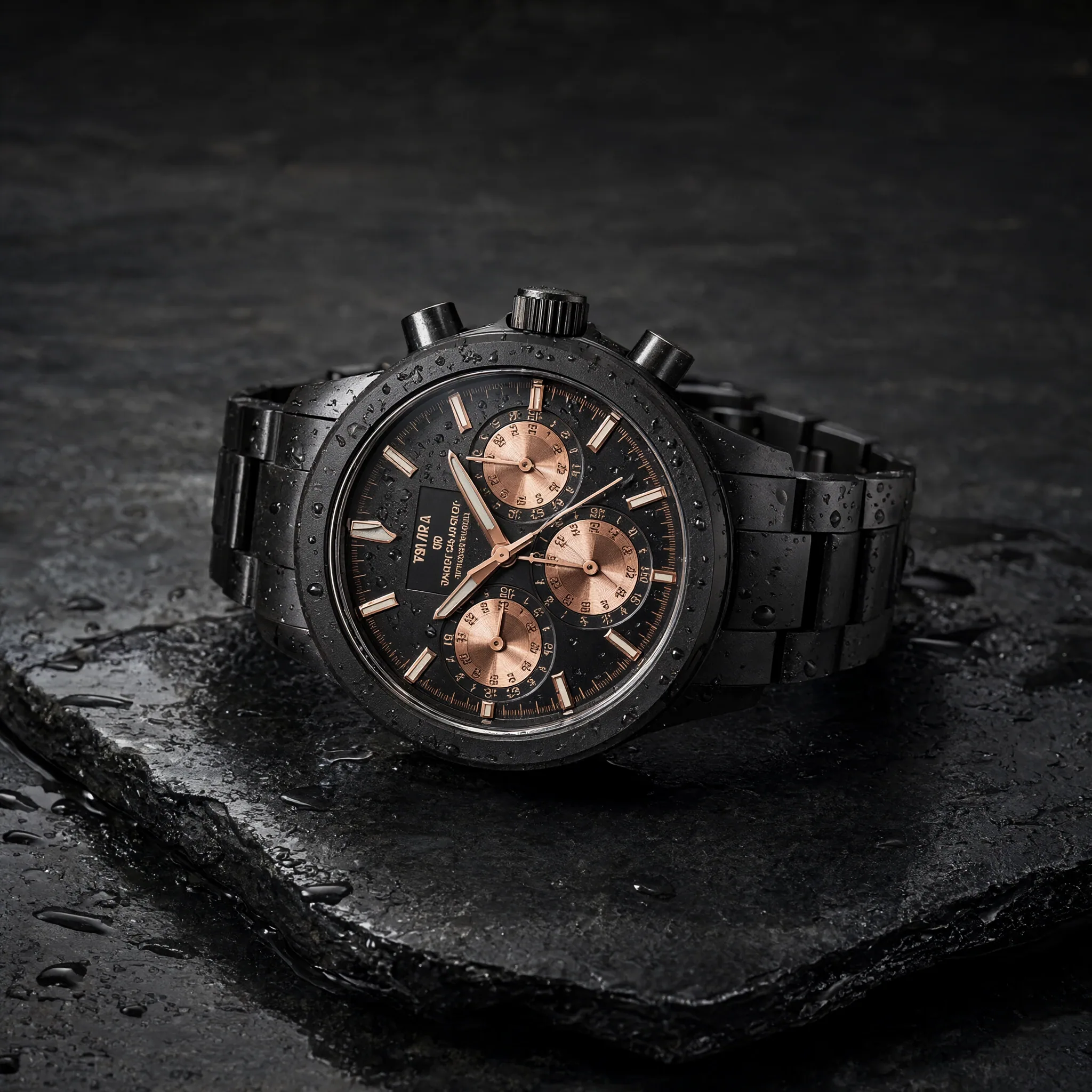
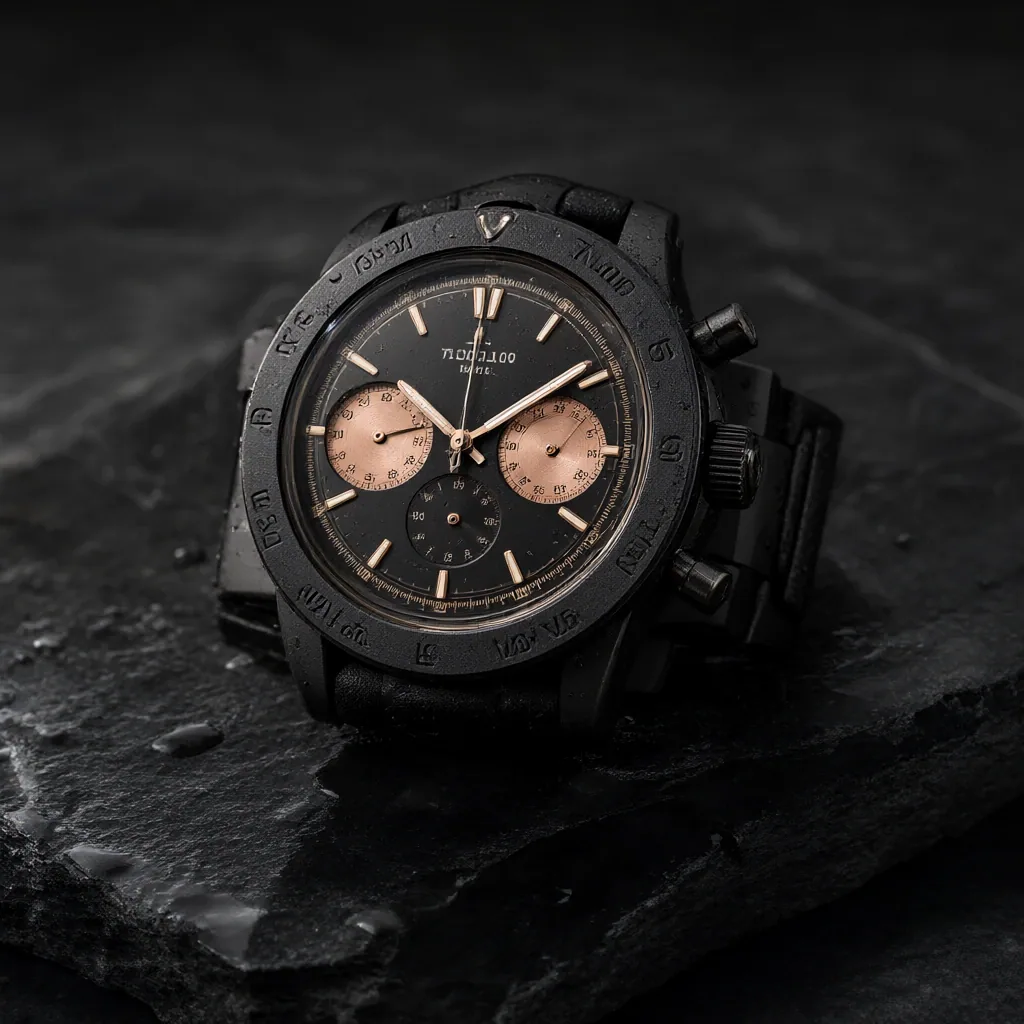
The 2048x2048 image contains more genuine local detail. The bracelet, water droplets, dial and materials are finer than at 1024x1024, but the higher resolution does not solve Qwen’s weakness with small semantic details: inscriptions and markings remain invented or inconsistent.
Pruna is dramatically faster, but the compromise is immediately visible on this prompt. The watch loses structural coherence, with conflicting straps crossing through the scene. Its speed is impressive, but it comes at a real cost in image quality.
Lara Croft
Prompt used:
Lara Croft exploring a forgotten jungle temple chamber inspired by the iconic adventure environments of Tomb Raider. She is the single main character, shown in a full-body three-quarter view, carefully lifting a small glowing ancient artifact from a stone pedestal with both hands. She wears a practical weathered expedition outfit with a dark tank top, cargo trousers, climbing boots, leather holsters and a small backpack. Her hair and skin are damp from the humid jungle, with subtle dirt and scratches from the expedition. Carved stone reliefs, hanging vines, roots, moss, shallow water, drifting dust, bats and shafts of sunlight entering through a collapsed ceiling create a rich cinematic scene. Grounded live-action adventure photography, realistic anatomy, detailed face and hands, natural fabric and skin texture, cinematic lighting.
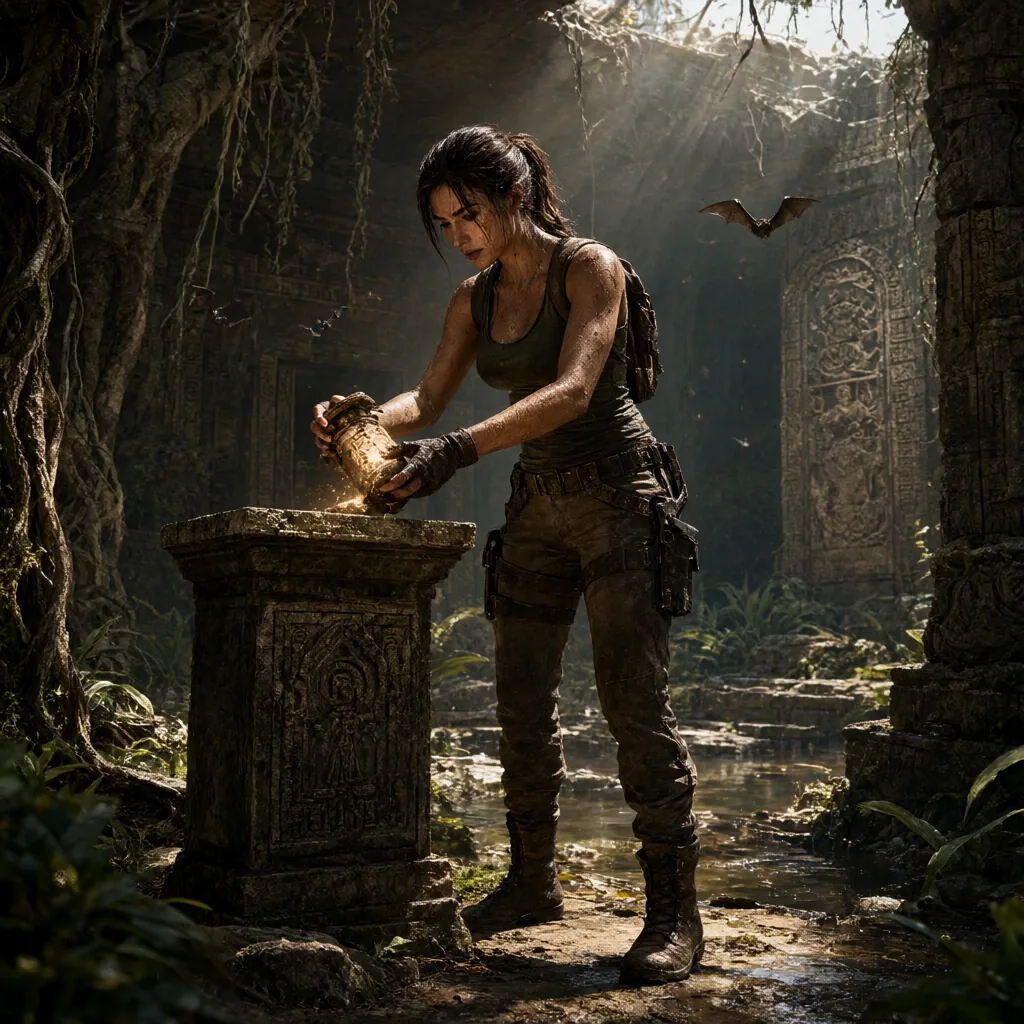
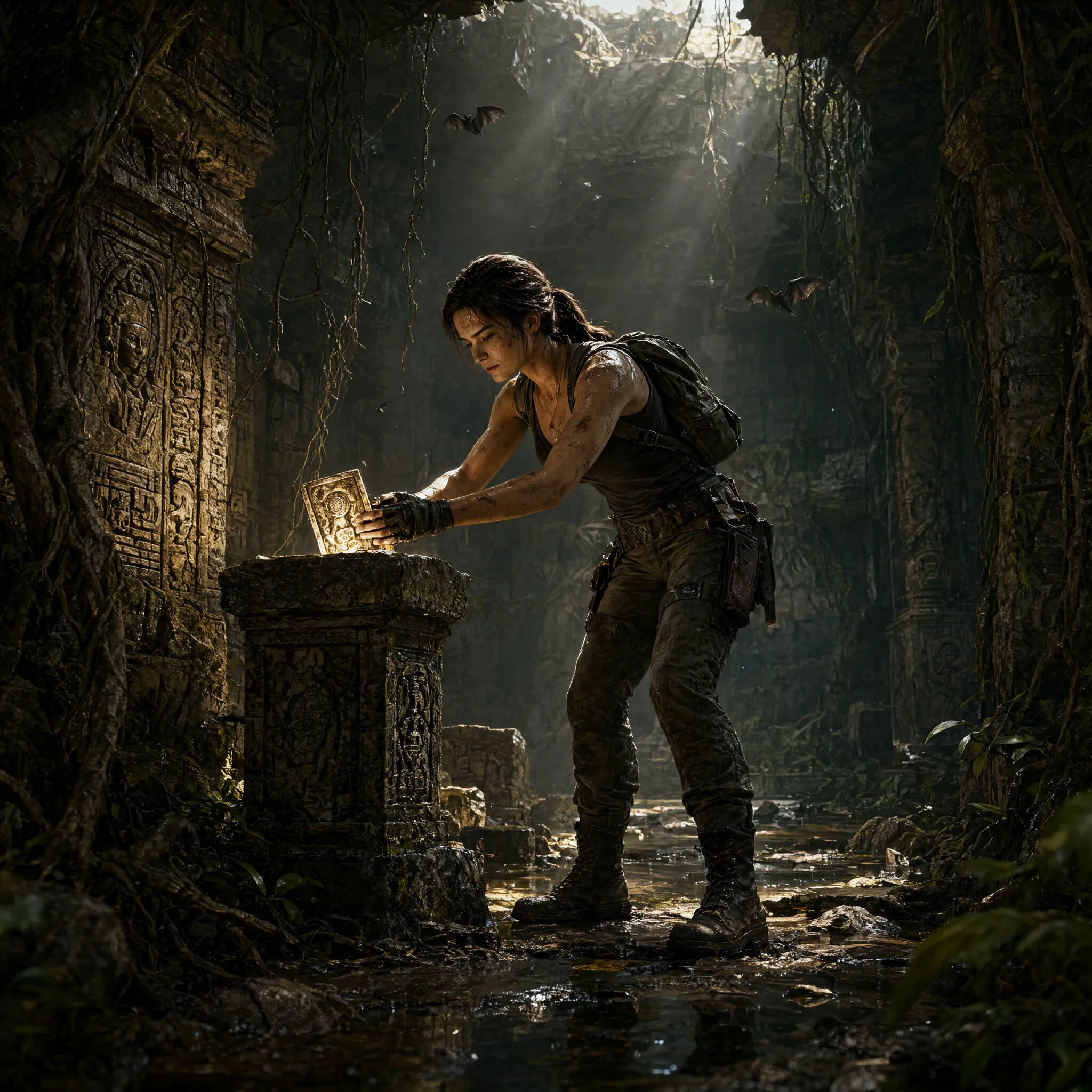
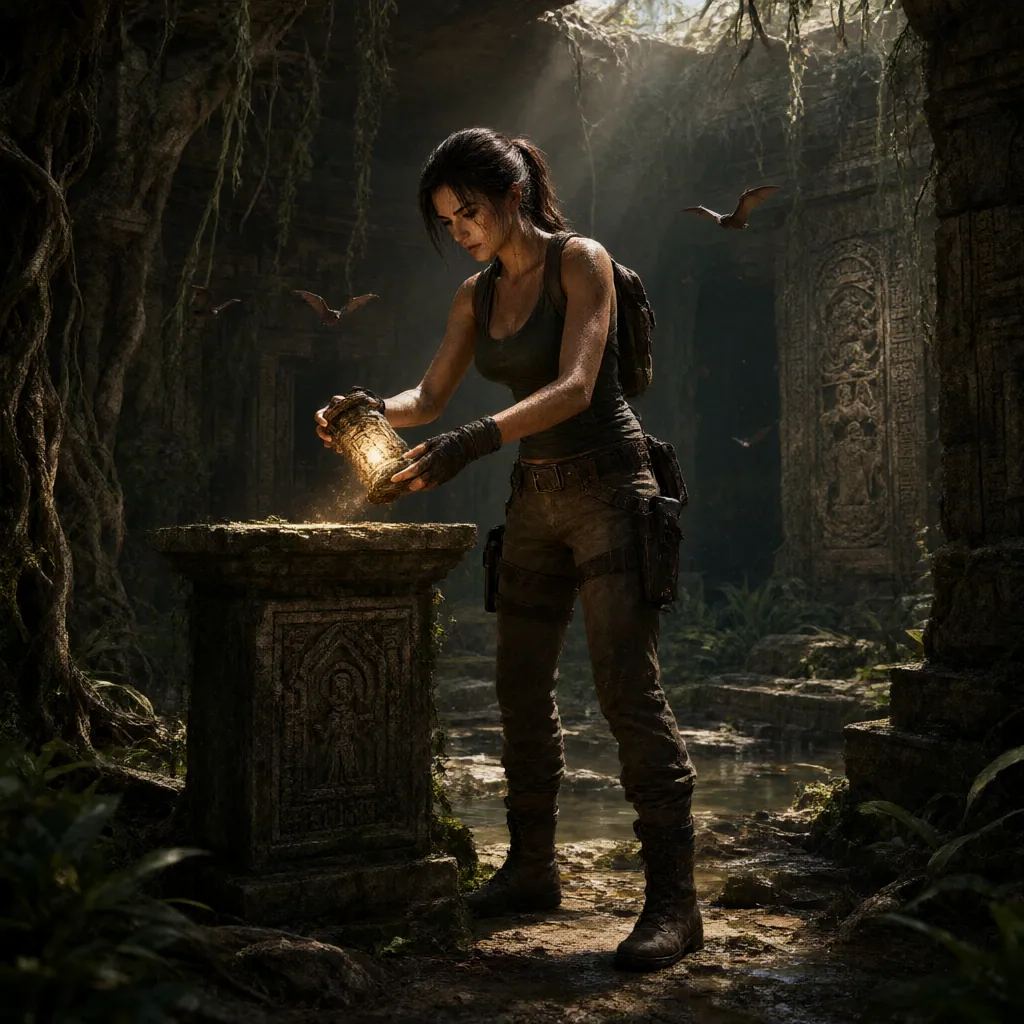
Moving to 2048x2048 adds detail, but it changes the composition more than it corrects the image. Perspective, lighting and local-coherence problems remain visible despite the much higher rendering cost.
The Pruna version makes the opposite trade-off. It is far quicker, but the fingers deteriorate and Lara’s face changes noticeably. On a character prompt, the loss of local consistency is much harder to ignore.
Commuter train
Prompt used:
A young professional woman riding alone on a modern commuter train in the late afternoon. She is the clear main subject, seated beside the window and framed from the thighs upward, holding a smartphone in one hand while the other rests naturally on a canvas tote bag on her lap. She wears a navy coat, a light blouse and simple workwear trousers. Outside the window, a soft blur of city buildings and tracks suggests motion. In the background, a few other passengers sit farther down the carriage, and metal poles, overhead handles, seat textures and cool daylight reflections define the interior. Grounded live-action urban realism, natural posture, believable facial features, clean modern design, subtle reflections, soft ambient light and a calm daily commute mood.
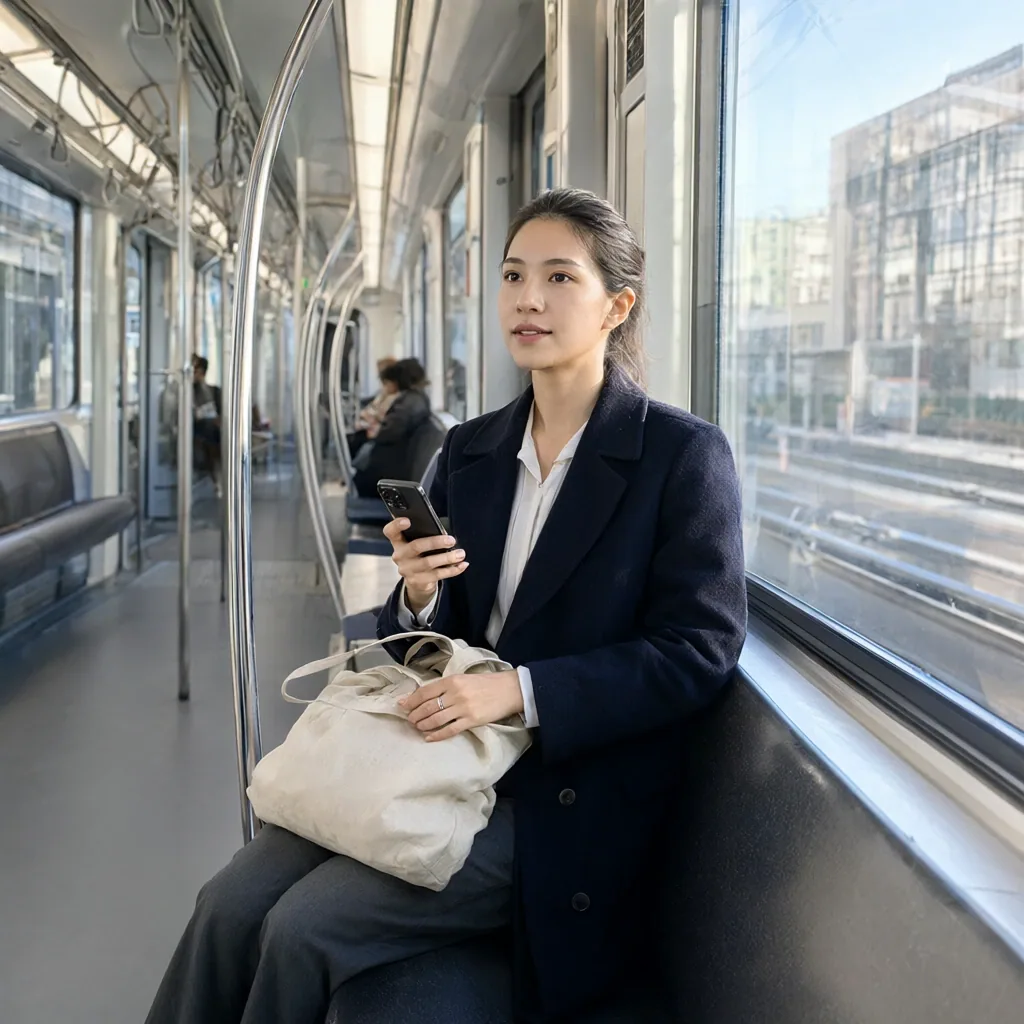
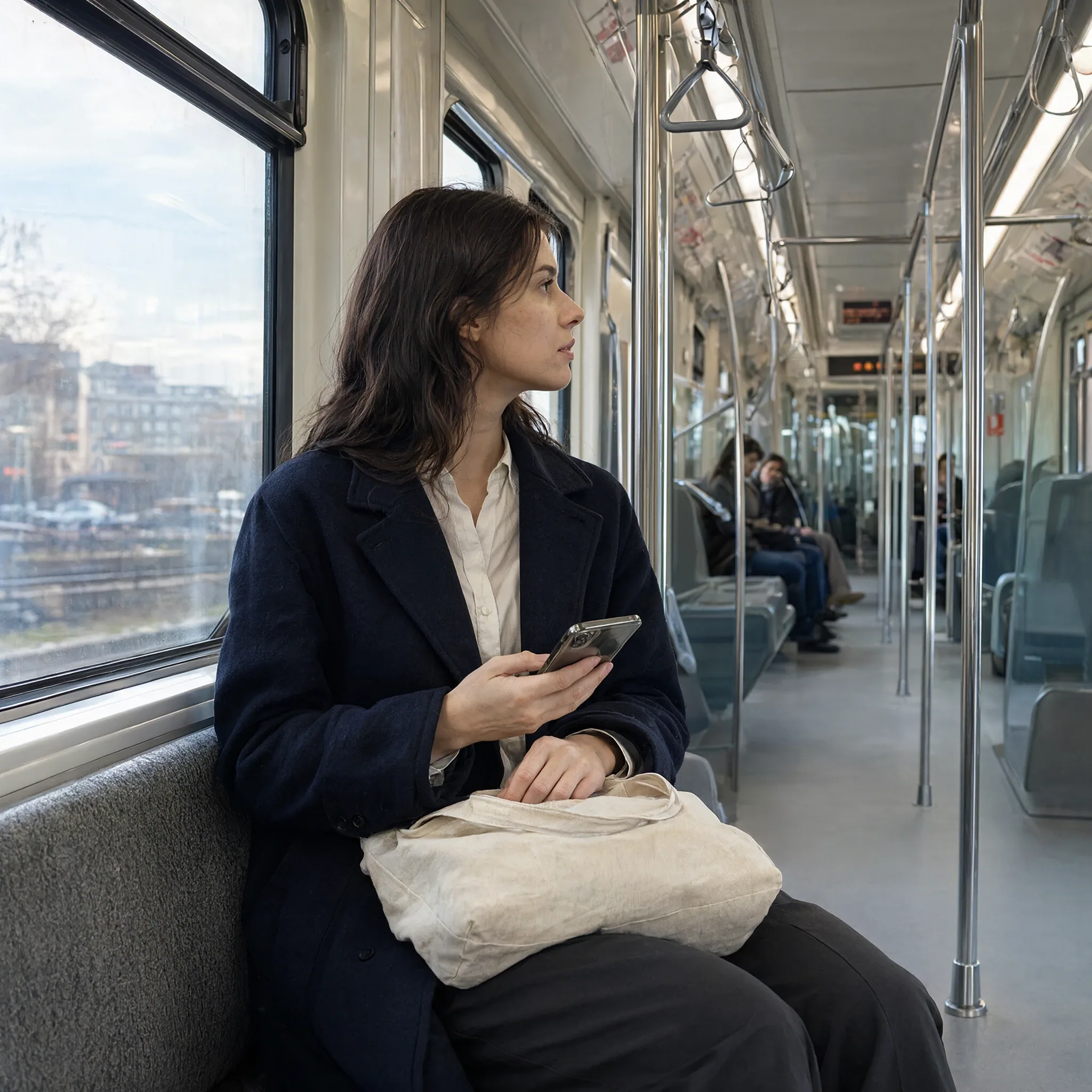
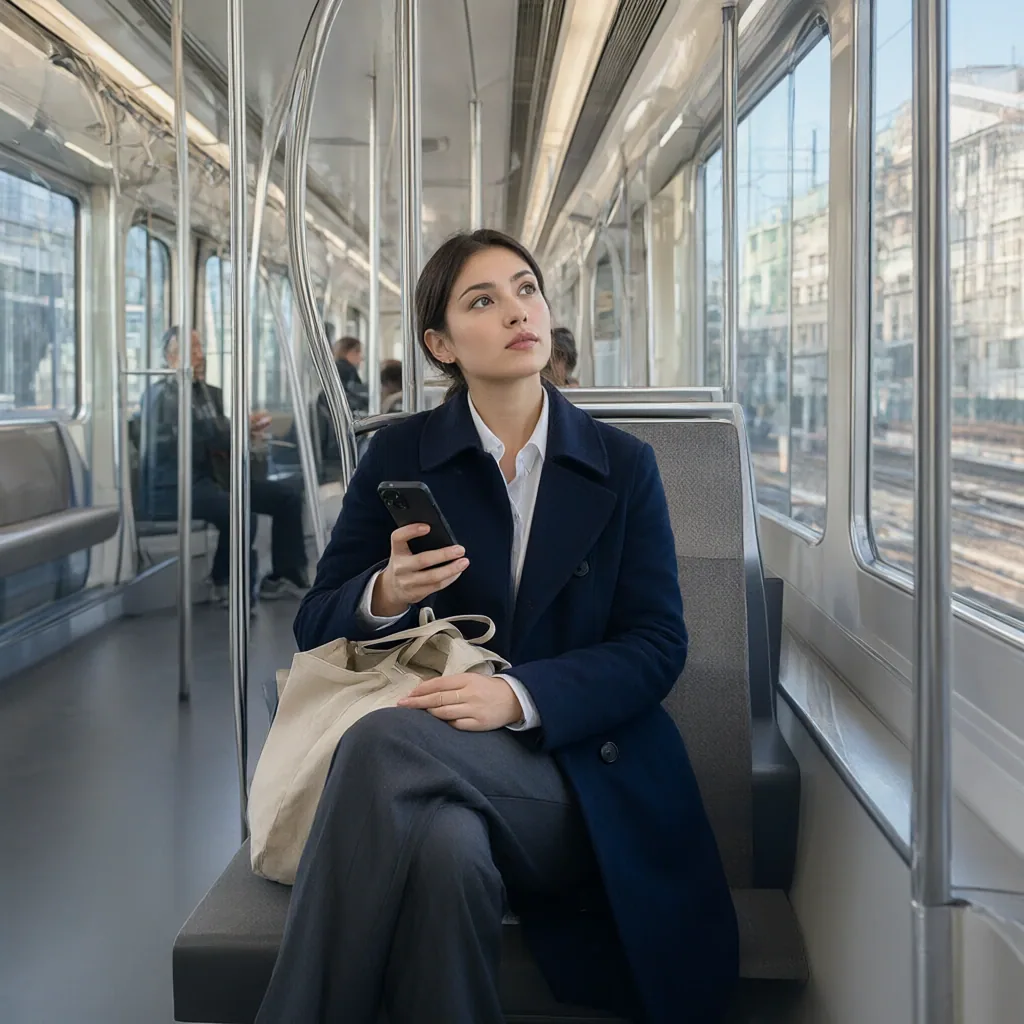
The 2048 image behaves more like a new generation than a higher-resolution correction of the 1024 image. The subject’s appearance and head orientation change noticeably, while the same scene-coherence problems remain.
This is a recurring Qwen characteristic in the benchmark: the overall image can look convincing at first glance while smaller structures and object relationships become less reliable under closer inspection. More pixels do not automatically correct that.
The performance cost is substantial: 395.36 seconds on average at 2048x2048, compared with 62.91 seconds for the same three prompts at 1024x1024 - roughly 6.3x slower.
Speed without fixing the underlying weaknesses
Pruna’s 8-step LoRA is impressive from a pure performance perspective, cutting this three-prompt average to 17.25 seconds. But it also exaggerates some of the weaknesses already visible in the base model: fingers and facial consistency deteriorate, watch geometry becomes less coherent and the train interior loses structural reliability.
The optimized Viggle workflow used in the main benchmark takes a more balanced approach. At 53.7 seconds per image, it is nowhere near Pruna’s raw speed, but it preserves substantially more image quality while remaining much faster than pushing the base model to 2048x2048.
For this RTX 3060, that is the more useful compromise. Qwen benefits from workflow optimization, but neither brute-force resolution nor extreme step reduction fixes its tendency to invent small structures and semantic details.
Licensing: Open Weights Are Not All the Same
Licensing is a separate practical decision from image quality. The five retained models use different terms, so check the current license before building a commercial workflow.
| Model | License | Commercial use | Main caveat |
|---|---|---|---|
| ERNIE-Image-Turbo | Apache 2.0 | Yes | Permissive |
| Z-Image-Turbo | Apache 2.0 | Yes | Permissive |
| HiDream-O1-Image | MIT | Yes | Verify the applicable component terms |
| Krea 2 | Community License | Conditional | Revenue-gated commercial conditions |
| Qwen-Image-2.1 | Research License | Not by default | Research/evaluation unless separately authorized |
Krea 2 - what you need to know
- Commercial use is subject to the Krea Community License and its company-wide revenue conditions.
- Generated-output use remains subject to the Agreement and applicable content-filter requirements.
- This is a custom Community License, not a permissive open-source license.
Qwen-Image-2.1 - what you need to know
- The Qwen Research License restricts commercial use of the licensed Materials unless separate authorization is obtained.
- Output rights and permission to operate the model commercially are separate questions.
- Review the binding license and attribution requirements before distribution.
LoRA Training on an RTX 3060 12GB
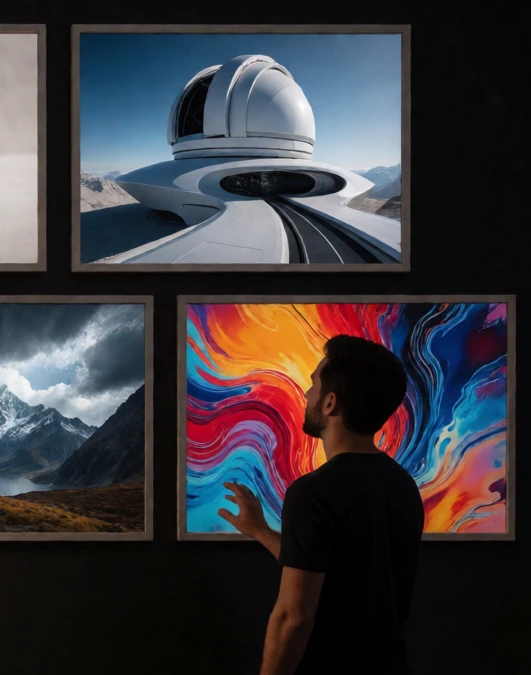
Generation quality is only part of the picture if you also want to customize a model.
On my RTX 3060 12GB, Krea 2 Turbo is the easiest of these models to work with for LoRA training, with a useful local run taking roughly two hours. Z-Image-Turbo and ERNIE-Image-Turbo are also practical on 12GB, while Qwen-Image-2.1 needs more careful memory management and offloading. HiDream-O1-Image is the least convenient of the group on this hardware.
The ratings reflect how practical each model is to train locally on this particular 12GB setup, taking into account memory use, tooling and overall ease of use. They are not a rating of LoRA image quality.
Which Model Would I Actually Use?
Krea 2 Turbo would be my default choice for general-purpose image generation on this RTX 3060. It produced the strongest overall results in the benchmark while remaining very fast at 24.3 seconds per image. It worked particularly well for polished compositions, product imagery and recognizable game characters. The main thing to check before using it in a project is its Community License.
ERNIE-Image-Turbo would be my first alternative when prompt accuracy and structured scenes matter most. It was consistently good at keeping requested elements, relationships and layouts intact, and its Apache 2.0 license makes it easier to use in commercial projects. Its main visual weakness is heavy local contrast, which can make skin, fabric and fine creases look harsher than intended.
Z-Image-Turbo is the obvious choice when speed matters most. Its 9-step workflow averaged just 21.6 seconds per image and it also uses Apache 2.0. The trade-off is consistency: complex scenes, typography and fine structural details were less reliable than with Krea or ERNIE.
Qwen-Image-2.1 becomes much more practical with the Viggle Turbo LoRA. The 16-step workflow averaged 53.7 seconds and handled some tasks surprisingly well, including the pixel-art HUD prompt. Its main weakness remains local scene logic and fine structural detail. Its Research License is also an important limitation for commercial use.
HiDream-O1-Image can still produce attractive stylized images, especially when realism is not the priority. In this benchmark, however, skin, microtexture and small structural details were less convincing than with the stronger models, which makes it harder to recommend as a general-purpose choice on a 12GB card.
Final Verdict
Krea 2 Turbo finishes first at 6.61/10, combining the strongest overall results with a fast 24.3-second workflow. ERNIE-Image-Turbo follows at 6.23/10, with particularly strong prompt interpretation and structured-scene handling, but a more aggressive rendering style that can hurt fine detail.
| Model | Final Score | Mean time | Mean peak VRAM | Resolution |
|---|---|---|---|---|
| Krea 2 Turbo | 6.61 | 24.3 s | 11,775.8 MB | 1024x1024 |
| ERNIE-Image-Turbo | 6.23 | 37.8 s | 11,032.7 MB | 1024x1024 |
| Z-Image-Turbo | 4.84 | 21.6 s | 11,945.7 MB | 1024x1024 |
| Qwen-Image-2.1 | 4.59 | 53.7 s | 11,244.5 MB | 1024x1024 |
| HiDream-O1-Image | 4.55 | 97.3 s | 9,689.6 MB | 1024x1024 |
Z-Image-Turbo takes third place and is the fastest model in the comparison. Qwen-Image-2.1 and HiDream-O1-Image finish very close together at 4.59 and 4.55, so that small gap should not be read as a meaningful quality advantage across every type of image.
On this RTX 3060, Krea 2 Turbo offers the strongest overall combination of quality and speed, while ERNIE remains particularly compelling for prompt-heavy and structured scenes. Z-Image stands out for speed, Qwen becomes much more practical with the external Viggle Turbo LoRA, and HiDream is better suited to stylized work than to images that depend on realistic microtexture and precise local detail.
These results apply to the workflows and hardware used here. Different checkpoints, LoRAs, resolutions or sampling settings can shift the balance substantially.
What the Results Mean
Krea 2 Turbo: Strongest overall result
Krea 2 Turbo finishes at 6.61/10 while averaging just 24.3 seconds per image. It performed particularly well on polished compositions, product imagery, complex illustrations and recognizable game characters. Its main practical limitation is the Community License rather than performance on this hardware.
ERNIE-Image-Turbo: Excellent prompt control
ERNIE-Image-Turbo follows at 6.23/10 and was particularly reliable when the prompt depended on explicit objects, relationships or structured layouts. Its main weakness is a tendency toward heavy local contrast, which can make skin, fabric and small creases look darker or harsher than intended.
Z-Image-Turbo: Fastest of the five
At 21.6 seconds per image, Z-Image-Turbo is the fastest model in the comparison. It can produce clean and convincing images very quickly, but becomes less consistent when prompts demand complex scenes, typography or precise fine structure.
Qwen-Image-2.1: More useful with the Turbo workflow
Qwen-Image-2.1 reaches 4.59/10 with the 16-step Viggle Turbo workflow, averaging 53.7 seconds per image. It can build attractive compositions and performed especially well on the pixel-art HUD prompt, but local geometry, hands and small semantic details remain recurring weaknesses.
The 2048x2048 and Pruna experiments also show that neither brute-force resolution nor extreme step reduction solves those structural issues: one becomes dramatically slower, while the other gives up too much image quality for speed.
HiDream-O1-Image: Better suited to stylized work
HiDream-O1-Image finishes very close to Qwen at 4.55/10. It can produce attractive, coherent stylized images, but realistic skin, microtexture and small structural details are less convincing under close inspection. Its 97.3-second workflow also makes it the slowest of the five configurations used in the final comparison.
Taken together, the results split the models into fairly distinct strengths: Krea offers the strongest overall balance, ERNIE excels when prompt structure matters, and Z-Image is the clear speed option. Qwen and HiDream can both produce strong individual images, but their weaknesses are more noticeable when local structure and realistic detail matter.
Workflows and Prompt Downloads
The final ComfyUI workflows used for this article are included in the companion MediaPixel Games asset repository:
- Krea 2 Turbo K0 workflow
- ERNIE-Image-Turbo E0 workflow
- Z-Image-Turbo original INT8 CFG1 workflow
- HiDream-O1-Image H0 1024 workflow
- Qwen-Image-2.1 optimized Turbo CFG4 workflow
The Qwen workflow requires the external Qwen-Image-2.1 Viggle Turbo LoRA and is not a native Qwen Turbo checkpoint. Stable Diffusion 3.5 and the Ideogram experiments remain historical research material, not part of the final five-workflow download set.
What did you think of this post?
Share your feedback in one click!
Comments (0)
Join the discussion and share your thoughts
Leave a comment
No comments yet. Be the first to share your thoughts!
Related Articles
Continue reading with these posts and tutorials
Mage-Flow Turbo vs FLUX.2 klein 4B on an RTX 3060 12GB
Which compact 4B model offers the better local workflow? Across 30 matched configurations on an RTX 3060 12GB, Mage-Flow generated images faster, while FLUX.2 klein produced cleaner results and the better overall quality/speed balance.
Jul 30, 2026
Mage-Flow vs Krea 2 Turbo on 12GB VRAM
A 60-image ComfyUI benchmark comparing generation speed, memory usage, character fidelity, photography and image quality on an RTX 3060 12GB.
Jul 28, 2026
Krea 2 Turbo Resolution Test: 1MP vs 4MP on 12GB VRAM
A technical resolution benchmark of Krea 2 Turbo scaling from 1MP to 4MP with 12GB VRAM
Jul 15, 2026