Blog
MiniMax H3-Image vs Krea 2 Turbo on an RTX 3060 12GB: Native 8.5MP Image Generation
Mickael
mediapixel team
MiniMax H3-Image is designed for much larger images than I usually test. MiniMax puts its effective working range at about 4 to 20 megapixels; my earlier Krea 2 Turbo resolution test reached 4.19 MP (2048×2048). That raised a practical question: could an RTX 3060 12GB run H3-Image at its native sizes, and how would its results compare with Krea 2 Turbo?
I tested H3-Image at about 8.5 MP (2912×2912 for square images; see the size table for other aspect ratios) using raw prompts across a fisherman portrait, two everyday scenes, ten standardized prompts and six game characters. I compared the results with matching Krea 2 Turbo images from earlier tests. The final section also looks at Pruna’s separate H3 pipeline.
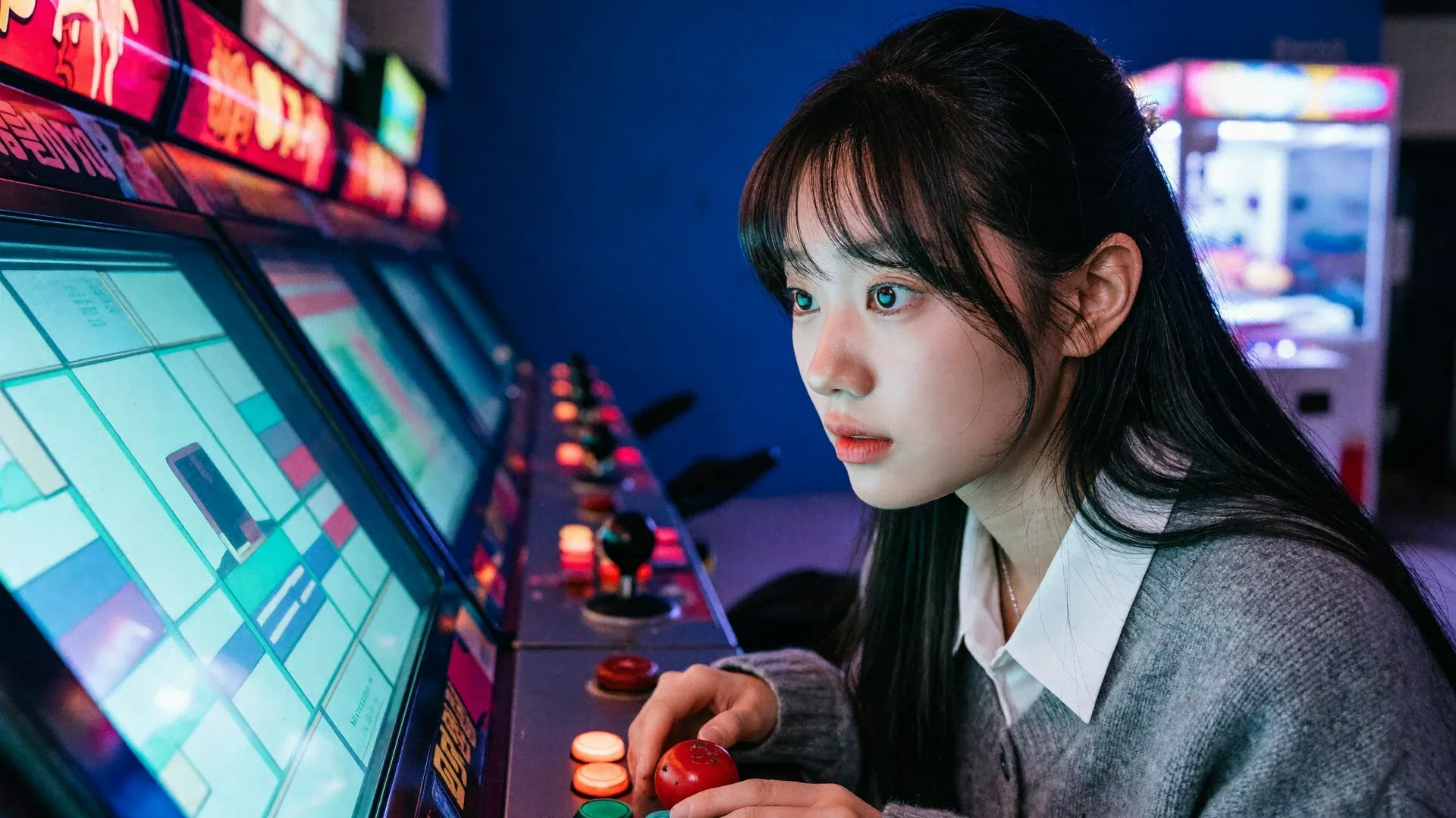
Cover generated with MiniMax H3-Image at 8.43 MP (3872×2176)
The Short Answer
- H3-Image runs at about 8.5 MP (2912×2912 for square images) on a 12GB RTX 3060 in about 51 seconds. One 16.78 MP (4096×4096) portrait took 129 seconds.
- Its images can have natural skin and grain without a strong yellow cast, but colors are sometimes washed out.
- Prompt adherence is inconsistent, with visible scene and object-placement errors.
- The results vary by prompt; neither model is consistently stronger across every comparison.
Overall, H3-Image makes native 8.4–8.6 MP generation practical on a 12GB GPU, but its visual consistency and prompt adherence vary by scene. The comparison is indicative rather than a universal ranking, particularly because Krea’s reference images came from earlier tests at about 1.05 MP (1024×1024) for standardized prompts and 1.3–3.3 MP for game characters, compared with H3-Image’s 8.4–8.6 MP outputs.
About MiniMax H3-Image
H3-Image is an open-weight image-generation and editing model built around a 33.1-billion-parameter diffusion transformer. The checkpoint is distilled to six sampling steps and supports reference-based workflows with up to 16 images. MiniMax advertises detailed realism and strong instruction following. It also offers a separate H3-Image prompt expander that turns short requests into fuller descriptions.
This article tests the quantized local workflow on an RTX 3060 12GB with raw prompts, no reference images and no prompt expander. It therefore measures direct text-to-image behavior, not the complete advertised reference and prompt-enhancement workflow.
H3’s Native Resolution Range
MiniMax states that H3-Image works best between about 4 MP and 20 MP, and that every side must be a multiple of 32:
“The effective working range of MiniMax-H3-Image is about 4 MP to 20 MP, and it generally gives the best results at around 16 MP.”
Sources: MiniMax image generation guide and the Hugging Face model card.
I generated the benchmark at the standard sizes below and used the larger sizes for a single stress test:
| Aspect ratio | Standard output | Extreme test output |
|---|---|---|
| 1:1 | 8.48 MP (2912×2912) | 16.78 MP (4096×4096) |
| 4:3 | 8.39 MP (3360×2496) | 16.82 MP (4736×3552) |
| 3:4 | 8.39 MP (2496×3360) | 16.82 MP (3552×4736) |
| 16:9 | 8.43 MP (3872×2176) | 16.81 MP (5472×3072) |
| 21:9 | 8.60 MP (4480×1920) | 16.86 MP (6272×2688) |
Test Setup
Everything ran locally in ComfyUI on a single machine:
- GPU: NVIDIA GeForce RTX 3060 12GB
- ComfyUI: 0.45.2, PyTorch 2.9.1+cu128
- Batch size: 1
- Upscaling and post-processing: none
MiniMax H3-Image
I used the low-VRAM distribution from Woovee:
minimax_h3_image_pruned_w4a8.safetensors, the 12.5 GB W4A8 diffusion modelqwen3vl_32b_minimax_h3_nvfp4_awq.safetensors, the Qwen3-VL 32B text encoderminimax_h3_image_vae_fp16.safetensors- 6 steps, CFG 1.0,
euler_ancestralsampler,simplescheduler, zeroed negative conditioning - Raw prompt: no prompt upsampler
Krea 2 Turbo
Krea2_Turbo_int8mixed.safetensorsqwen3vl_4b_fp8_scaled.safetensorstext encoder,qwen_image_vae.safetensors- 8 steps, Euler, simple scheduler, CFG 1.0, full VAE decode
I did not rerun Krea for this article. Its images come from my earlier campaigns, and its timings come from the Mage-Flow vs Krea 2 benchmark, where Krea 2 Turbo took roughly 60 seconds per 1.05 MP (1024×1024) image on the same GPU.
Real-World Scenes and Photography
Fisherman Portrait
The first prompt is a close-up of an elderly fisherman in a yellow raincoat, with ocean spray and golden-hour light.
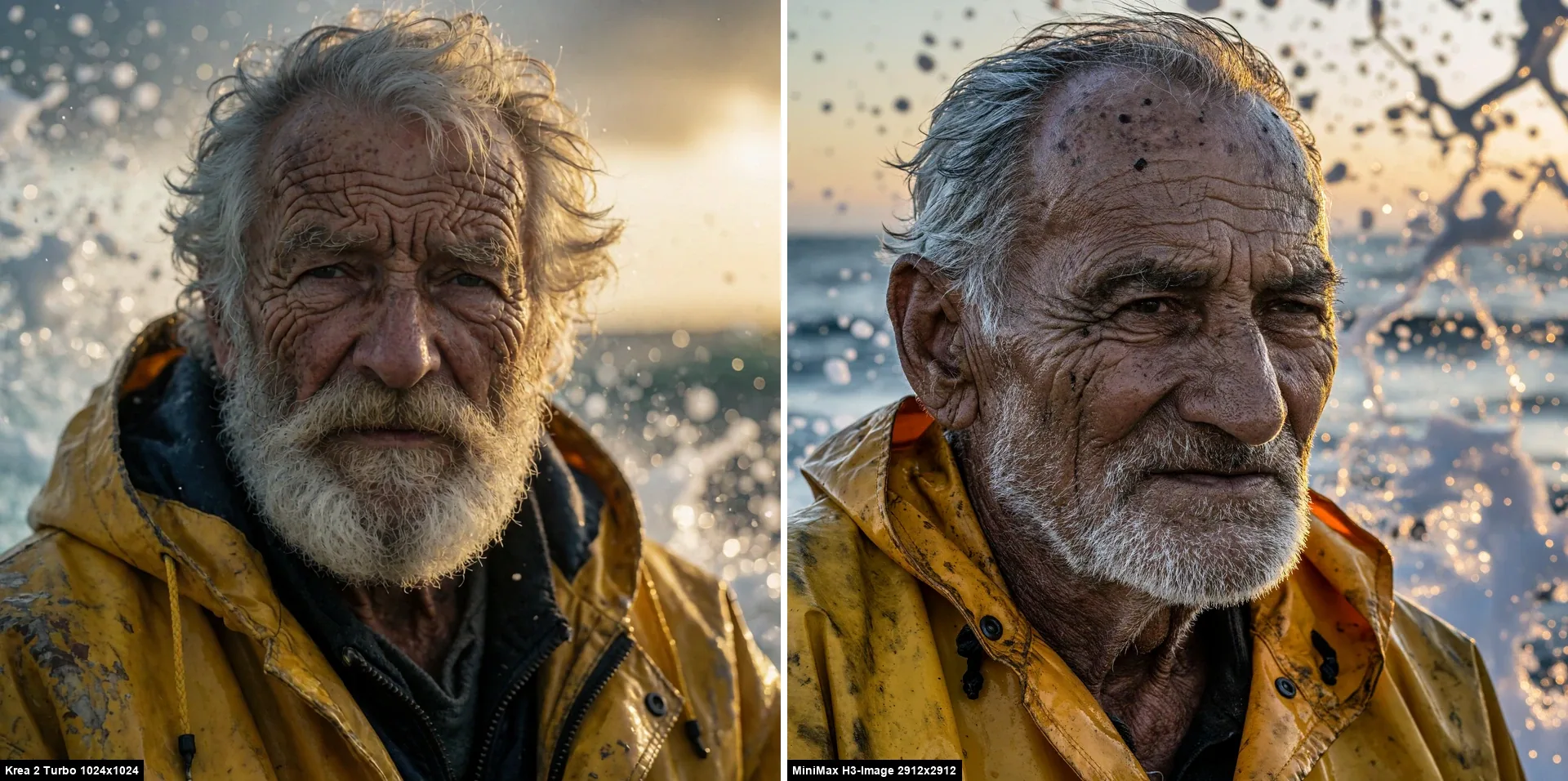
Krea follows the prompt slightly more closely overall: both show an elderly sailor in a yellow raincoat with effective golden-hour rim lighting, but Krea has the fuller silver beard and more convincing ocean spray. H3-Image wins on image quality, with more realistic skin and finer detail at 8.48 MP (2912×2912), though its spray looks less physically plausible. The prompt does not specify gaze or wind, so H3-Image looking right and both men having windblown hair are not adherence differences. H3-Image typically took about 51 seconds at 8.5 MP (2912×2912 for square images); Krea took roughly 60 seconds at 1.05 MP (1024×1024) in the earlier benchmark, so the timing comparison is not resolution matched.
The Supermarket
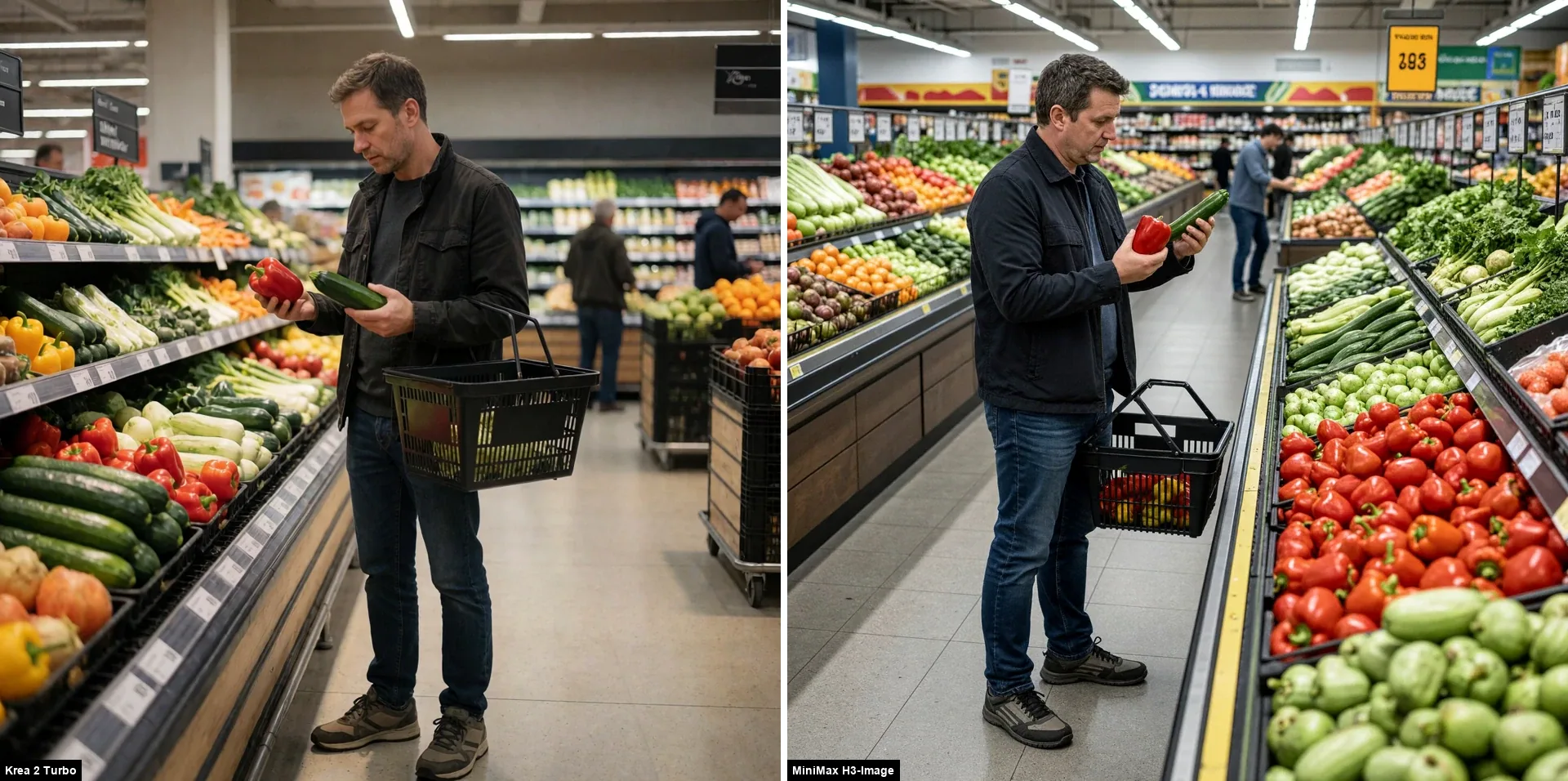
Krea gives the more convincing supermarket scene, with a more natural, restrained aisle. Neither model follows the object-placement instructions fully: both put the pepper and zucchini in the opposite hands and fail to leave the basket on the floor beside the man’s feet. Krea has him carry the basket; H3-Image leaves it apparently floating in front of him, amid a longer, more crowded aisle. The H3-Image shopper also looks a little older than the man in his thirties described in the prompt. H3-Image generated at about 8.5 MP (2912×2912 for square images) in roughly 51–54 seconds, while Krea took about 60 seconds at 1.05 MP (1024×1024) in an earlier campaign. These are indicative timings from different campaigns and resolutions, not a matched speed test.
The Commuter Train
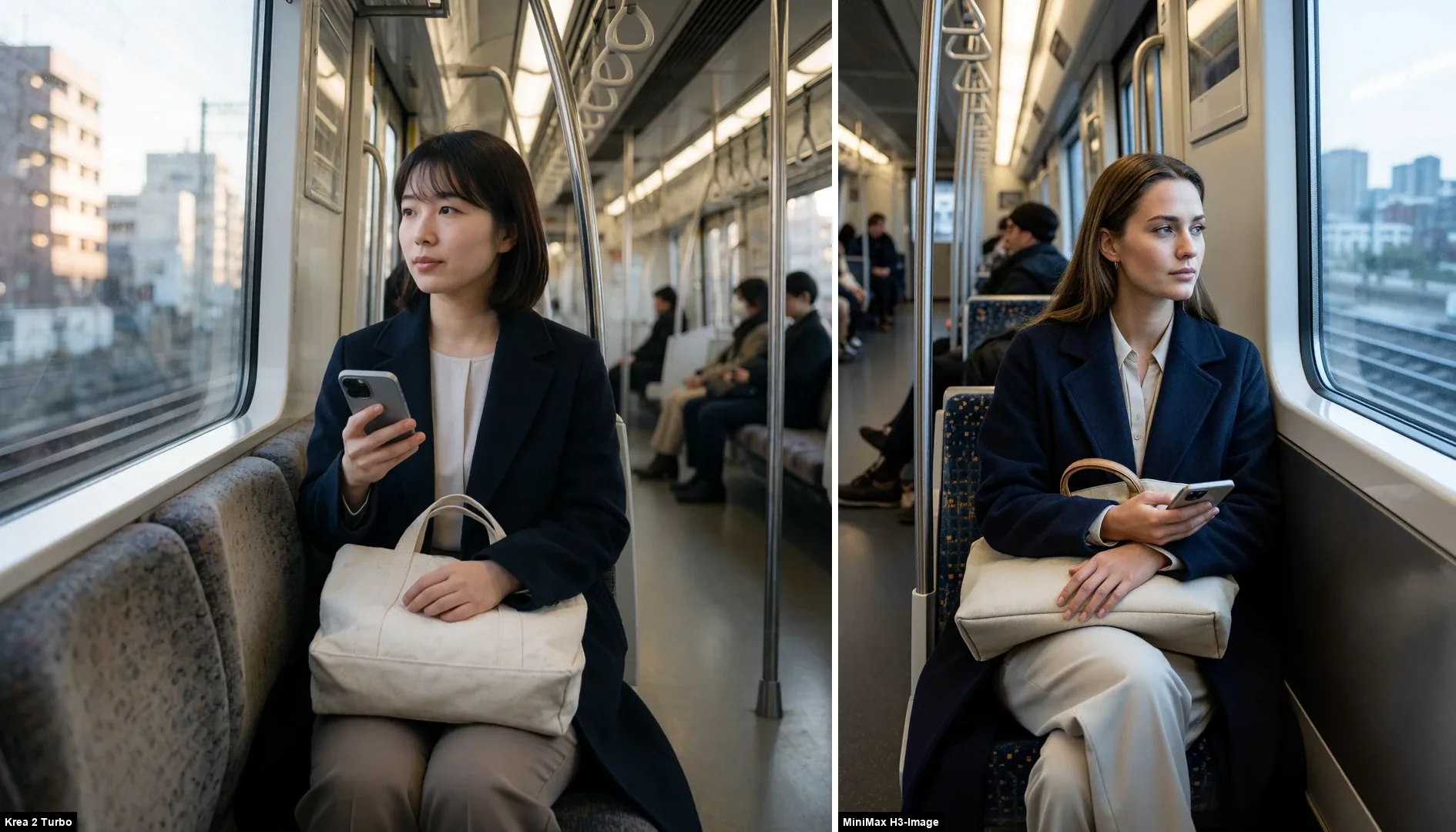
Both match the prompt’s central interaction: a seated commuter holding a phone with a canvas tote on her lap. The prompt does not specify Japan, but Krea 2 Turbo gives the woman an East Asian appearance and the scene a distinctly Japanese feel. Her position also looks awkward against the direction of the seats. H3-Image shows a wider, more European-looking carriage and exterior, with more surrounding context. These are different visual interpretations of the same unspecified modern commuter-train setting: Krea frames the subject more tightly, while H3-Image gives more context.
Product Photography
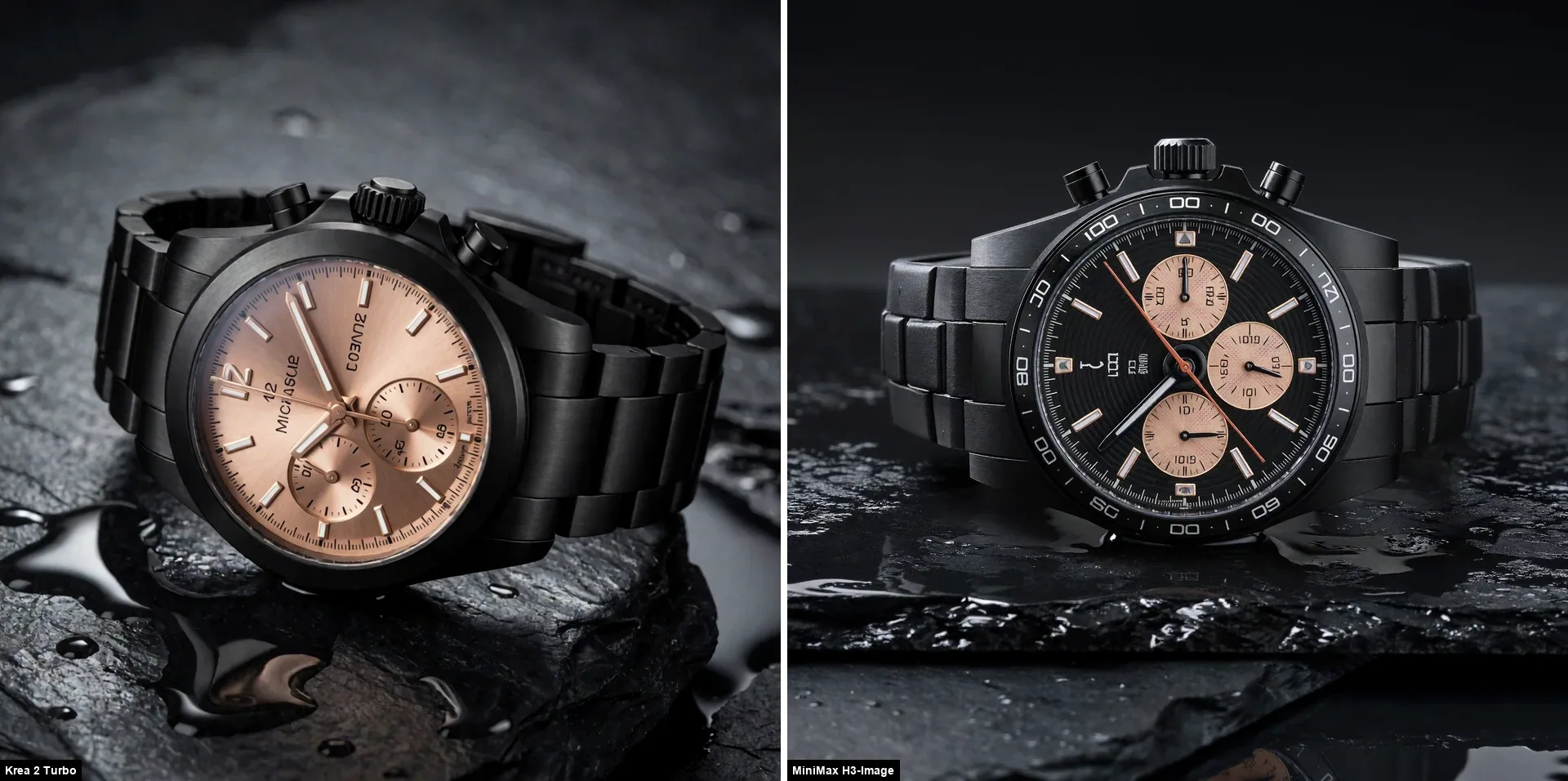
H3-Image gives the watch a more convincing mechanical presence, while Krea 2 Turbo places it more effectively within the product shot. Both deliver the requested dark-stone setup and rose-gold details; the main difference is how convincingly the watch is presented.
In-Scene Typography
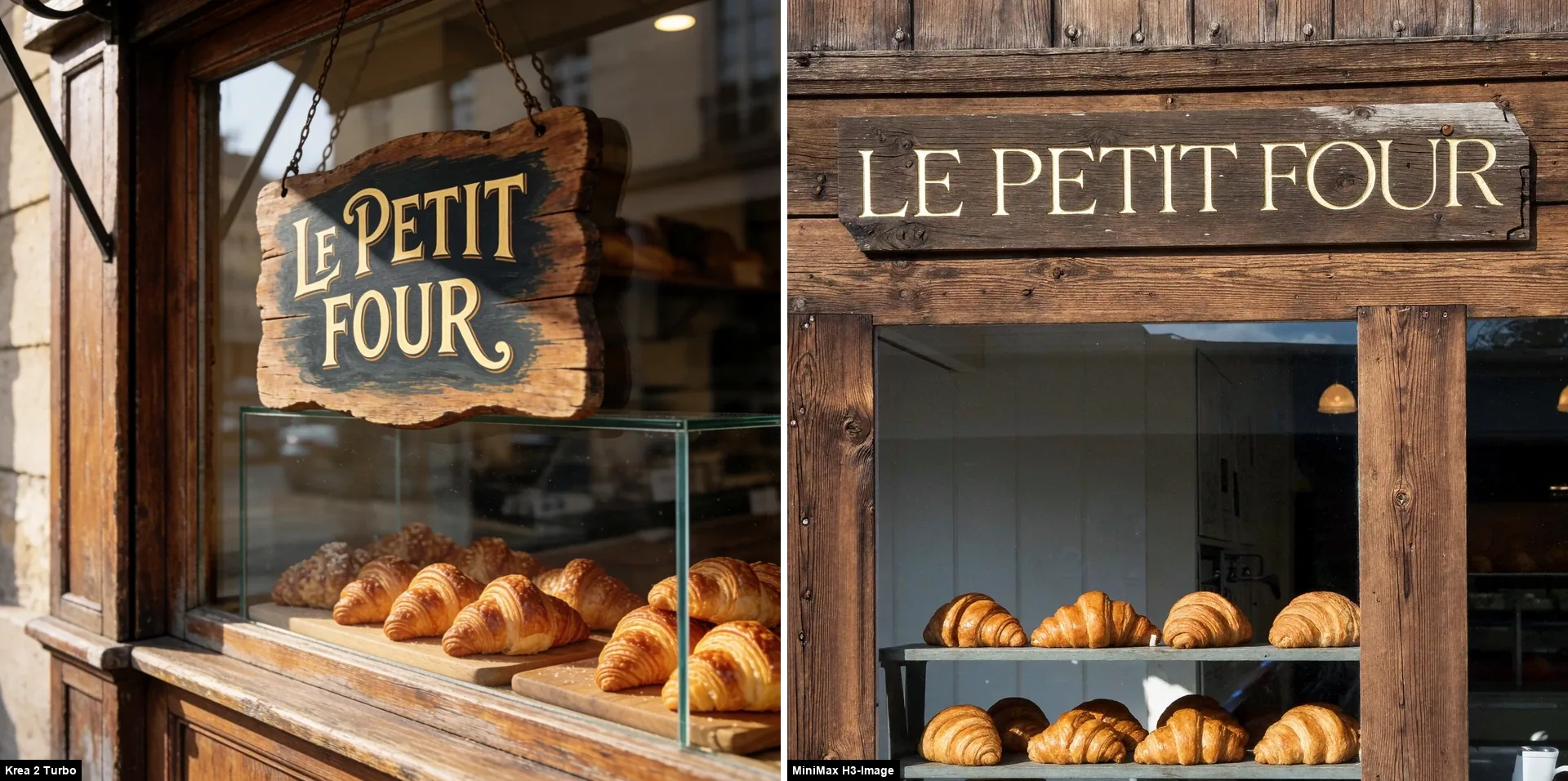
Krea 2 Turbo gives the bakery a more creative, convincing presentation and follows the sign brief closely, spelling ‘LE PETIT FOUR’ correctly on a hanging storefront sign. H3-Image also gets the wording right and includes croissants, but the overall image feels flatter and more faded. Even the wood looks pale and weathered, almost unfinished, rather than warm and varnished. H3-Image’s more neutral color balance may avoid the strong yellow cast seen in some generated images, but here it also seems to drain warmth from the storefront.
Café Photography and a Minimal Prompt
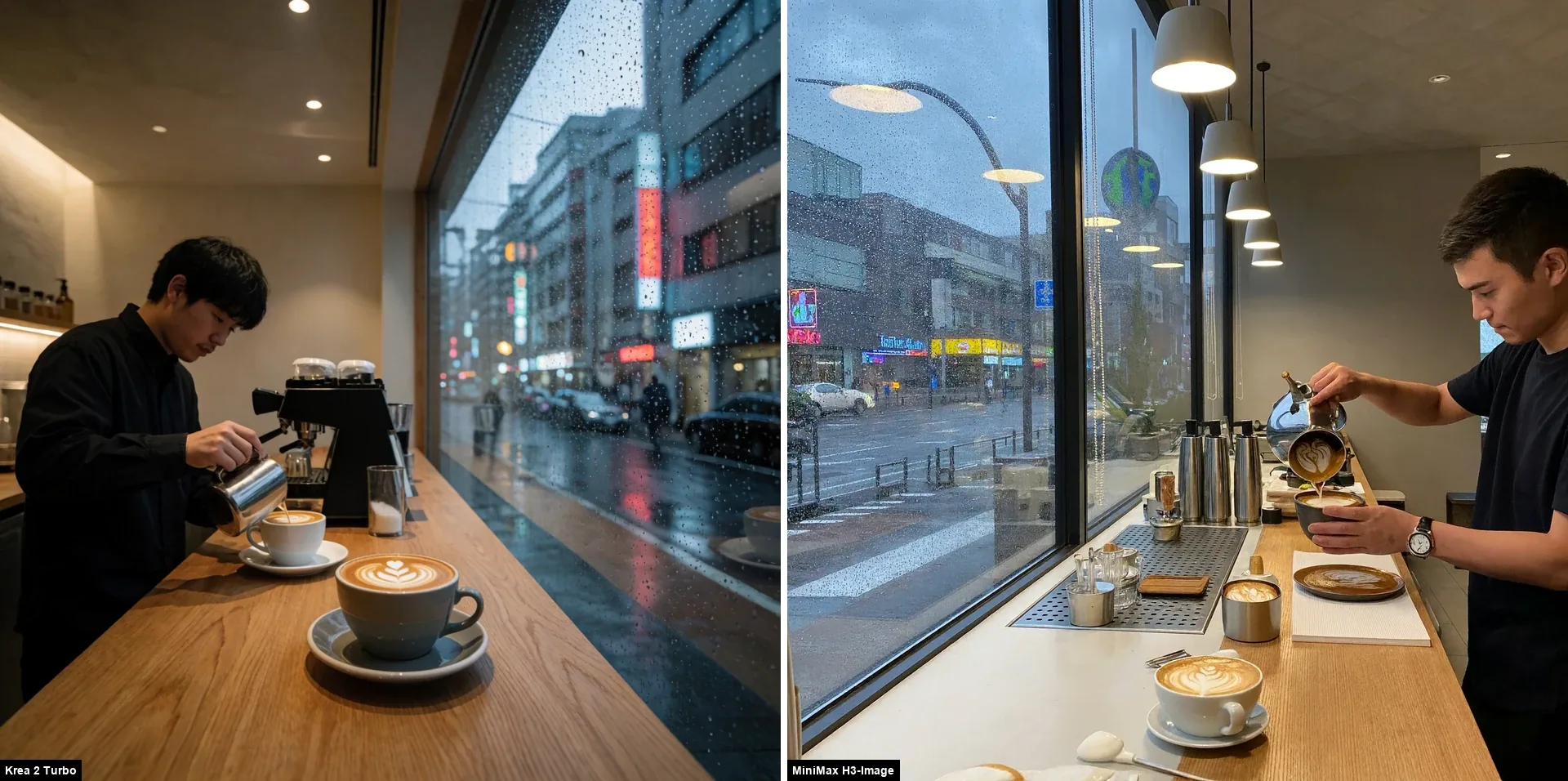
H3-Image follows the wide cafe setting and rainy Tokyo street, and handles the neon reflections across the window convincingly. The foam pattern, however, appears in odd places in the pouring coffee and saucer. Krea 2 Turbo frames the barista more intimately and makes the coffee presentation more coherent, but it also places several cups in the scene even though the prompt centers on a single latte being poured. Krea has the clearer coffee shot, but the extra cups are a prompt-adherence miss.
Short Prompt: Apple on a Plate
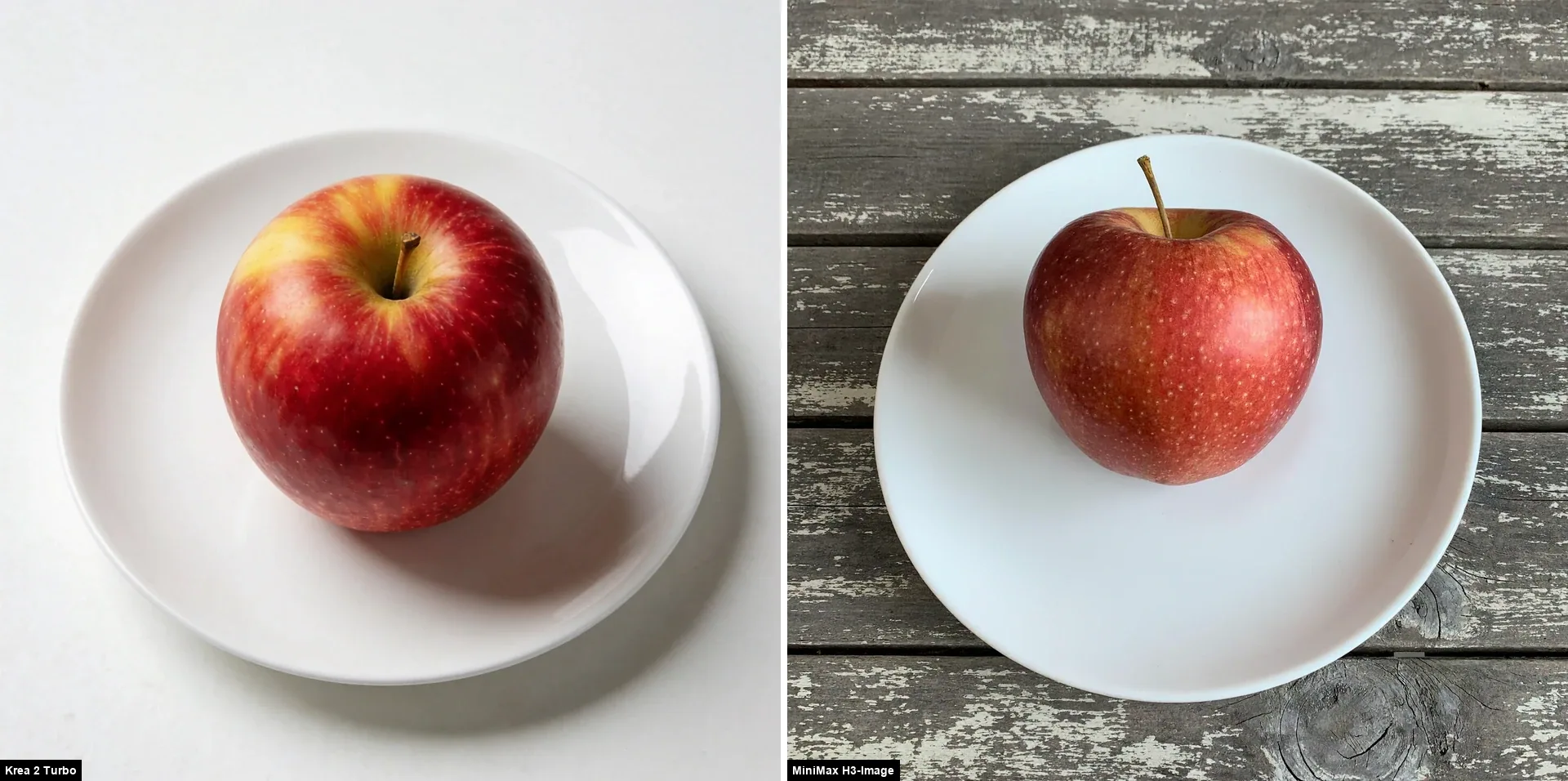
H3-Image turns the minimal brief into a top-down snapshot on weathered wood, while Krea 2 Turbo keeps the apple on a clean white plate in a simple studio setting and follows the prompt more closely.
Floating Island City
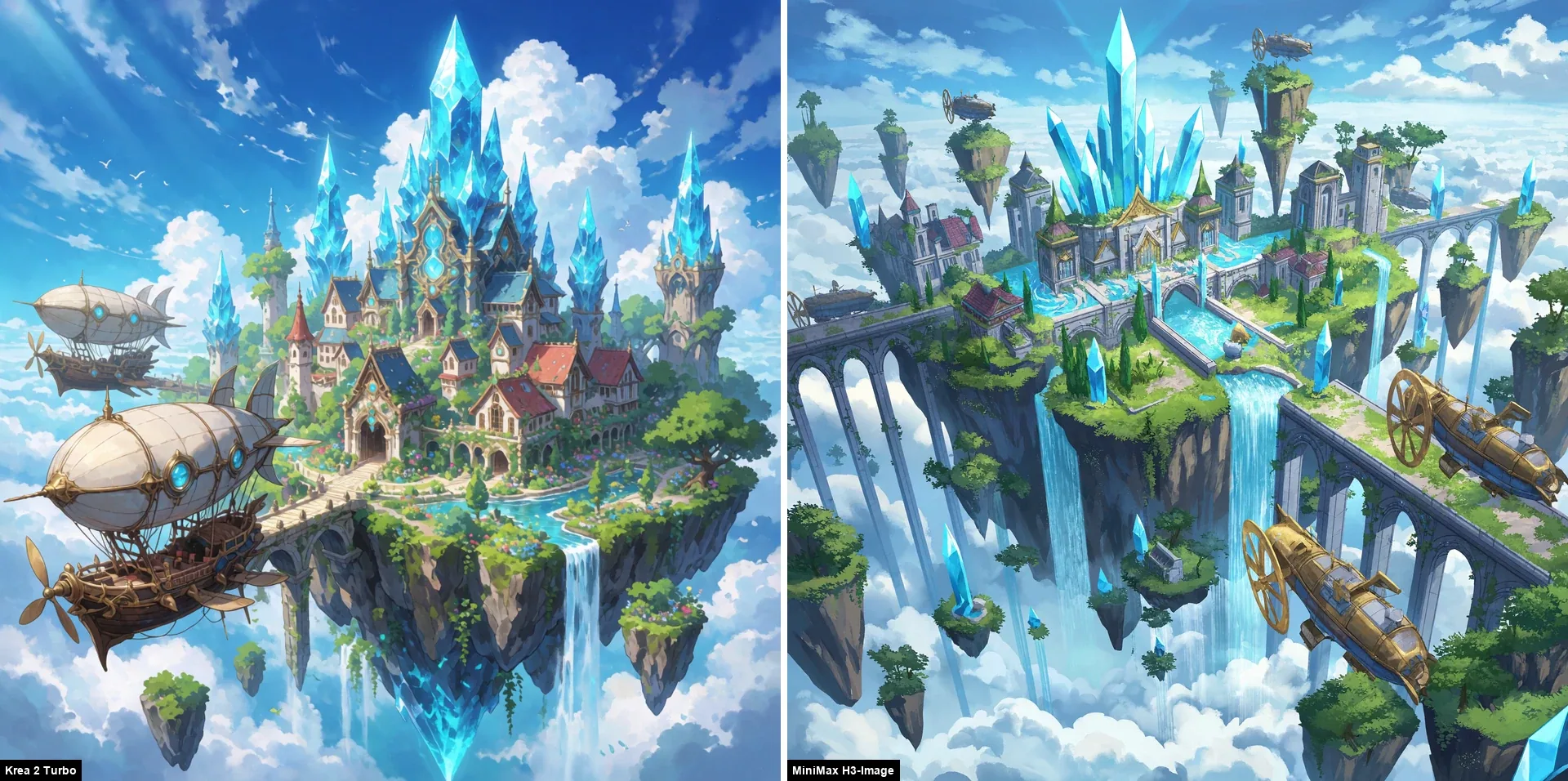
Krea 2 Turbo stays closer to the requested single floating island city. The prompt specifically asks for airships with brass propellers; H3-Image adds flying craft, but they do not clearly read as the requested airships, and it expands the scene into several islands and aqueducts. Krea’s denser, more saturated composition is more polished; H3-Image offers a broader, softer aerial view.
Emerald Cavern
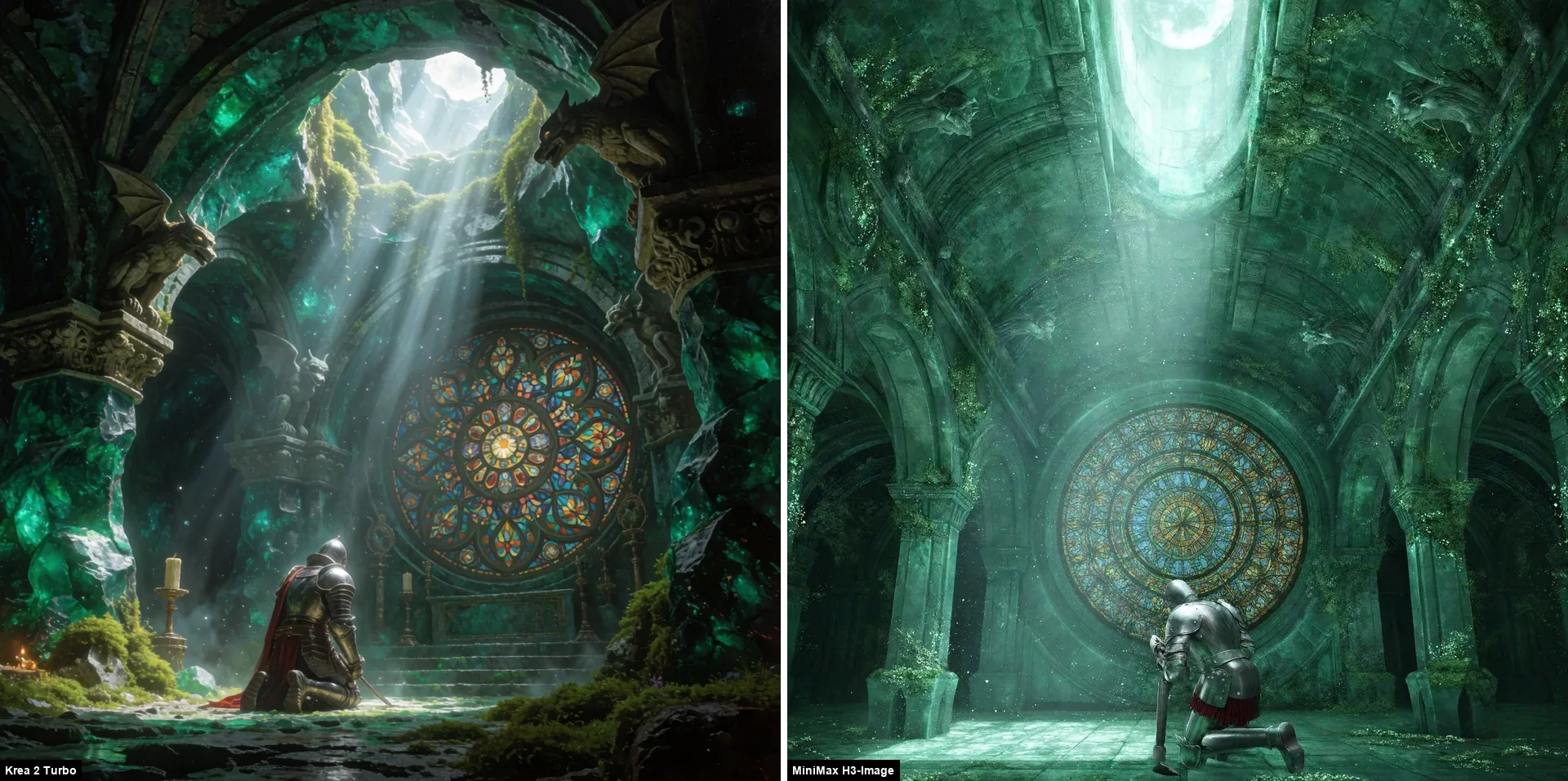
Krea 2 Turbo tracks the emerald cavern, gargoyles and dramatic light more closely. H3-Image is much softer and mistier, with markedly lower contrast and weaker color intensity; the knight also faces away, making the pose and focal mosaic less immediate. The expanded prompt specifies emerald rock and deep shadows, but pairs them with pale moonlight and a gouache-and-oil look. More explicit cues for saturated emerald tones, vivid color and stronger light-shadow separation might help, though that would need a separate prompt test.
80s Synthwave Sports Car
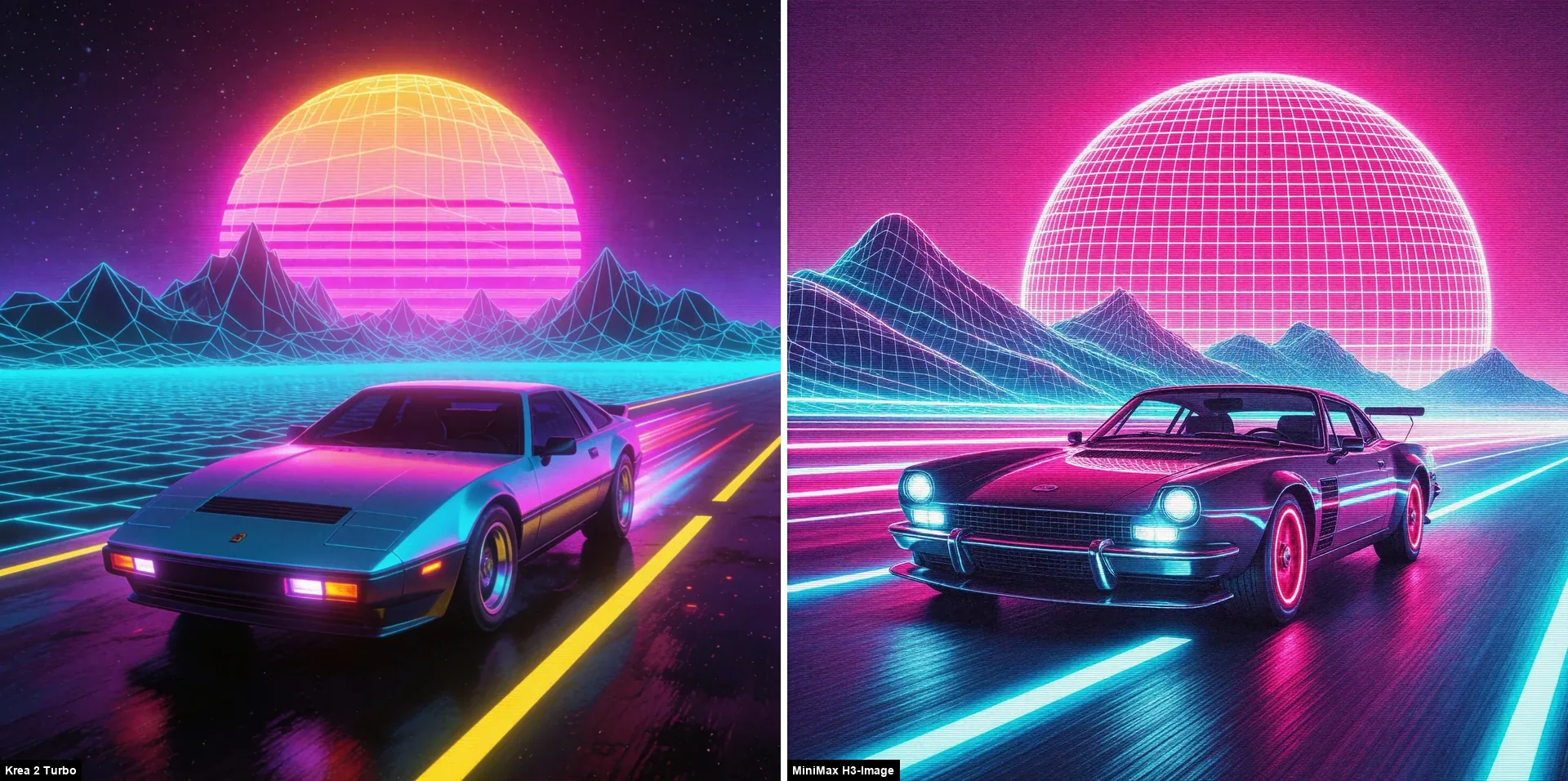
H3-Image keeps the image simpler, with a mostly two-tone magenta-and-cyan palette, but its persistent grain makes the result look rougher and reduces visual quality in this style. Its car has a boxier, Porsche-like shape. Krea 2 Turbo gives the car a more DeLorean-like wedge silhouette and brushed stainless-steel look, while adding yellow highlights that make the scene more vivid and polished. Krea’s extra color and more distinctive car design give the stronger result here.
Foreground and Background Composition
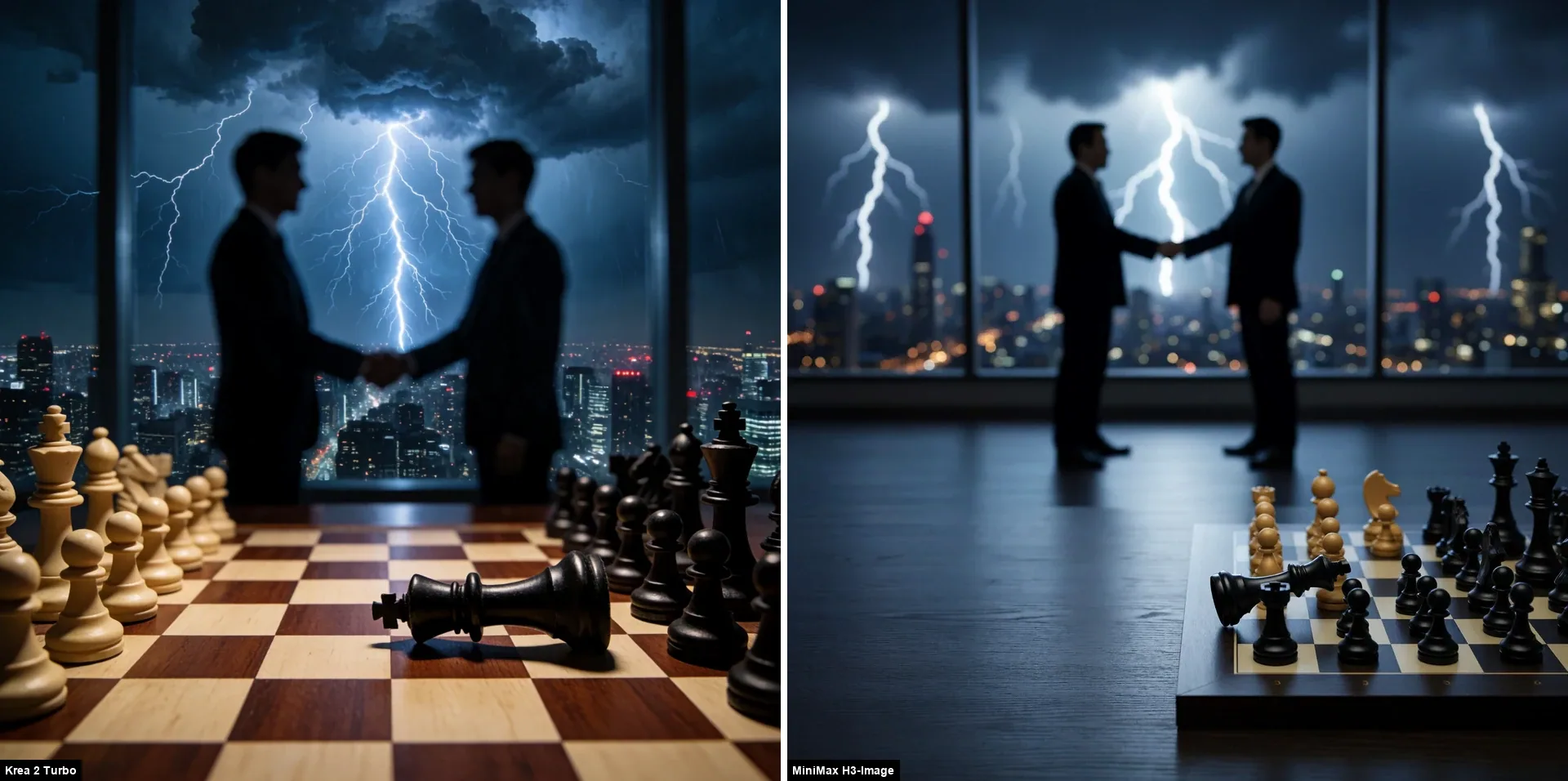
Krea 2 Turbo gives the composition, color choices and lighting the most coherent balance, keeping the chessboard foreground clear. H3-Image makes the black king appear to float above the chessboard instead of lying on it, and adds too many lightning bolts, which compete with the handshake and clutter the storm. Krea is the more controlled and convincing interpretation.
Structured JSON: Steampunk Owl
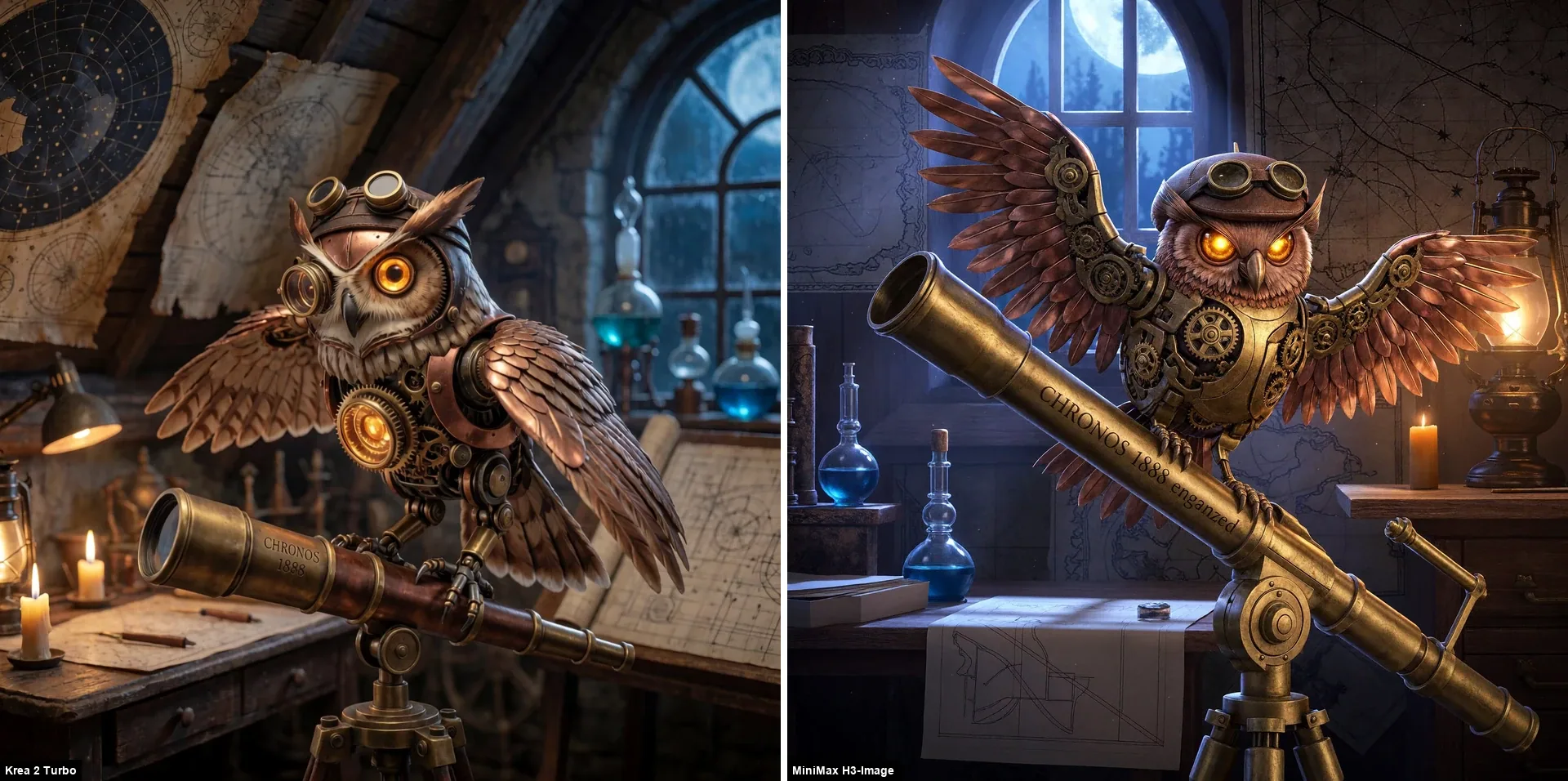
Krea 2 Turbo gives the steampunk owl a more creative and visually engaging design, with a distinctive, lively presentation. It also engraves “CHRONOS 1888” correctly. H3-Image has a dynamic pose and detailed gears, but adds garbled letters after the requested engraving.
Pixel Art HUD
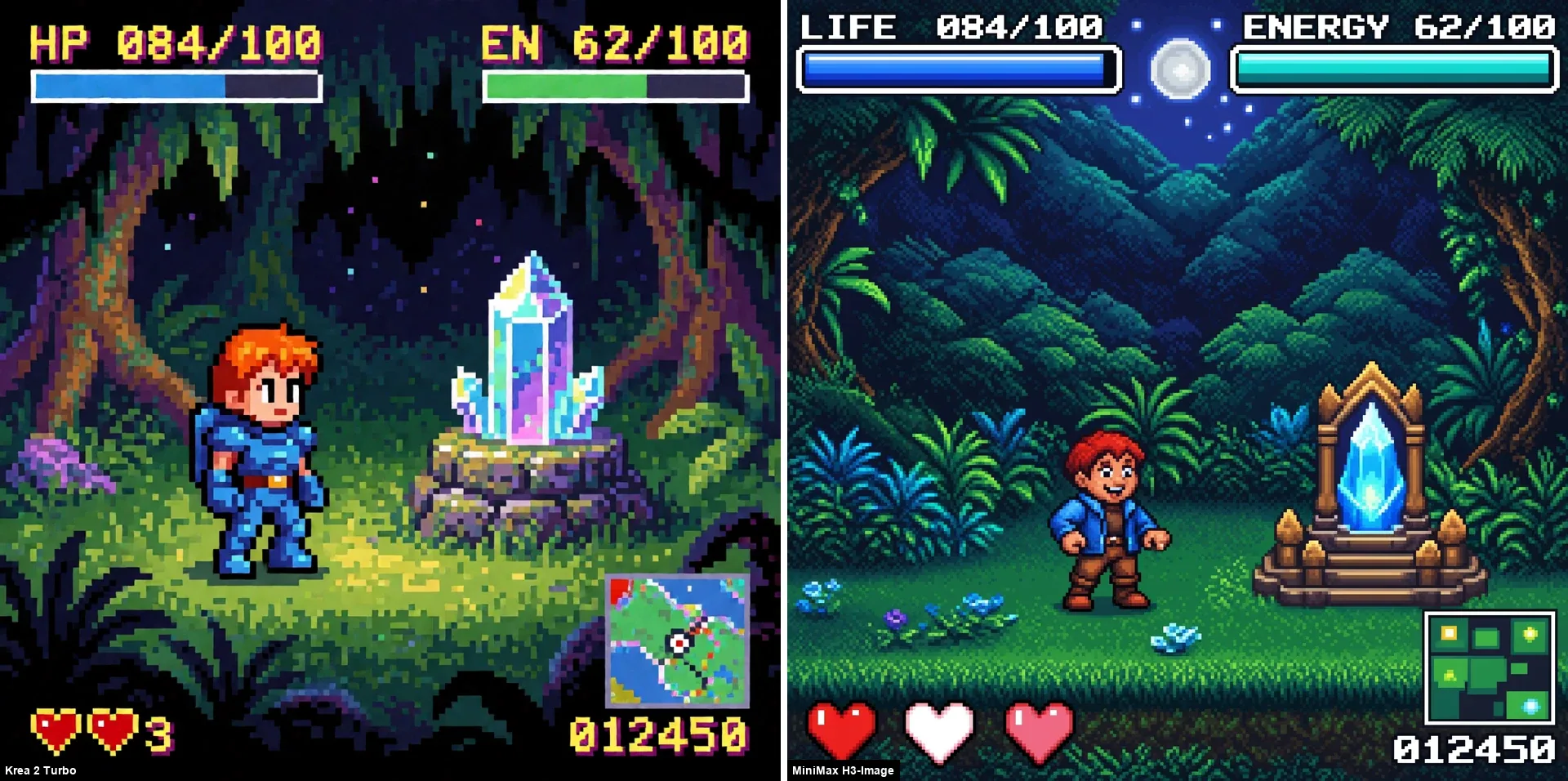
H3-Image gets the requested “LIFE” and “ENERGY” labels right, while Krea 2 Turbo shortens them to “HP” and “EN”. However, H3-Image misses the heart layout at the bottom left: it shows two filled hearts with an empty slot between them. Its minimap is also incoherent and hard to read. Krea looks more like a strict 16-bit pixel-art screen; H3-Image has richer illustration but softer pixel structure. The results split between exact HUD wording and pixel-art style.
Game Character Tests
The six game characters I use in my other comparisons, all with seed 1107. Krea 2 Turbo runs at prompt-specific sizes of about 1.3 to 3.3 MP, while H3-Image uses its native output of about 8.4 to 8.5 MP, depending on the aspect ratio. The images are scaled to the same height.
Samus Aran
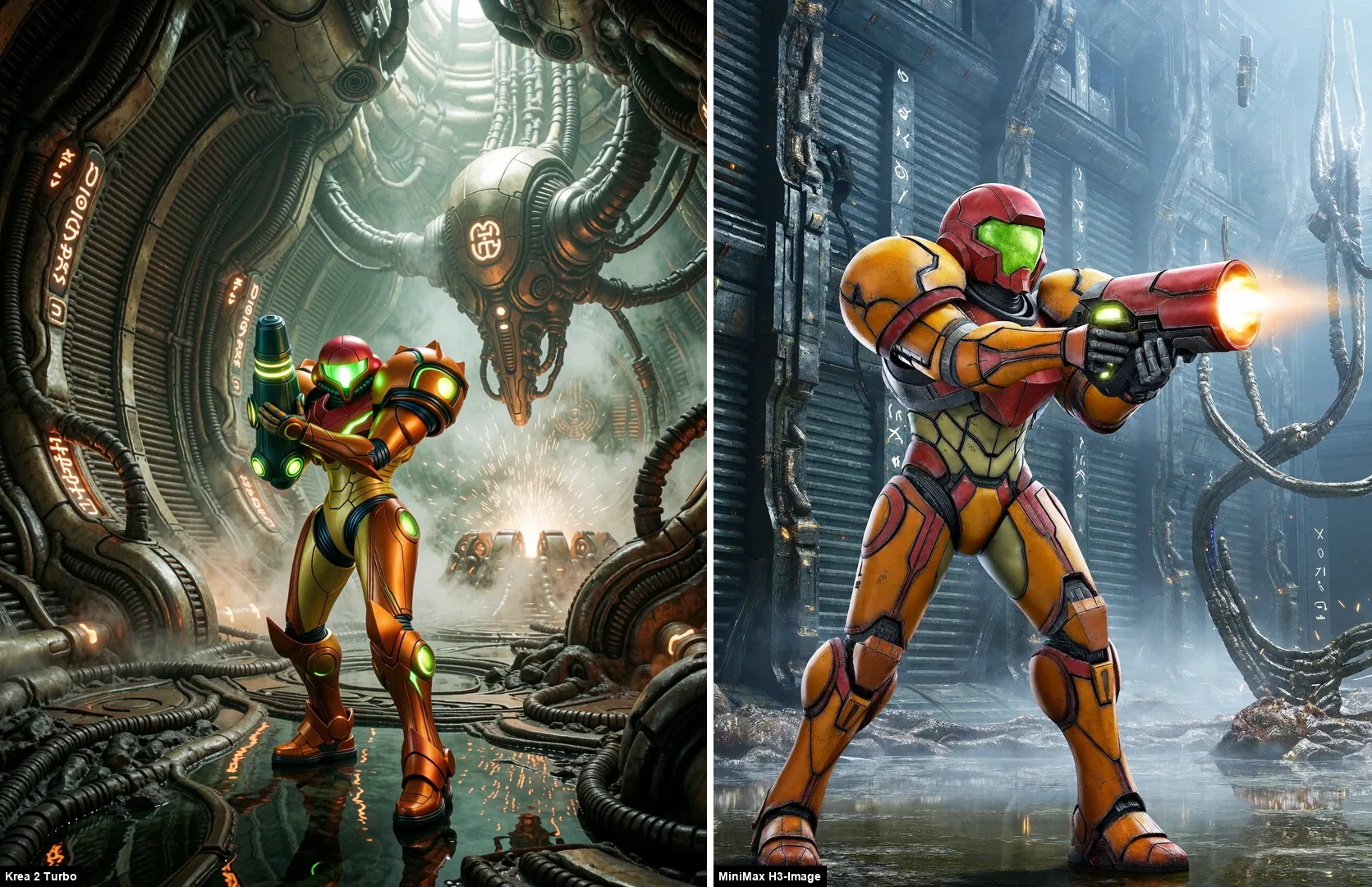
This is the clearest win for Krea 2 Turbo in the set. H3-Image’s suit reads as a toy-like figure with a red helmet and a mismatched cannon. Krea’s armor, glowing lights and biomechanical environment say Metroid.
Lara Croft
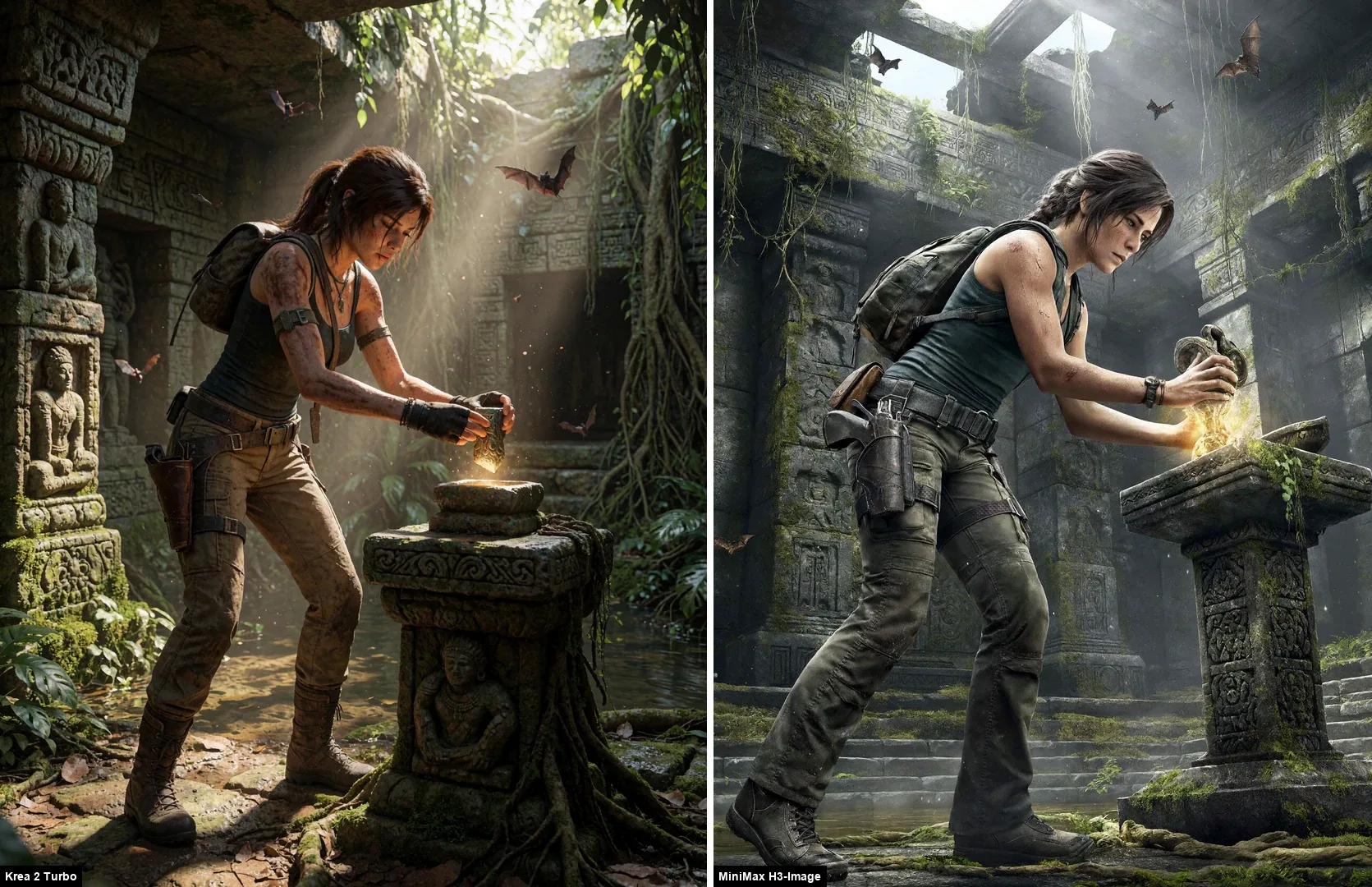
H3-Image gives the temple plenty of environmental detail, but its weak color and contrast make the image feel much less vivid and polished. The object in Lara’s hands is hard to identify, and her gaze looks blank and inexpressive. The camera angle is also less flattering. Krea 2 Turbo gives the scene a stronger mood and a more convincing overall presentation.
Master Chief
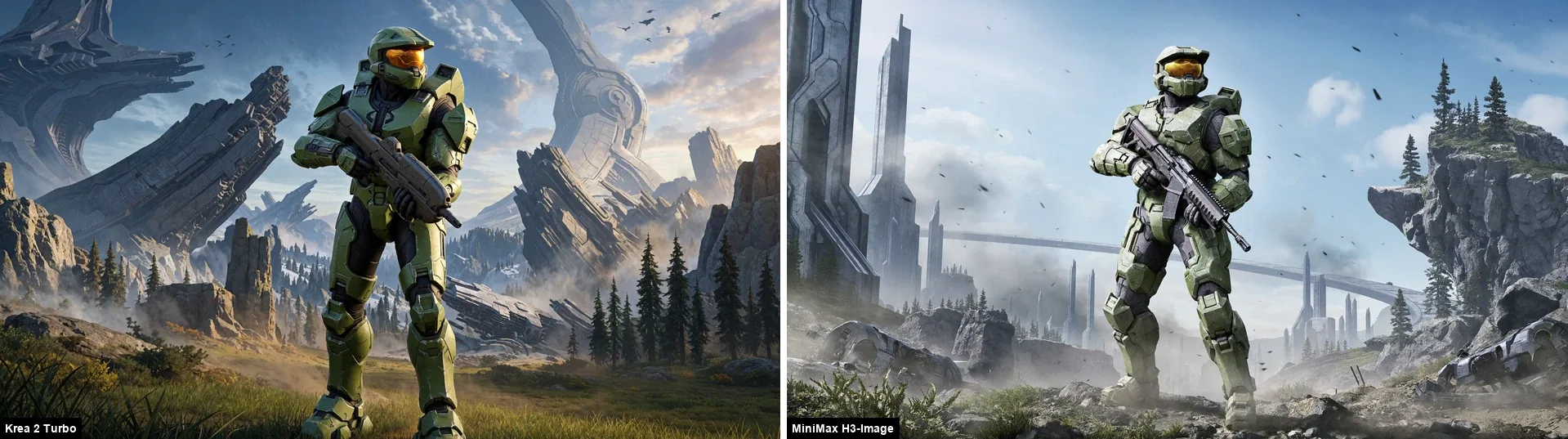
H3-Image looks too pale and washed out, and its weapon feels generic rather than like the requested assault rifle. The background has towers and a curved bridge, but no clear Halo ring. Krea 2 Turbo follows the brief much more closely, with the requested weapon, ringworld and alien architecture rendered in a more vivid, coherent scene.
Kratos
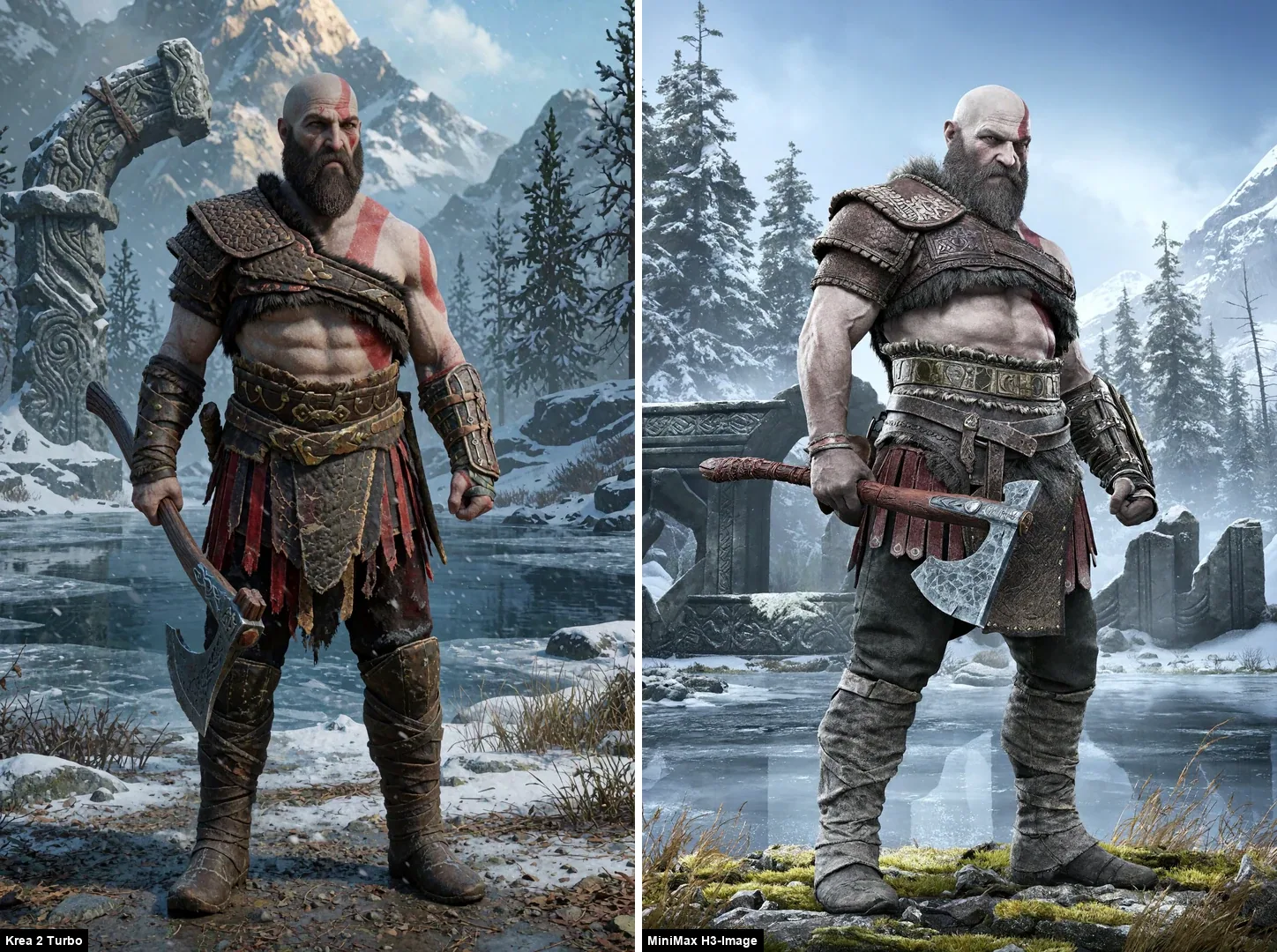
H3-Image still looks pale and muted, and Kratos’s skin is so livid it looks almost corpse-like, which is a shame. But its convincing details and more imposing posture give him a stronger sense of power. Krea 2 Turbo’s armor plating and carvings feel slightly closer to the game.
The Terminator
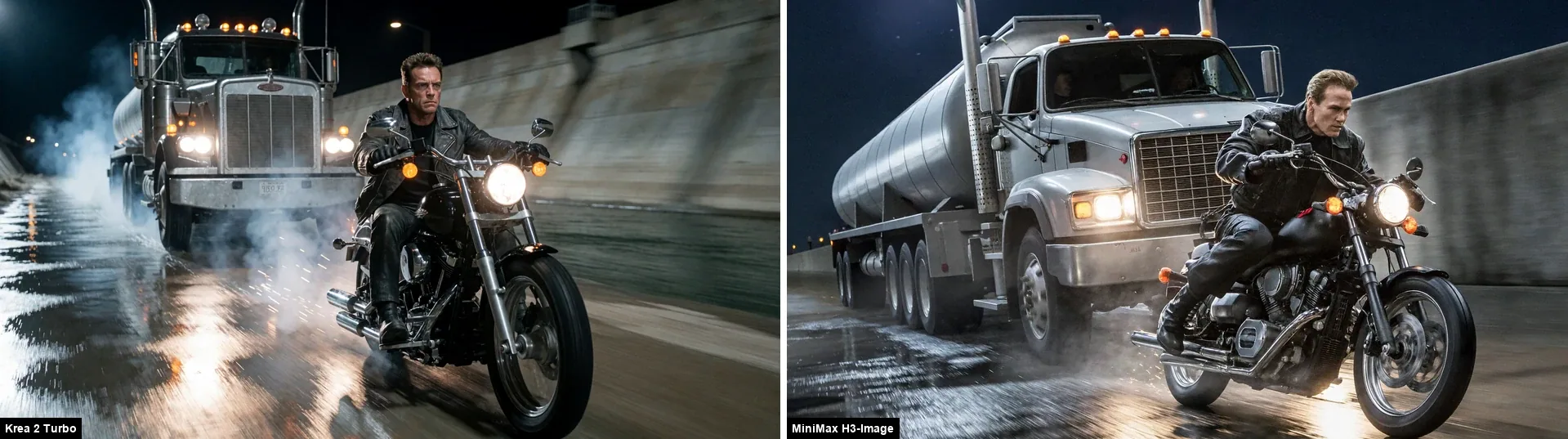
Krea 2 Turbo makes the chase feel much more cinematic, with the rider integrated naturally into the wet-road scene. H3-Image looks like a poorly cut-out figure against its background, and its colors are pale and washed out. Krea also gives the rider a stronger focal presence and a closer likeness.
Solid Snake
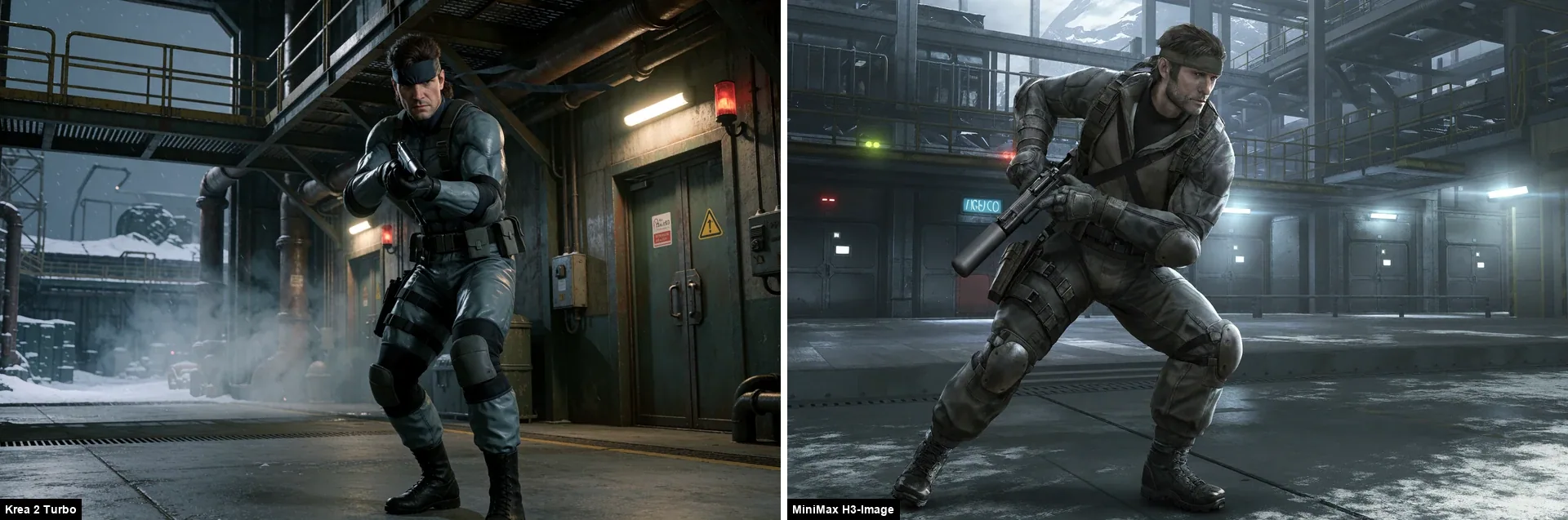
H3-Image includes the headband and stubble, but Solid Snake’s face looks a little strange, his posture feels awkward, and the suppressed pistol is visibly deformed. The low overall contrast makes the image look flat, and his grey tactical jacket and trousers drift from the classic sneaking suit. Krea 2 Turbo stays closer to the familiar design.
The 16.78 MP Stress Test
To see how far a 12GB card can go, I generated the fisherman portrait at 16.78 MP (4096×4096) with H3-Image.
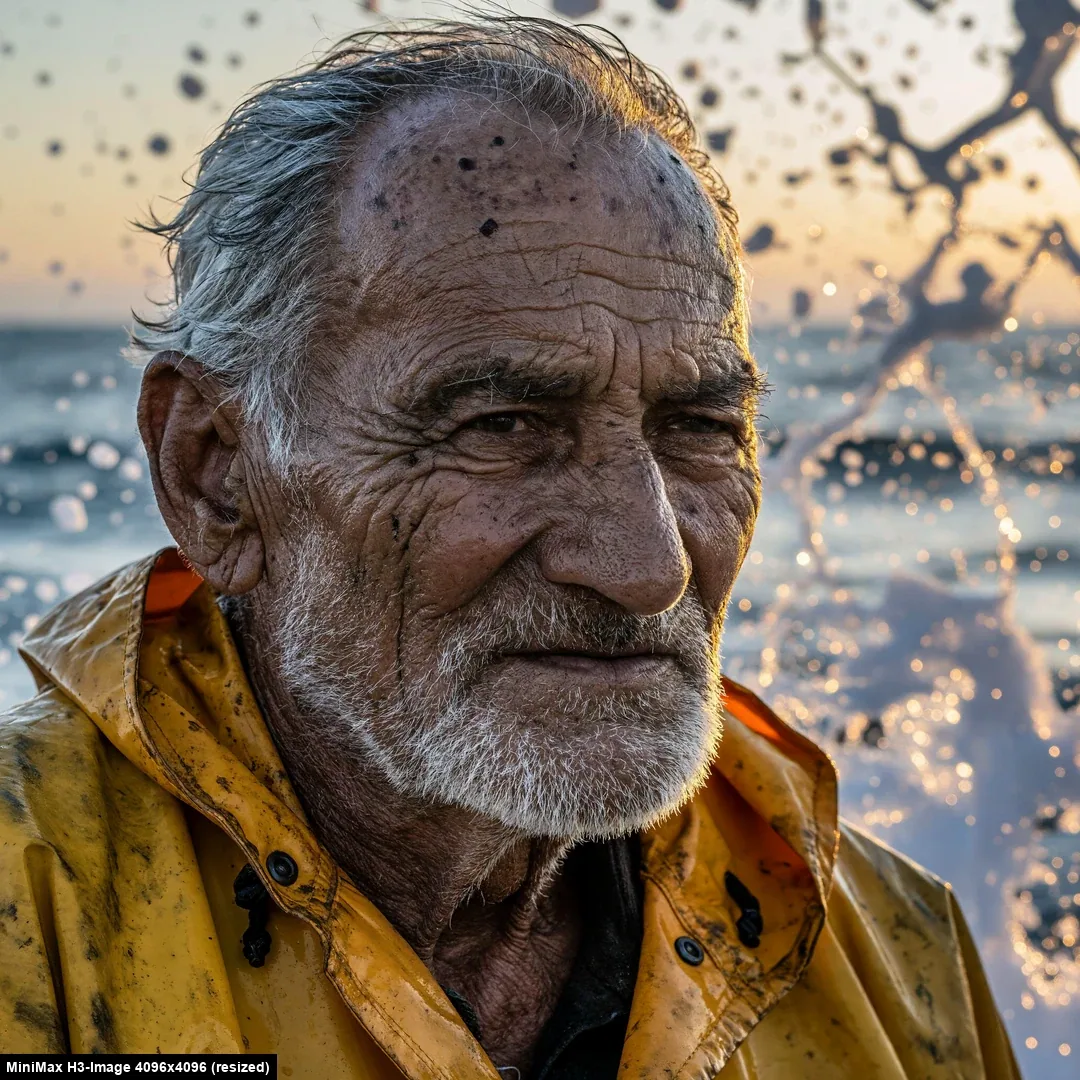
The article image is resized to 1.17 MP (1080×1080) for the web.
- Time: 129 seconds.
- Result: very fine detail in the wrinkles, beard and wet jacket. The dark spots on the scalp read as spray or blemishes, and the splash in the background has some odd shapes.
At this scale there is real content at 100% zoom that a 1.05 MP (1024×1024) model cannot produce without an upscaler. For a web article it is overkill. For a print poster it is the point of the model.
Speed
| Pipeline | Resolution | Time per image |
|---|---|---|
| H3-Image (main benchmark, 20 images) | 8.4–8.6 MP (aspect-specific sizes) | 51–54 s |
| H3-Image, first image after loading | 8.5 MP (2912×2912) | 117 s |
| H3-Image | 16.78 MP (4096×4096) | 129 s |
| Krea 2 Turbo (previous benchmark) | 1.05 MP (1024×1024) | ~60 s |
What the Numbers Show
- H3-Image at 8.4–8.6 MP (aspect-specific sizes) is faster than Krea at 1.05 MP (1024×1024) in this comparison. The two timings come from different campaigns, so treat that as indicative.
- Time hardly depends on the prompt. All 20 benchmark images finished in 51 to 54 seconds, including the 16:9 and 3:4 formats.
I measured total wall-clock time from queueing to saved file. The 117-second run was not diagnosed.
Which One Should You Use?
Choose MiniMax H3-Image when:
- native output around 8.5 MP and fine detail matter more than a polished web-sized image;
- you are making photographic portraits or scenes where natural skin texture, grain and material detail are useful;
- you can work around muted colors, weak contrast in some images and occasional misses on objects or pose by giving the model a more detailed prompt.
Choose Krea 2 Turbo when:
- you want vivid color, stronger contrast and a more immediately polished image;
- you need closer fidelity to recognizable game characters or accurate in-image text;
- you prefer coherent results from relatively short prompts, without having to spell out every visual detail.
Final Verdict
The real MiniMax H3-Image is a capable local model for a 12GB RTX 3060. It runs an image of about 8.5 MP (2912x2912 for square images) in about 51 seconds and can produce natural skin and film grain without the strong yellow cast often seen in generated images. Its colors can look washed out, but an extra color-grading pass can restore saturation and contrast, making this a correctable workflow issue. Prompt adherence is still inconsistent: the cafe details drifted, the supermarket basket floated in front of the subject, Krea 2 Turbo composed the watch more convincingly, and the bakery result felt flat.
Across many prompts shared with Qwen-Image-2.1, H3-Image’s results look strikingly close to Qwen’s 2048x2048 outputs, while appearing to resolve some of their weaker local details. The apple test gives a particularly unusual example: among all the models tested, only H3-Image and Qwen-Image-2.1 used a top-down view of the plate and placed the apple off to one side, facing the camera. Both models use Qwen3-VL-family text encoders, which may help explain similarities in how they interpret prompts, but the resemblance does not establish a common cause. H3-Image also produces larger images here, and its image-generation model and training pipeline are different. In this comparison, detailed prompts and higher resolution seem to help H3-Image deliver more coherent results, though the test cannot isolate the contribution of each factor.
Krea 2 Turbo remains my pick for a polished, commercially familiar visual style. In the bakery-sign test, both models rendered the wording correctly but presented it differently. A dedicated poster-composition test would better compare their text hierarchy, layout and integration.
- H3-Image stands out for native large output, natural skin and grain, though its color and prompt adherence vary.
Another Route: The Pruna P-H3 Pipeline
If you search for H3 in ComfyUI, you will also find a second setup. Pruna’s P-H3 pipeline is a distilled and pruned model that comes with its own prompt upsampler. I tested it on the same prompts. It is not what the rest of this article uses, and I did not find it faster on my machine, but it gives a different look.
I had already tested Pruna’s 8-step acceleration for Qwen-Image-2.1 in the Qwen-Image comparison, where the speed gain came with a substantial drop in image quality. That was a separate workflow from P-H3.
What it is
minimax_h3_fl2va_pruned_int8_convrot.safetensors, a 19.5 GB INT8 model derived from the video and audio variant- A distilled LoRA at strength 1.0, 8 steps with manual sigmas, CFG 1.0,
er_sdesampler - The Pruna prompt upsampler (a Qwen-based LLM), which I ran with thinking on and a 1536-token limit
What I saw
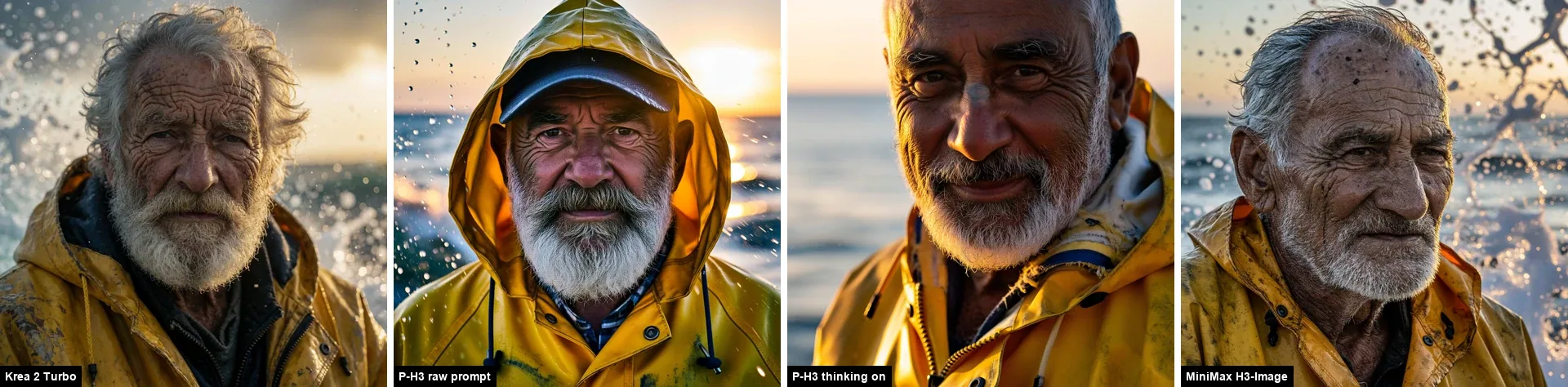
On the fisherman, P-H3 gives a smoother, more studio-lit face than H3-Image, but loses much of the skin detail. The colors feel erratic and the overall image looks plastic, with an under-sampled quality that makes it seem as if it needed many more steps. Its raw-prompt version keeps the hood and cap, while the upsampled version crops tightly on the face.
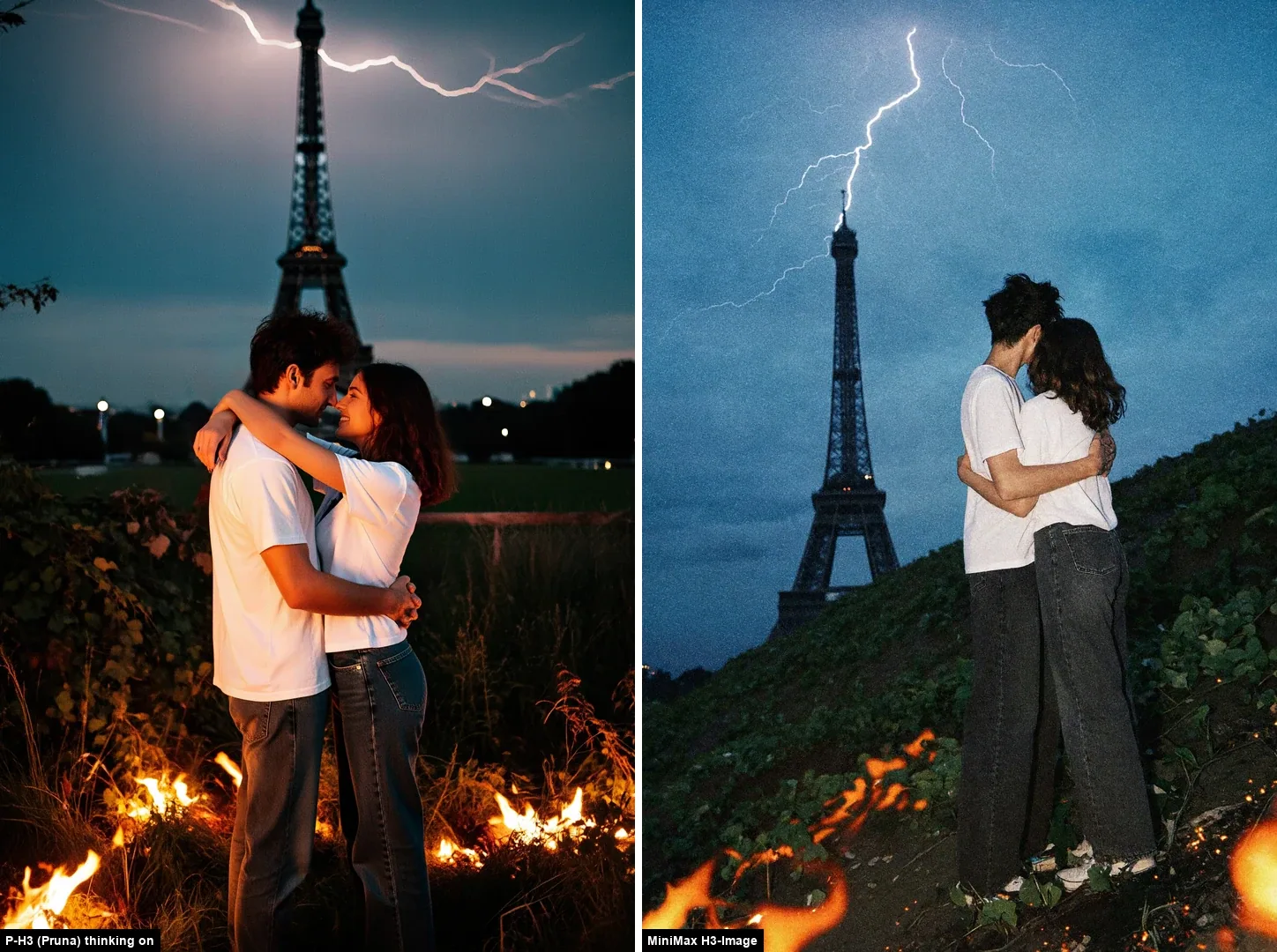
Using a prompt borrowed from the community for the Eiffel Tower scene, P-H3 poses the couple facing each other as requested; H3-Image has a grainy film look but adds lightning to the tower. I did not score these variants, and which look you prefer is subjective.
Speed and effort
| P-H3 setting | Resolution | Time per image |
|---|---|---|
| Raw prompt | 8.48 MP (2912×2912) | ~102 s |
| Upsampler, thinking off | 8.48 MP (2912×2912) | ~112 s |
| Upsampler, thinking on | 8.48 MP (2912×2912) | ~200 s between consecutive files |
That is two to four times slower than H3-Image on this machine. The thinking-mode figure is estimated from file timestamps, not from a timer inside the workflow.
Who it is for
P-H3 is worth trying if you prefer a smoother, more stylized look, or if you want the Pruna upsampler’s expanded prompts. It was not the better choice here for speed or for a natural look. Source: Pruna AI P-H3 ComfyUI distribution.
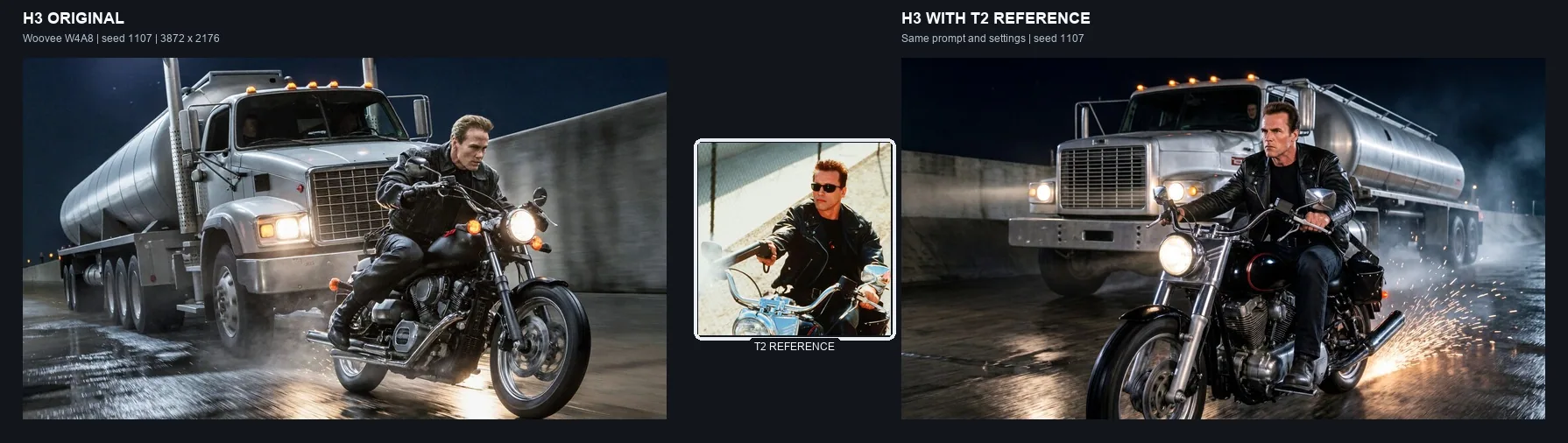
Community Follow-up: A Terminator 2 Reference
After a community suggestion, I tested whether adding a reference image could improve H3-Image’s prompt adherence. For this Terminator chase scene, I used a Terminator 2 image as a reference while keeping the prompt, seed and generation settings unchanged.
The result follows the requested character and chase composition more closely. This is one targeted test, not part of the benchmark.
Sources
- MiniMax image generation documentation
- MiniMax H3-Image release and advertised capabilities
- MiniMax-H3-Image model card, native sizes
- Woovee MiniMax-H3-Image low-VRAM weights
- Pruna AI P-H3 ComfyUI distribution
Workflows and Prompt Downloads
The ComfyUI workflows and prompt setups used for this article are available in the companion repository:
What did you think of this post?
Share your feedback in one click!
Comments (0)
Join the discussion and share your thoughts
Leave a comment
No comments yet. Be the first to share your thoughts!
Related Articles
Continue reading with these posts and tutorials
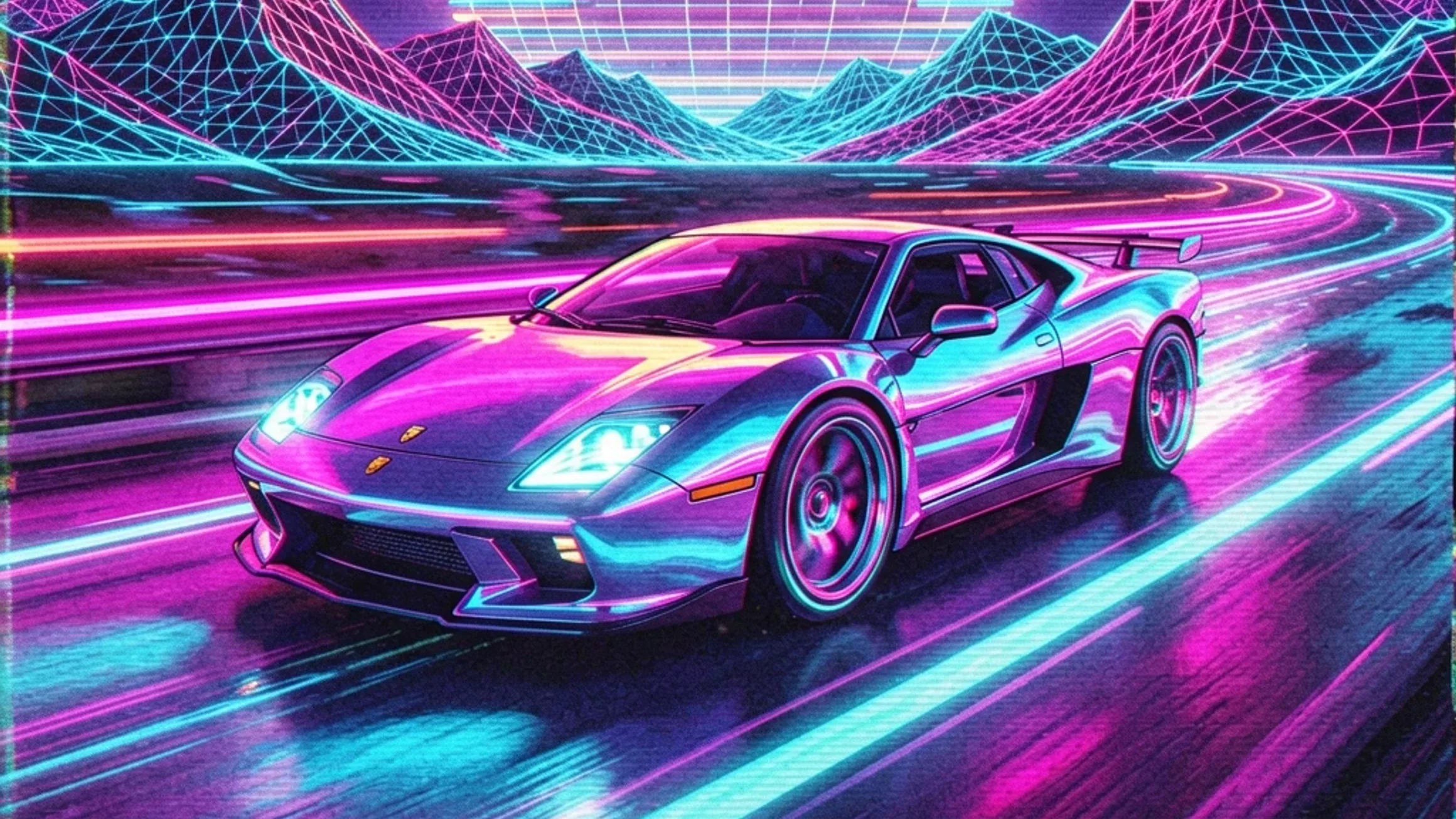
Qwen Image 2.1 vs ERNIE, Krea 2, HiDream and Z-Image on RTX 3060 12GB
Review draft of the final five-model 1024x1024 benchmark on an RTX 3060 12GB. Krea 2 Turbo finished first, ERNIE followed, and Z-Image-Turbo was the fastest retained workflow.
Sep 28, 2026
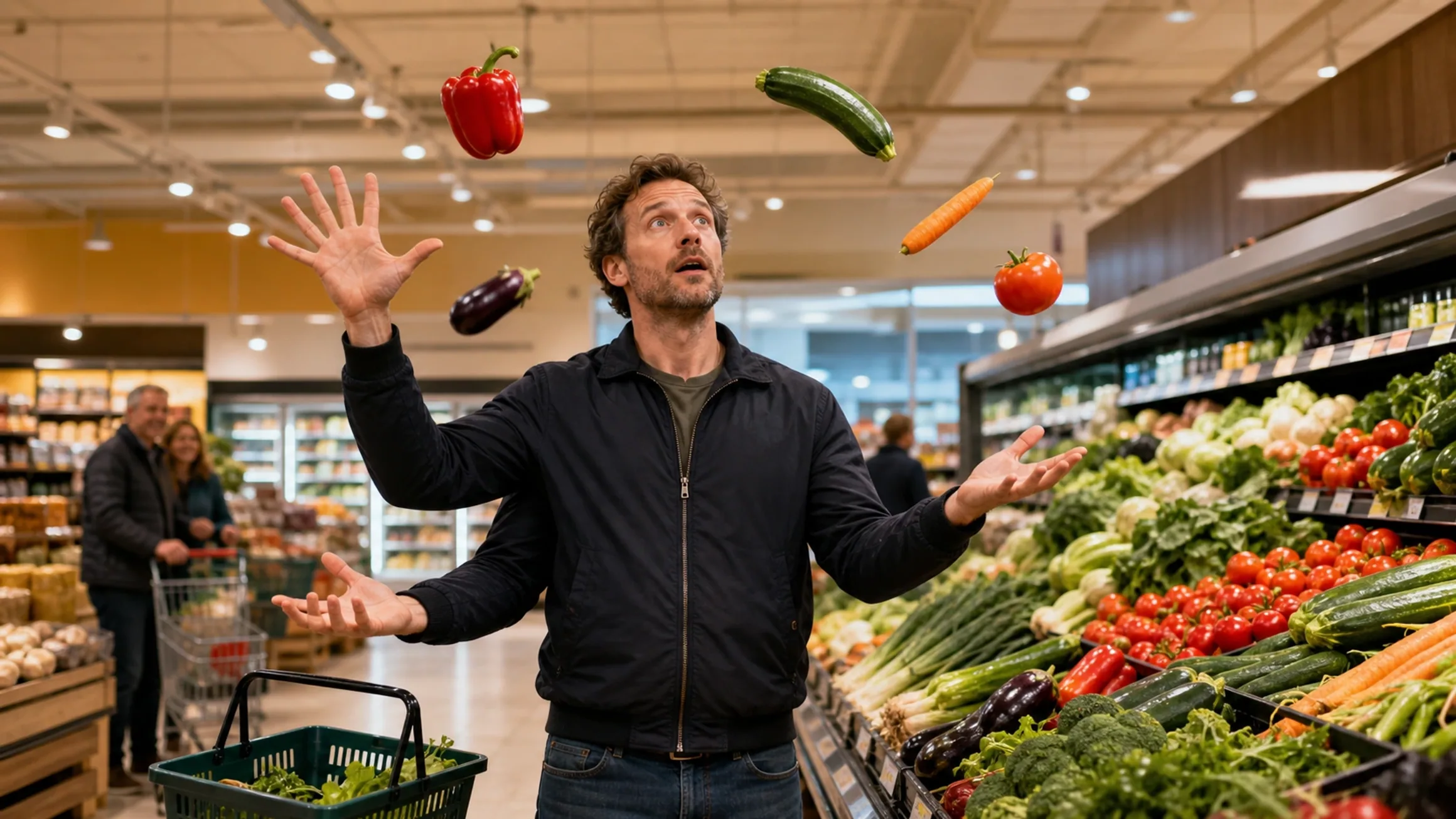
Mage-Flow Turbo vs FLUX.2 klein 4B on an RTX 3060 12GB
Does MiniMax-H3-Image run well on a 12GB card, and is it a serious alternative to Krea 2 Turbo? A hands-on comparison on an RTX 3060 12GB, from portraits and everyday scenes to product shots, exact text and game characters.
Jul 30, 2026
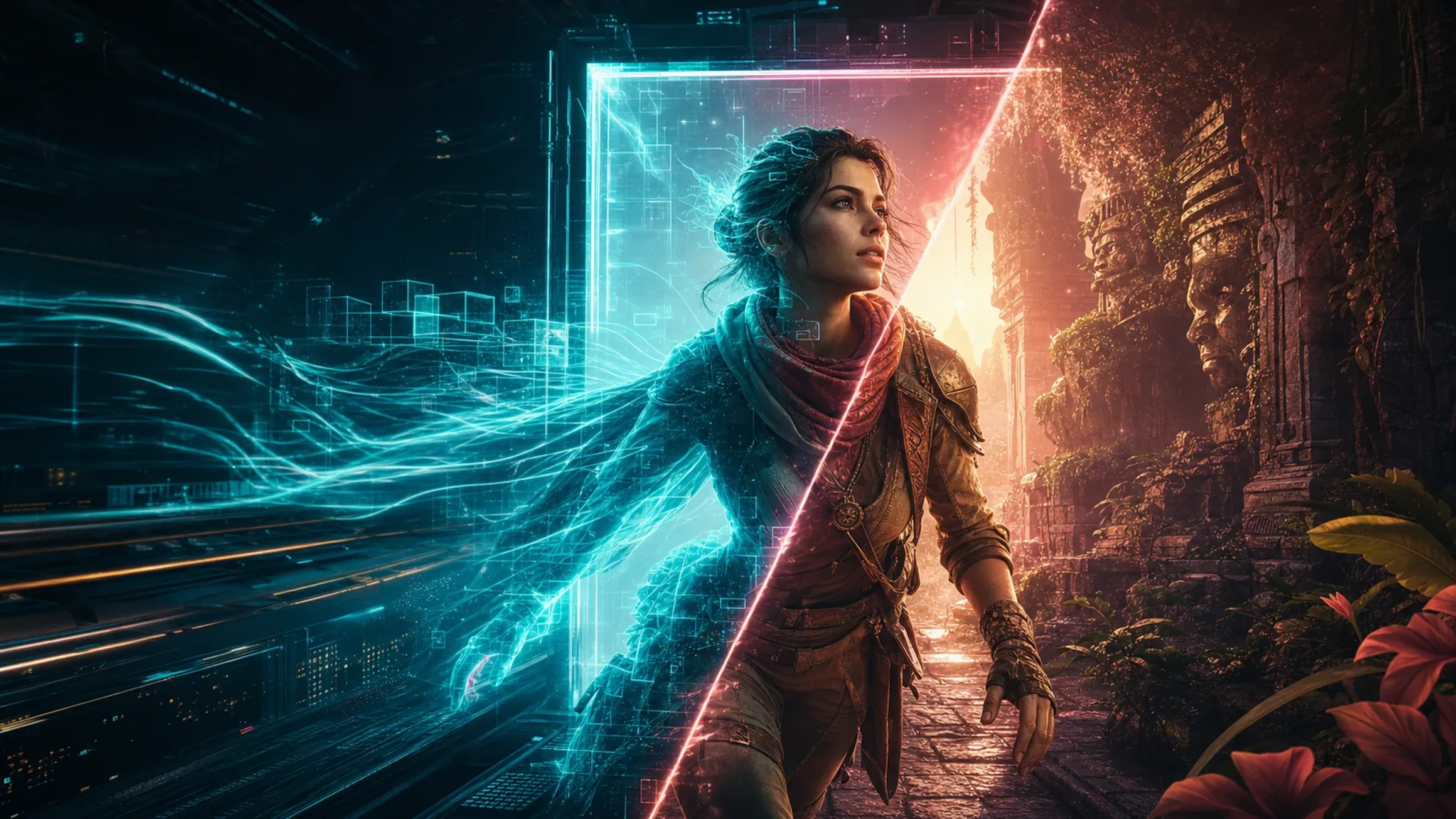
Mage-Flow vs Krea 2 Turbo on 12GB VRAM
A 60-image ComfyUI benchmark comparing generation speed, memory usage, character fidelity, photography and image quality on an RTX 3060 12GB.
Jul 28, 2026